三七
 Image
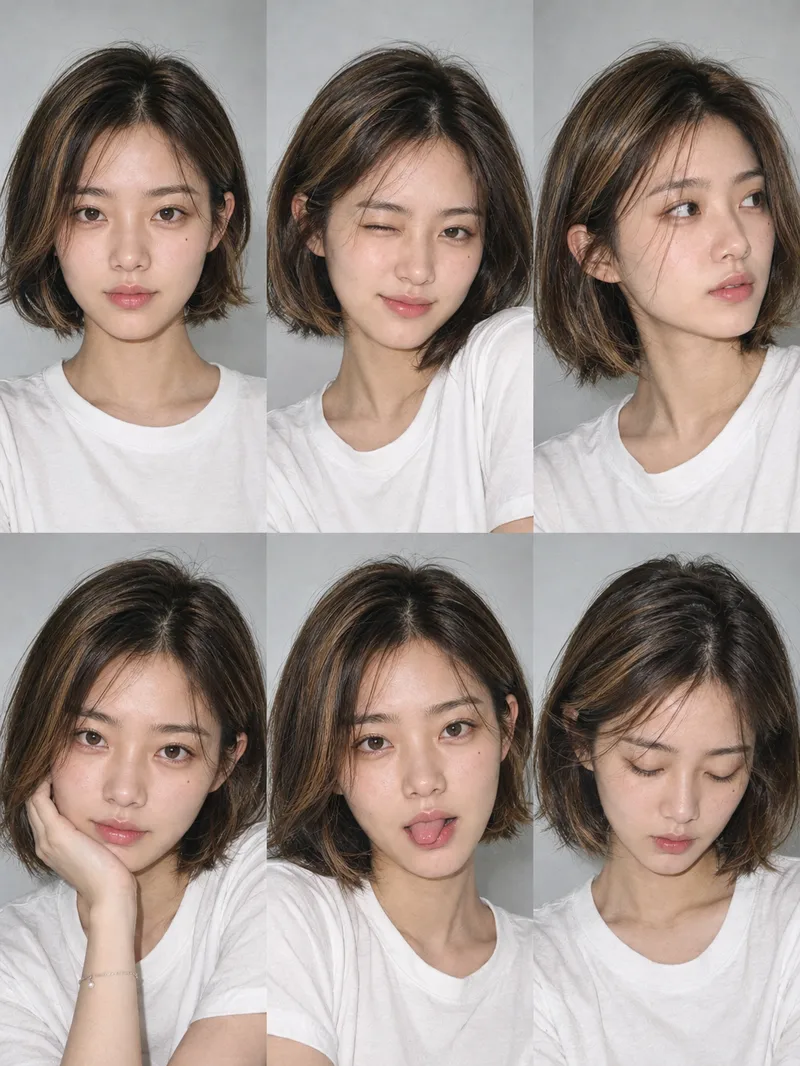
ImageOne-Click Snapshot Collage
Using the user-uploaded photo as the sole identity reference, generate a realistic multi-panel portrait collage of the same person, with a default 3×2 layout. It features a range of expressions and poses with the feel of an Instagram candid snapshot collection. By default, the best image-generation model is used to create the image directly, along with the complete prompt used for the final result.
 Image
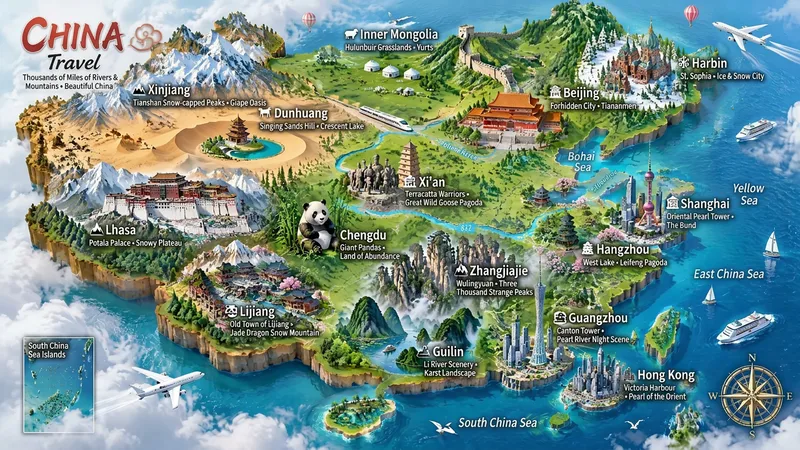
ImageMiniature Maps for Any Place
Best for: travel bloggers, tourism promotion, geography and culture education, hometown promotion, travel guide covers, and social media series. Turn any place into a miniature diorama you can hold in your hands. Just enter a place name. The Skill first identifies whether it is a country, province, city, or town, then researches the area's most representative real landmarks, cultural symbols, and local specialties. Finally, it generates a bright, finely detailed 3D isometric miniature travel map poster. ✅ Landmark research: verify first, then illustrate—no invented buildings, attractions, or place names ✅ All location levels: country / province / city / district or county / town / scenic area ✅ Clear information: place name + icons + keyword labels make each area's character easy to understand at a glance ✅ Default 3:4 portrait format, suitable for Xiaohongshu, Douyin covers, and Pinterest ✅ Flexible styles: 3D miniature, clay, pixel art, watercolor, paper cut, or low-poly ✅ Series-ready: maintain a consistent style for batches such as "All Provinces of China," "Northeast China’s Three Provinces," or "Cities Across China" ✅ Supports Chinese, English, and bilingual Chinese-English labels
 Image
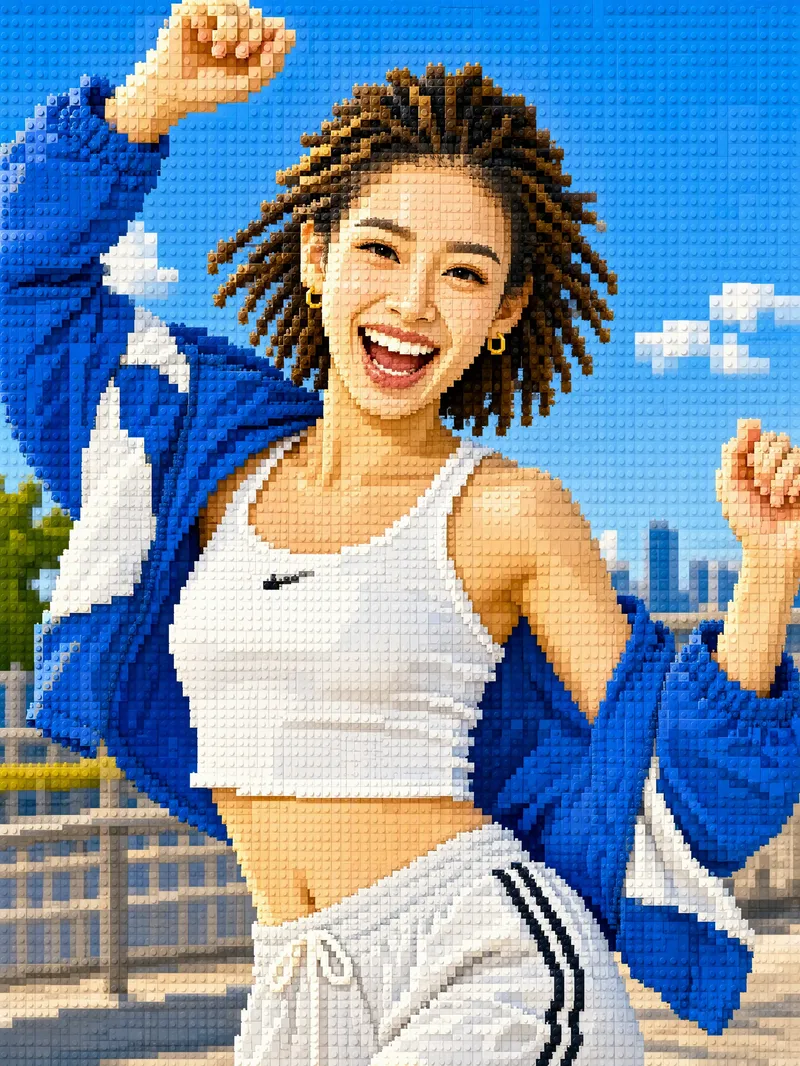
ImageTurn Photos into Mosaic Art
Mosaic transformation magic: reassemble your photo into a work of mosaic art. 12 styles: pixel blocks, tiles, ancient Roman mosaic, stained glass, honeycomb hexagons, polka dots, LEGO, cross-stitch, low-poly, gold leaf, 8-bit, and paper-cut collage. Choose a style, or let it automatically create a combination with the greatest differences. True to your appearance: faces and key areas are recreated with finer color blocks, while the composition, pose, and clothing stay the same—it's still clearly the same person at a glance. Choose any aspect ratio: 3:4 by default, or switch to 1:1, 9:16, 16:9, and more. Choose the number of images: generate 1 to 9 at a time, each in a different style with the same subject. Works across models: ready to use with mainstream image-generation models. Great for profile pictures, social media covers, short-video covers, personal IP visuals, and custom gift artwork.
 Image
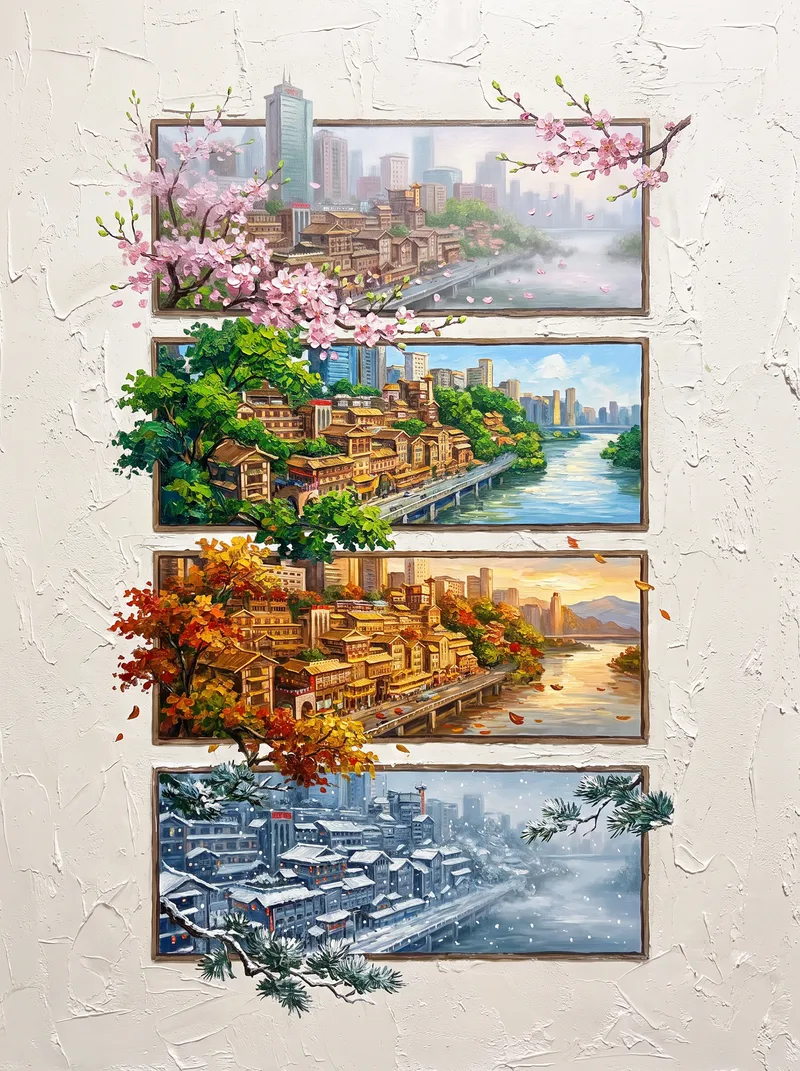
ImageFour Seasons, One Frame
Place any subject into the cycle of the four seasons. Upload a photo of a tree, flower, building, courtyard, or landscape—or simply enter the name of a city, plant, building, mountain, or river—to generate a 3:4 portrait “Four Seasons, One Frame” palette-knife impasto oil painting. The scene features an off-white, heavily textured wall, with four horizontal frames arranged from top to bottom to show spring, summer, fall, and winter. The same subject runs continuously through all four frames from bottom to top. Its branches and leaves, flowers, rooflines, and light and shadows also break through the frames and extend naturally onto the surrounding wall. Colors are rich and saturated inside the frames, while the space outside remains clean and minimal, creating a striking contrast between a vivid interior and a restrained exterior. Spring brings soft pink cherry blossoms and blue skies; summer features deep greens and lakeside mountains; fall shows orange-red leaves and golden sunsets; winter brings snow and pine forests against snowy mountains. 【Use Cases】 - Social media covers, Xiaohongshu, and Douyin image-and-text content - Home décor art and wall art for living rooms or entryways - City and tourism promotion, and destination posters - Brand visuals themed around the four seasons and seasonal solar-term posters - Personalized gifts for birthdays, anniversaries, and other occasions (for example, turning an old tree or house from your family home into a four-season painting)
 Image
ImageCity Culture Poster Maker
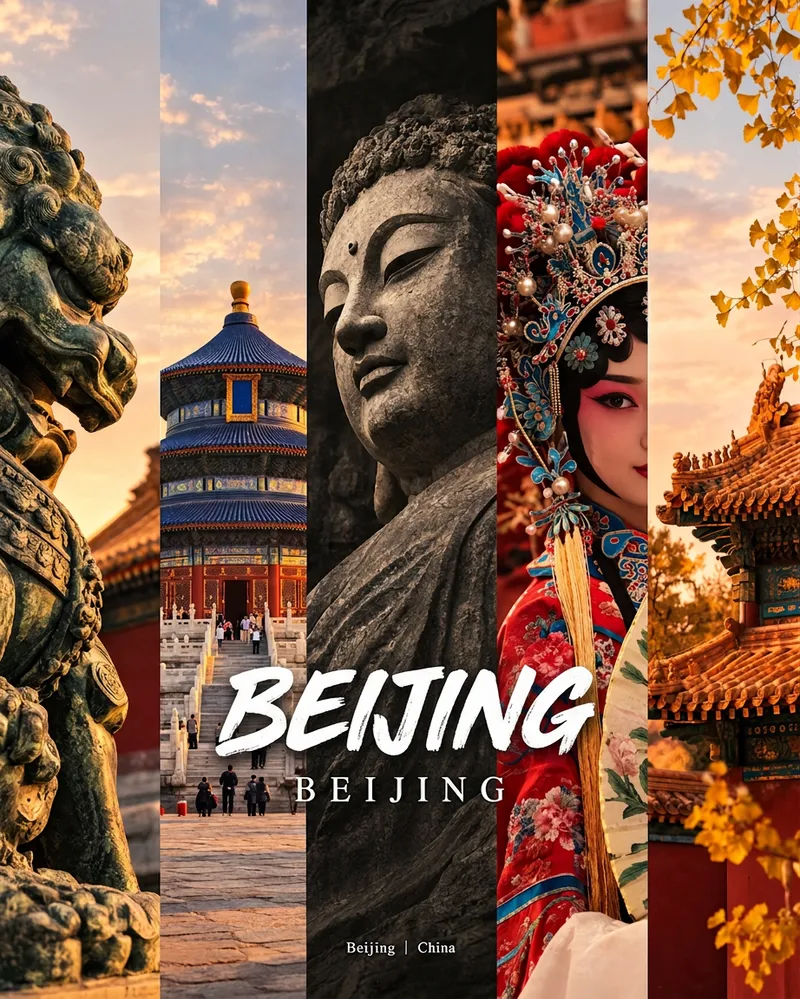
Enter a place name to instantly create a polished city identity poster in a five-panel vertical-strip format. The design seamlessly combines five equal-width vertical strips: close-ups of cultural artifacts and nature on the outer panels, an architectural landmark in the second panel, local customs and cultural life in the fourth, and the city’s most soulful cultural symbol in the center. The overall look uses warm golden-hour light and cinematic color grading. The center panel is darkened and desaturated to create a "warm—cool—warm" visual rhythm. A large white calligraphic place name, its English serif name, and the small text "Administrative Region | Country" are layered below the center panel. Two ways to use it: · Upload 5 photos you took yourself and enter a place name: the system automatically sorts them by content, crops them vertically, applies consistent color grading, and combines them into a poster in the same style · Enter only a place name: the system automatically selects 5 of the area’s most representative real-world elements and faithfully generates the poster Ideal for travel blogger covers, city tourism promotion, Xiaohongshu/Instagram carousel cover images, city identity cards, and album covers.
 Image
ImageInstagram Street Snapper
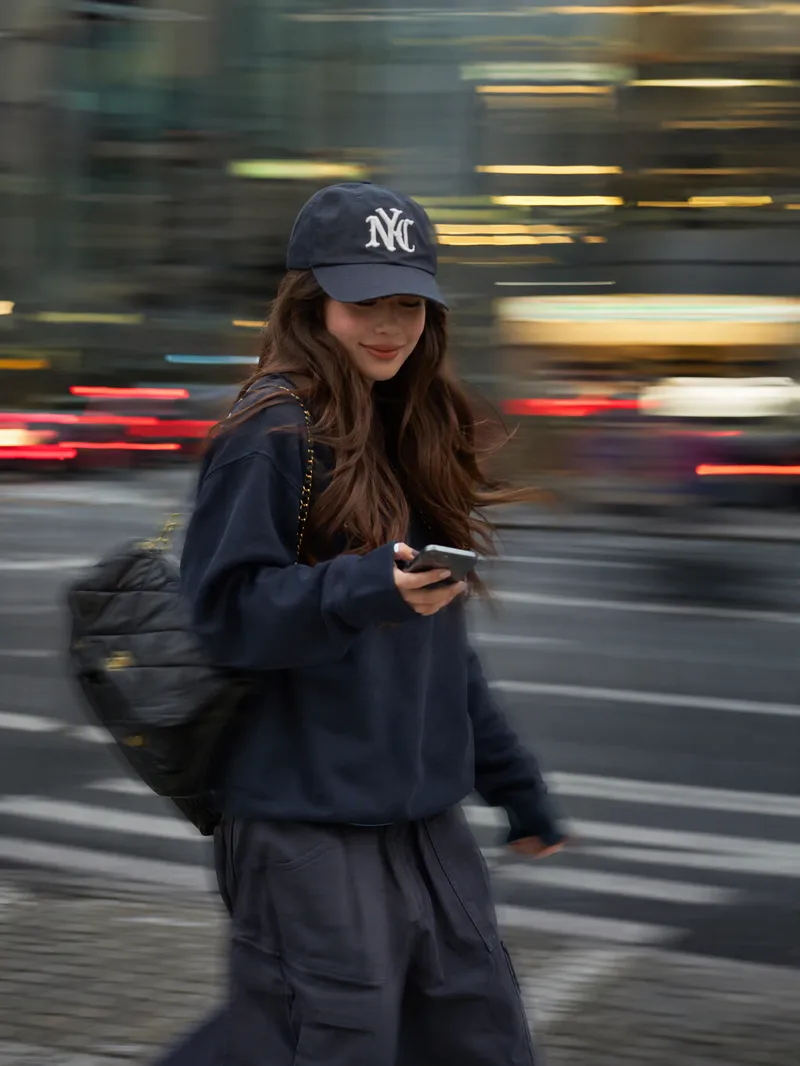
Best for: Xiaohongshu and Instagram creators: Need polished personal photos and want to create cover images, profile pictures, and outfit photos in batches Everyday photography lovers, especially young women: Want a magazine-style look without the budget for a photographer Personal brand founders and professionals: Need photos for LinkedIn, WeChat Official Accounts, and personal introduction pages Outfit, fashion, and beauty creators: Want street-style content featuring products or clothing Small business and clothing store owners: Need affordable street-style model images for product listings Short-form video creators: Need video covers, persona images, and profile headers Upload one photo to automatically create a stylish street portrait with a panning slow-shutter effect: your face stays sharp and clear while the background becomes horizontal speed lines, with subtle motion trails on your hands, bag, and clothing—like a photographer catching a fleeting moment on the street. ✦ Still your face: Built-in identity preservation keeps your facial features, skin tone, and hairstyle. No face swapping or generic influencer look. ✦ Automatic outfit styling: Keeps your original clothing when it works; if it is unsuitable for street photography, such as pajamas or an ID photo, it switches to a polished urban look. ✦ Fresh poses every time: Take big strides, cross the street, glance back, carry a bag, hold coffee, and more. ✦ Three lighting moods: Cool gray-green overcast / warm orange dusk / cyan-blue backlight, matched to your overall look. ✦ Film color grading: Low saturation, cyan-tinted shadows, and warm highlights for a magazine-quality finish. ✦ Default 3:4: Ideal for Xiaohongshu and Moments, with custom ratios such as 9:16 also available.
 Image
ImageReal × Cute Creature Photos
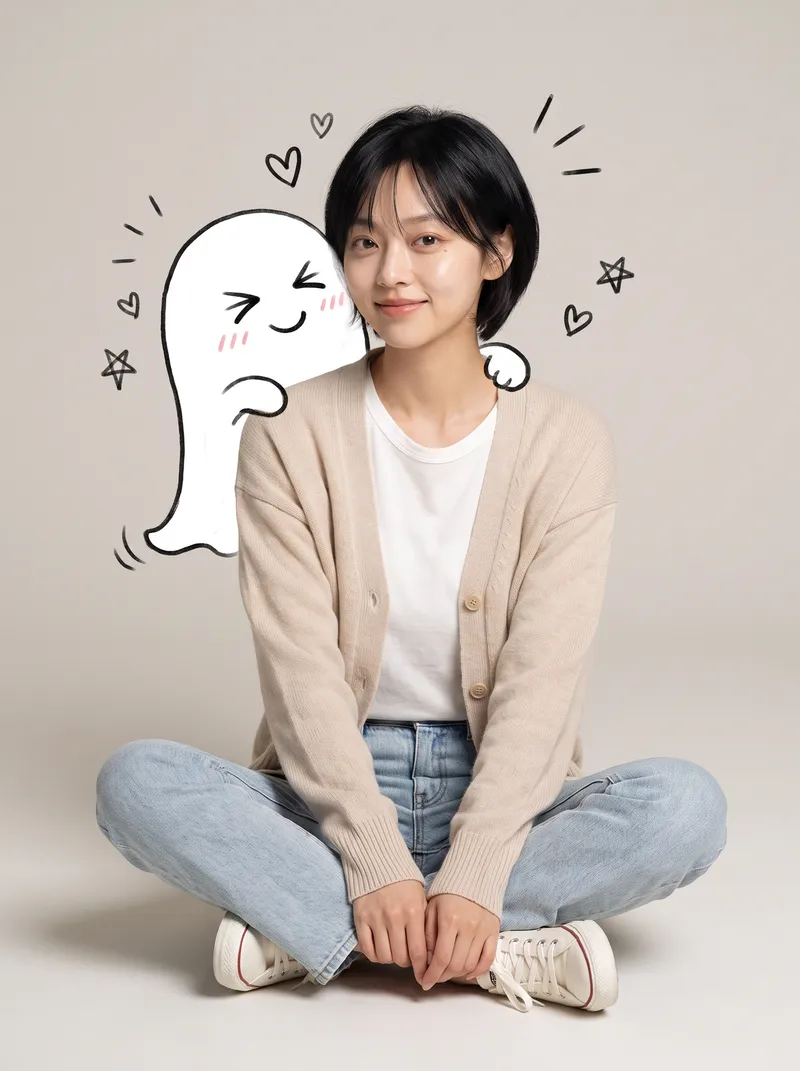
Still posting the same old selfies? Upload your photo, and AI will automatically create a heartwarming feature photo of you embracing a hand-drawn cute creature: a small white creature with black outlines peeks out from behind you, gently cupping your face with its little paws and resting them on your shoulder, surrounded by tiny hearts and sparkles. ✨ Keeps your face recognizable—no identity swaps or distortion ✨ Automatically matches the outfit to your vibe, so you don't have to style it yourself ✨ Multiple poses work beautifully: sitting, standing, crouching, or leaning ✨ A different cute creature every time: a dumpling, puppy, teddy bear, baby, and more—random surprises included ✨ Default 3:4 portrait format, ideal for Xiaohongshu and Moments; the aspect ratio is customizable One photo, one minute, and it's ready to collect likes.
 Image
ImageSelfie Comic Hero
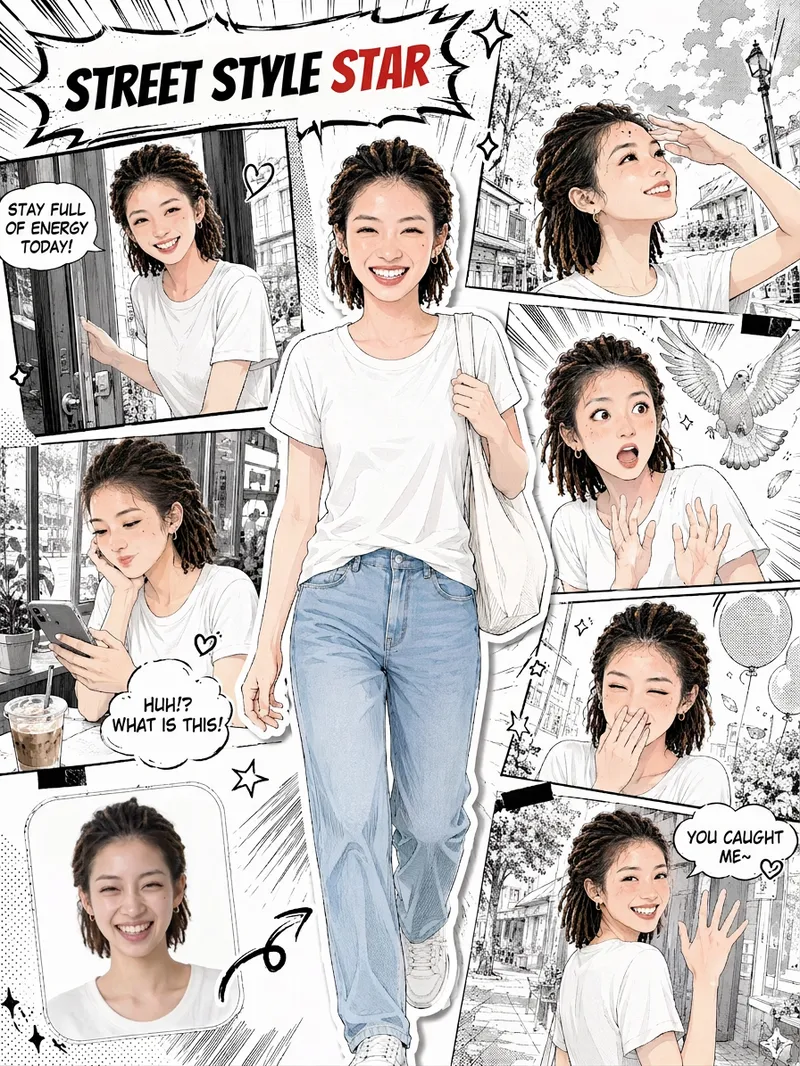
Upload a selfie and let it draw “your comic.” This is more than turning a photo into an anime avatar. It recreates your face, hairstyle, and outfit, placing you front and center as the protagonist. Around you is a story-driven sequence of comic panels: winking and flashing a peace sign, smiling sweetly with your chin in your hands, reacting to a surprise, looking back with a secret smile… Together, 5–6 panels of expressions become your own little story. You’ll get: 🎨 Japanese manga line art with a magazine collage style; you’re the only one in color in the black-and-white comic 🧑 Your face, hairstyle, and outfit are faithfully recreated, so every panel clearly looks like you 📖 Storyboards with a clear beginning, development, turn, and conclusion; speech bubbles are generated automatically based on your photo 🔄 Every generation is different, so you can create different stories from the same selfie 🖼️ An optional “selfie vs. comic” comparison thumbnail in the lower-left corner for extra contrast when sharing ✏️ Want to make it your own? Customize the storyboard theme, dialogue, title, and aspect ratio
 Image
ImageCandid Cinematic Shots
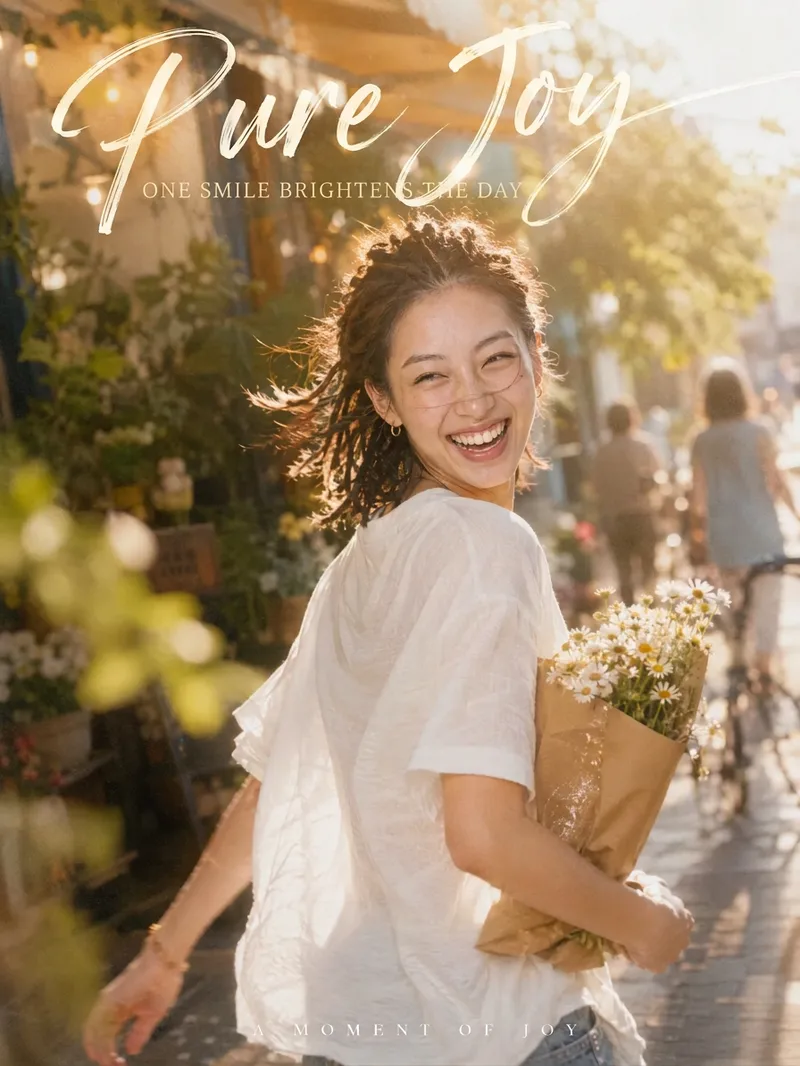
Your photo isn’t missing beauty—it’s missing "that second." 「Candid Cinematic Shots」first reads the person in your photo—their presence, outfit, setting, and mood—then designs a natural candid moment just for them. It might capture wind-tossed hair as you glance back, the instant bright light makes you squint mid-laugh, or your back as you walk past a street corner with a book in your arms. The image features an authentic handheld feel, film grain, backlight glow, and motion-blurred surroundings, keeping the subject sharp while the world moves around them. Add hand-lettered typography and Chinese-English captions, and one image takes on the polished feel of a magazine cover. Core highlights: 🎬 Truly candid: No posing or forced smiles—the expression and movement are captured in a moment of change 🎯 Made for you: Poses, props, settings, and captions are designed from your photo, so every generation is different ✍️ Artistic captions: A handwritten headline with short Chinese-English copy that fits your image instead of using a template 📐 3:4 portrait by default: Ideal for Xiaohongshu, WeChat Moments, and Douyin covers; the aspect ratio can be customized 🎛️ Adjustable: Choose the level of candidness, motion intensity, copy direction, and Chinese-English pairing Best for: Xiaohongshu, Douyin, and WeChat Channels creators: Make covers and personal-brand visuals Content creators in AI art and AI portrait photography: Create viral before-and-after videos Personal-brand and knowledge creators: Make profile photos and promotional graphics
 Image
ImageMap Treasure Poster
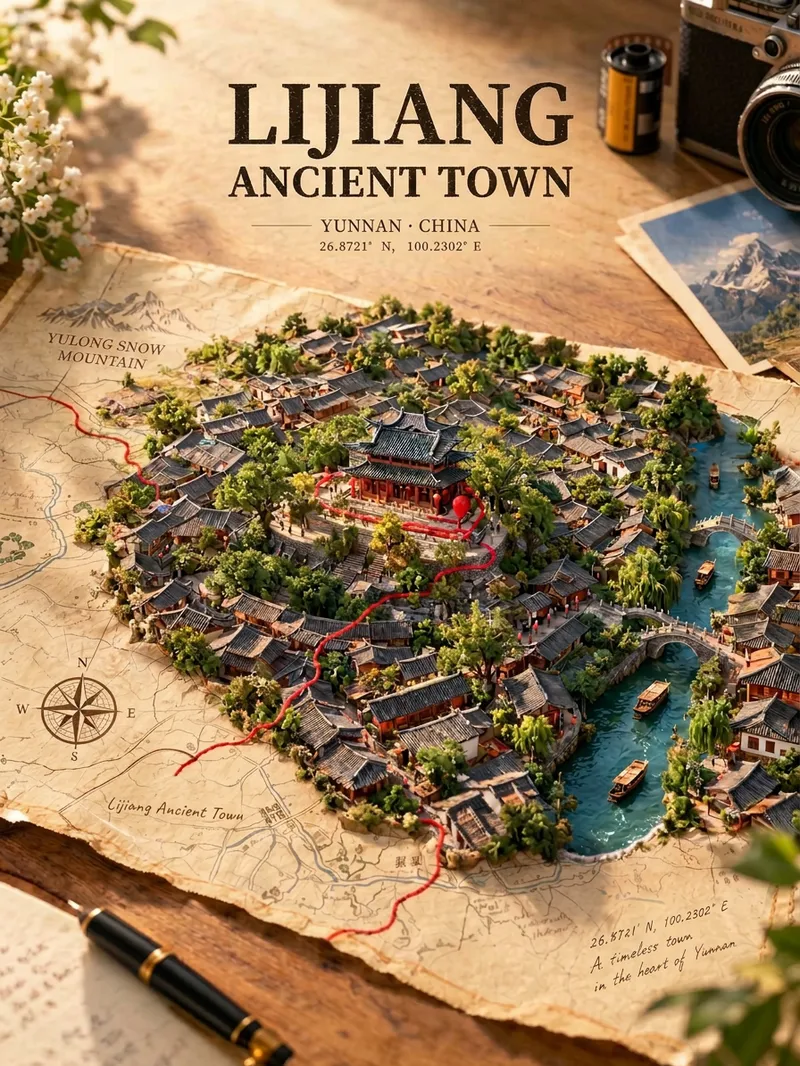
For travel, geography, history, and urban culture creators; creators making carousel graphics and short-video covers; and account operators who want to produce images in batches at low cost. Enter any place in the world—from a country or city to a town or village—and generate a creative poster showing the city breaking through paper. Real streets, rivers, and iconic buildings slowly rise from a yellowed vintage map, while a red line winds along actual streets before wrapping around the landmark. Landmarks, architectural styles, terrain, waterways, and coordinates are all recreated according to the real location, with no random drawing or mix-ups. The default format is a 3:4 portrait layout, with bilingual Chinese-English poster text. The aspect ratio and language can be customized.
 Image
ImageKids' Doodle Photo Magic
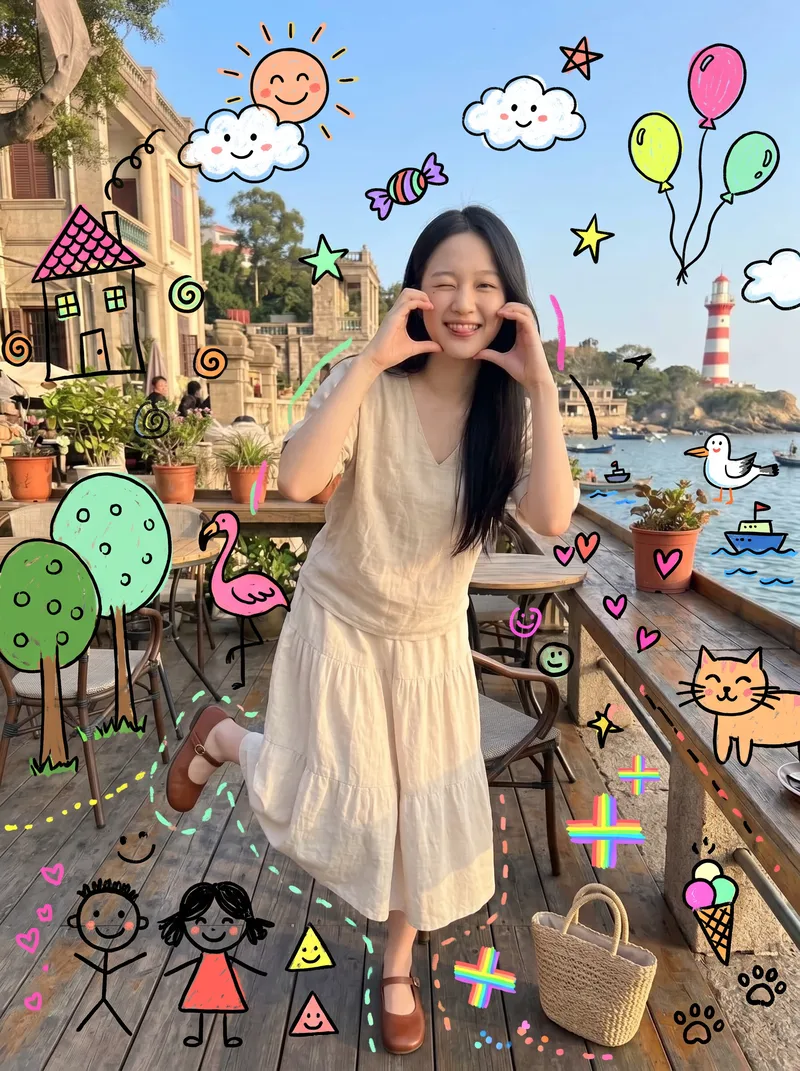
This skill is designed for content creators who want to generate "photo × children's doodles" images. Just upload a photo—family portraits, people, pets, street scenes, food, and landscapes all work. It automatically identifies the subject and areas of open space, then adds crooked suns, clouds, flamingos, cats, candy, wonky houses, little monsters, smiling faces, and more around the subject. The result looks like a child really drew directly on the photo, with authentic hand-drawn strokes. 【Use cases】 - Turn family portraits and photos of children into warm, playful keepsake posters - Turn pet photos into adorable images that look "covered in children's drawings" - Create creative covers and series graphics for Xiaohongshu, Douyin, and WeChat Moments - Give street and travel photos a childlike urban doodle style - Create visual assets for brand marketing, children's products, and parenting content
 Image
ImageMosaic Everything
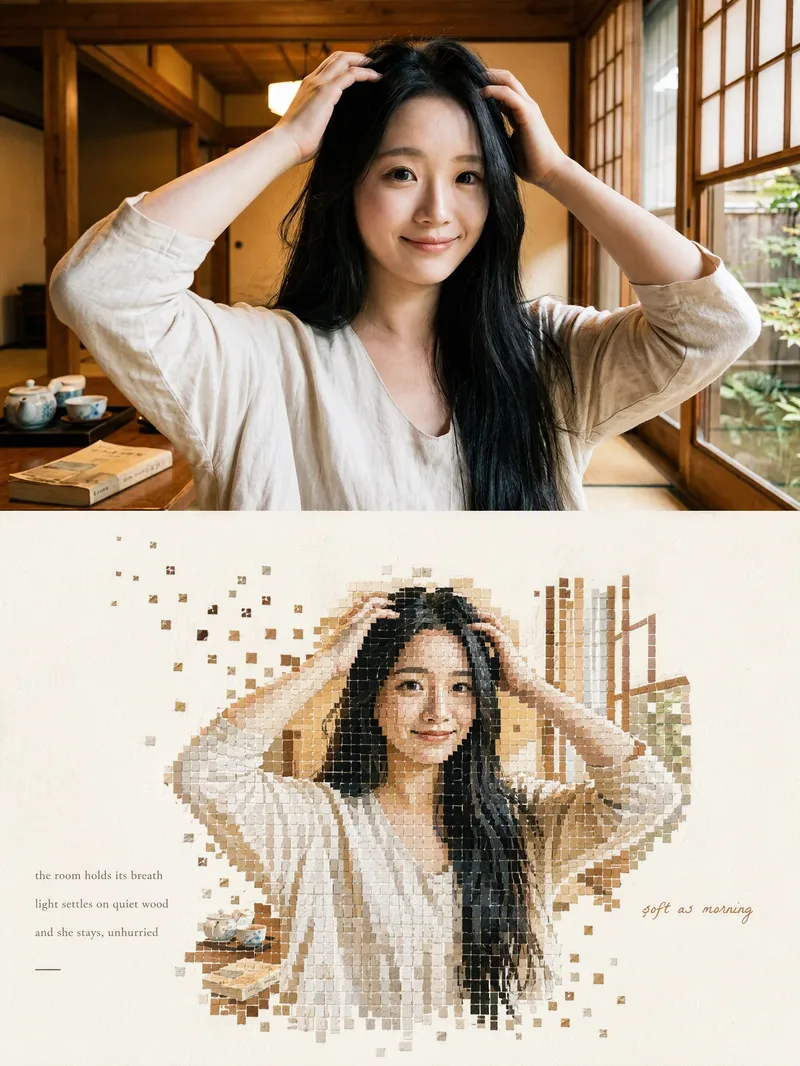
Upload any photo to automatically create a minimalist art poster with a live-action photo on top and a block mosaic on the bottom. The subject is formed from hundreds of small watercolor-textured blocks, with the edges drifting outward and fading away, plus a poetic short caption. One image becomes a magazine-style design piece.
 Image
ImageOne-Line Travel Poster
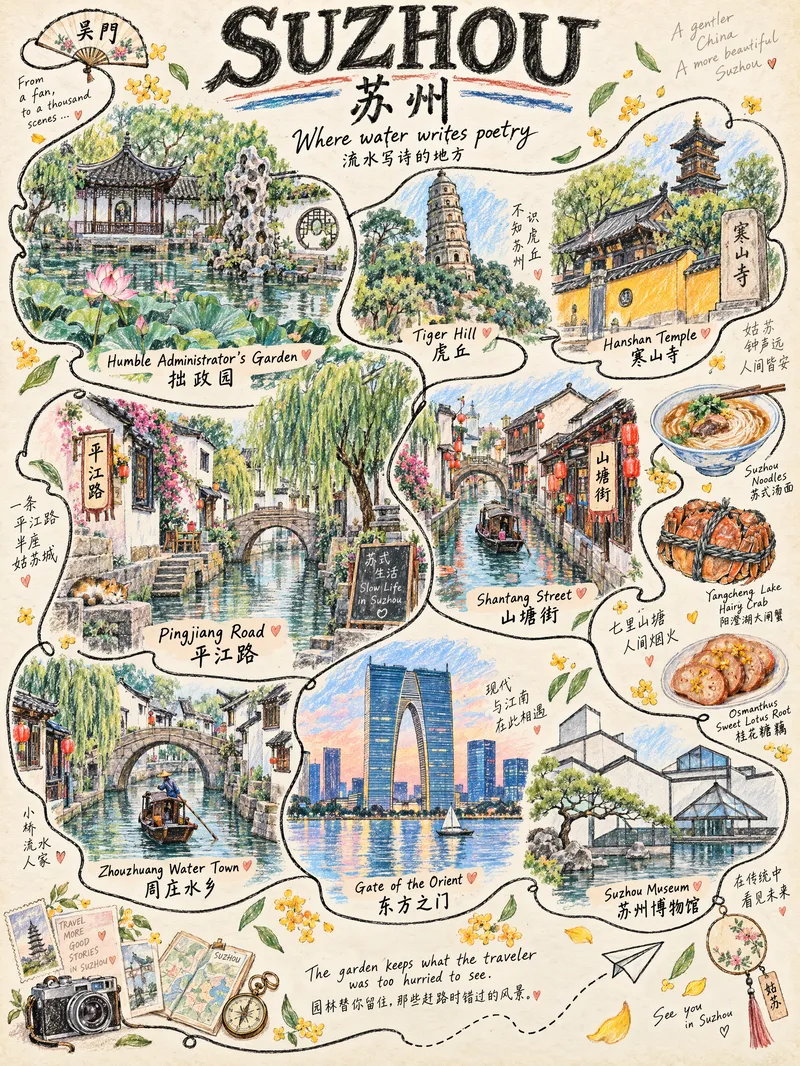
Anything can be illustrated: countries, provinces, cities, counties, towns, and villages are all supported. The system automatically identifies the geographic level—choosing landmarks for larger places and capturing the character of everyday life in smaller ones. ✏️ Authentic hand-drawn feel: colored pencils and crayons, with visible paper texture, pencil strokes, and naturally unsteady linework 🔍 Details worth discovering: hidden cats, birds, postcards, tickets, and other small surprises that reveal themselves when you zoom in 🔤 Bilingual title: English + Simplified Chinese by default, with customizable languages 📐 Default 3:4 portrait format: ready for Xiaohongshu and Douyin covers, phone wallpapers, and printed decorative art 🎨 Magazine-style layout: an ivory-beige paper background with a handwritten tagline, suitable for sharing on social media, tourism promotion, and travel check-ins Who it's for: Travel bloggers, tourism promotion, social media covers, hometown promotion, birthday or anniversary gifts, and decorative art design.
 Image
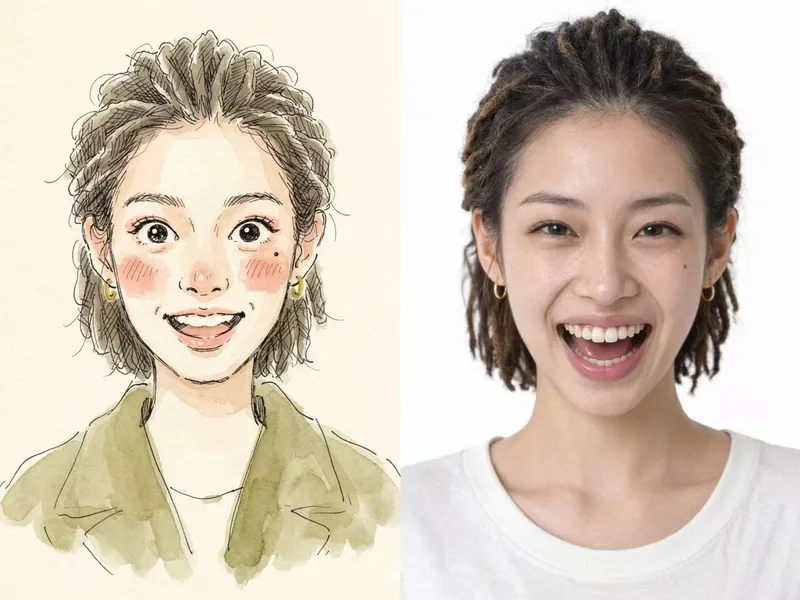
ImageViral Photo Illustrator
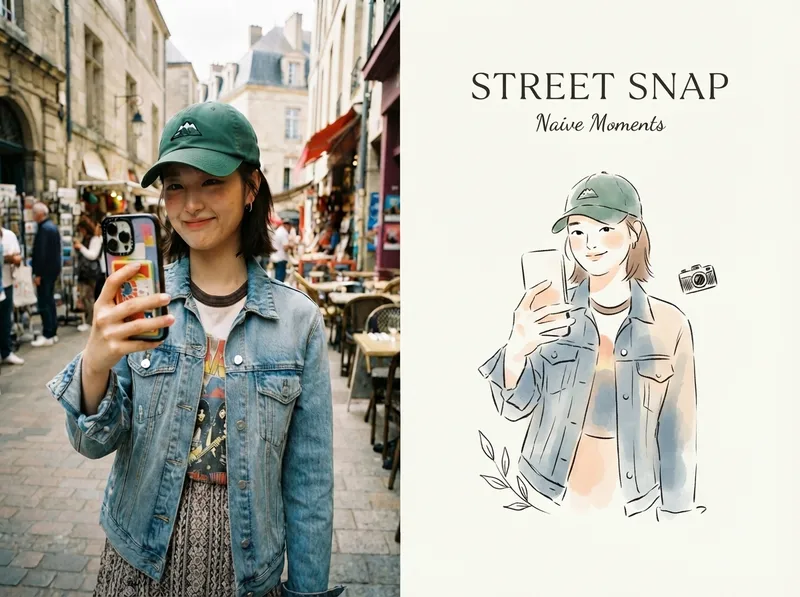
Perfect for Xiaohongshu, Moments, WeChat Official Account covers, profile pages, and documenting travel, outfits, fitness, everyday moments, and life as it happens. Upload any portrait, street shot, food, travel, or everyday photo. AI works like an illustrator with a keen sense of negative space, extracting only the most recognizable subject, pose, and story from the image. It redraws them as a relaxed, playful illustration with hand-drawn texture, then places it beside the original to create a polished comparison poster ready to share. · Faithfully preserves the original photo with only subtle, magazine-style color grading—no distortion or face swapping · Automatically reads the photo’s mood and matches it with styles such as doodle, ink wash, sketch blocks, and thick gouache · Generous negative space + a handwritten short phrase, like an editorial illustration from an independent magazine · A soft, soothing curated palette drawn from the original image to naturally complement the photo · Defaults to a 4:3 side-by-side layout; can also be changed to top-and-bottom, portrait, or 16:9
One-Click Editorial Poster
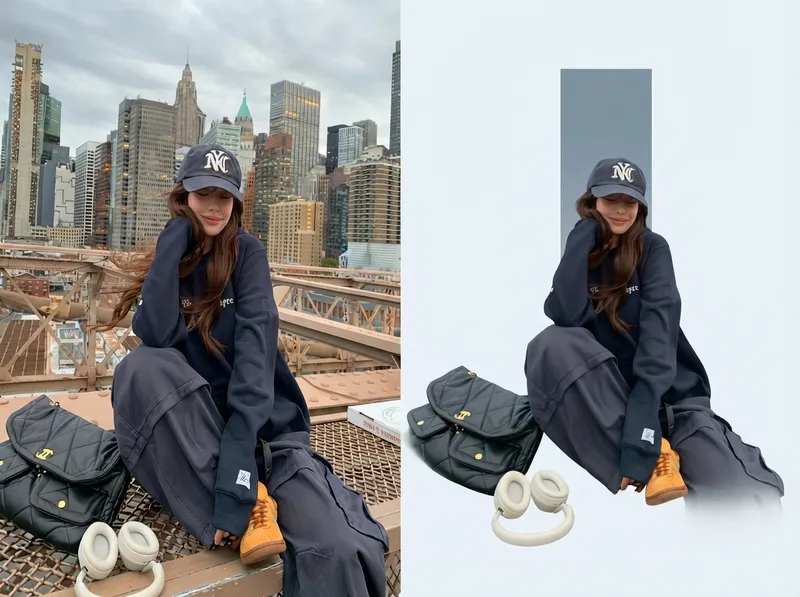
Upload one or more photos, and automatically generate a sophisticated editorial-style poster for each photo, with the left half showing the original image and the right half featuring a narrative reconstruction with a key color panel. By default, the poster uses a 4:3 landscape split-screen layout: the left side preserves the original photo, while the right distills its narrative subject and pairs it with a low-saturation geometric color panel extracted from the original image. The overall look is restrained, quiet, and spacious, with a magazine editorial style. You can switch to layouts such as 3:4, 1:1, or 9:16 as requested, with the two sections divided equally. Multiple photos are processed independently and are not combined.
 Image
ImagePhoto to Hyperreal Impasto
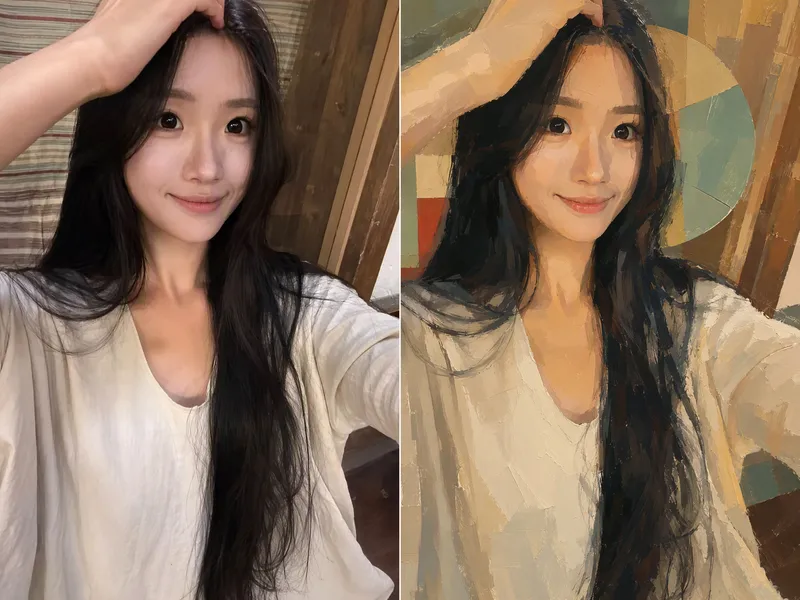
Upload a photo, and AI redraws it as a semi-realistic impasto oil-painting poster with warm, sunlit tones. The person’s appearance, expression, pose, clothing, and accessories are all preserved, while the image becomes an artistic work with visible brushstrokes, lighting, shadows, and a strong sense of design. By default, the original and edited images are shown side by side—perfect for sharing on social media.
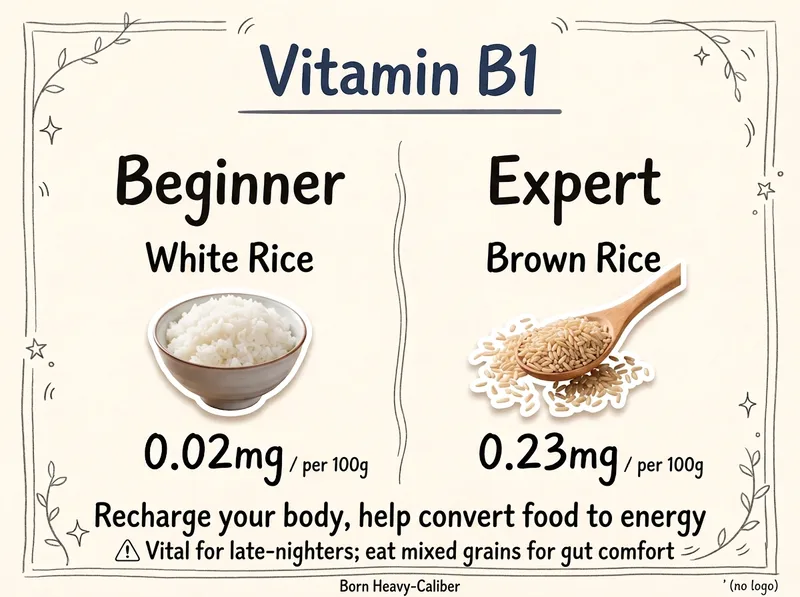
Nutrient Food Comparisons
Enter a nutrient or metric keyword, such as protein, calcium, vitamin C, or DHA. The Skill automatically filters candidate foods, selects a comparison scene, verifies per-100-gram data, writes the copy, and directly calls the most capable image-generation model to create a 3:4 hand-drawn “Beginner vs. Expert” comparison graphic. The aspect ratio can be customized. It also supports multiple images in one run, automatic combination changes, and adaptation for different regions and audiences.
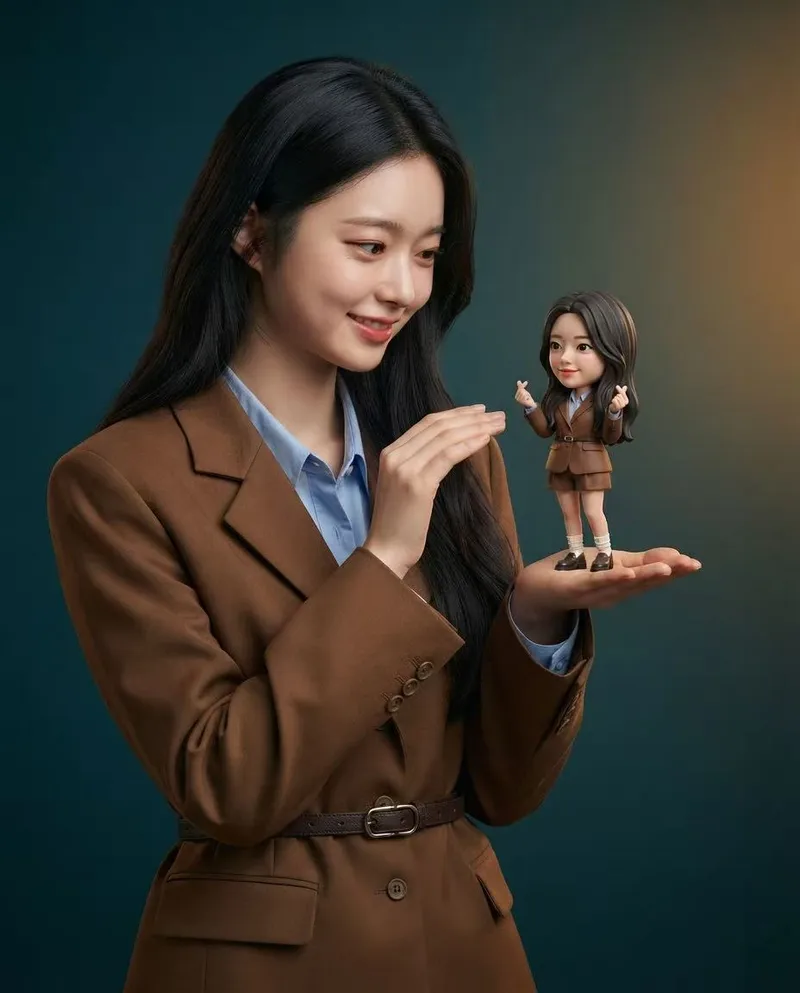
Mini Chibi Alter-Ego Poster
Upload a portrait photo to generate a hyper-realistic, cinematic commercial poster: the person interacts with a mini chibi 3D “alter ego” on their palm, while closely preserving their identity, hairstyle, accessories, and clothing. The skill automatically selects a varied combination from six poses and eight background color schemes, prioritizing contrast between the background and clothing. The result is a single vertical poster, defaulting to a 3:4 aspect ratio.
 Image
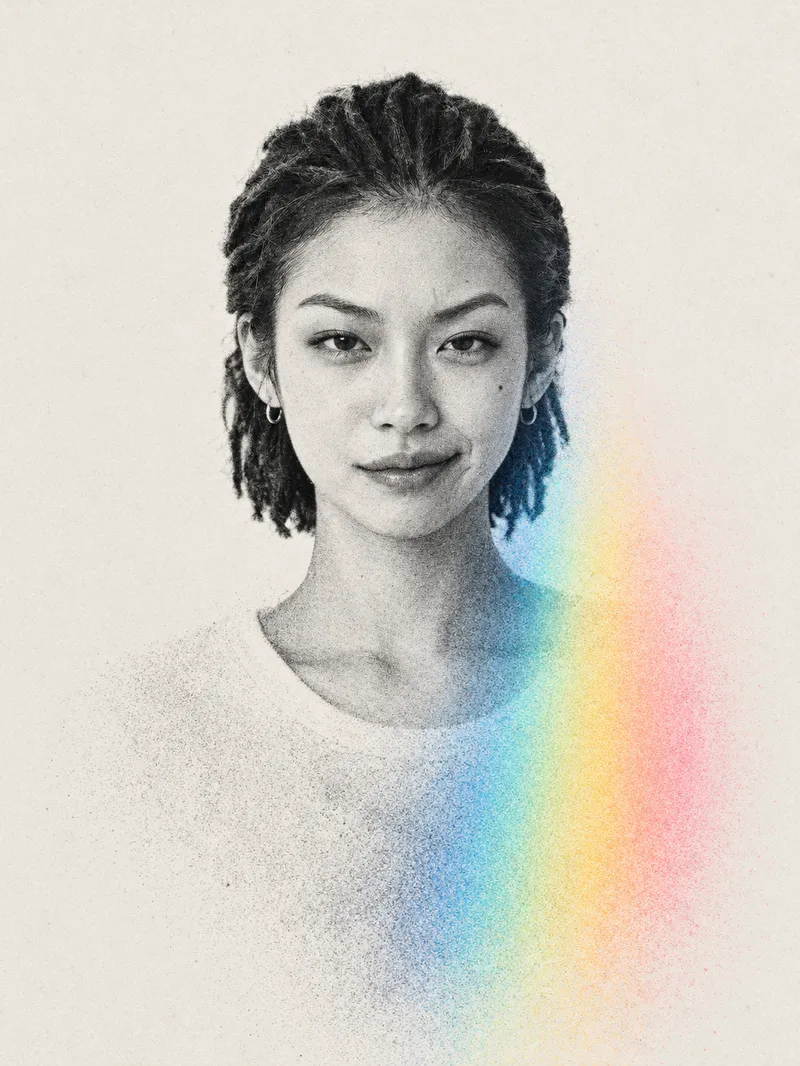
ImageAdvanced Midjourney Posters
For: Self-media and content creators: Create profile images, channel covers, and personal-brand visuals that stand out at a glance in content feeds. Designers and photographers: Quickly develop style concepts for clients or create a cohesive series for a portfolio. Personal brands and professionals: Make LinkedIn and WeChat official account profile images, personal website homepages, and business cards more distinctive than standard headshots. Musicians, artists, and small shop owners: Create album covers, event posters, and guest introduction graphics. Everyday users: Make profile images, social media covers, and keepsake images for couples or families. Upload one person’s photo to automatically generate a vertical 3:4 minimalist editorial-style art poster: a high-contrast black-and-white halftone portrait overlaid with a single prism-spectrum color band, with everything below the head dissolving into particle mist while strictly preserving the person’s identity, facial features, pose, and orientation.
 Image
ImageWatercolor Storybook Avatar
Turn an uploaded portrait into a hand-painted watercolor avatar in a children's storybook style. Preserve recognizable facial features while creating a warm, childlike illustration with a sketch-like feel.
 Image
ImageViral City Shadow Worlds
Great for building an audience. Enter a city name, and it will automatically match the city’s most recognizable landmark and cultural color palette to create a vertical surreal editorial illustration poster themed “THE WORLD INSIDE A SHADOW.” The image features a realistic landmark casting an unusually long shadow. Hidden inside the shadow is a miniature parallel world made up of the city’s landmarks, streetscapes, culture, and everyday details, transitioning seamlessly between realistic textures, ink lines, paper-cut relief, and engraving-like finishes. The city and country names appear in English in a small serif font in the upper-right corner. Ideal for city-themed art posters, cultural promotion, and creative visuals.
 Image
ImagePhotorealistic Comic Grid
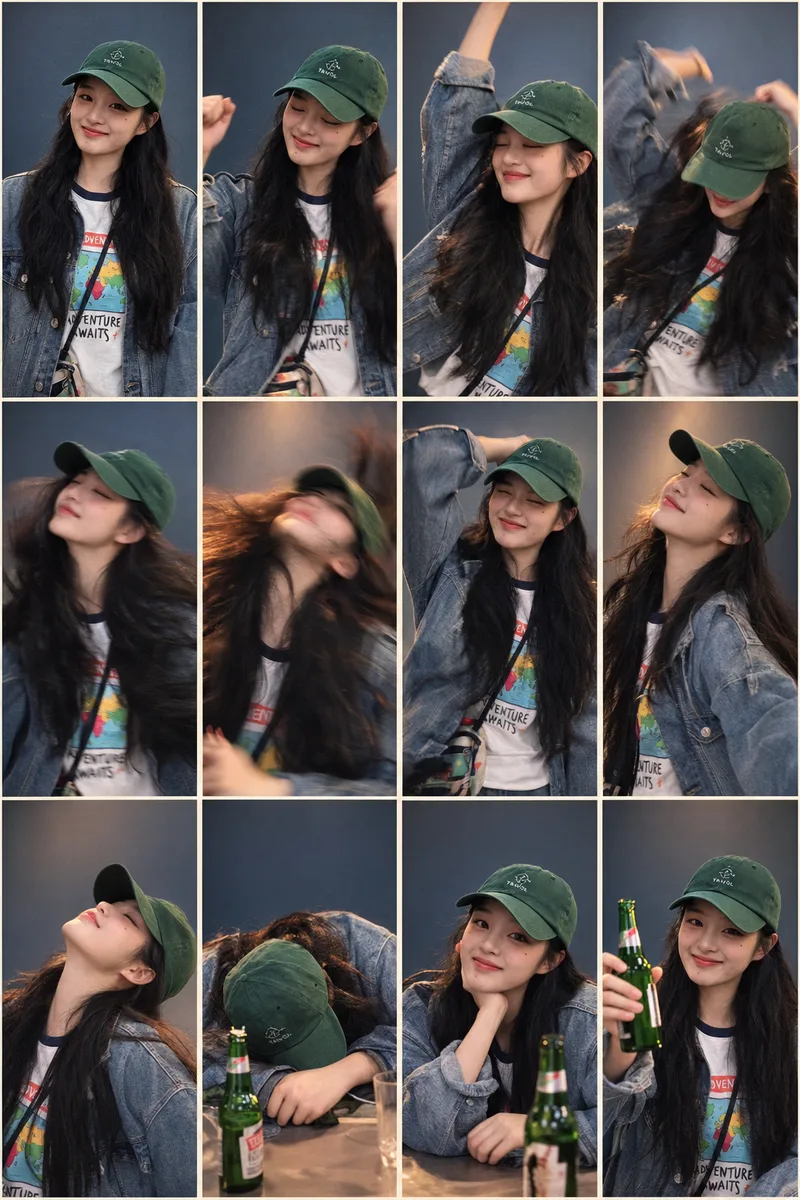
Based on a photo uploaded by the user, generate a 4-column × 3-row grid image with 12 panels in a photorealistic style, keeping the subject’s appearance highly consistent. Ideal for extending a single portrait into a storyboard narrative with an emotional or action arc, such as drinking, working out, working overtime, enjoying food, or dancing. The skill automatically matches the most suitable storyboard plan and background color palette. Users can also explicitly specify the plan and color mode.
Photos into Storybooks
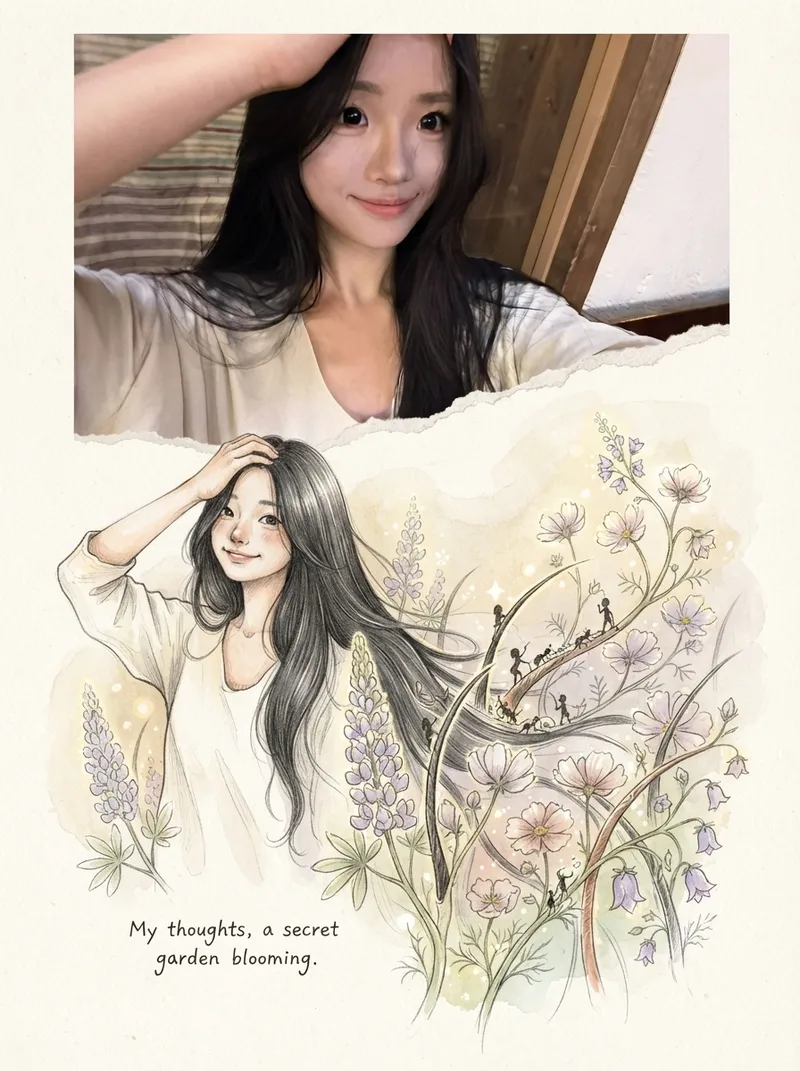
Using the uploaded photo as the sole reference, create a portrait-format (default 3:4) composite image with an editorial feel, combining the photo with a hand-drawn illustration: preserve the original photo in the upper half, naturally extend it into a hand-drawn storybook illustration in the lower half, and add a short handwritten-style caption in the blank space.
Cinematic Sunset Portraits
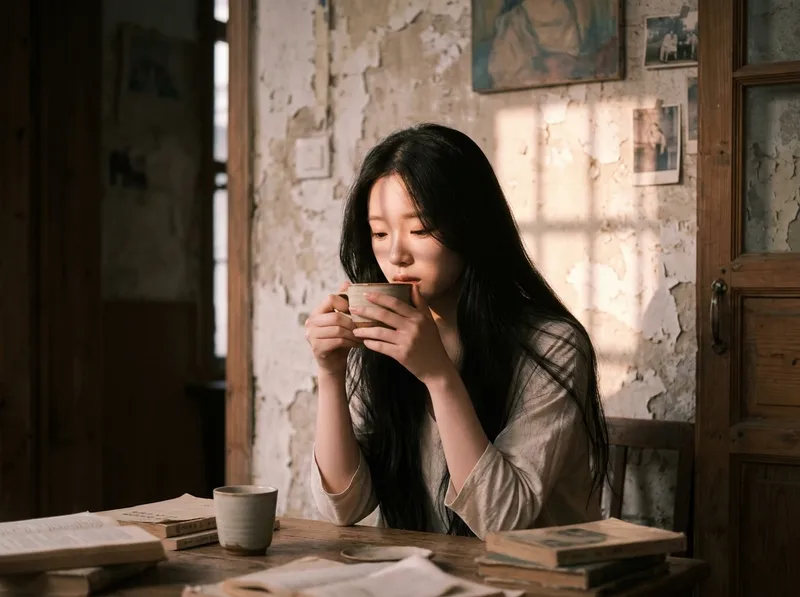
Upload a portrait to generate a hyper-realistic cinematic sunset portrait that closely preserves the subject’s facial features, hairstyle, and overall presence. Choose from multiple poses and color tones, or let them rotate automatically. The result is a vertical atmospheric portrait image, with the aspect ratio customizable.
 Image
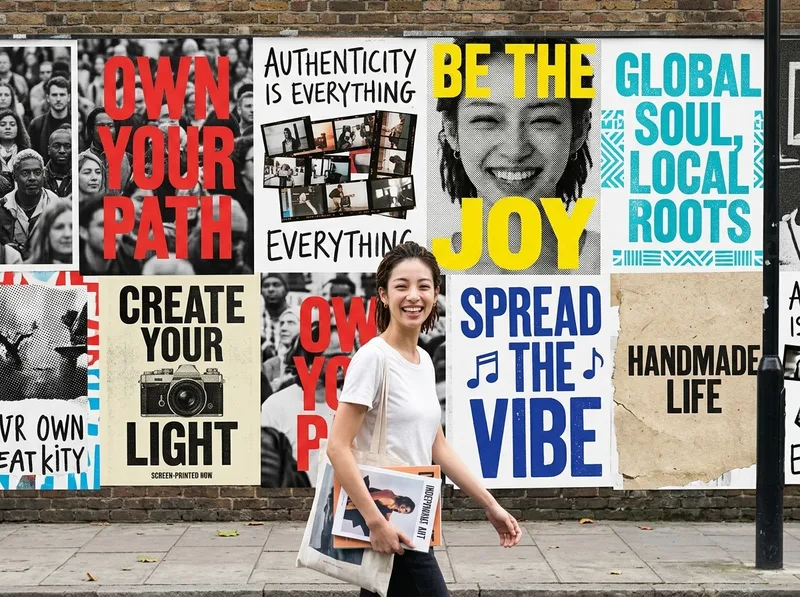
ImageOne-Click Street Ad Wall
Helps users transform an uploaded photo of a person or brand into a polished vertical advertising visual. The Skill first extracts the person’s or brand’s personality and tone from the photo, automatically selects the most fitting visual style and color direction, then depicts the person as a passerby walking through the street with an entire city ad wall covered in a series of posters behind them. It ultimately generates a single finished advertising image.
 Image
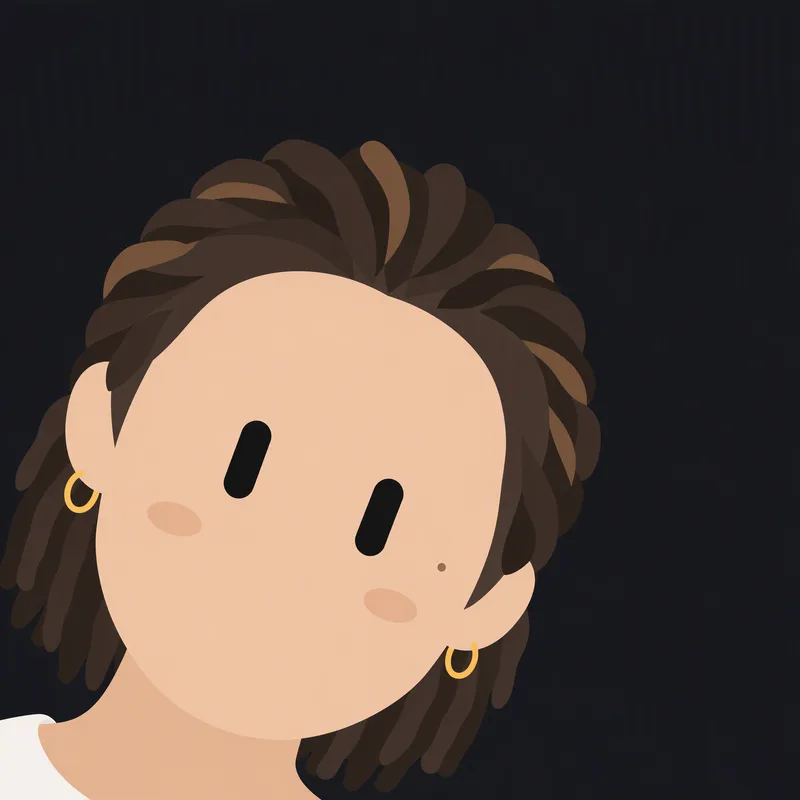
ImageBlack Capsule-Eye Avatar
Redraws a person or character from an uploaded image as a minimalist 2D robot icon, featuring signature black capsule-shaped eyes in the style of a Grok robot icon, while preserving the original image’s basic colors and key recognizable features.
 Image
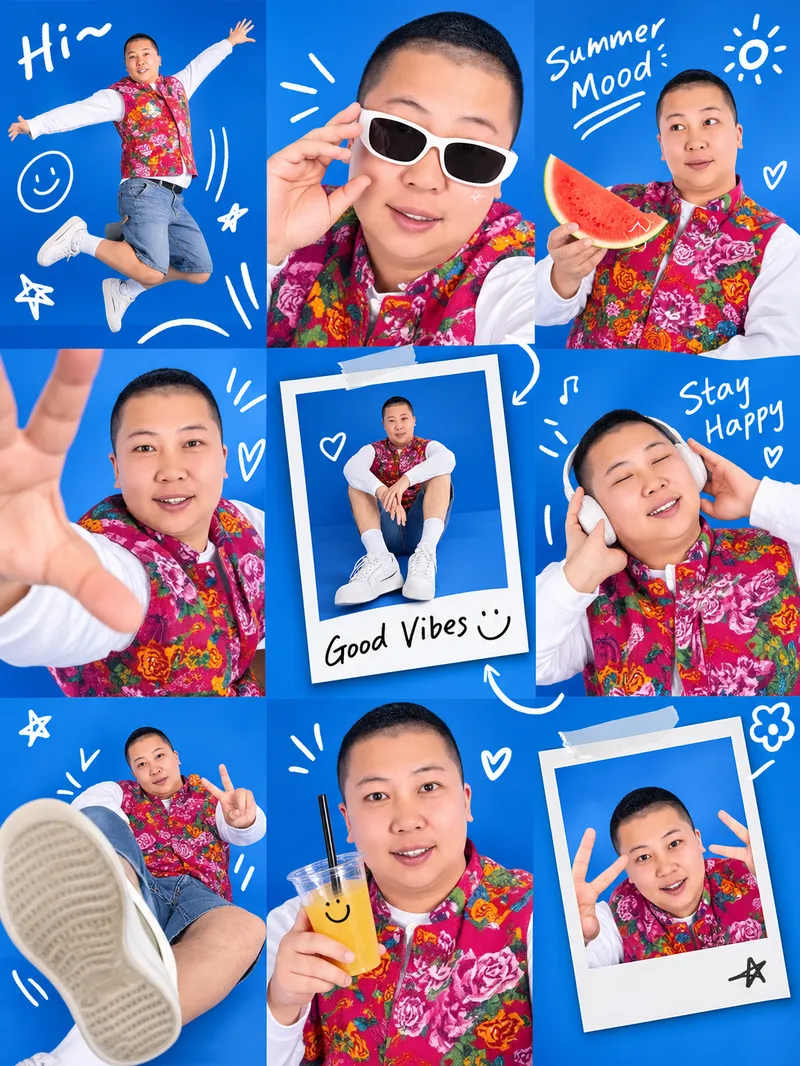
ImageViral Photo Collage Maker
Upload a photo of a real person or pet to generate a trendy Gen Z lifestyle-moment 3×3 collage: a studio backdrop, playful wide-angle poses, hand-drawn doodle connections, and Polaroid frames. The seasonal mood, primary background color, doodle text, and poses in each panel can all be customized. Best for: People who want to take commissions and monetize them
 Image
ImagePhotorealistic Head, Drawn Body
Upload a real photo—no target image needed—to automatically create a finished mixed-style image with a photorealistic head and black-and-white hand-drawn illustration. The head retains photo-realistic texture and recognizable facial features (facial features stay the same, while the expression may be subtly adjusted). Everything else—including the hair and hairstyle, body and build, clothing, pose, background, and decorative elements such as hearts, stars, sparkles, and motion lines—is transformed into a black-and-white hand-drawn illustration. The body keeps realistic proportions, while the original hairstyle and pose are preserved. Ideal for turning a single photo of a person or pet into a creative image featuring a photorealistic head and hand-drawn elements in the same frame.
 Image
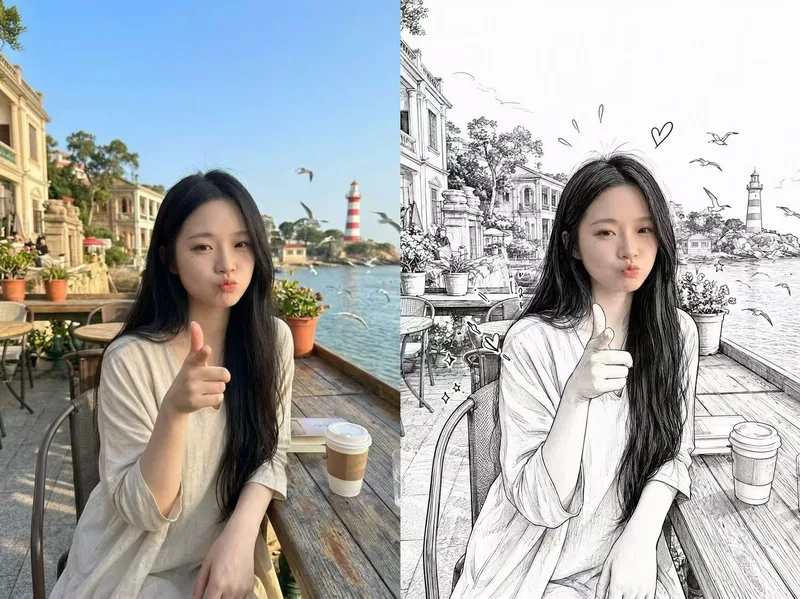
ImageSplit-Screen Photo Art
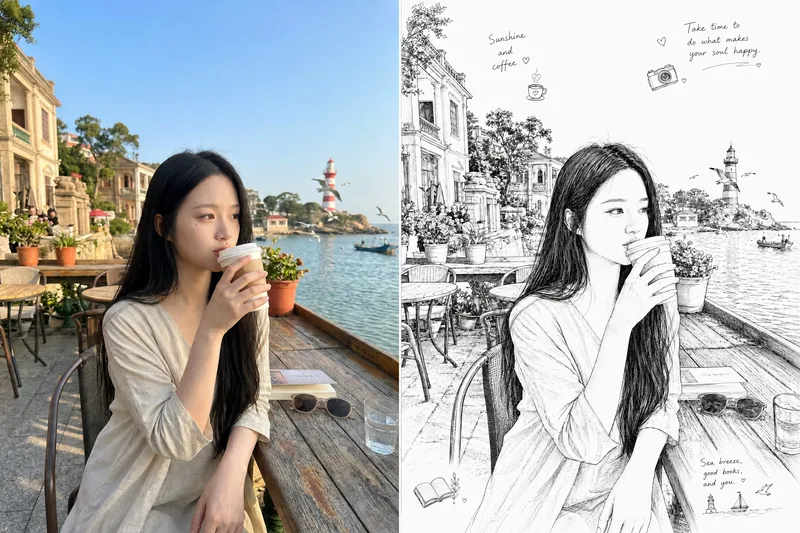
Upload a real photo to automatically create a finished split-screen image: the original photo remains on the left, while the right side shows a detailed black-and-white line illustration of the same subject in the same scene, creating a “reality vs. hand-drawn” contrast.
 Image
ImagePhoto to Pencil Sketch
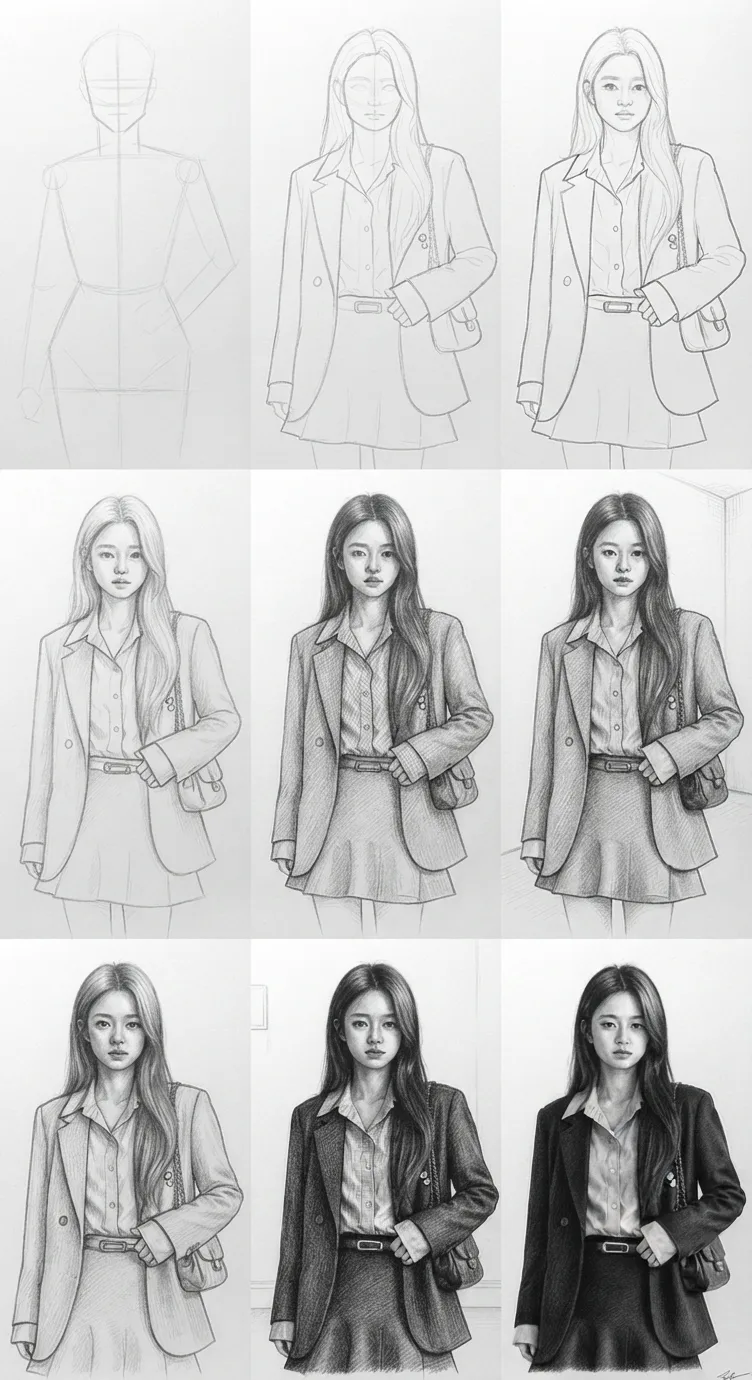
Using the photo you upload as a reference, recreate it 1:1 as an extremely realistic traditional graphite pencil sketch, presented as a 3×3 “drawing process breakdown” grid—from the initial composition lines to a fully realistic final pencil portrait. Ideal for turning a real person’s photo into a museum-quality hand-drawn pencil sketch while showing the complete evolution of the drawing.
 Image
ImageHalf Real, Half Outline
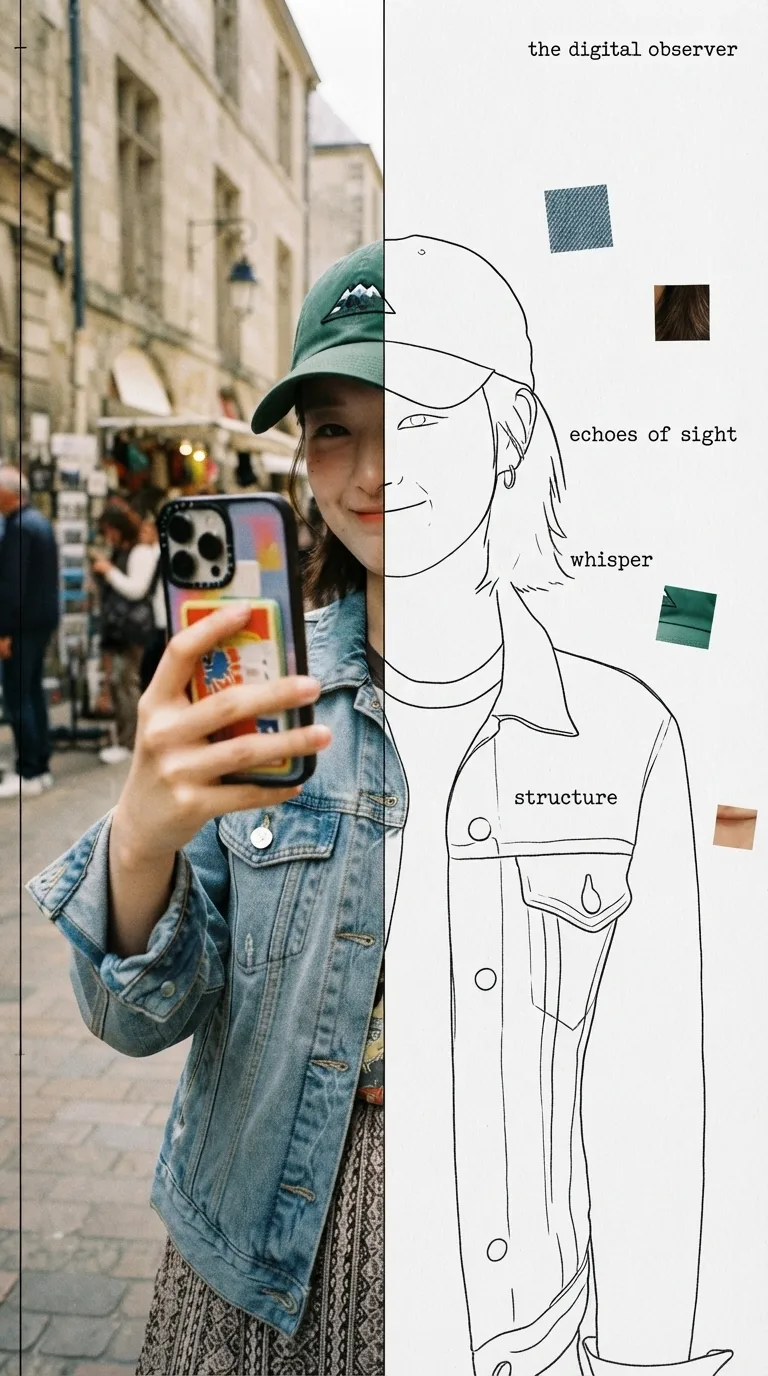
Upload a photo to automatically identify the subject and composition, then generate an experimental, specimen-style editorial poster with half a real color photo and half a hand-drawn outline on white paper: the photo area retains its true colors with reduced saturation and a film-grain feel; the white-paper mask area continues the shape of the obscured section with fine, hand-drawn black outline lines, along with 2–4 sensory or evocative keywords, 3–5 colored texture-fragment squares, a vertical binding line on the left, and a small poetic subtitle in the corner. Suitable for portraits, still lifes, animals, plants, and many other types of photos. By default, it follows the original image proportions without changing the aspect ratio, cropping, converting to black and white, or creating an infographic.
 Image
ImageCat's-Eye Interaction Photos
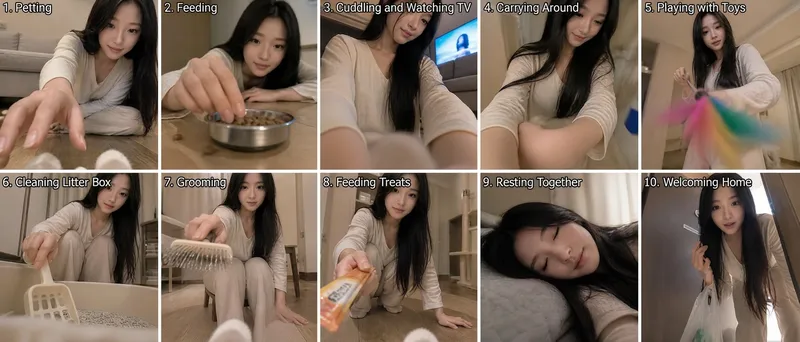
Using the uploaded reference photo, the tool uses the cat's eye level as the camera position to automatically combine ten different everyday human-cat interaction scenes while avoiding repetitive compositions, creating a set of human-cat interaction photos from a cat's perspective. By default, it outputs a composite image with two rows and five columns for a total of ten panels. You can also request a nine-panel grid or a single image.
 Image
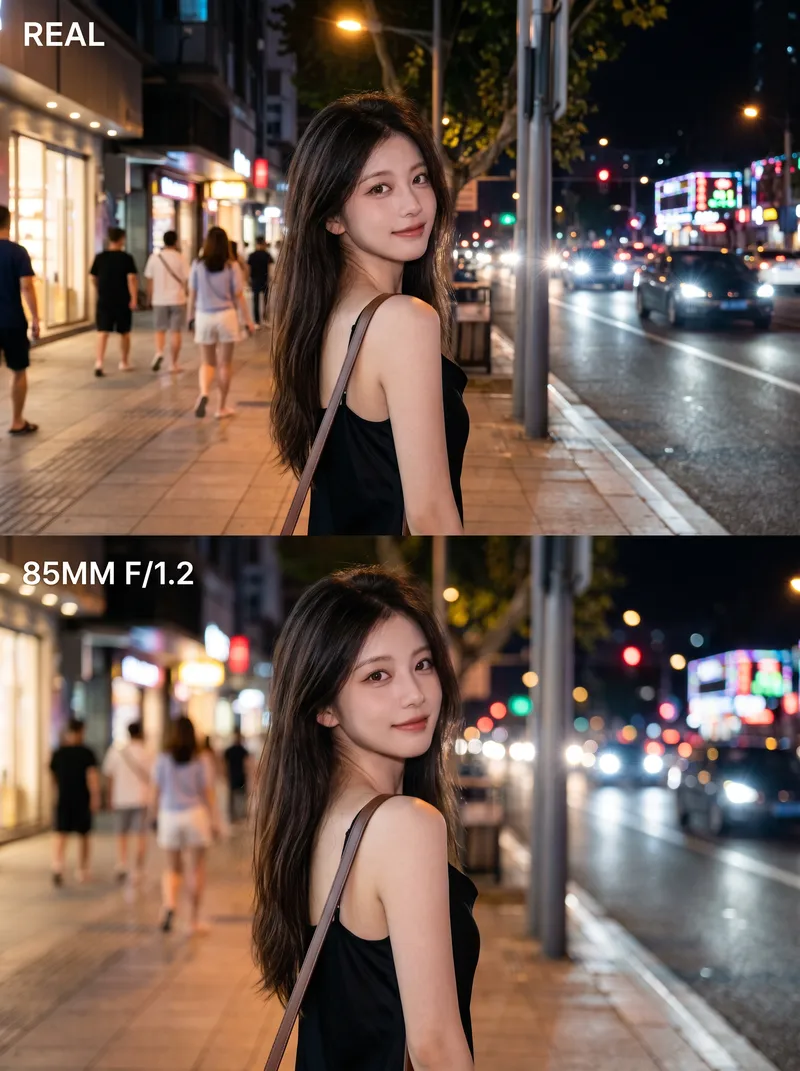
ImagePro Lens Portrait Maker
Turn an ordinary photo into a 3:4 vertical poster with a polished, high-end look. The top half fully preserves the photo’s original, authentic appearance. In the bottom half, create the feel of a professional portrait photo using the same face, pose, and setting—with the subject sharply defined, the background softly blurred, and the lighting transformed into gentle circles of bokeh. No face swapping, pose changes, or cutouts—the result feels like the photo was retaken with a better lens. Ideal for portrait photography, social media covers, and before-and-after comparisons.
 Image
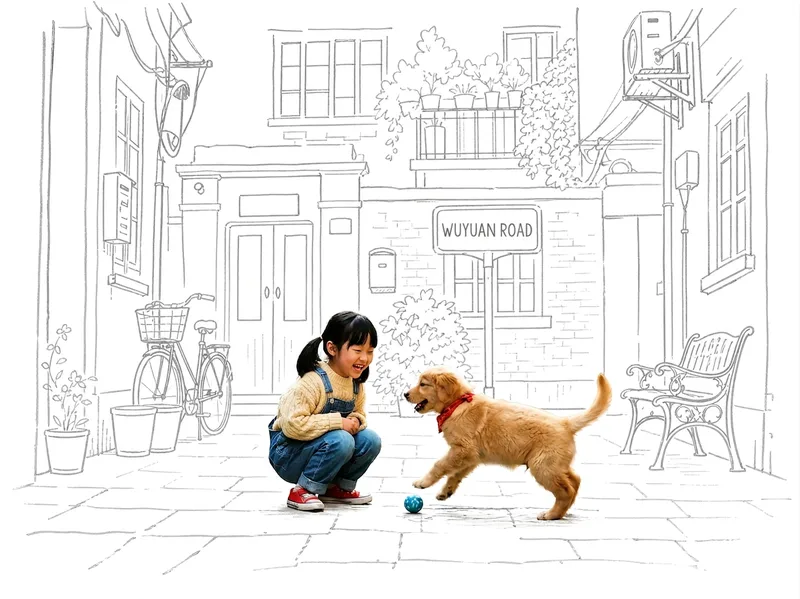
ImagePhoto Meets Hand-Drawn
Turn any photo into a contrast-style poster featuring a photo-realistic subject set against a monochrome, hand-drawn line-art environment: people or other subjects are preserved 100% from the original image—no redrawing, outfit changes, or pose changes—while the surrounding scene and background are translated into casual sketch lines on warm white paper in a single ink color. The default output is a 3:4 portrait layout, with other aspect ratios available on request. Supports single-person photos, group shots, pets, still life, and other non-human subjects, as well as pure landscapes with automatic fallback processing. You can also fine-tune the line-art color, paper background color, amount of whitespace, and line weight while preserving the core structure.
 Image
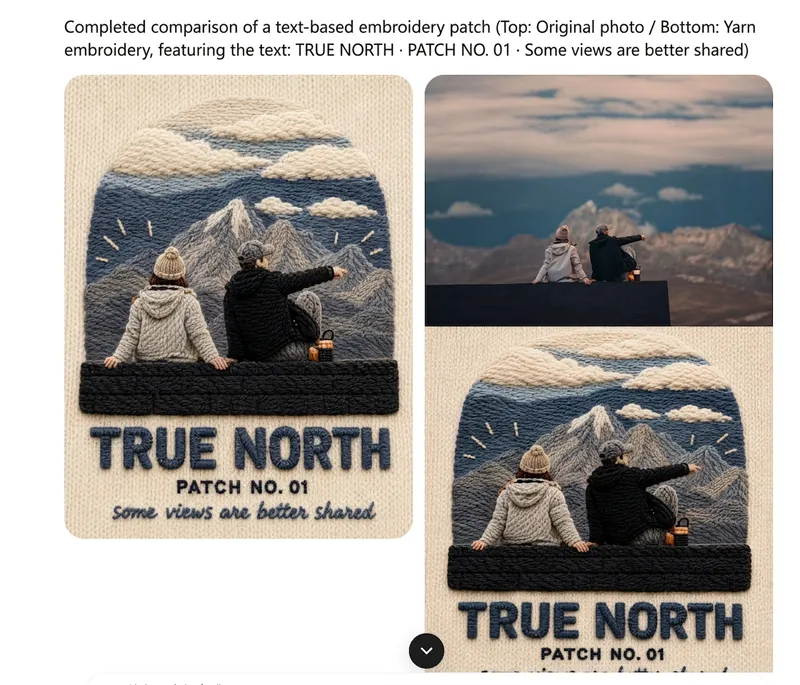
ImageOne-Click Yarn Embroidery
Turn a single photo into a vertical, top-and-bottom comparison image: the top half is a pixel-level reproduction of the original, while the bottom half is a three-dimensional embroidered recreation made from physical yarn. The two sections are equal in width and height and joined seamlessly. Supports two modes: embroidery with three lines of text, or pure embroidery without text. You can also override the craft, material, and visual style as needed. (If you need to fit the Skill field length limit, you can use this existing sentence: Upload one image to generate a vertical, seamless comparison image with an exact recreation of the original on top and a three-dimensional yarn-embroidery recreation below; supports embroidery with three lines of text or pure embroidery without text, and allows the craft, material, and visual style to be overridden as needed.) Suitable for launching a Xiaohongshu account with visual posts, sharing images on WeChat Moments, and adding images to WeChat Official Account posts.