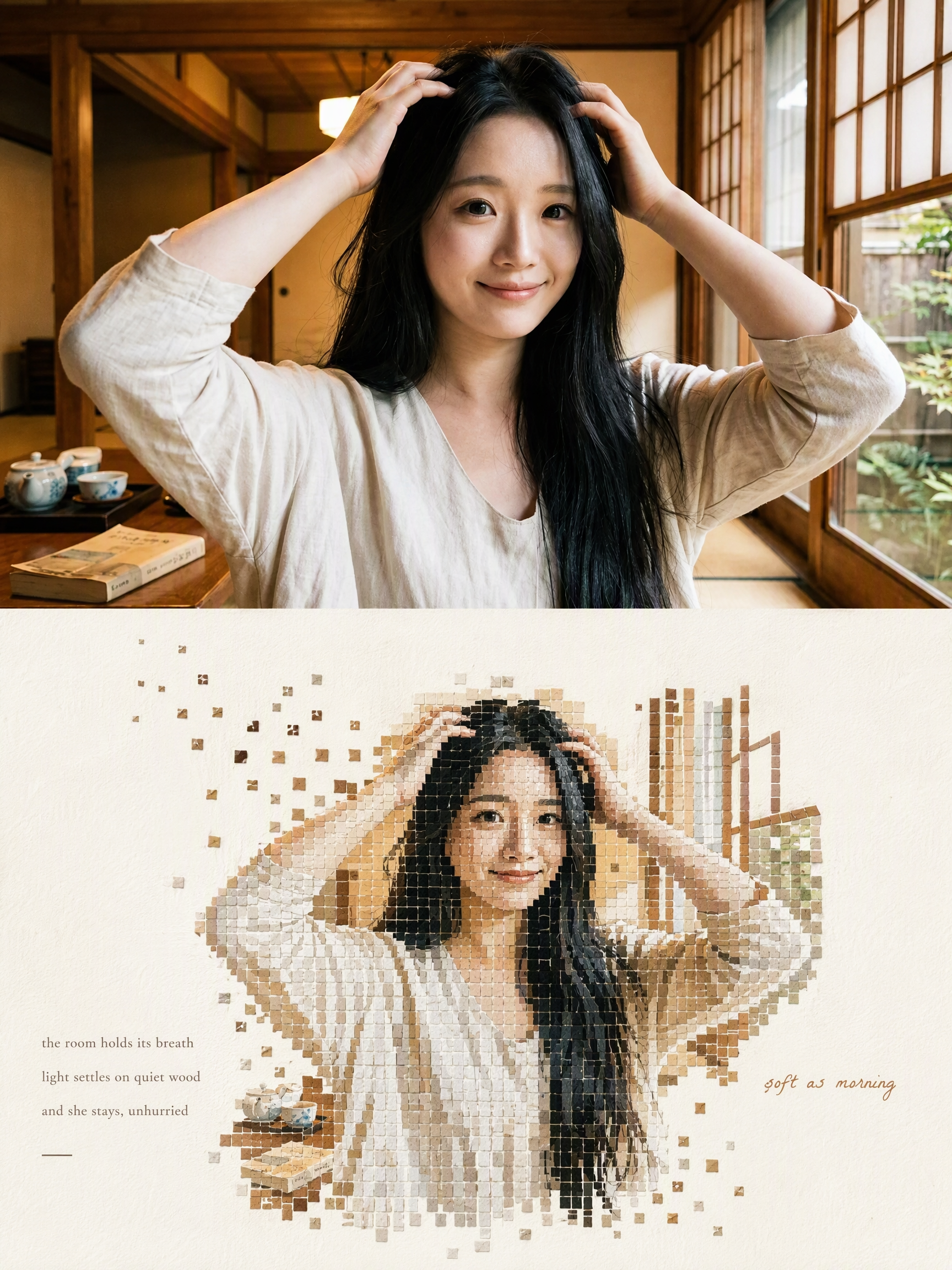
Mosaic Everything
Turn a Photo into a Fading Mosaic Poster
Mosaic Everything
Turn a Photo into a Fading Mosaic Poster
Showcase
Description
Upload any photo to automatically create a minimalist art poster with a live-action photo on top and a block mosaic on the bottom. The subject is formed from hundreds of small watercolor-textured blocks, with the edges drifting outward and fading away, plus a poetic short caption. One image becomes a magazine-style design piece.
Why we love this skill
Reframes one photo as an editorial poster combining a faithful original image with a handcrafted mosaic—balancing realism, deconstruction, memory, and contemporary design.
Best for
For anyone who wants to turn personal photos into posters with a magazine-like, artistic design.
How to use this Skill
Provide your input
Upload a photo, and optionally specify the aspect ratio, copy, mosaic fade direction, or background color tone.
Run the Skill
The system turns the photo into an editorial-style poster with a vertical layout: the original image stays on top, while the subject is reconstructed in mosaic blocks below with restrained short copy.
Review your result
Receive a minimalist art poster featuring the original photo, a recognizable mosaic subject, a spacious background, and a fading effect.
Related Skills
View all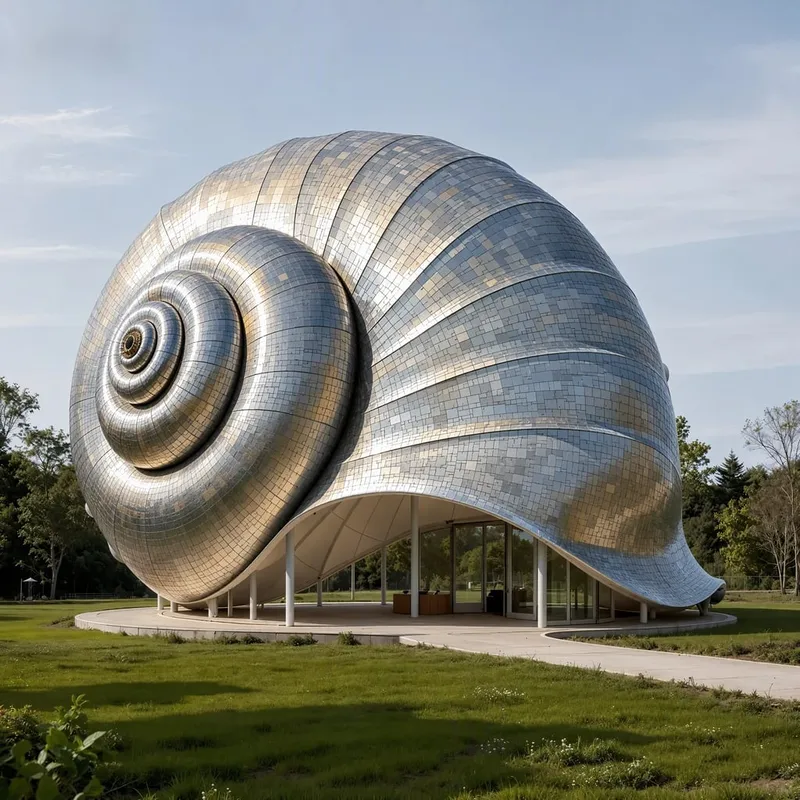 Image
ImageAnything Can Be Mosaic
Upload a photo and give an ordinary scene the texture of a work of art! “Anything Can Be Mosaic” is a multi-style AI mosaic art generation Skill. Whether you’re working with portraits, wedding photos, pets, food, products, landscapes, or architecture, it can transform the original photo into a distinctive mosaic artwork. Multiple art styles to explore Switch freely among fine pixels, stained glass, crystal gemstones, low-poly, ceramic collage, 3D relief, metallic textures, retro pixels, and more. Each style gives your photo a different visual character. Preserve the original subject as closely as possible Using your uploaded photo as a visual reference, it focuses on preserving facial features, hairstyles, poses, clothing, and the key characteristics of products and pets, helping the artistic style remain as consistent with the original content as possible. Flexible ratios and quantities Supports common portrait, landscape, square, and custom aspect ratios. You can specify the number of images to generate or have the same photo rendered in different mosaic styles. Explore multiple creative directions from one photo From translucent stained glass to sparkling gemstone collages and design-forward geometric pixels, transform ordinary photos into visual works for profile pictures, wallpapers, posters, social media graphics, and creative designs. No complex design software or manual collage work is needed. Upload a photo, choose a style, and let AI help you begin your mosaic art journey. Recommended approach: upload a photo and enter “Generate 4 different styles, ratio 3:4, preserving the original subject as closely as possible” to explore different artistic effects at once. Note: Final image details, subject similarity, image ratio, and output quantity depend on the image generation model and platform capabilities used.
 Image
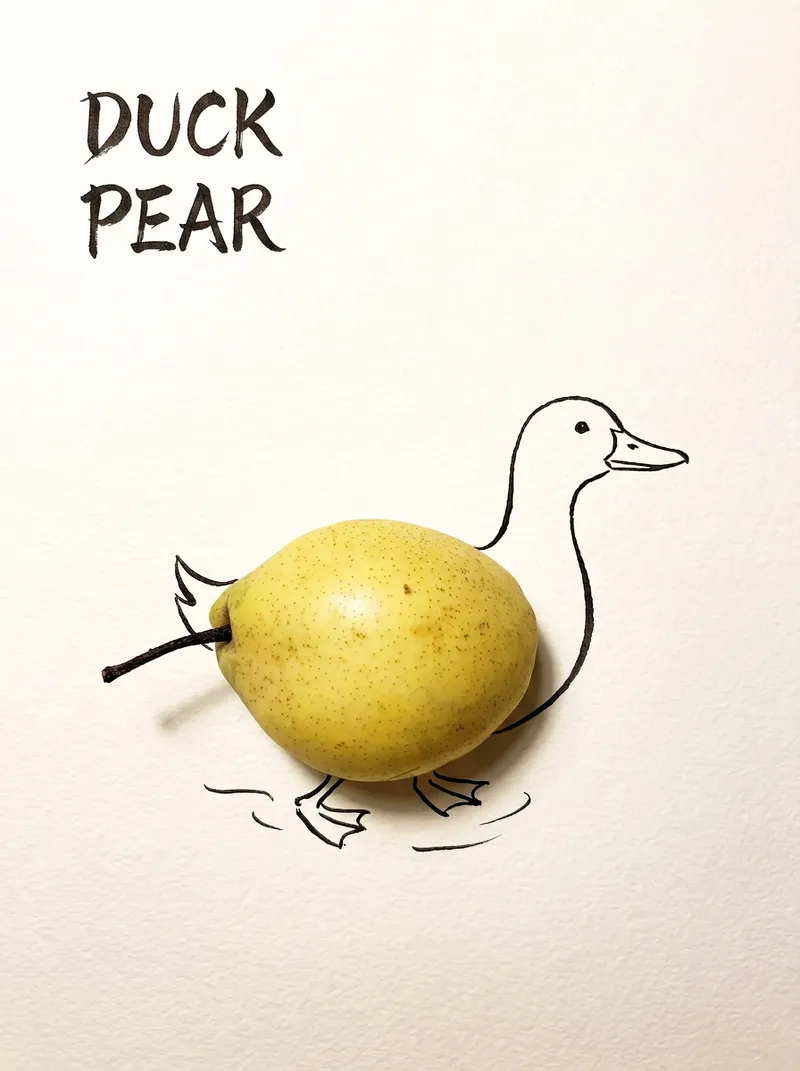
ImageBring Objects to Life
Best for: Xiaohongshu / Douyin creators Turn everyday objects into posters and create a consistent "bring-to-life series" with highly engaging content Food and lifestyle creators Turn ingredients into cover images that make your work more memorable Illustrators / designers Find inspiration quickly and test the "real object + line art" creative direction Teachers / parents Create materials for arts and crafts lessons, helping children make up stories with objects around them Businesses / brand operators Create creative hero images, holiday posters, and packaging inspiration for produce, fruit, and snacks Cultural creative brands, stationery shops, and coffee shops Design merchandise, postcards, stickers, and menu illustrations Everyday enthusiasts Photograph something nearby and share an "artwork" on social media Everything you photograph is hiding another character. "Bring Objects to Life" is a creative poster generator that combines real-object photography with minimalist line art. Just upload a photo of an object, and AI will automatically do three things: 🔍 Read the shape: Analyze the object's outline, curves, and texture to find what it most resembles ✏️ Add line art: Use dark ink pen lines to draw in a head, limbs, a human figure, ropes, and more, fitting the lines precisely to the object's edges 🖋 Turn the idea into a phrase: Create a 2–4-character Chinese pun title and arrange it in the empty space in an artistic typeface The finished image preserves the object's real colors and texture. The background is clean, warm-white watercolor paper, with at least 40% negative space. The result feels calm and refined: recognizable at a glance, then delightfully witty once you see the idea. The default format is a 3:4 vertical layout, suited to Xiaohongshu, Moments, and Douyin image posts. The aspect ratio, font, and title can all be customized.
 Image
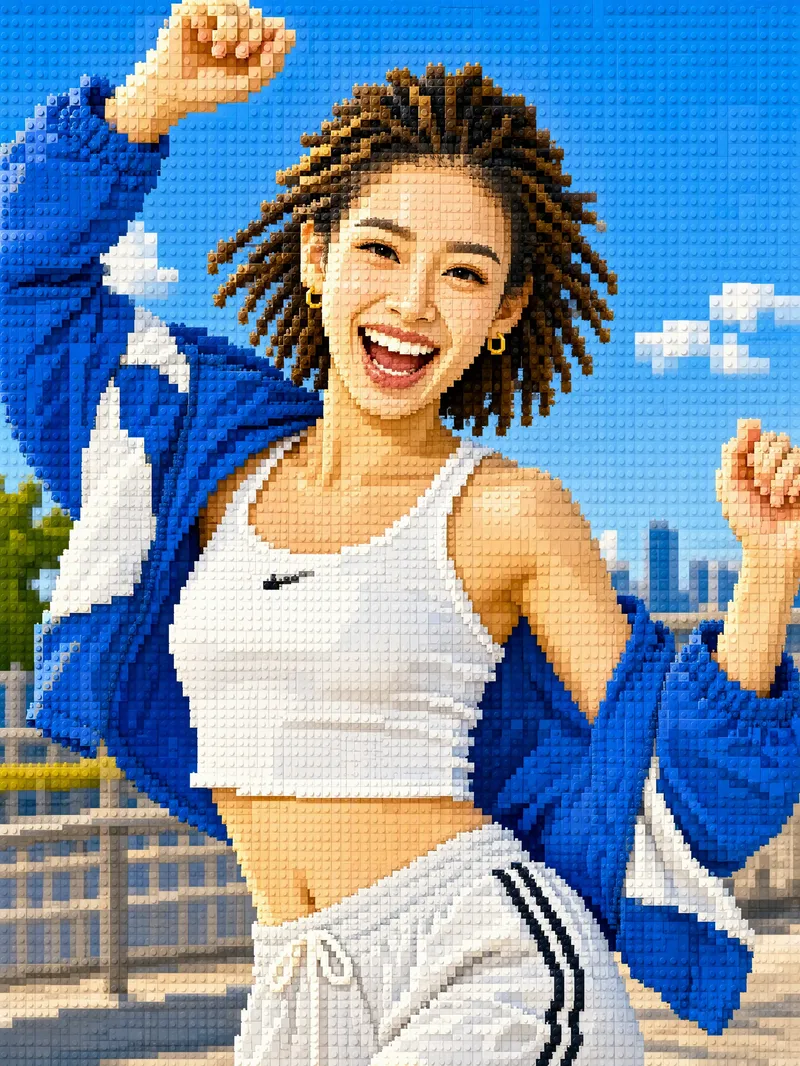
ImageTurn Photos into Mosaic Art
Mosaic transformation magic: reassemble your photo into a work of mosaic art. 12 styles: pixel blocks, tiles, ancient Roman mosaic, stained glass, honeycomb hexagons, polka dots, LEGO, cross-stitch, low-poly, gold leaf, 8-bit, and paper-cut collage. Choose a style, or let it automatically create a combination with the greatest differences. True to your appearance: faces and key areas are recreated with finer color blocks, while the composition, pose, and clothing stay the same—it's still clearly the same person at a glance. Choose any aspect ratio: 3:4 by default, or switch to 1:1, 9:16, 16:9, and more. Choose the number of images: generate 1 to 9 at a time, each in a different style with the same subject. Works across models: ready to use with mainstream image-generation models. Great for profile pictures, social media covers, short-video covers, personal IP visuals, and custom gift artwork.
Information
- Version
- v4
- Last updated
- Runtime credits
- Usage-based
- Models
- Auto
- Use cases
- Images & design
- What you get
- Image
- Visual styles
- MinimalistEditorialPaper art
