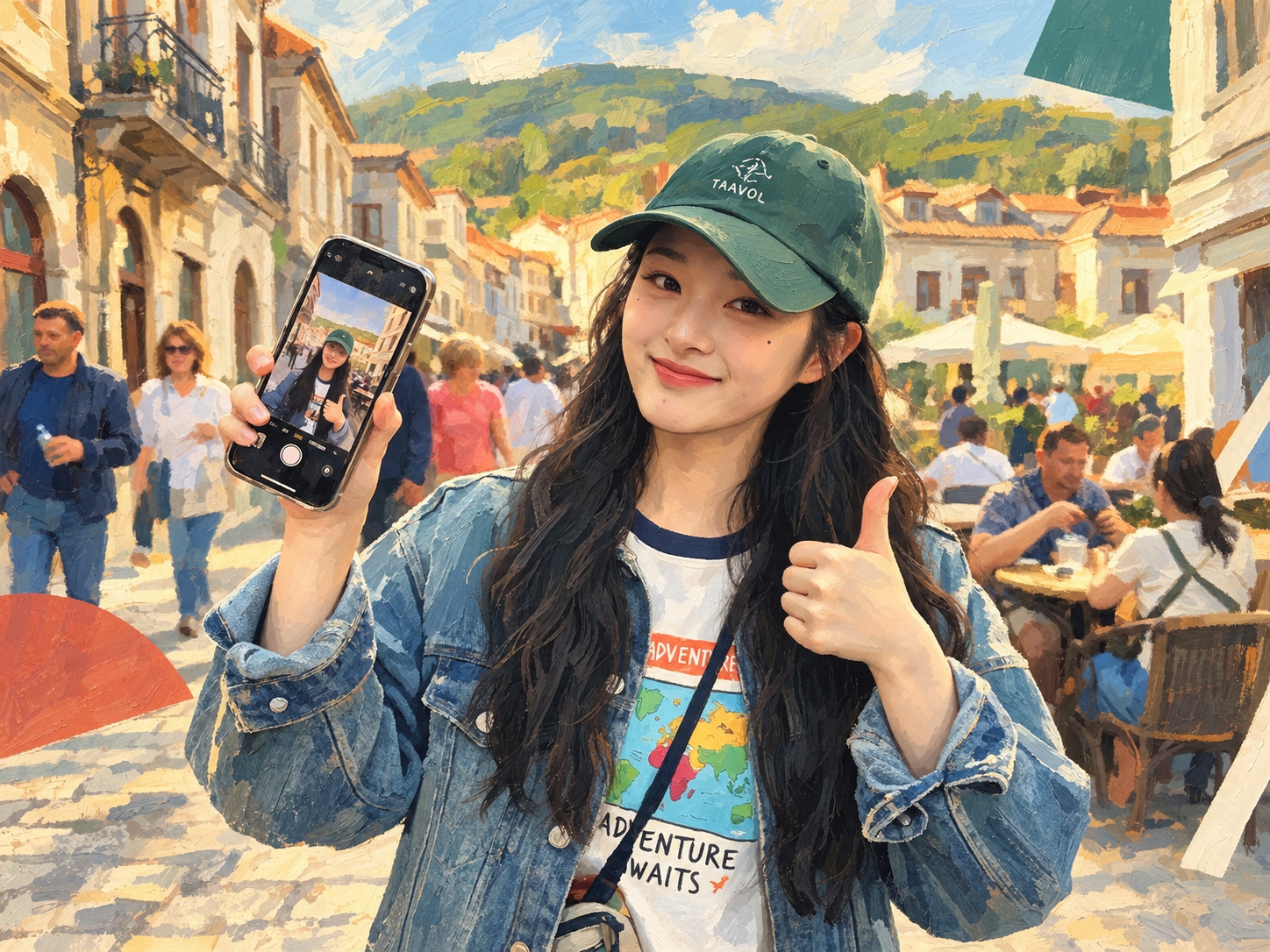
Photo to Hyperreal Impasto
Turn photos into semi-realistic impasto posters
Photo to Hyperreal Impasto
Turn photos into semi-realistic impasto posters
Showcase
Description
Upload a photo, and AI redraws it as a semi-realistic impasto oil-painting poster with warm, sunlit tones. The person’s appearance, expression, pose, clothing, and accessories are all preserved, while the image becomes an artistic work with visible brushstrokes, lighting, shadows, and a strong sense of design. By default, the original and edited images are shown side by side—perfect for sharing on social media.
Recommended by
Dancang
Why we love this skill
Repaints the entire photo as a semi-realistic impasto oil-painting poster while preserving expression, pose, and scene relationships, with an original-versus-result comparison that makes the transformation easy to see without filter-like distortion.
Related Skills
View all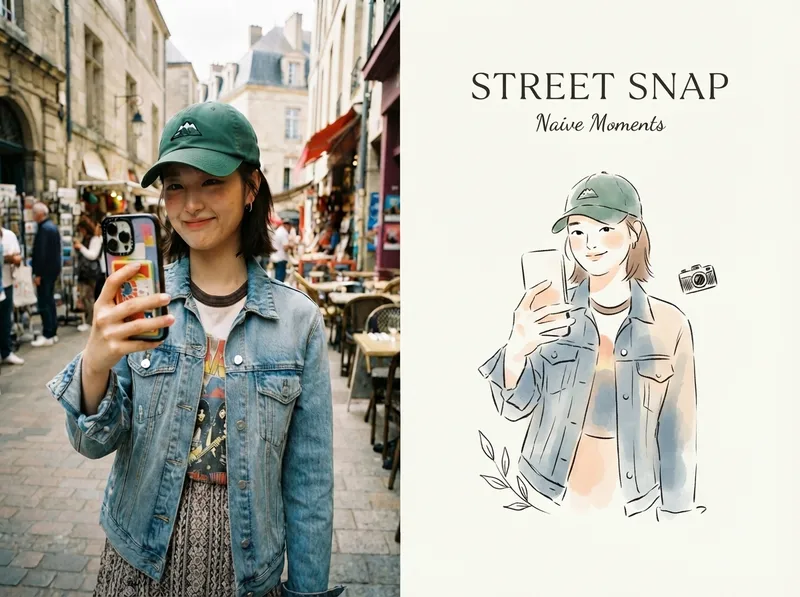 Image
ImageViral Photo Illustrator
Perfect for Xiaohongshu, Moments, WeChat Official Account covers, profile pages, and documenting travel, outfits, fitness, everyday moments, and life as it happens. Upload any portrait, street shot, food, travel, or everyday photo. AI works like an illustrator with a keen sense of negative space, extracting only the most recognizable subject, pose, and story from the image. It redraws them as a relaxed, playful illustration with hand-drawn texture, then places it beside the original to create a polished comparison poster ready to share. · Faithfully preserves the original photo with only subtle, magazine-style color grading—no distortion or face swapping · Automatically reads the photo’s mood and matches it with styles such as doodle, ink wash, sketch blocks, and thick gouache · Generous negative space + a handwritten short phrase, like an editorial illustration from an independent magazine · A soft, soothing curated palette drawn from the original image to naturally complement the photo · Defaults to a 4:3 side-by-side layout; can also be changed to top-and-bottom, portrait, or 16:9
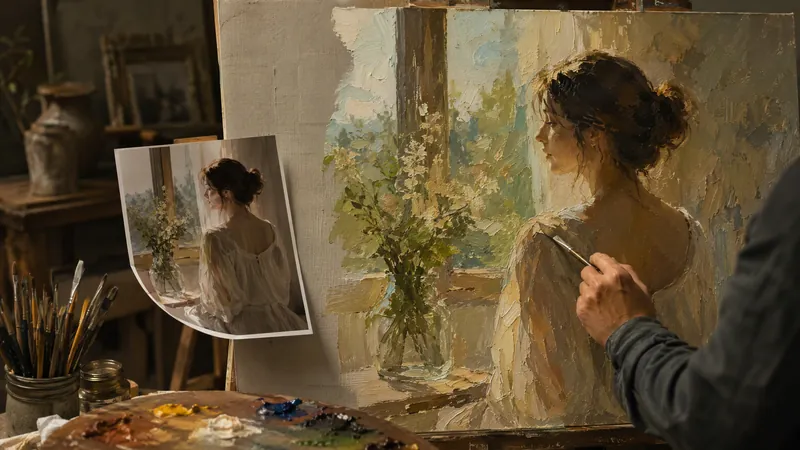
Photo to Oil Painting
Turn your photo into a true oil painting. It's not simply adding a filter, nor is it pixel-by-pixel tracing. It's as if a painter recreated your photo in the style you choose: the composition, people, poses, and scene remain unchanged, the spirit of the subjects is preserved, but the light, color, and brushwork are all left to the chosen style. The soul of the style lives in light and color: the golden warm glow of Romanticism, the dramatic chiaroscuro of the Baroque, the wild colors of Fauvism—all truly land on the canvas. Includes 10 classic oil painting styles: Classical Realism, Impressionism, Post-Impressionism, Baroque, Romanticism, Rococo, Ukiyo-e, Fauvism, Impasto, and Academicism. Upload a photo, pick a style, and each generation produces 2 options to choose from. Not satisfied? Regenerate.
 Image
ImageReal-Person Doodle Portrait
Blend your real-person photo into a room or scene drawn with bold hand-drawn lines, creating a creative portrait that places a real person alongside a doodle environment. The person retains realistic photographic texture, facial features, clothing, and lighting, while the environment uses monochrome marker sketches to outline furniture, walls, and spatial contours. The result creates a striking visual effect of a “real person floating in a line-art world,” making it suitable for profile pictures, social cards, and stylized portrait artwork. You can upload a headshot, half-body photo, or full-body photo, then describe the living room, bedroom, study, café, studio, balcony, or other scene you want, along with the person’s clothing, pose, and expression. If you only have a headshot, the image can complete the body and place it in the specified space. If the original photo already includes a real environment, you can also keep the person unchanged while converting the background furniture, floor, walls, or street scene into a simple doodle line drawing, while maintaining the original composition. Deep ocean blue, burgundy, charcoal black, and other line-art colors are supported, with suitable aspect ratios matched to indoor portraits, open outdoor scenes, sports, or spacious environments. The setting will not be filled with excessive detail. Instead, it selects a few key objects and preserves negative space, making the contrast between the real person and the hand-drawn room clearer and more thoughtfully designed.
Information
- Version
- v4
- Last updated
- Runtime credits
- Usage-based
- Models
- Auto
