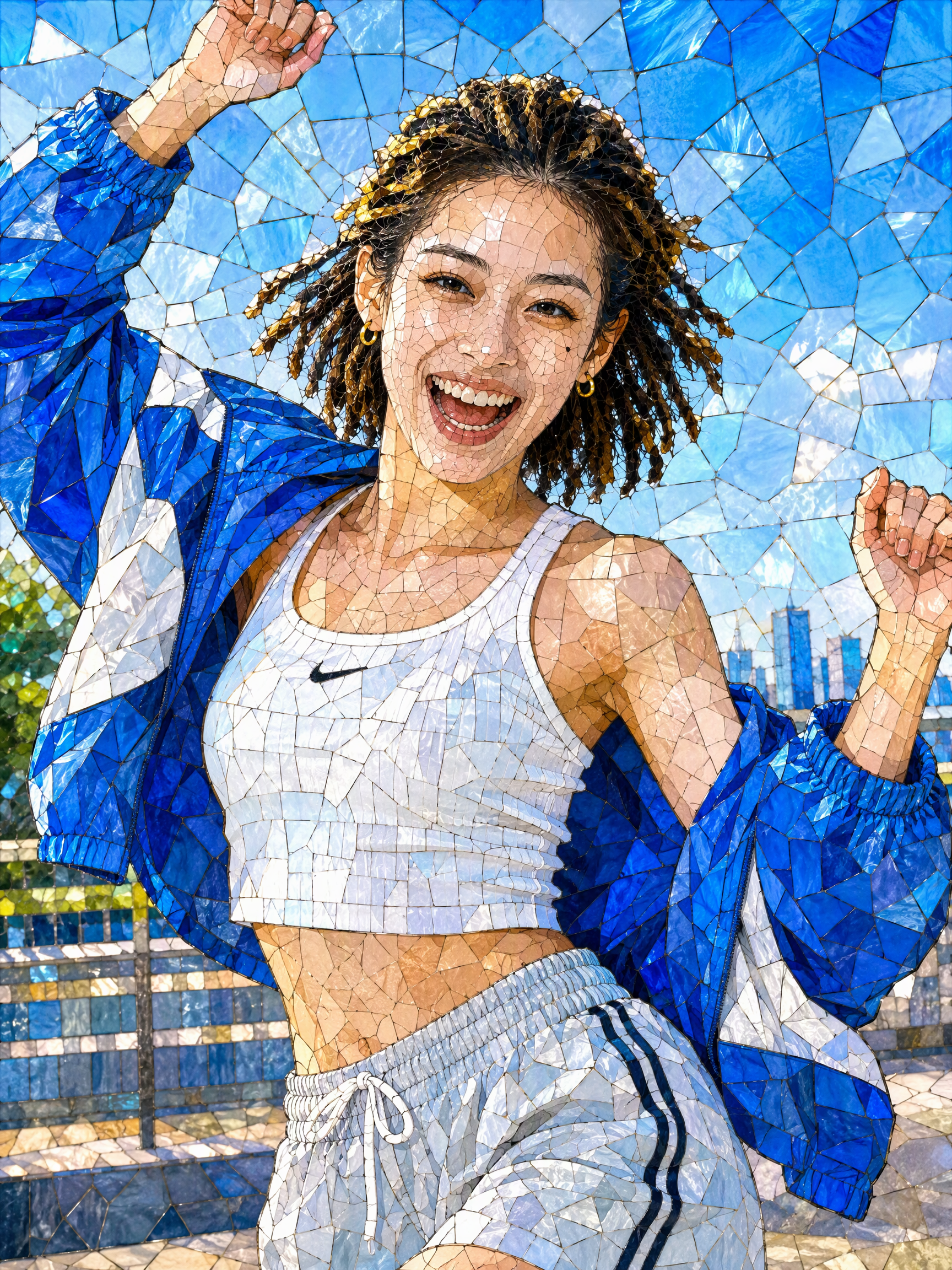
Turn Photos into Mosaic Art
12 mosaic styles, multiple results at once
Turn Photos into Mosaic Art
12 mosaic styles, multiple results at once
Showcase
Description
Mosaic transformation magic: reassemble your photo into a work of mosaic art. 12 styles: pixel blocks, tiles, ancient Roman mosaic, stained glass, honeycomb hexagons, polka dots, LEGO, cross-stitch, low-poly, gold leaf, 8-bit, and paper-cut collage. Choose a style, or let it automatically create a combination with the greatest differences. True to your appearance: faces and key areas are recreated with finer color blocks, while the composition, pose, and clothing stay the same—it's still clearly the same person at a glance. Choose any aspect ratio: 3:4 by default, or switch to 1:1, 9:16, 16:9, and more. Choose the number of images: generate 1 to 9 at a time, each in a different style with the same subject. Works across models: ready to use with mainstream image-generation models. Great for profile pictures, social media covers, short-video covers, personal IP visuals, and custom gift artwork.
Recommended by
Dancang
Why we love this skill
Create multiple mosaic artworks from one photo while preserving the subject’s recognizable identity and original composition. Explore 12 styles spanning pixels, glass, collage, and woven effects.
Related Skills
View all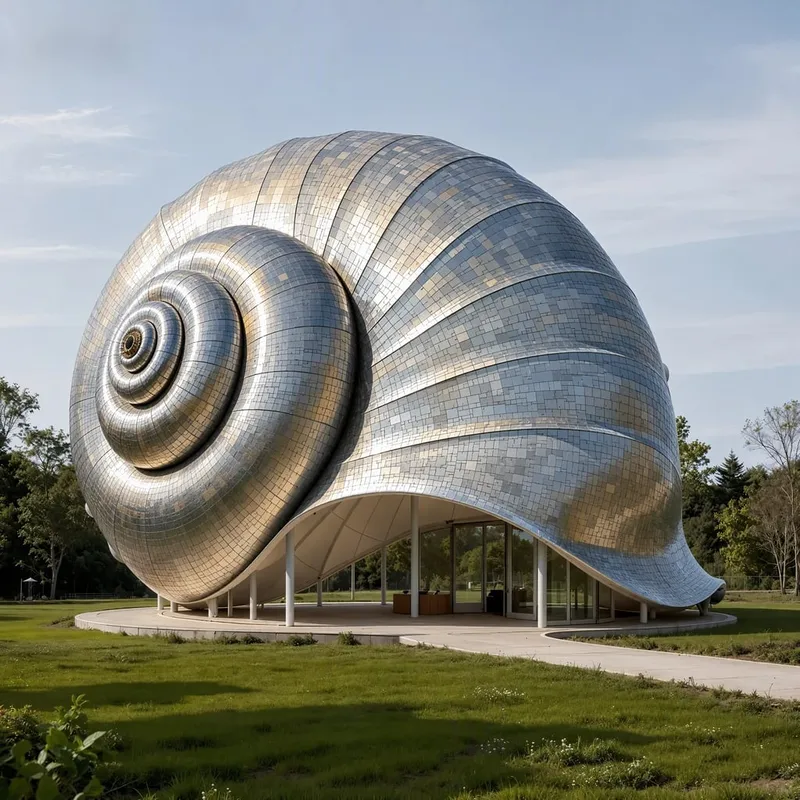 Image
ImageAnything Can Be Mosaic
Upload a photo and give an ordinary scene the texture of a work of art! “Anything Can Be Mosaic” is a multi-style AI mosaic art generation Skill. Whether you’re working with portraits, wedding photos, pets, food, products, landscapes, or architecture, it can transform the original photo into a distinctive mosaic artwork. Multiple art styles to explore Switch freely among fine pixels, stained glass, crystal gemstones, low-poly, ceramic collage, 3D relief, metallic textures, retro pixels, and more. Each style gives your photo a different visual character. Preserve the original subject as closely as possible Using your uploaded photo as a visual reference, it focuses on preserving facial features, hairstyles, poses, clothing, and the key characteristics of products and pets, helping the artistic style remain as consistent with the original content as possible. Flexible ratios and quantities Supports common portrait, landscape, square, and custom aspect ratios. You can specify the number of images to generate or have the same photo rendered in different mosaic styles. Explore multiple creative directions from one photo From translucent stained glass to sparkling gemstone collages and design-forward geometric pixels, transform ordinary photos into visual works for profile pictures, wallpapers, posters, social media graphics, and creative designs. No complex design software or manual collage work is needed. Upload a photo, choose a style, and let AI help you begin your mosaic art journey. Recommended approach: upload a photo and enter “Generate 4 different styles, ratio 3:4, preserving the original subject as closely as possible” to explore different artistic effects at once. Note: Final image details, subject similarity, image ratio, and output quantity depend on the image generation model and platform capabilities used.
 Image
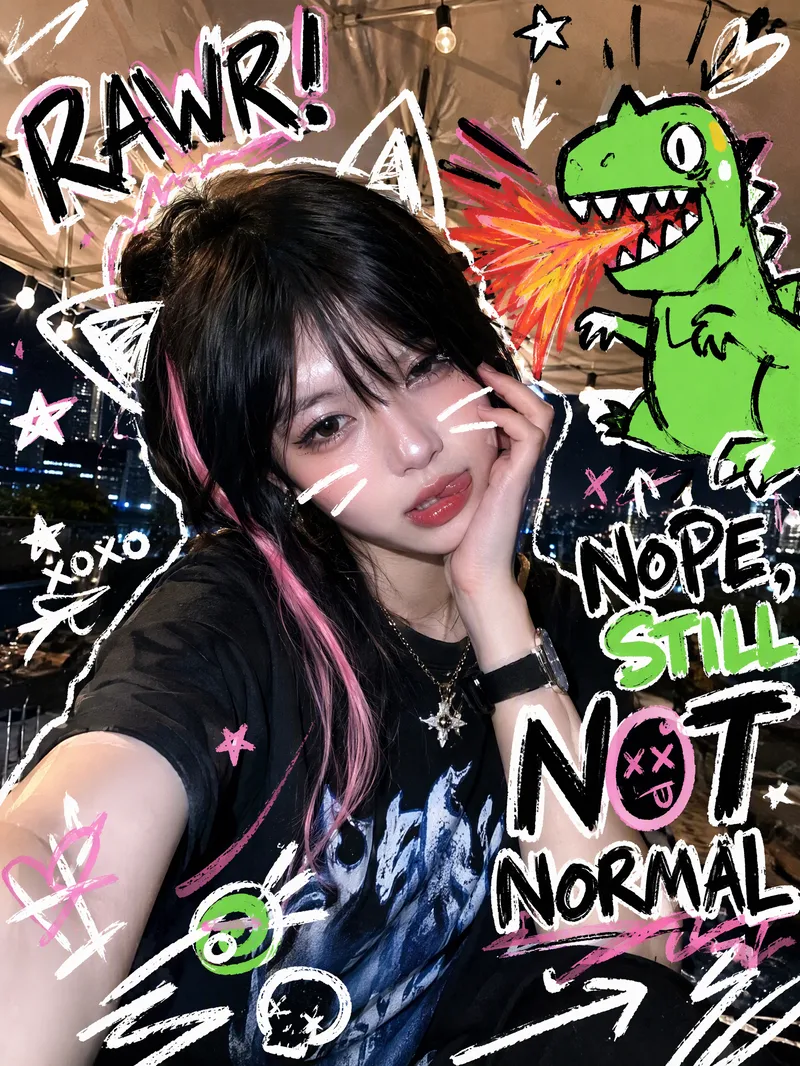
ImageTrending Doodle Photo
Turn your photo into a distinctive Y2K hand-drawn doodle illustration while preserving the subject’s identity, facial features, and original setting. After you upload a photo, sticker-like doodle graphics are layered over the original image, such as stars, arrows, scribbled lines, hearts, lightning bolts, bubbles, or cute cartoon animals. Bold handwritten doodle text surrounds the subject, creating a lively, playful, and spontaneous social media sticker-art style. Each generation randomly creates a new visual combination based on the same compositional relationship. The cartoon figures, doodle objects, short phrases, positions, quantities, angles, and color palettes vary, without mechanically repeating the same template. The text may feature English slang, onomatopoeia, or lighthearted teasing phrases, while maintaining clear, precise sticker-like outlines. Ideal for creating Instagram and WeChat Moments profile photos, photo stickers, and personalized shareable images. The result is a ready-to-use doodle photo, along with a brief description of the graphic and text elements added.
 Image
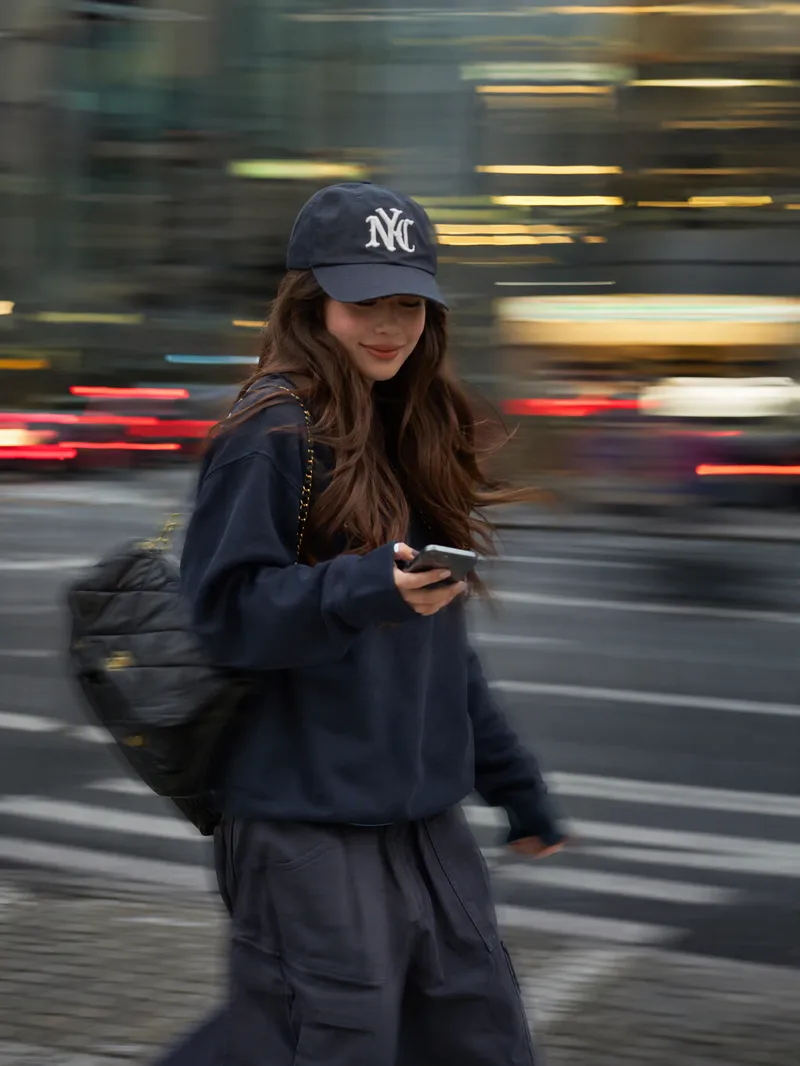
ImageInstagram Street Snapper
Best for: Xiaohongshu and Instagram creators: Need polished personal photos and want to create cover images, profile pictures, and outfit photos in batches Everyday photography lovers, especially young women: Want a magazine-style look without the budget for a photographer Personal brand founders and professionals: Need photos for LinkedIn, WeChat Official Accounts, and personal introduction pages Outfit, fashion, and beauty creators: Want street-style content featuring products or clothing Small business and clothing store owners: Need affordable street-style model images for product listings Short-form video creators: Need video covers, persona images, and profile headers Upload one photo to automatically create a stylish street portrait with a panning slow-shutter effect: your face stays sharp and clear while the background becomes horizontal speed lines, with subtle motion trails on your hands, bag, and clothing—like a photographer catching a fleeting moment on the street. ✦ Still your face: Built-in identity preservation keeps your facial features, skin tone, and hairstyle. No face swapping or generic influencer look. ✦ Automatic outfit styling: Keeps your original clothing when it works; if it is unsuitable for street photography, such as pajamas or an ID photo, it switches to a polished urban look. ✦ Fresh poses every time: Take big strides, cross the street, glance back, carry a bag, hold coffee, and more. ✦ Three lighting moods: Cool gray-green overcast / warm orange dusk / cyan-blue backlight, matched to your overall look. ✦ Film color grading: Low saturation, cyan-tinted shadows, and warm highlights for a magazine-quality finish. ✦ Default 3:4: Ideal for Xiaohongshu and Moments, with custom ratios such as 9:16 also available.
Information
- Version
- v3
- Last updated
- Runtime credits
- Usage-based
- Models
- Auto
