(Viral) Scenic Portrait Guide
Travel portrait poses, angles & settings
(Viral) Scenic Portrait Guide
Travel portrait poses, angles & settings
Showcase
Description
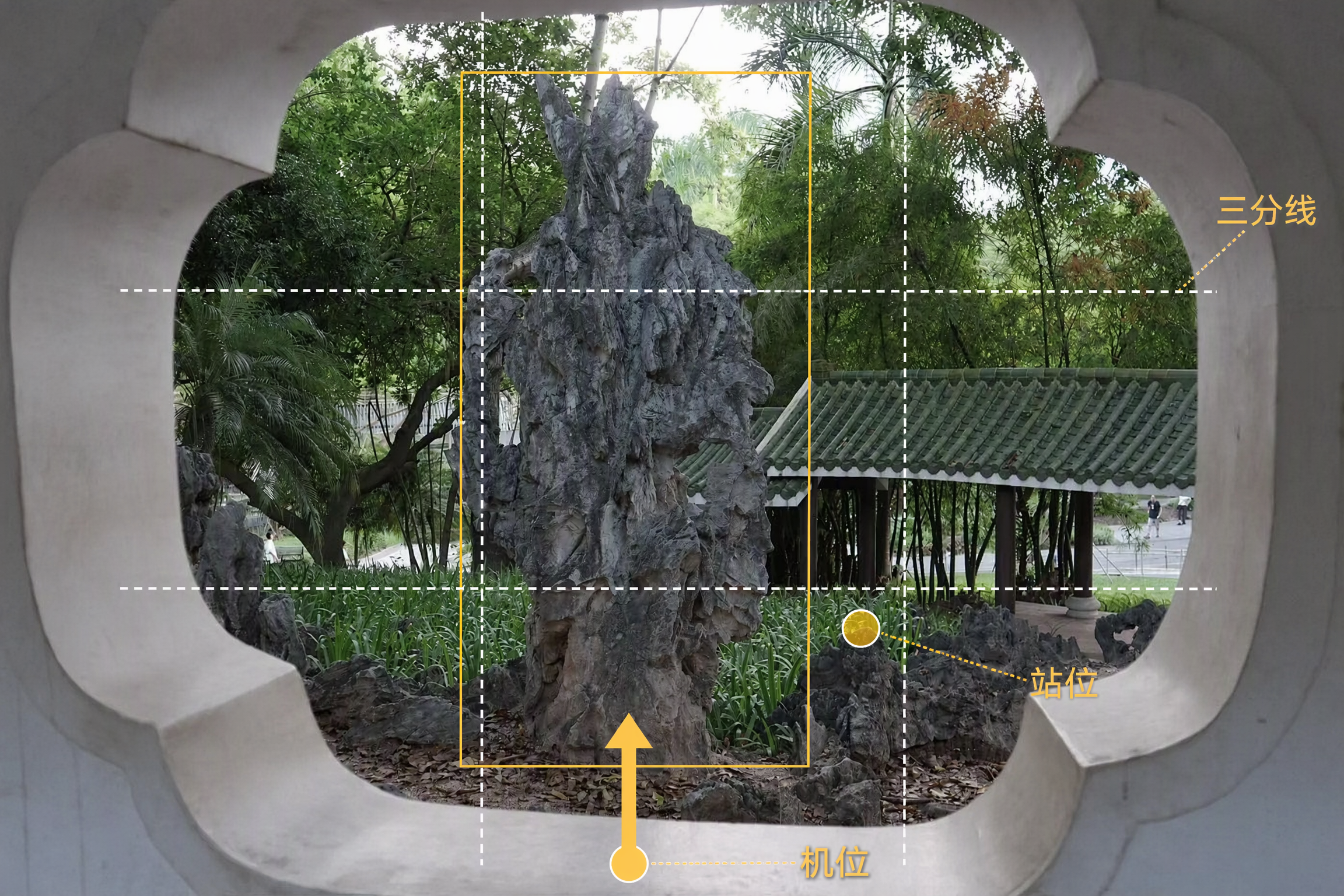
Upload a landscape photo to get a scenic portrait shoot plan tailored to the environment. The person being photographed will know how to pose, while the photographer will know where to stand and how to compose the shot. With a phone or camera, you can more easily capture natural-looking, flattering travel portraits. Even without details about the number of people, style, or equipment, the Skill makes reasonable judgments from the image and provides phone settings by default. The Skill analyzes the lighting, colors, foreground, leading lines, and negative space in settings such as beaches, mountains, flower fields, forests, cities, and historic architecture. It then designs poses for individuals, couples, or groups, explaining body orientation, hand placement, gaze direction, and interaction with the surroundings, while also flagging stiff poses to avoid. For the photographer, it provides suggestions for camera height, shooting angle, composition, focal length, and shooting distance. Based on the lighting and equipment, the settings section provides adjustment ranges for aperture, shutter speed, ISO, white balance, and exposure compensation, along with the reasons they apply and ways to fine-tune them on location. In addition to written plans, it can generate previews showing people naturally placed in the original landscape, as well as camera-position diagrams marked with where to stand, shooting direction, and composition references—so you can follow the guidance directly while traveling.
Recommended by
Dancang
Why we love this skill
Turn a landscape photo into an actionable travel-shoot script with tailored poses, camera positions, compositions, settings, previews, and diagrams.
Related Skills
View all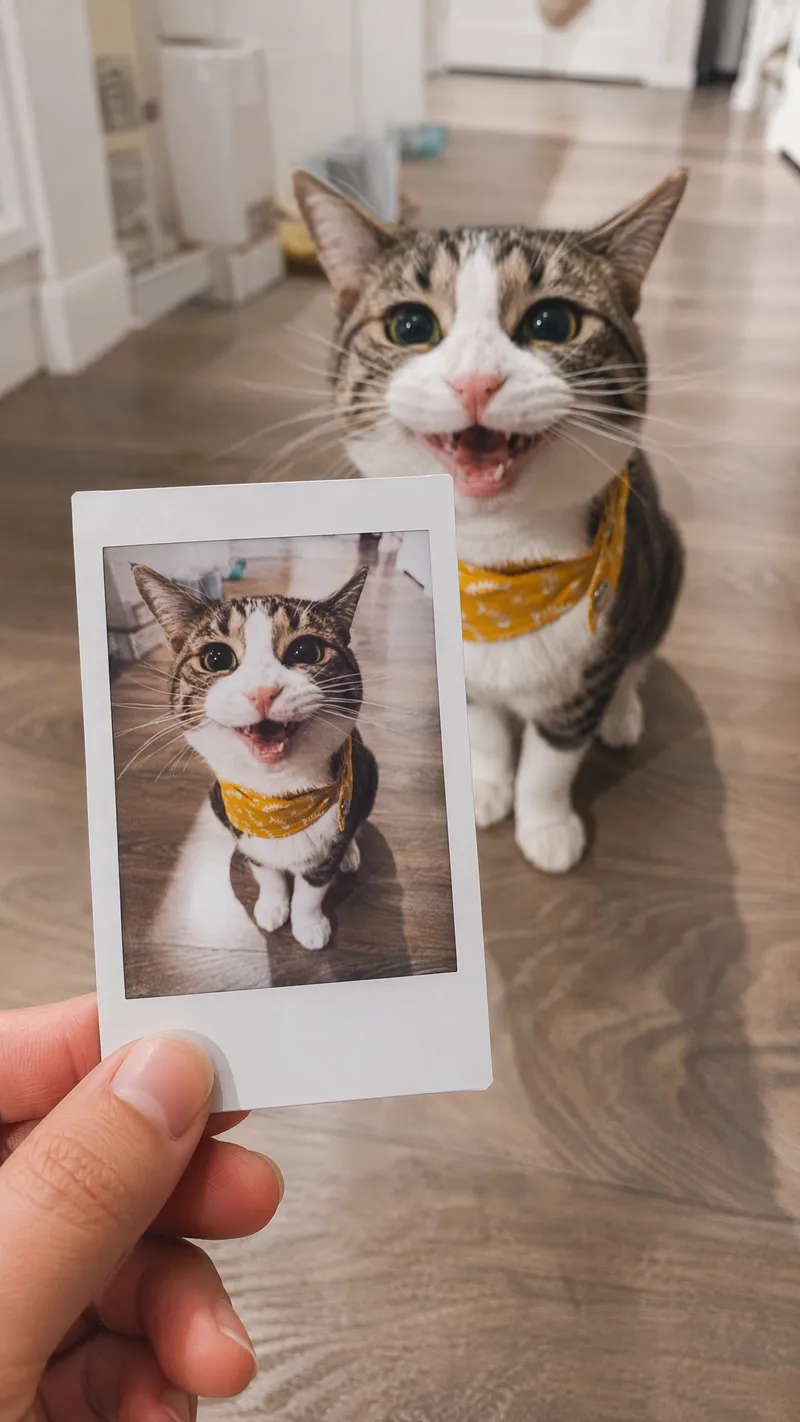 Image
ImageSame-Scene Instant Photo
Turn an image or natural-language scene description into a realistic, natural-looking handheld instant photo: a hand holds a physical white-bordered instant print in the foreground, while the real scene from the same place and moment appears in the background, creating a coherent picture-within-picture effect. Whether the subject is a landscape, urban architecture, person, animal, car, product, or everyday object, the image preserves its key appearance and places it in a plausible real-world setting—not simply pasted into a frame. The results emphasize authentic photographic qualities, including natural perspective, paper texture, contact shadows, hand details, moderate depth of field, and the casual feel of a phone snapshot. Mountains, buildings, people, animals, and other subjects in the instant photo correspond to the background, allowing viewers to directly compare the image inside the print with the real scene outside it. Unnatural elements such as floating cards, digital collages, design lines, and excess text are avoided. The composition automatically adapts to landscape, portrait, or square formats based on the original image or your specified aspect ratio, while keeping the instant photo in your hand aligned with the final image. You can also use natural language to adjust the photo’s position, tilt, size, background clarity, lighting, and overall style. It’s suitable for travel photography, life documentation, and scene images with a convincing realistic illusion.
 Image
ImageViral Travel Journal Poster
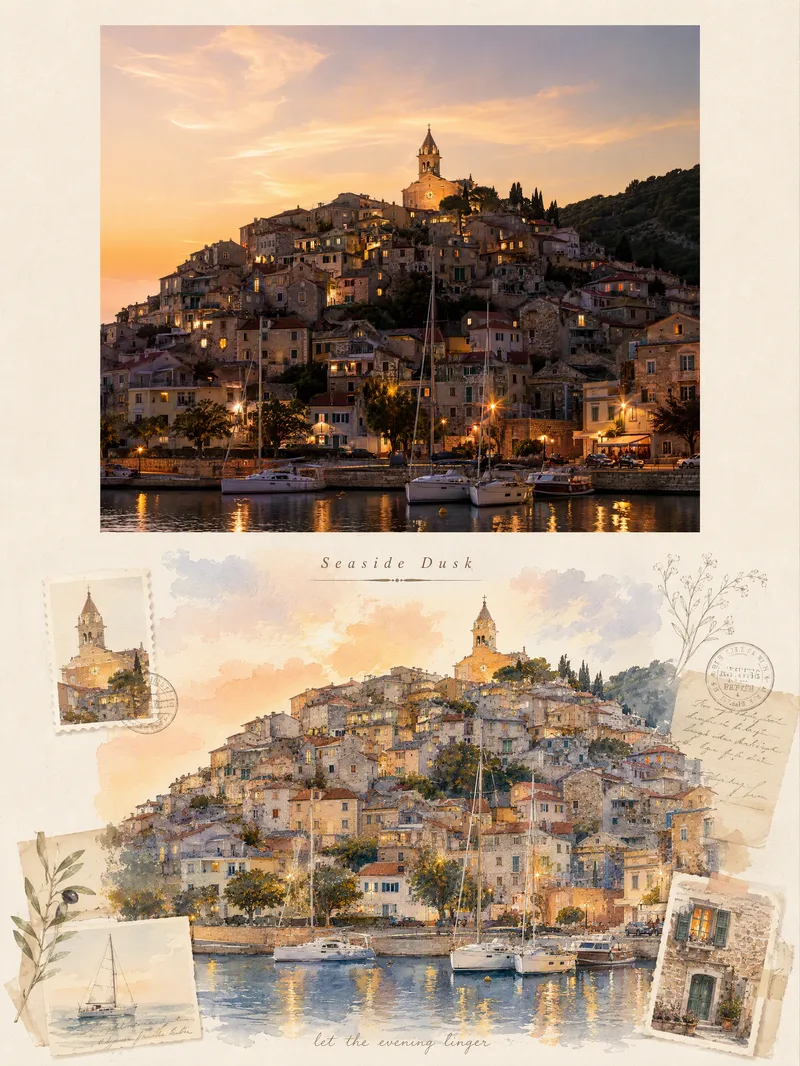
Turn a single travel photo into a 3:4 vertical romantic travel journal poster that combines a sense of memory with an illustrated aesthetic. The upper half preserves the original photo’s subject, composition, colors, lighting, and shadows, framed with a natural warm-white paper border. The lower half reimagines the scenery and spatial relationships from the original photo as a full-bleed horizontal gouache-and-watercolor collage, giving the same journey a more artistic second expression. The design extracts distinctive architectural, botanical, transportation, or scenic elements from the photo and combines them with hand-drawn stickers, landscape stamps, stationery, postmarks, and delicate botanical lines, layered with soft warm light, paper texture, and restrained decoration. Based on the scene, it automatically creates an elegant English serif title and short handwritten English text, making the poster feel like a carefully crafted travel journal page rather than a standard photo layout. It suits photos of seaside towns, city walks, natural landscapes, cafés, travel sunsets, and more. You can also guide the creation with a specific scene mood, color preference, or title copy. When no photo is provided, it can first generate a realistic travel photography base image from your scene description, then create the complete poster.
 Image
ImageCandid Highlights Pro
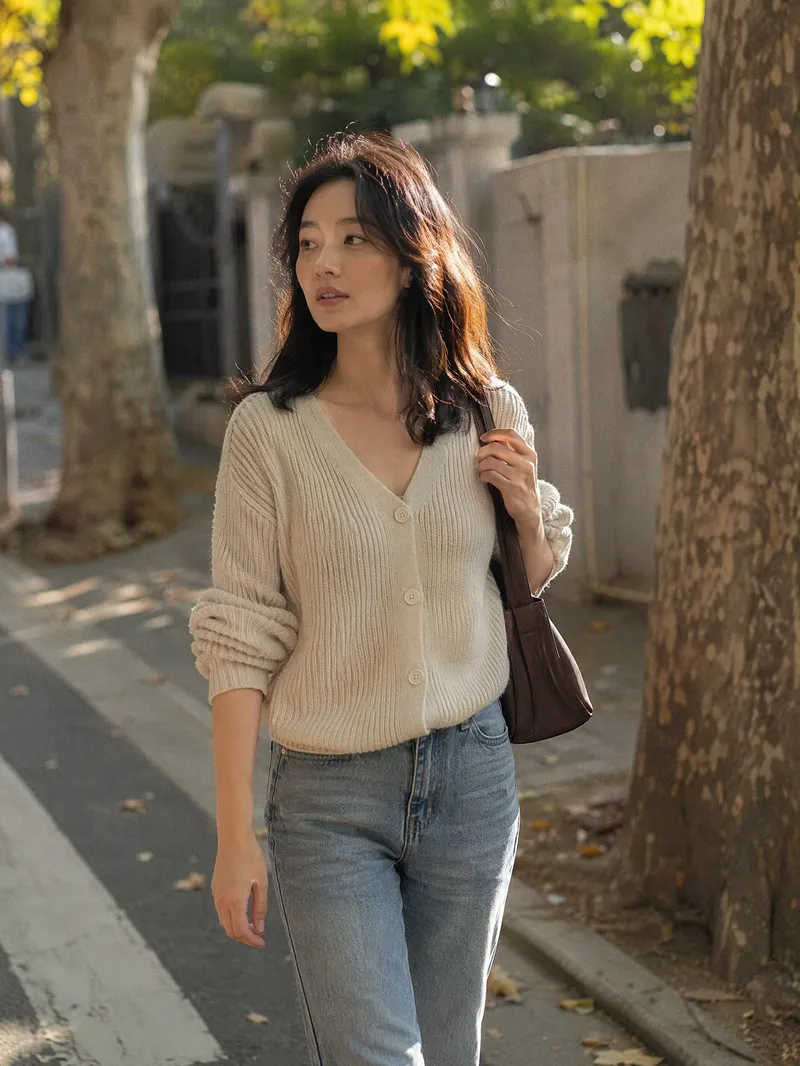
Your photo deserves a naturally occurring highlight moment. Upload a clear portrait, and Candid Highlights designs a street photography scene around your expression, outfit, and pose—capturing moments like brushing back your hair, glancing sideways while walking, or just beginning to smile as an original portrait with a realistic photographic feel. • Identity reference: Preserves recognizable facial features and a natural sense of age from the uploaded photo. • Scene customization: Choose directions such as city streets, tree shadows, the seaside, post-rain settings, and night scenes. • Motion control: Choose low, medium, or high motion to balance a clear subject with a dynamic background. • Outfit options: Keep the original outfit by default or specify a change. • Dual use: Create a portrait only or a cover poster with an original short line. • Series creation: Make multi-scene sets featuring the same person and request local revisions as needed. The default is one 3:4 image; you can specify the aspect ratio and number of images. Suitable for social profile pictures, personal content covers, and portrait creation. AI generation may produce identity or limb inaccuracies. Results depend on the reference photo and account capabilities and still require manual review. Installation and redemption cost 3,366 points; runs and additional generations are charged separately under platform rules. This does not represent a real visit or on-site photo shoot.
Information
- Version
- v2
- Last updated
- Runtime credits
- Usage-based
- Models
- Auto
