慧慧老师
Token Actuary
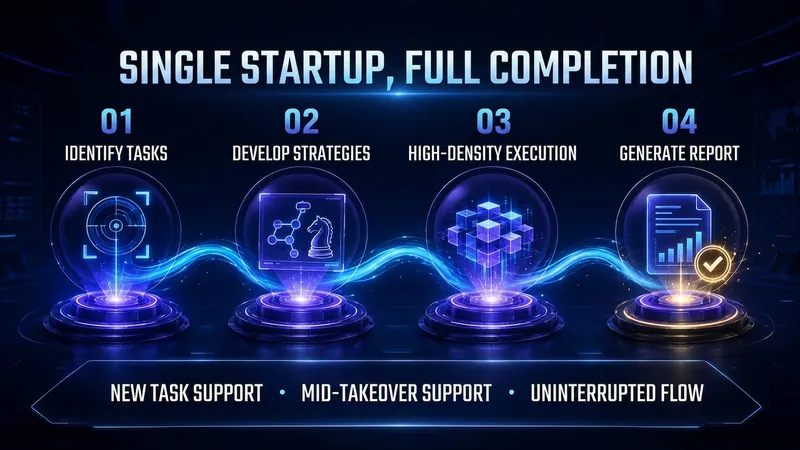
Have you ever calculated how much you pay each month for AI's "fluff"? "Okay, let me help you..." "First, let's review your question..." "In summary, here's what we covered..." You don't even glance at these, but every word eats your tokens. 💸 I built a Skill called "Token Actuary" to fix this: ✅ Automatically identifies task type and applies token-saving strategies ✅ Cuts redundancy without cutting depth—quality stays 100% ✅ Generates an itemized bill: "This time saved 40%+", clear and transparent For heavy AI users, install it once and save the cost of a few bubble teas. A fact most overlook: a significant portion of what you pay for AI isn't for the "answer" — it's for "process language": opening pleasantries, restating the question, transitional filler, closing summaries. These add no value, but every token costs you. I've packaged the entire methodology of information density optimization into a Skill: "Token Actuary". Its logic is straightforward: after identifying the task type, it automatically matches token-saving strategies, executes tasks with maximum information density, eliminates all redundancy, and enforces strict quality constraints so output doesn't degrade. After completion, it auto-generates a token breakdown report showing consumption per stage, savings vs. standard mode, and future optimization tips. Supports both launch-time activation and mid-task takeover—no configuration needed. If you're a heavy AI user—writer, researcher, bulk content creator, or pay-per-token API user—this Skill is essentially a "money-saving machine": install once, and every conversation compresses your costs. It's now available on the YouMind Skill Market. Search for "Token Actuary" to install.
Paper Format Expert
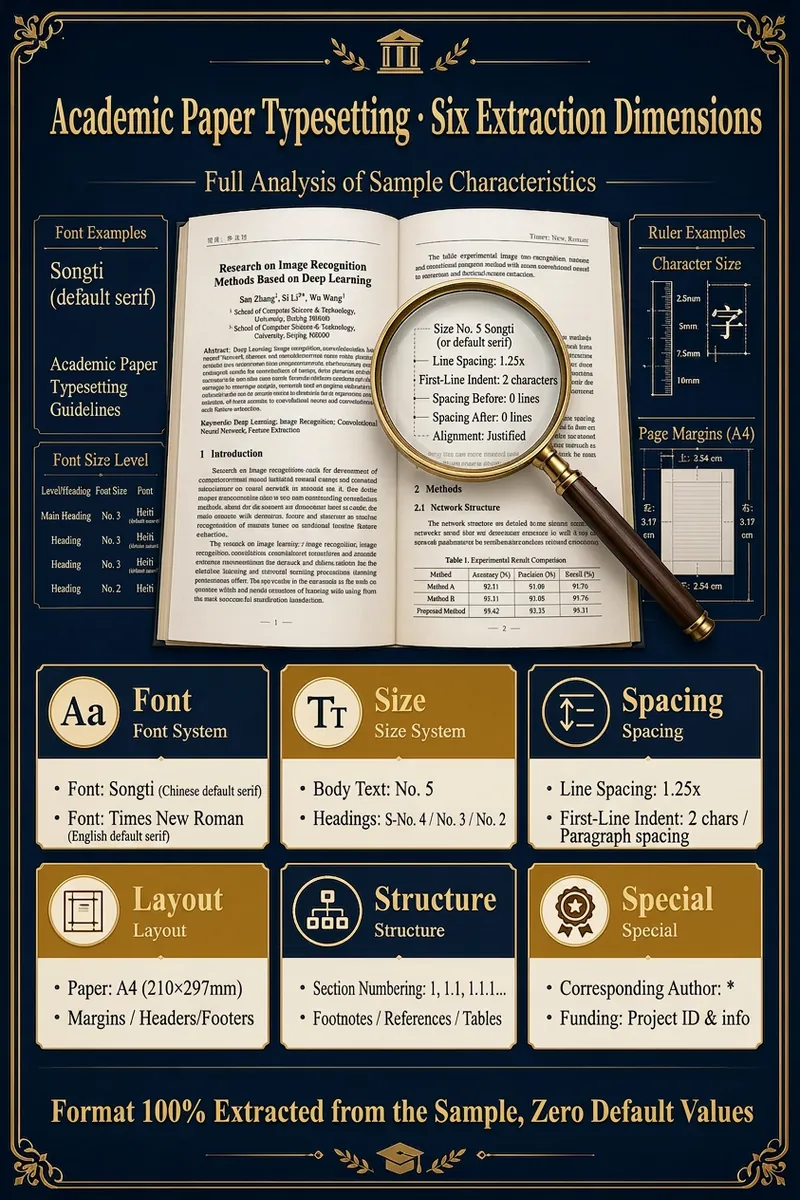
Upload a sample document and your draft; the Skill automatically extracts all formatting features (font, size, spacing, margins, structure, citation style) from the sample and outputs your draft in the same format. Supports PDF/DOCX/TXT/MD input and HTML(Word)/Markdown output, with 8 citation styles. "No need to learn formatting or write instructions. Give it a sample, and it returns a perfectly formatted paper. The 'Academic Formatting Expert' Skill makes paper formatting as easy as copy-paste." 🗣️ User Testimonials "I used to waste a whole day adjusting formats when submitting to a different journal. Now with this Skill, I upload the new journal's sample and my paper is reformatted in 30 seconds. So convenient!" — A young university professor "The thesis template from my school was dozens of pages long and drove me crazy. I used this Skill with my advisor's excellent thesis as the sample. One-click formatting and the result was identical — amazing!" — A second-year master's student Say goodbye to formatting struggles and return to the beauty of academia. It's time to end the war with formatting. Leave this tedious, repetitive yet precise work to AI, and give your precious time and energy back to real research and thinking. Let your paper meet its deserved evaluation in the most professional and compliant way. Try the "Academic Formatting Expert" Skill now and turn your next paper into your next masterpiece.
Reference Matching Expert
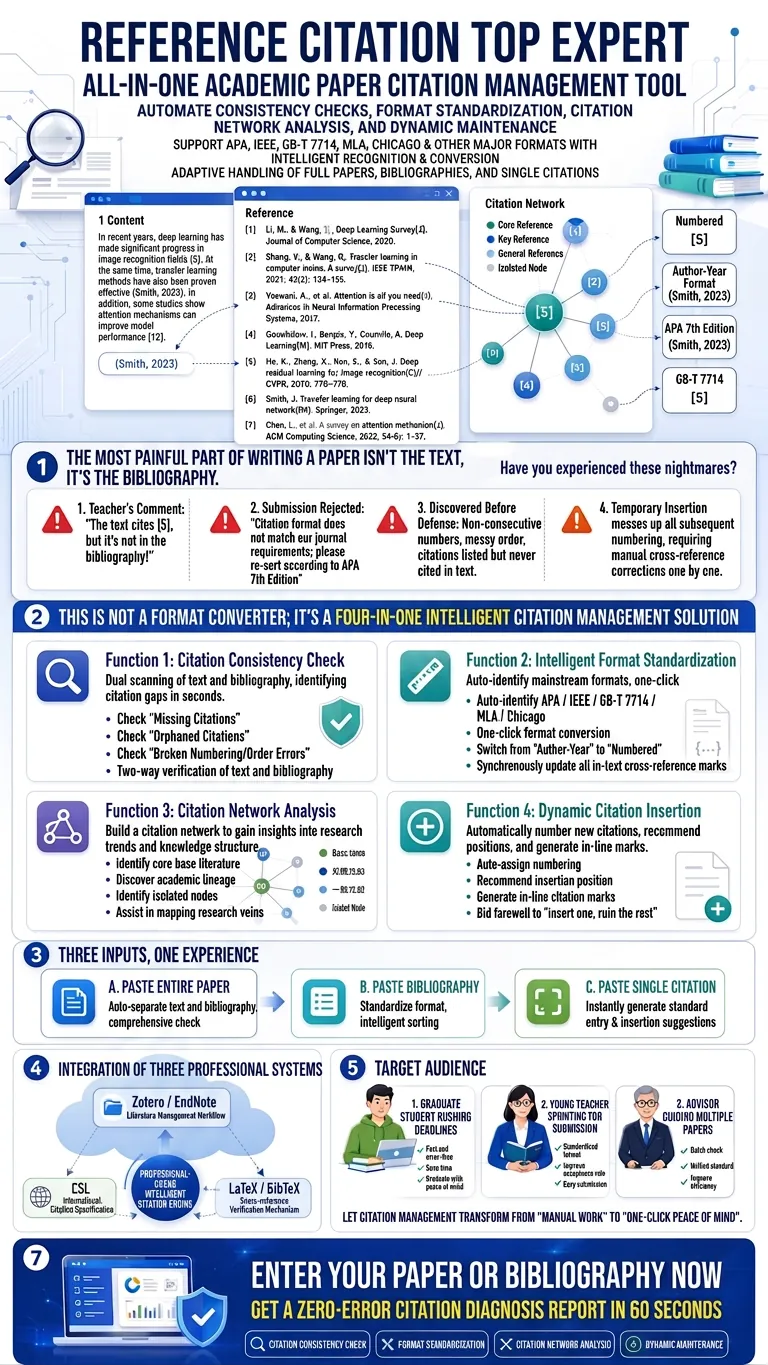
A comprehensive academic paper cross-reference management tool that automates citation consistency checks, format standardization, citation relationship analysis, and dynamic citation maintenance. Supports intelligent recognition and conversion of mainstream citation formats including APA/IEEE/GB-T 7714/MLA/Chicago. Adaptively handles three input forms: full paper, reference list, and single citation. Integrates Zotero/EndNote reference management workflows, Citation Style Language international standards, and LaTeX/BibTeX cross-reference verification mechanisms. "The most painful part of writing a paper isn't the text—it's the references." Have you experienced these nightmares? Advisor's comment: "You cited [5] in the text, but it's not in the reference list!" Rejection: "Citation format does not meet journal requirements. Please reformat according to APA 7th edition." Discovery before the defense: Reference numbers are non-sequential, order is chaotic, and some references are never cited but still in the list. Inserting a new reference mid-paper messes up all subsequent numbers, requiring manual correction of every cross-reference. 【Reference Citation Expert】—— Your academic writing 'citation immune system'. This is not a format converter; it's a four-in-one intelligent citation management solution: 🔍 Feature 1: Citation Consistency Check — Bidirectional scan of text and reference list, instantly locating missing citations, orphan references, and broken numbering. No citation gap can hide. 📐 Feature 2: Smart Formatting — Automatically identifies APA/IEEE/GB-T 7714/MLA/Chicago formats, converts with one click, and updates all cross-reference markers simultaneously. Switch from author-year to numeric style without manual effort. 🕸️ Feature 3: Citation Relationship Analysis — Builds a citation network by connecting to online resources, identifying core foundational papers, academic lineage, and isolated nodes, helping you map research connections. ➕ Feature 4: Dynamic Citation Insertion — New references are automatically numbered, insertion points recommended, and inline citation markers generated. No more 'one insertion wreaks havoc on the whole document.' Three inputs, one experience: Paste entire paper → automatically separate text and reference list, full check Paste reference list → unify format, smart sorting Paste single citation → instantly generate standardized entry and insertion suggestions Integrating three major professional systems: Zotero/EndNote workflows × CSL international citation standards × LaTeX/BibTeX cross-reference verification. Whether you're a graduate student racing a deadline, a young faculty member rushing to submit, or a supervisor guiding multiple papers— Turn citation management from 'manual labor' to 'one-click peace of mind.' Now input your paper or reference list and get a zero-error citation diagnostic report in 60 seconds.
Knowledge Graph Engine
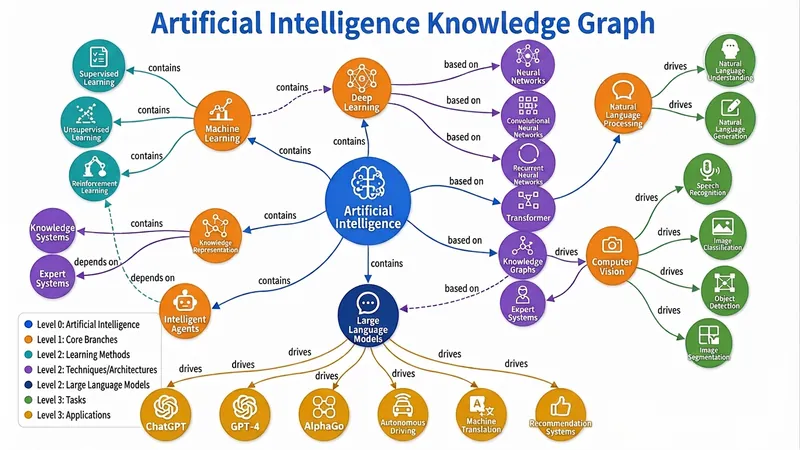
Automatically build five types of diagrams (Knowledge Graph, Mind Map, Concept Map, Flowchart/Architecture Diagram, Relation Diagram) from text, files, or topics, and output an interactive web page, static image, and visualization code all in one — a triple-threat solution built to the highest standards. Combines best practices from knowledge graph engineering and information visualization, supporting dynamic granularity control, disambiguation and deduplication, and multi-source cross-validation. Turn your words, files, or even a thought into a draggable, zoomable, searchable interactive knowledge graph in seconds, and export high-definition images and ready-to-use code with one click — this is the knowledge visualization "triple-threat" engine you've never experienced before. 🧠 What is the Knowledge Graph Engine? It's not the simple drawing tool you've seen before. It's a knowledge engineer + visualization expert hidden in your browser. Give it a textbook passage, a thesis, a PDF, or just a keyword, and it will automatically: 🔍 Extract core entities and clarify deep relationships 🧱 Build structured graph JSON (Knowledge Graph / Mind Map / Concept Map / Flowchart / Relation Diagram) 🎨 Output three top-tier forms: interactive web page + high-definition static image + Markdown/Mermaid/Graphviz code From now on, information organization doesn't rely on manual box drawing, and knowledge presentation is no longer just a static picture. ⚡ Why is it "top-tier"? 1. Fully automatic "text-to-graph" pipeline: No need to learn any modeling language or manually define nodes and connections. Just input content, and the engine automatically determines the graph type: Subject knowledge system? → Generates a semantically rich knowledge graph Reading notes deconstruction? → Generates a clear hierarchical mind map Process and decision? → Generates a flowchart/architecture diagram with branches Character relationship network? → Generates a multi-dimensional relation diagram Even if you just throw a topic word, it can independently gather information, fill in the content, and then generate the graph. 2. Triple-threat output covering all use cases: 🖱️ Interactive D3.js web page: Drag nodes, scroll to zoom, click for details, highlight related paths, keyword search... like operating a living map. Single-file HTML, no backend, can be embedded directly into any page or sent to anyone. 🖼️ High-definition static graph: Force-directed layout, color-coded categories, directly usable for thesis illustrations, PPT presentations, teaching materials — every label is sharp and readable. 📜 Visualization code: Generates both Mermaid and Graphviz source code simultaneously. Developers can directly insert into documentation, wiki, Notion, with unlimited expandability for secondary editing. 3. Ultimate user experience design: 🎨 Colors automatically mapped by entity type, hierarchy expressed intuitively by node size 🔗 Relationship labels displayed directly on curves — instantly see 'contains', 'causes', 'supports' 💡 Click any node, non-related parts auto-fade to focus on the thought path 🔄 Reset layout, search positioning, zoom and pan... all operations smooth as silk 4. Engineering wisdom balancing 'breadth' and 'depth': From entity disambiguation and deduplication to multi-source cross-validation; from hierarchical granularity control to dotted-line connections supporting cross-domain relationships — behind this are the best practices of knowledge graph engineering, not a toy but a productivity tool. 👥 Who needs it most? Teachers & Educational Content Creators: Turn entire textbook chapters into an interactive knowledge map — students click to understand concept relationships. Researchers & Students: Literature reviews no longer rely on text walls — one diagram clarifies the theoretical threads of dozens of papers. Product Managers & Enterprise Architects: System architecture, business processes, feature breakdown — instantly generate architecture diagrams, doubling communication efficiency. Readers & Lifelong Learners: Notes are no longer just outlines but explorable thought networks, letting knowledge truly 'grow' together. 🚀 Now, let your knowledge 'come alive' You give content, it gives insights. You give a topic, it gives a system. You give a requirement, it gives a complete deliverable of web pages, images, and code. This is not a feature; it's a workflow that elevates information into cognition. Let the Knowledge Graph Engine become an extension of your thinking, visualize your expertise, and reach every audience's 'aha moment.' — From today, don't 'draw' graphs, 'generate' graphs.
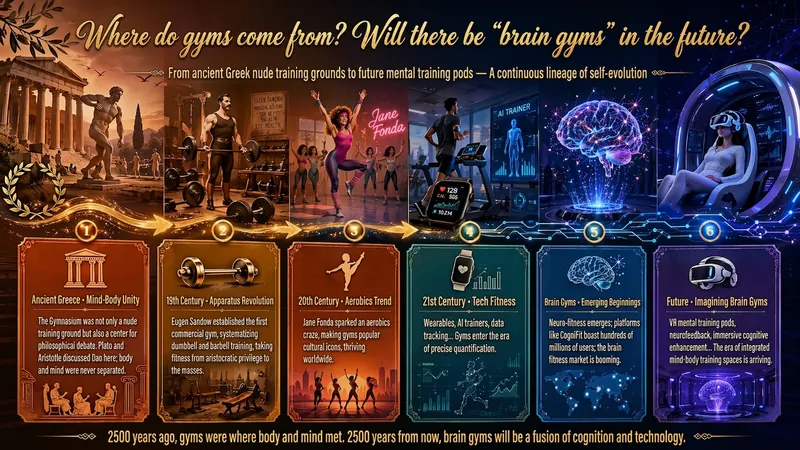
Idea to Infographic
A single image, a single sentence is all it takes. Have you ever had this experience—you have a great idea and want to turn it into an infographic like the ones big accounts post, but: - Open an AI image tool, rewrite prompts over and over, and the result either has terrible layout or completely mismatched style. - Tried several prompt templates, each requiring three or four adjustments, and half an hour later you're still not done. - Want styles like financial literacy, Chinese classic, science, tech... each time you have to research colors and layouts from scratch. Now you don't have to. 「Idea to Infographic」automates all of this: You say "make an emotion management infographic," and it decides whether to use a warm Chinese style or a healing scientific style, searches and organizes core knowledge points, breaks them into 6-8 module cards, assembles the optimal prompt, and quality-checks—if it fails, it automatically redoes; if it passes, it hands it right to you. Four killer capabilities, all built-in: 🧠 **Style Engine** — Not a rigid four-choice. If your topic matches financial literacy, it automatically goes with deep blue gold; if it matches Chinese classics, it uses rice paper and ink; if it matches technology, it uses cyan neon. For topics outside these four? It automatically synthesizes a new style. Coffee encyclopedia → food warm tones; exercise and fitness → vibrant orange gray. No style it can't handle. 🔍 **Content Brain** — You give a word, it searches the web to fill out content; you give a paragraph, it extracts the core; you give nothing but a topic, it organizes everything clearly. All three input methods are supported—the simpler, the more effortless. 📐 **Layout Adviser** — Progressive ladders, side-by-side comparisons, causal chains, overarching-subcategory radiation... Five logical patterns automatically matched. Not just stuffing text into an image, but actually designing an infographic. ✅ **Self-Inspection** — After generating, it automatically checks layout, text density, image-to-text ratio, and style match. If there's an issue, it adjusts and regenerates, up to two times. You don't need to know how to write prompts; you just need to know how to speak. **Who is this Skill for?** - Social media creators who need to produce images daily but don't want to learn design. - Knowledge commerce creators who want to visualize course content but lack a designer. - Corporate trainers who need professional infographics but lack budget for outsourcing. 🔍 - Anyone who wants to turn an idea into a great image. In a word: You have the idea, it has the image. All the hassle in between, it handles for you.
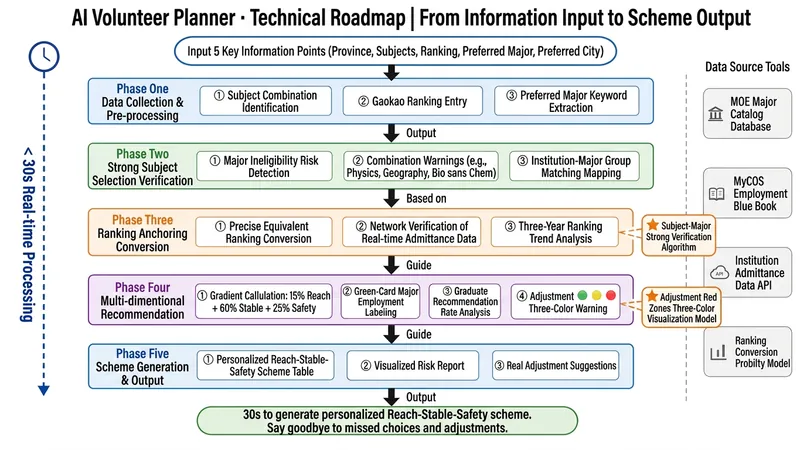
Gaokao Application Expert
An AI volunteer planning expert who understands 'college-major groups', tells the truth, and uses data to speak. Why do you need this skill? After the new Gaokao reform, the 'college-major group' model has made application exponentially harder: 😱 A slight misstep in subject selection can disqualify you from your desired major 😰 One 'pitfall' major in a group, and agreeing to adjustment gets you trapped 😨 Incorrect rank conversion leads to wasted high scores or missed opportunities 😵 Information asymmetry leaves well-meaning parents giving bad advice This skill is designed to solve these pain points. #What it can do? 🎯 **Subject Combination Validation**: Instantly identify forbidden major risks for combinations like 'Physics, Geography, Biology without Chemistry' 📊 **Rank Anchoring**: Use equivalent rank as anchor, verify real-time admission data online 🚦 **Safe, Stable, Reach Gradients**: Scientifically allocate 15% reach + 60% stable + 25% safe plan ✅ **Green-List Major Labeling**: Powered by the latest MyCOS employment blue book data 🚀 **Strategic Track Tracking**: New ministry-added majors like AI, integrated circuits, low-altitude economy 🎓 **Graduate Admission Rate Transparency**: Clearly present graduate admission rate for each university (with source year) ⚠️ **Adjustment Risk Warning**: 🟢🟡🔴 Three-color visualization of 'pitfall' risk within a group ## Who uses it? ✔️ Students from all Gaokao provinces ✔️ Rational parents who don't want their children in 'pitfall' majors ✔️ Potential candidates balancing graduate admission rate and employment ✔️ Ordinary families overwhelmed by information and in need of professional advice ## Its spirit Combines **Zhang Xuefeng-style sharp frankness** + **MyCOS employment data rigor** + **Latest Ministry of Education policies authority**, to be your personal volunteer planning consultant who 'dares to tell the truth and gives real solutions'. **Input 5 key pieces of info, get a customized safe-stable-reach plan in 30 seconds.** Start now → Make sliding, pitfalls, and adjustment a thing of the past.
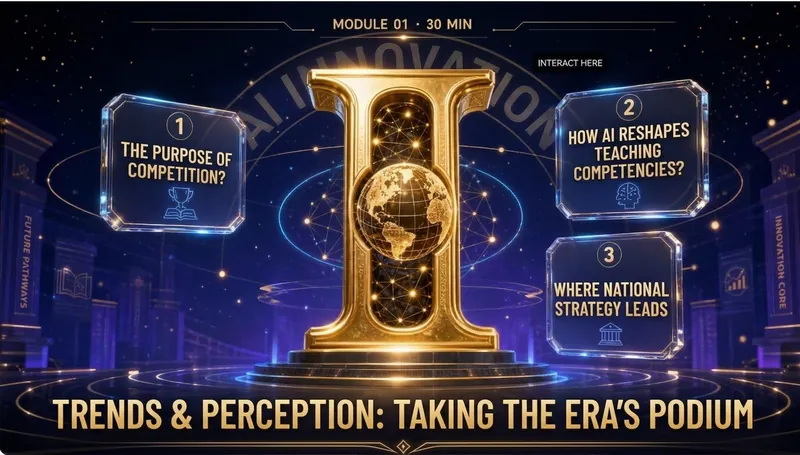
Elite Tech Slide Designer
Make every slide a breathtaking moment for the audience! Are you still suffering through presentations like these? 😴 Your carefully prepared content ruined by a template-heavy PPT? 😩 Judges or clients think "another ordinary presentation" at first glance, losing interest instantly? 😵 You want to convey authority, cutting-edge, and trustworthiness, but it looks like a "township enterprise brochure"? 😞 Others' PPTs look like an Apple launch, yours like a 1998 Office default template? The problem isn't your content—it's your visual authority! ✨ Now, equip the Elite Tech Slide Designer skill 👉 Turn any content (speech, report, whitepaper, policy briefing) into: An elegant film-like chapter structure that gives the audience breathing rhythm 💎 With this skill, you'll gain: 🔥 A design master assistant that builds your authority—no more struggling with colors, fonts, or alignment 🔥 A cover that makes judges/clients "hold their breath" at first sight—winning their expectations in 3 seconds 🔥 Never flashy or cheap 🔥 A "premium template library" that peers secretly copy—isometric 3D + glassmorphism + gold fine lines, max visual impact 🔥 Get asked "Can you send me that PPT?" after your speech—your presentation will be remembered because of the slides 🎯 Who is it for? 🎙 Seasoned speakers / TED-style presenters—keynotes, industry conferences, product launches 💼 Senior consultants / investment managers—investor roadshows, board meetings, client proposals 🎓 University professors / academic authorities—academic lectures, research reports, policy briefings 📊 Corporate strategy leads / CMOs—annual strategy meetings, brand launches, media communications 🏆 Any professional participating in national competitions/reviews—teaching competitions, innovation contests, project defenses ⚡️ Install Elite Tech Slide Designer now Turn your next presentation into a visual ritual that makes the audience "hold their breath and rush to save." "Not just conveying information, but creating a sanctuary." This skill is your scepter of visual authority. 👑 👇 Click to install and become the speaker that makes your peers say, "That's the one who made the audience hold their breath!"
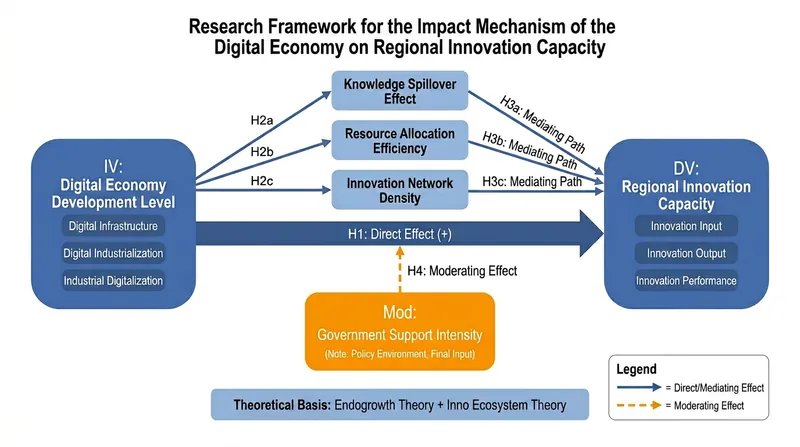
One-Click Research Diagrams
Designed for university faculty and anyone who demands high-quality diagrams. This skill can instantly generate diagrams for research grant applications, teaching cases, paper arguments, etc. It is a visualization tool you'll love to use once you try it. Input your topic and research details, and the AI directly generates downloadable high-definition image attachments, including but not limited to the following styles: • Research Framework Diagram: Three-column layout (Research Ideas | Research Content | Research Methods), academically formatted • Technical Roadmap: Multi-stage flowchart with method tools, innovation highlights, and timeline • Variable Relationship Diagram: IV→MV→DV paths, H1-H4 hypothesis labeling, blue-gray academic color scheme Suitable for: Journalism & Communication, Education, Management, STEM, etc. Output: Directly generates image attachments that can be embedded into grant proposals, PPTs, etc.
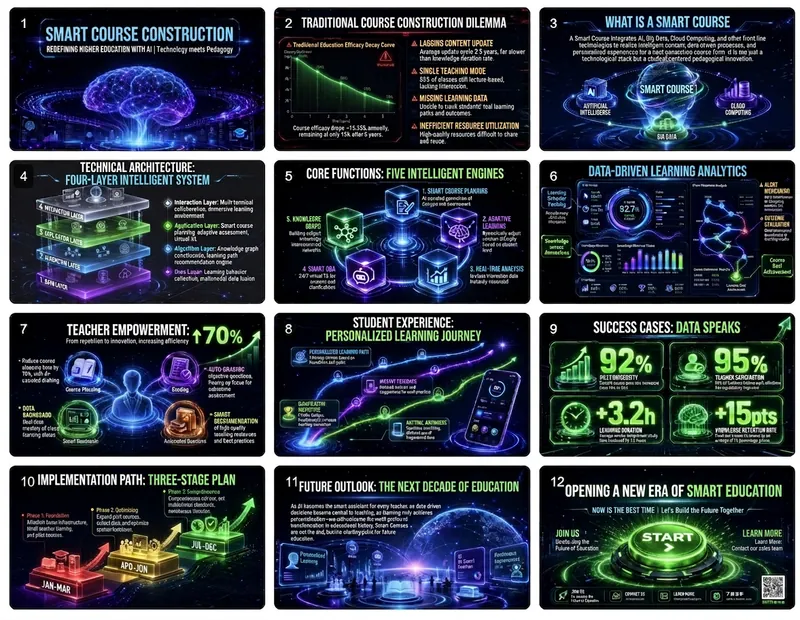
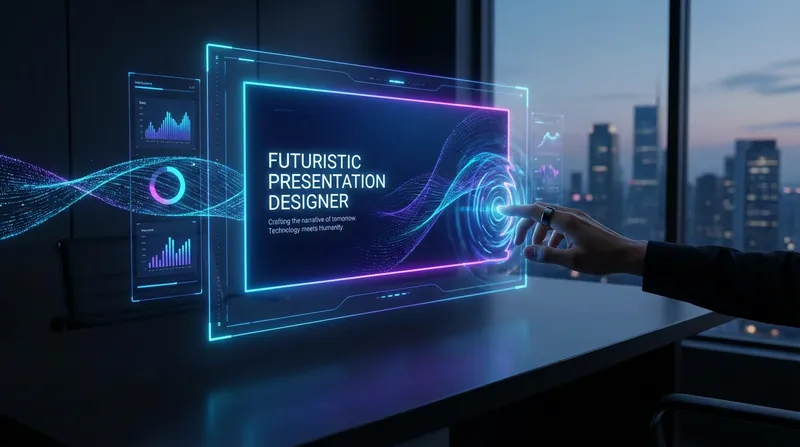
Future-Tech Slides Designer
This is a professional slides creation skill that simulates the perspective of a visual design director at a top Silicon Valley tech company. Following the design philosophy of 'Technology meets Humanity,' it creates slides with a strong futuristic feel and immersive experience for cutting-edge tech products, innovative solutions, or technological breakthroughs. Core Value: 🎯 12-page narrative structure from vision to call to action 🎨 Deep-space black background + neon glow tech aesthetic 📊 Data-driven visual impact 💡 Make complex technology understandable and exciting Use cases: Technology product launches | Technical solution presentations | Investor roadshows | Innovation project showcases | Tech summit speeches
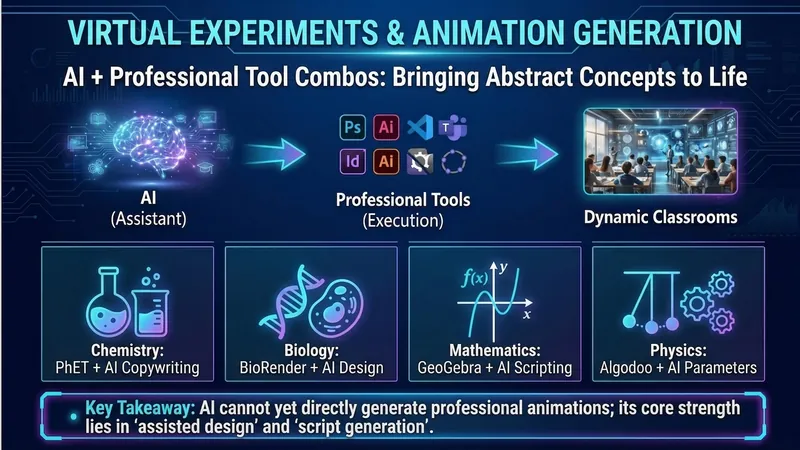
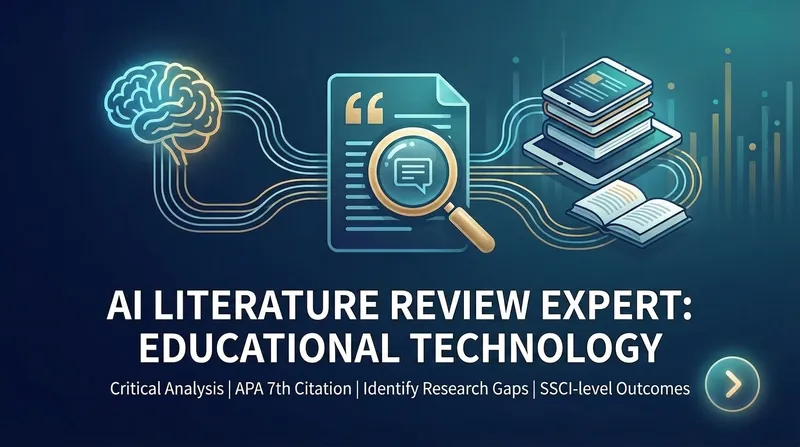
Futuristic Educational Technology Slides
Easily master future educational technology style Slides! One-click generation of professional visual descriptions, making your presentation instantly high-end, showcasing innovation and efficiency.
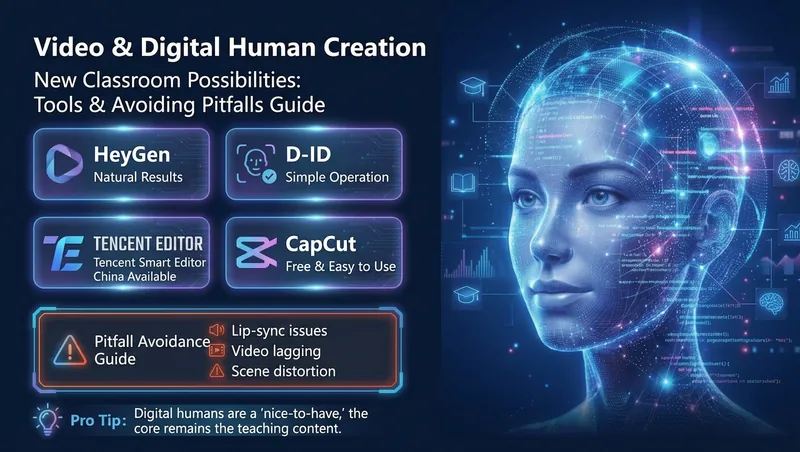
Future Tech-Education Slides
The Slides style is a hybrid of futuristic tech and education, highly impactful and cool, top-tier for business presentations.
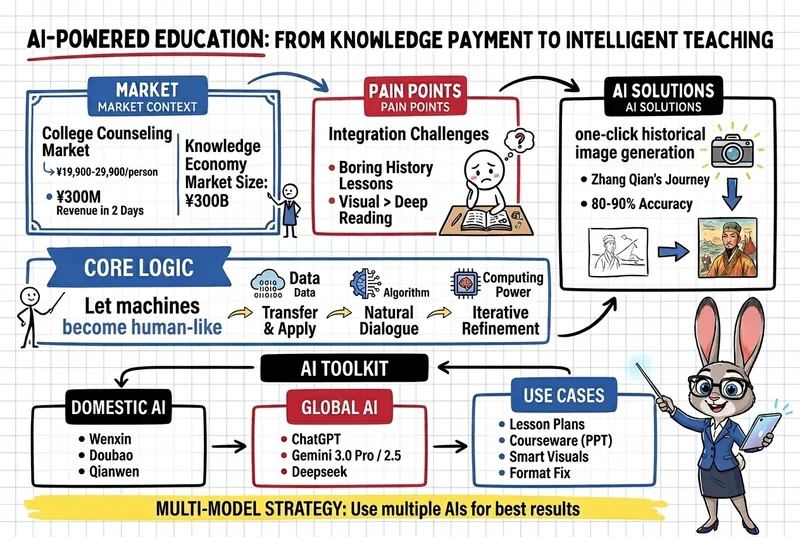
 Slides
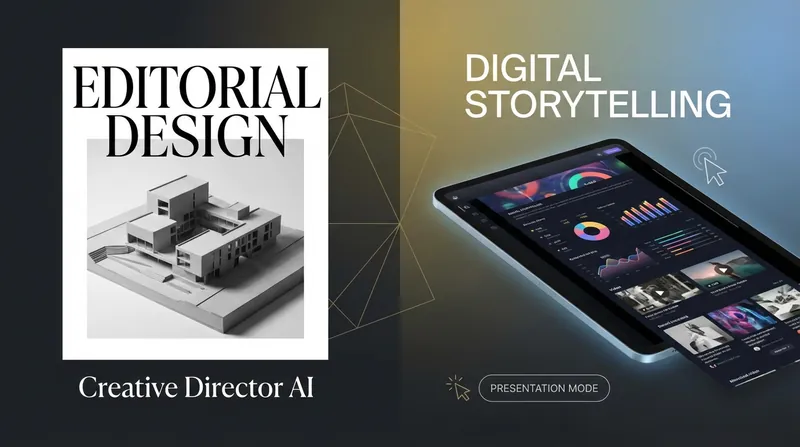
Creative Magazine Style Slides
Design presentations like an international art director. Perfectly blend magazine aesthetics with digital storytelling, each slide full of visual impact, instantly elevating your content into a work of art.
 Slides
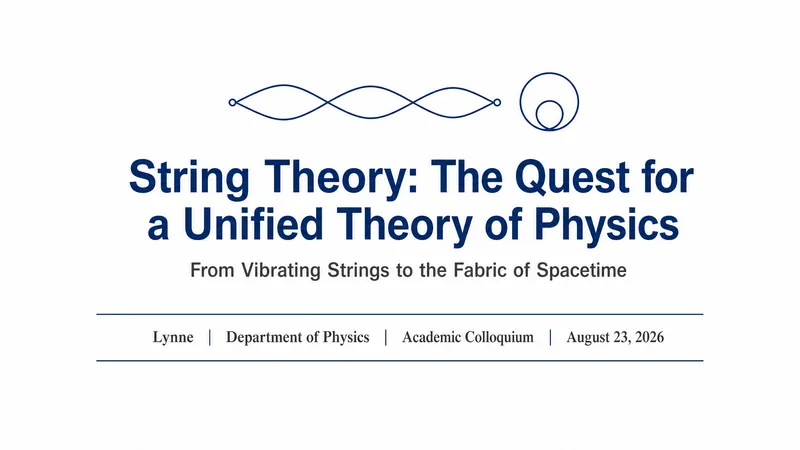
Academic Slides Expert
Create presentations like a top-tier journal designer. Ensure your research is presented with rigor, clarity, and professionalism, so your academic presentation stands out.
 Slides
Tech-Futuristic Slides
Design presentations like a Silicon Valley director. Create futuristic slides with one click, telling a story where technology meets humanity—captivating the room and sparking endless possibilities.
 Slides
Business Minimalist
Create professional business presentations like a top designer. Adhering to the 'less is more' principle, instantly project an efficient, trustworthy business image that makes the value of your proposal resonate deeply.
 Write
WriteWeChat Article Writing Expert
Like a senior editor, optimize your WeChat articles. From viral headlines to AI-generated images and cover design, create high-readership content all in one place.