Idea as an image
Generates a long image message with just a few words, automatically matching styles from across the internet, with zero learning curve.
Description
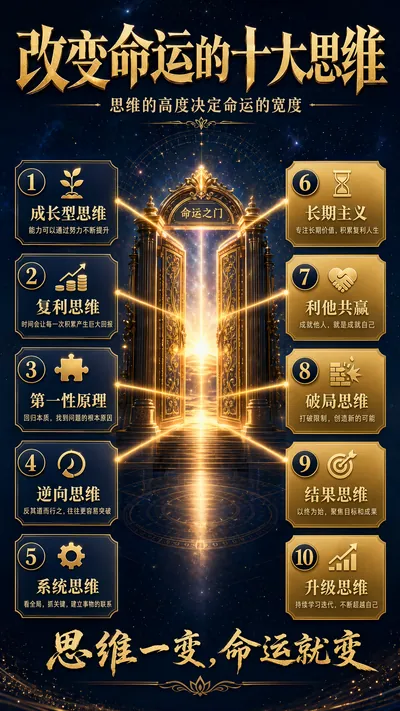
One image, one sentence—that's enough. Have you ever had this experience—you have a great idea, wanting to create a long infographic like those popular social media accounts, but the result is: you open an AI image generator, write and delete prompts repeatedly, and the resulting image is either poorly formatted or stylistically mismatched. You change prompt templates several times, going back and forth three or four times for each image, and half an hour later, you still haven't finalized it. You want to create a financial literacy style, a traditional Chinese style, a science popularization style, a tech style… and you have to re-examine the color scheme and layout every time. Now, you don't have to. "Idea to Image" automates all of this: You say, "Make an image about emotional management," and it automatically determines whether to use a warm traditional Chinese style or a healing science popularization style, automatically searches and organizes the core knowledge points of emotional management, automatically breaks it down into 6-8 module cards, automatically assembles the optimal prompts, and automatically performs quality checks—if it's not up to standard, it automatically starts over; if it's up to standard, it's delivered directly to you. Four killer features, all built-in: 🧠 Style Engine—Not a rigid four-choice option. Your theme matches financial literacy, automatically switching to a deep blue and gold tone; matches traditional Chinese culture, using Xuan paper and ink painting; matches technology, using cyan and neon. Encountering something outside these four categories? It automatically synthesizes a new style. Coffee encyclopedia → warm food tones; sports and fitness → vibrant orange and gray—there's no style it can't handle. 🔍 Content Brain—Give it a word, and it searches the entire internet to complete the content; give it a paragraph, and it extracts the core; give it nothing but the theme, and it will organize it clearly for you. It's fully compatible with three input methods—the simpler, the more worry-free. 📐 Layout Expert—It automatically matches five logical structures: progressive ladder, parallel comparison, causal link, and general-to-specific radiation. It doesn't just randomly stuff text into an image; it truly "designs" an infographic. ✅ Self-Check and Self-Correction—After generating the image, it automatically checks the layout, text density, image-to-text ratio, and style matching. It automatically adjusts and re-generates if there are problems, adjusting a maximum of two times. You don't need to know how to write prompts; you just need to know how to speak. Who is this skill suitable for? For those who create content for social media, need to produce images daily but don't want to learn design and graphic creation for paid knowledge platforms, want to visualize course content but lack designers for corporate training, or need professional infographics but lack the budget to outsource, here's a summary for anyone who wants to turn their ideas into a great image: You have the idea, this tool has the image. It handles all the hassle in between.
Idea as an image
Generates a long image message with just a few words, automatically matching styles from across the internet, with zero learning curve.
Description
One image, one sentence—that's enough. Have you ever had this experience—you have a great idea, wanting to create a long infographic like those popular social media accounts, but the result is: you open an AI image generator, write and delete prompts repeatedly, and the resulting image is either poorly formatted or stylistically mismatched. You change prompt templates several times, going back and forth three or four times for each image, and half an hour later, you still haven't finalized it. You want to create a financial literacy style, a traditional Chinese style, a science popularization style, a tech style… and you have to re-examine the color scheme and layout every time. Now, you don't have to. "Idea to Image" automates all of this: You say, "Make an image about emotional management," and it automatically determines whether to use a warm traditional Chinese style or a healing science popularization style, automatically searches and organizes the core knowledge points of emotional management, automatically breaks it down into 6-8 module cards, automatically assembles the optimal prompts, and automatically performs quality checks—if it's not up to standard, it automatically starts over; if it's up to standard, it's delivered directly to you. Four killer features, all built-in: 🧠 Style Engine—Not a rigid four-choice option. Your theme matches financial literacy, automatically switching to a deep blue and gold tone; matches traditional Chinese culture, using Xuan paper and ink painting; matches technology, using cyan and neon. Encountering something outside these four categories? It automatically synthesizes a new style. Coffee encyclopedia → warm food tones; sports and fitness → vibrant orange and gray—there's no style it can't handle. 🔍 Content Brain—Give it a word, and it searches the entire internet to complete the content; give it a paragraph, and it extracts the core; give it nothing but the theme, and it will organize it clearly for you. It's fully compatible with three input methods—the simpler, the more worry-free. 📐 Layout Expert—It automatically matches five logical structures: progressive ladder, parallel comparison, causal link, and general-to-specific radiation. It doesn't just randomly stuff text into an image; it truly "designs" an infographic. ✅ Self-Check and Self-Correction—After generating the image, it automatically checks the layout, text density, image-to-text ratio, and style matching. It automatically adjusts and re-generates if there are problems, adjusting a maximum of two times. You don't need to know how to write prompts; you just need to know how to speak. Who is this skill suitable for? For those who create content for social media, need to produce images daily but don't want to learn design and graphic creation for paid knowledge platforms, want to visualize course content but lack designers for corporate training, or need professional infographics but lack the budget to outsource, here's a summary for anyone who wants to turn their ideas into a great image: You have the idea, this tool has the image. It handles all the hassle in between.
Find your next favorite skill
Explore more curated AI skills for research, creation, and everyday work.