
Future-Tech Slides Designer
Silicon Valley slides: tech meets humanity
Description
This is a professional slides creation skill that simulates the perspective of a visual design director at a top Silicon Valley tech company. Following the design philosophy of 'Technology meets Humanity,' it creates slides with a strong futuristic feel and immersive experience for cutting-edge tech products, innovative solutions, or technological breakthroughs. Core Value: 🎯 12-page narrative structure from vision to call to action 🎨 Deep-space black background + neon glow tech aesthetic 📊 Data-driven visual impact 💡 Make complex technology understandable and exciting Use cases: Technology product launches | Technical solution presentations | Investor roadshows | Innovation project showcases | Tech summit speeches
Related Skills
View all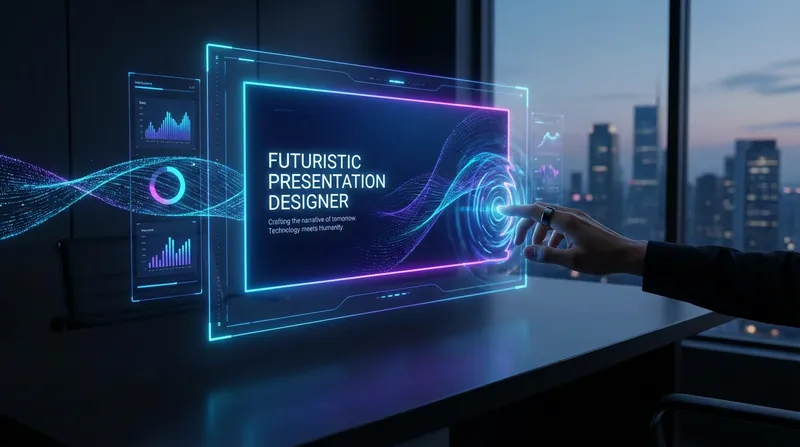 Slides
Tech-Futuristic Slides
Design presentations like a Silicon Valley director. Create futuristic slides with one click, telling a story where technology meets humanity—captivating the room and sparking endless possibilities.
Elite Tech Slide Designer
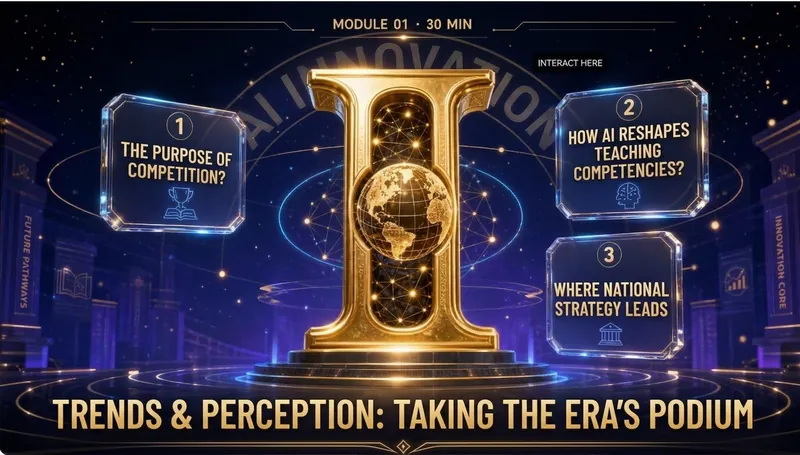
Make every slide a breathtaking moment for the audience! Are you still suffering through presentations like these? 😴 Your carefully prepared content ruined by a template-heavy PPT? 😩 Judges or clients think "another ordinary presentation" at first glance, losing interest instantly? 😵 You want to convey authority, cutting-edge, and trustworthiness, but it looks like a "township enterprise brochure"? 😞 Others' PPTs look like an Apple launch, yours like a 1998 Office default template? The problem isn't your content—it's your visual authority! ✨ Now, equip the Elite Tech Slide Designer skill 👉 Turn any content (speech, report, whitepaper, policy briefing) into: An elegant film-like chapter structure that gives the audience breathing rhythm 💎 With this skill, you'll gain: 🔥 A design master assistant that builds your authority—no more struggling with colors, fonts, or alignment 🔥 A cover that makes judges/clients "hold their breath" at first sight—winning their expectations in 3 seconds 🔥 Never flashy or cheap 🔥 A "premium template library" that peers secretly copy—isometric 3D + glassmorphism + gold fine lines, max visual impact 🔥 Get asked "Can you send me that PPT?" after your speech—your presentation will be remembered because of the slides 🎯 Who is it for? 🎙 Seasoned speakers / TED-style presenters—keynotes, industry conferences, product launches 💼 Senior consultants / investment managers—investor roadshows, board meetings, client proposals 🎓 University professors / academic authorities—academic lectures, research reports, policy briefings 📊 Corporate strategy leads / CMOs—annual strategy meetings, brand launches, media communications 🏆 Any professional participating in national competitions/reviews—teaching competitions, innovation contests, project defenses ⚡️ Install Elite Tech Slide Designer now Turn your next presentation into a visual ritual that makes the audience "hold their breath and rush to save." "Not just conveying information, but creating a sanctuary." This skill is your scepter of visual authority. 👑 👇 Click to install and become the speaker that makes your peers say, "That's the one who made the audience hold their breath!"
HTML Slides Generator
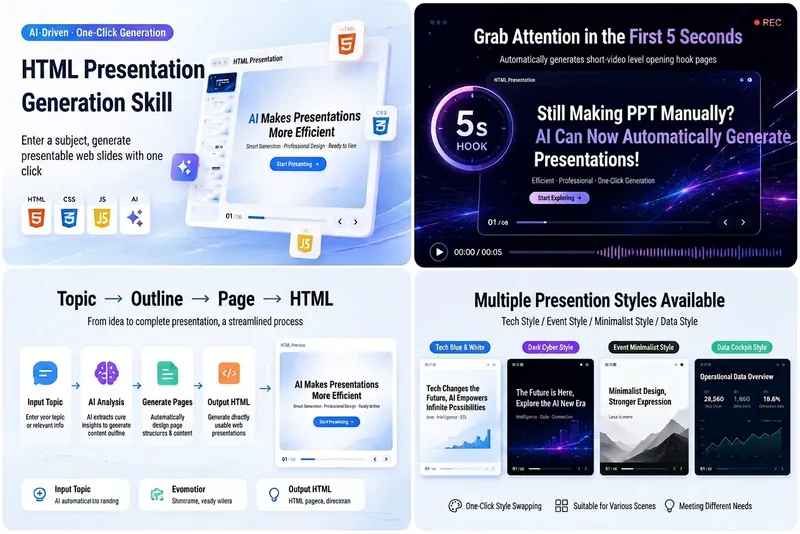
Easily turn your ideas, materials, or scripts into professional-grade HTML slides, designed for screen recording and pitch presentations. Whether you need AI tech sharing for platforms like Douyin, WeChat Video Channel, Xiaohongshu, or Bilibili, or product pitches, course demos, or business reports, this tool helps you quickly generate a visually refined, well-structured web slideshow. It automatically builds a complete slide structure, including an eye-catching opening hook in the first 5 seconds, titles and body text for each page, along with visual design suggestions. You'll get a standalone `index.html` file containing HTML, CSS, and JavaScript, supporting keyboard navigation, button navigation, progress bar, page numbers, and animations—perfectly optimized for 16:9 landscape screen recording. From AI tech blue-white to dark cyberpunk, to Apple keynote or Notion minimal style, you can choose or customize the visual theme to match your topic. Each slide is carefully designed to keep the content focused and easy to understand, with a reserved safe area in the lower right corner for video commentary, making your presentation more expressive and professional.
Future-Tech Slides Designer
Silicon Valley slides: tech meets humanity
Description
This is a professional slides creation skill that simulates the perspective of a visual design director at a top Silicon Valley tech company. Following the design philosophy of 'Technology meets Humanity,' it creates slides with a strong futuristic feel and immersive experience for cutting-edge tech products, innovative solutions, or technological breakthroughs. Core Value: 🎯 12-page narrative structure from vision to call to action 🎨 Deep-space black background + neon glow tech aesthetic 📊 Data-driven visual impact 💡 Make complex technology understandable and exciting Use cases: Technology product launches | Technical solution presentations | Investor roadshows | Innovation project showcases | Tech summit speeches
Related Skills
View allSlidesTech-Futuristic Slides
Design presentations like a Silicon Valley director. Create futuristic slides with one click, telling a story where technology meets humanity—captivating the room and sparking endless possibilities.
Elite Tech Slide Designer
Make every slide a breathtaking moment for the audience! Are you still suffering through presentations like these? 😴 Your carefully prepared content ruined by a template-heavy PPT? 😩 Judges or clients think "another ordinary presentation" at first glance, losing interest instantly? 😵 You want to convey authority, cutting-edge, and trustworthiness, but it looks like a "township enterprise brochure"? 😞 Others' PPTs look like an Apple launch, yours like a 1998 Office default template? The problem isn't your content—it's your visual authority! ✨ Now, equip the Elite Tech Slide Designer skill 👉 Turn any content (speech, report, whitepaper, policy briefing) into: An elegant film-like chapter structure that gives the audience breathing rhythm 💎 With this skill, you'll gain: 🔥 A design master assistant that builds your authority—no more struggling with colors, fonts, or alignment 🔥 A cover that makes judges/clients "hold their breath" at first sight—winning their expectations in 3 seconds 🔥 Never flashy or cheap 🔥 A "premium template library" that peers secretly copy—isometric 3D + glassmorphism + gold fine lines, max visual impact 🔥 Get asked "Can you send me that PPT?" after your speech—your presentation will be remembered because of the slides 🎯 Who is it for? 🎙 Seasoned speakers / TED-style presenters—keynotes, industry conferences, product launches 💼 Senior consultants / investment managers—investor roadshows, board meetings, client proposals 🎓 University professors / academic authorities—academic lectures, research reports, policy briefings 📊 Corporate strategy leads / CMOs—annual strategy meetings, brand launches, media communications 🏆 Any professional participating in national competitions/reviews—teaching competitions, innovation contests, project defenses ⚡️ Install Elite Tech Slide Designer now Turn your next presentation into a visual ritual that makes the audience "hold their breath and rush to save." "Not just conveying information, but creating a sanctuary." This skill is your scepter of visual authority. 👑 👇 Click to install and become the speaker that makes your peers say, "That's the one who made the audience hold their breath!"
HTML Slides Generator
Easily turn your ideas, materials, or scripts into professional-grade HTML slides, designed for screen recording and pitch presentations. Whether you need AI tech sharing for platforms like Douyin, WeChat Video Channel, Xiaohongshu, or Bilibili, or product pitches, course demos, or business reports, this tool helps you quickly generate a visually refined, well-structured web slideshow. It automatically builds a complete slide structure, including an eye-catching opening hook in the first 5 seconds, titles and body text for each page, along with visual design suggestions. You'll get a standalone `index.html` file containing HTML, CSS, and JavaScript, supporting keyboard navigation, button navigation, progress bar, page numbers, and animations—perfectly optimized for 16:9 landscape screen recording. From AI tech blue-white to dark cyberpunk, to Apple keynote or Notion minimal style, you can choose or customize the visual theme to match your topic. Each slide is carefully designed to keep the content focused and easy to understand, with a reserved safe area in the lower right corner for video commentary, making your presentation more expressive and professional.
Find your next favorite skill
Explore more curated AI skills for research, creation, and everyday work.