Premium PPT
Description
A strongly constrained vertical layout with added capabilities for saving images, logical mapping, chart components, and content planning. Color scheme options include Klein Blue paired with dark gray or pure white.
Related Skills
View all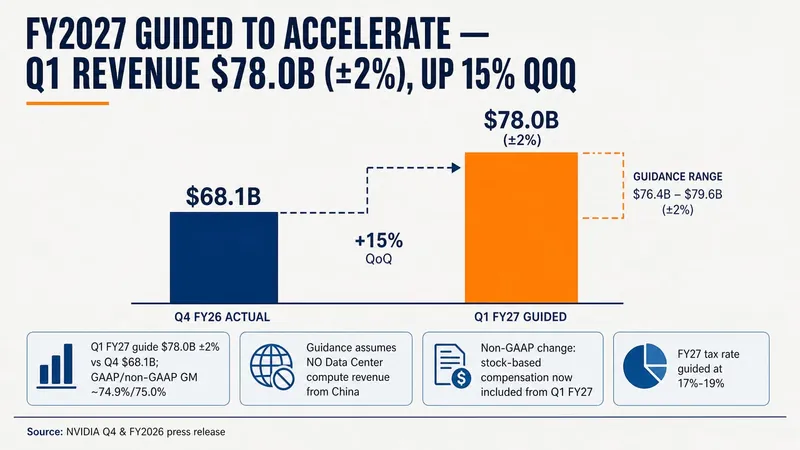 Slides
Consulting-Style Slides
This Skill helps you create high-quality business Slides to the professional standards of top-tier consulting firms. It strictly follows the Pyramid Principle and applies the core ideas of leading with conclusions, progressing logically, and using data to turn scattered business insights into structured, coherent presentations. Whether you are developing a strategy, proposing a project, or conducting a business analysis, it helps you quickly build a framework based on the MECE principle, ensuring that points are mutually exclusive and collectively exhaustive. During content development, this Skill automatically distills insightful slide titles and recommends the most suitable visualizations based on your data, such as waterfall charts, funnel charts, and stacked bar charts. It provides structured design guidance and can also generate a professional Slides file with title slides, content slides, comparison slides, and chart placeholders. The generated document uses a classic dark blue and orange business color palette, with clean, professional layouts and clear visual hierarchy, helping your presentation demonstrate a high level of professionalism in both design and content.
 Slides
White Space | Minimalist PPT
"White Space" is a Skill specifically designed to generate minimalist research report slides. Upload Word, PDF, web pages, data tables, research materials, or old PPTs, and it will convert them into an editable PPT with a cool white background, black-gray text, generous white space, thin line separators, and a touch of deep red accents. It automatically completes: · Reading and organizing raw materials · Extracting core conclusions from the report · Building a complete presentation storyline · Generating conclusion-style titles with one point per page · Redrawing native editable data charts · Unifying fonts, colors, margins, and page grids · Controlling text and chart density per page · Adding page numbers, dates, and data sources · Outputting actually editable Slides By default, it uses a 16:9 aspect ratio, with visual features including: · Cool white background · Black-gray text · Single deep red accent color · All left-aligned · Generous white space · Minimalist architectural geometry · At most two fonts throughout · Charts and shapes are fully editable Suitable for industry research, market analysis, business presentations, strategic plans, course reports, graduation defenses, and management reports. Simply upload your materials and describe the presentation scenario to generate a clean, professional, directly editable and presentable minimalist PPT.
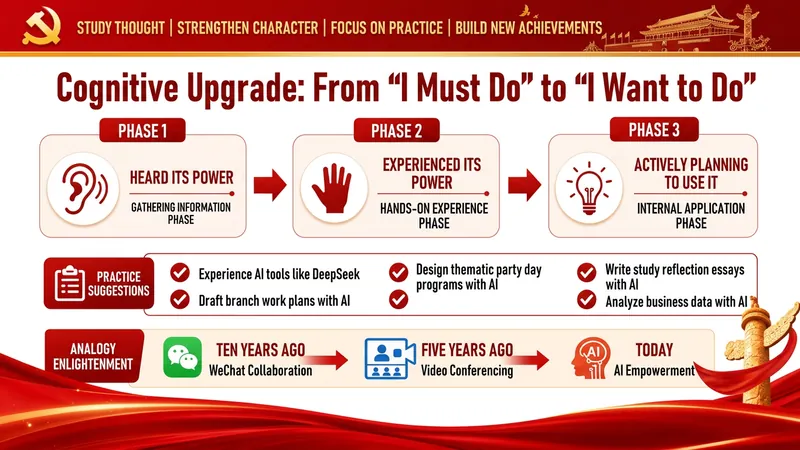
Red Party-Building Slides
Party Building Style Red Themed Slides Generator A full-process automation engine for turning party building work content into party-government style Slides. Input: Speech manuscripts, work summaries, study notes, or any party building related text. Output: Complete, professionally designed red-themed party building Slides with: ✓ Intelligent layering: automatically identifies key points, difficulties, and highlights → generates 6 standard page types (cover, section, content, prompt, table, end page) ✓ Party government color palette: three-color system of Chinese red, gold, and off-white, with 16+ layout options built in ✓ Real-time image search engine: automatically retrieves and embeds real case images for party building, ideological education, youth league, and red themes ✓ Scenario adaptation: for party building study lectures, ideological education, youth league reports, Young Pioneer work, policy interpretation — one-click switch ✓ Batch generation and auto-assembly: handles large content by automatic slicing, generating page by page, then seamlessly stitching together You copy a speech → select the application scenario → confirm the color scheme → generate the Slides In 15 minutes, deliver Slides with professional quality comparable to enterprise-grade design.
Premium PPT
Description
A strongly constrained vertical layout with added capabilities for saving images, logical mapping, chart components, and content planning. Color scheme options include Klein Blue paired with dark gray or pure white.
Related Skills
View allSlidesConsulting-Style Slides
This Skill helps you create high-quality business Slides to the professional standards of top-tier consulting firms. It strictly follows the Pyramid Principle and applies the core ideas of leading with conclusions, progressing logically, and using data to turn scattered business insights into structured, coherent presentations. Whether you are developing a strategy, proposing a project, or conducting a business analysis, it helps you quickly build a framework based on the MECE principle, ensuring that points are mutually exclusive and collectively exhaustive. During content development, this Skill automatically distills insightful slide titles and recommends the most suitable visualizations based on your data, such as waterfall charts, funnel charts, and stacked bar charts. It provides structured design guidance and can also generate a professional Slides file with title slides, content slides, comparison slides, and chart placeholders. The generated document uses a classic dark blue and orange business color palette, with clean, professional layouts and clear visual hierarchy, helping your presentation demonstrate a high level of professionalism in both design and content.
SlidesWhite Space | Minimalist PPT
"White Space" is a Skill specifically designed to generate minimalist research report slides. Upload Word, PDF, web pages, data tables, research materials, or old PPTs, and it will convert them into an editable PPT with a cool white background, black-gray text, generous white space, thin line separators, and a touch of deep red accents. It automatically completes: · Reading and organizing raw materials · Extracting core conclusions from the report · Building a complete presentation storyline · Generating conclusion-style titles with one point per page · Redrawing native editable data charts · Unifying fonts, colors, margins, and page grids · Controlling text and chart density per page · Adding page numbers, dates, and data sources · Outputting actually editable Slides By default, it uses a 16:9 aspect ratio, with visual features including: · Cool white background · Black-gray text · Single deep red accent color · All left-aligned · Generous white space · Minimalist architectural geometry · At most two fonts throughout · Charts and shapes are fully editable Suitable for industry research, market analysis, business presentations, strategic plans, course reports, graduation defenses, and management reports. Simply upload your materials and describe the presentation scenario to generate a clean, professional, directly editable and presentable minimalist PPT.
Red Party-Building Slides
Party Building Style Red Themed Slides Generator A full-process automation engine for turning party building work content into party-government style Slides. Input: Speech manuscripts, work summaries, study notes, or any party building related text. Output: Complete, professionally designed red-themed party building Slides with: ✓ Intelligent layering: automatically identifies key points, difficulties, and highlights → generates 6 standard page types (cover, section, content, prompt, table, end page) ✓ Party government color palette: three-color system of Chinese red, gold, and off-white, with 16+ layout options built in ✓ Real-time image search engine: automatically retrieves and embeds real case images for party building, ideological education, youth league, and red themes ✓ Scenario adaptation: for party building study lectures, ideological education, youth league reports, Young Pioneer work, policy interpretation — one-click switch ✓ Batch generation and auto-assembly: handles large content by automatic slicing, generating page by page, then seamlessly stitching together You copy a speech → select the application scenario → confirm the color scheme → generate the Slides In 15 minutes, deliver Slides with professional quality comparable to enterprise-grade design.
Find your next favorite skill
Explore more curated AI skills for research, creation, and everyday work.