
Consulting-Style Slides
Build business logic, generate polished Slides
Description
Why we love this skill
Turn business presentations from content-heavy to conclusion-led with the Pyramid Principle and MECE logic. Get structural guidance, conclusion-driven titles, chart recommendations, and editable PPT files for strategy, proposals, and analysis.
This Skill helps you create high-quality business Slides to the professional standards of top-tier consulting firms. It strictly follows the Pyramid Principle and applies the core ideas of leading with conclusions, progressing logically, and using data to turn scattered business insights into structured, coherent presentations. Whether you are developing a strategy, proposing a project, or conducting a business analysis, it helps you quickly build a framework based on the MECE principle, ensuring that points are mutually exclusive and collectively exhaustive. During content development, this Skill automatically distills insightful slide titles and recommends the most suitable visualizations based on your data, such as waterfall charts, funnel charts, and stacked bar charts. It provides structured design guidance and can also generate a professional Slides file with title slides, content slides, comparison slides, and chart placeholders. The generated document uses a classic dark blue and orange business color palette, with clean, professional layouts and clear visual hierarchy, helping your presentation demonstrate a high level of professionalism in both design and content.
Related Skills
View all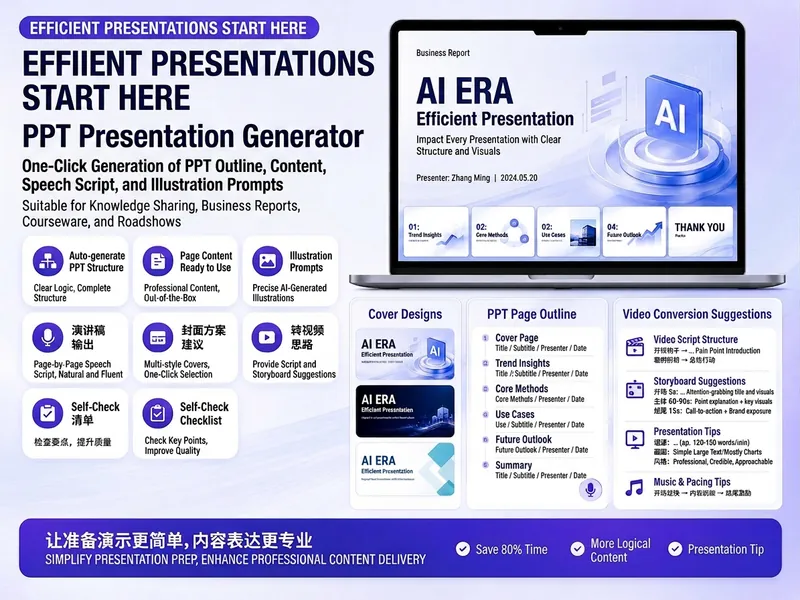
Trending PPT Slides Generator
Easily create engaging PPT Slides for knowledge sharing, business reports, course teaching, product introductions, or roadshows. Simply provide the topic, purpose, audience, duration, number of slides, or style preferences to get a customized PPT content plan. This skill provides a detailed PPT slides plan, including the PPT title, one-sentence theme, audience analysis, slide structure, titles for each slide, body text, and key points for your speech. It also offers specific visual suggestions and image prompts for each slide, even including cover design keywords to help you create a visually cohesive and attractive presentation. If you need to convert your PPT to a short video, this skill can also provide professional video conversion suggestions, covering key elements like rhythm, subtitles, voiceover, camera movements, and cover art to help your content perform well on multiple platforms. Say goodbye to vague outlines; every slide's content is ready to copy and use, ensuring your presentation is both substantive and impressive.

pptx.max
Easily create, edit, and manage your PowerPoint presentations, whether from scratch or based on an existing template. This skill is designed for handling various PPTX file needs, helping you efficiently produce professional and engaging slides. You can use this skill to parse existing PPTX files, extract text content, or make modifications to presentations. It supports structural adjustments to slides, such as deleting, copying, or reordering, and intelligently selects diverse layouts based on your content to avoid monotony. From multi-column designs to text-image combinations to full-bleed images, ensuring your presentations are visually rich and engaging. When you need to build a presentation from scratch, this skill helps you design outstanding slides. It guides you to choose a color scheme that matches the theme, emphasizes the importance of visual elements, and offers multiple layout options such as dual columns, icon grids, or data displays. Whether it's text, shapes, images, or backgrounds, you get fine-grained control to ensure the final presentation is both professional and impactful. After completing the presentation, this skill performs a rigorous quality check. It helps you review content, find omissions or errors, and scrutinize visuals to ensure no overlapping elements, text overflow, or insufficient contrast. Through iterative validation and correction, it ensures your final presentation is flawless.
 Slides
Claymation Style Slides
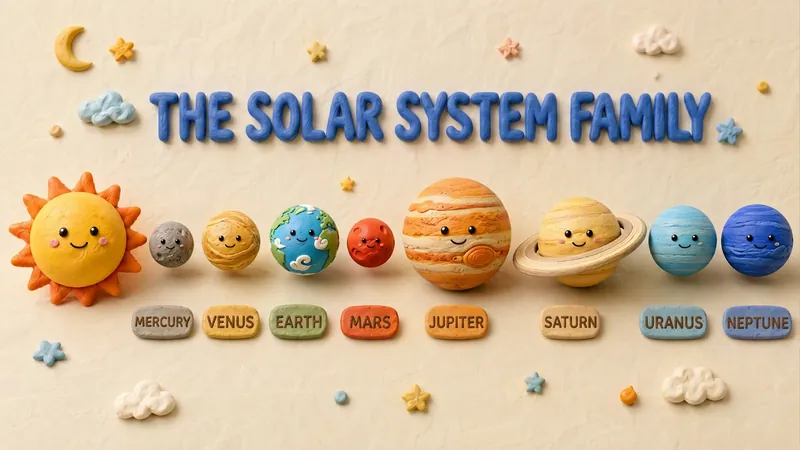
This Skill turns your creative scripts into highly artistic claymation-style Slides. It's more than just simple presentation creation - through 3D modeling-grade visual rendering, it shapes every idea into clay models that feel handcrafted and warm. Whether for science popularization, educational courseware, or creative presentations, it gives your content a playful, warm, and highly approachable visual style. You can choose your input method flexibly: just provide a topic and let the AI plan the content, or enter an outline or a full speech script, and the Skill will carefully plan everything. Before generating, it first creates a page-by-page outline that includes page layout, visual element descriptions, and the main color palette. You can review or adjust the narrative logic of each page to ensure the final output meets your expectations. Once you confirm the plan, the system generates high-quality 16:9 3D clay-style images page by page. These images have a realistic plasticine texture with delicate handcrafted details and soft studio lighting. All images are automatically assembled into a complete presentation, with each page featuring rounded 3D titles and clear visual labels, delivering a cinematic presentation experience.
Consulting-Style Slides
Build business logic, generate polished Slides
Description
Why we love this skill
Turn business presentations from content-heavy to conclusion-led with the Pyramid Principle and MECE logic. Get structural guidance, conclusion-driven titles, chart recommendations, and editable PPT files for strategy, proposals, and analysis.
This Skill helps you create high-quality business Slides to the professional standards of top-tier consulting firms. It strictly follows the Pyramid Principle and applies the core ideas of leading with conclusions, progressing logically, and using data to turn scattered business insights into structured, coherent presentations. Whether you are developing a strategy, proposing a project, or conducting a business analysis, it helps you quickly build a framework based on the MECE principle, ensuring that points are mutually exclusive and collectively exhaustive. During content development, this Skill automatically distills insightful slide titles and recommends the most suitable visualizations based on your data, such as waterfall charts, funnel charts, and stacked bar charts. It provides structured design guidance and can also generate a professional Slides file with title slides, content slides, comparison slides, and chart placeholders. The generated document uses a classic dark blue and orange business color palette, with clean, professional layouts and clear visual hierarchy, helping your presentation demonstrate a high level of professionalism in both design and content.
Related Skills
View allTrending PPT Slides Generator
Easily create engaging PPT Slides for knowledge sharing, business reports, course teaching, product introductions, or roadshows. Simply provide the topic, purpose, audience, duration, number of slides, or style preferences to get a customized PPT content plan. This skill provides a detailed PPT slides plan, including the PPT title, one-sentence theme, audience analysis, slide structure, titles for each slide, body text, and key points for your speech. It also offers specific visual suggestions and image prompts for each slide, even including cover design keywords to help you create a visually cohesive and attractive presentation. If you need to convert your PPT to a short video, this skill can also provide professional video conversion suggestions, covering key elements like rhythm, subtitles, voiceover, camera movements, and cover art to help your content perform well on multiple platforms. Say goodbye to vague outlines; every slide's content is ready to copy and use, ensuring your presentation is both substantive and impressive.
pptx.max
Easily create, edit, and manage your PowerPoint presentations, whether from scratch or based on an existing template. This skill is designed for handling various PPTX file needs, helping you efficiently produce professional and engaging slides. You can use this skill to parse existing PPTX files, extract text content, or make modifications to presentations. It supports structural adjustments to slides, such as deleting, copying, or reordering, and intelligently selects diverse layouts based on your content to avoid monotony. From multi-column designs to text-image combinations to full-bleed images, ensuring your presentations are visually rich and engaging. When you need to build a presentation from scratch, this skill helps you design outstanding slides. It guides you to choose a color scheme that matches the theme, emphasizes the importance of visual elements, and offers multiple layout options such as dual columns, icon grids, or data displays. Whether it's text, shapes, images, or backgrounds, you get fine-grained control to ensure the final presentation is both professional and impactful. After completing the presentation, this skill performs a rigorous quality check. It helps you review content, find omissions or errors, and scrutinize visuals to ensure no overlapping elements, text overflow, or insufficient contrast. Through iterative validation and correction, it ensures your final presentation is flawless.
SlidesClaymation Style Slides
This Skill turns your creative scripts into highly artistic claymation-style Slides. It's more than just simple presentation creation - through 3D modeling-grade visual rendering, it shapes every idea into clay models that feel handcrafted and warm. Whether for science popularization, educational courseware, or creative presentations, it gives your content a playful, warm, and highly approachable visual style. You can choose your input method flexibly: just provide a topic and let the AI plan the content, or enter an outline or a full speech script, and the Skill will carefully plan everything. Before generating, it first creates a page-by-page outline that includes page layout, visual element descriptions, and the main color palette. You can review or adjust the narrative logic of each page to ensure the final output meets your expectations. Once you confirm the plan, the system generates high-quality 16:9 3D clay-style images page by page. These images have a realistic plasticine texture with delicate handcrafted details and soft studio lighting. All images are automatically assembled into a complete presentation, with each page featuring rounded 3D titles and clear visual labels, delivering a cinematic presentation experience.
Find your next favorite skill
Explore more curated AI skills for research, creation, and everyday work.