
Red Party-Building Slides
Red slides for teachers, officials, and firms
Description
Party Building Style Red Themed Slides Generator A full-process automation engine for turning party building work content into party-government style Slides. Input: Speech manuscripts, work summaries, study notes, or any party building related text. Output: Complete, professionally designed red-themed party building Slides with: ✓ Intelligent layering: automatically identifies key points, difficulties, and highlights → generates 6 standard page types (cover, section, content, prompt, table, end page) ✓ Party government color palette: three-color system of Chinese red, gold, and off-white, with 16+ layout options built in ✓ Real-time image search engine: automatically retrieves and embeds real case images for party building, ideological education, youth league, and red themes ✓ Scenario adaptation: for party building study lectures, ideological education, youth league reports, Young Pioneer work, policy interpretation — one-click switch ✓ Batch generation and auto-assembly: handles large content by automatic slicing, generating page by page, then seamlessly stitching together You copy a speech → select the application scenario → confirm the color scheme → generate the Slides In 15 minutes, deliver Slides with professional quality comparable to enterprise-grade design.
Related Skills
View all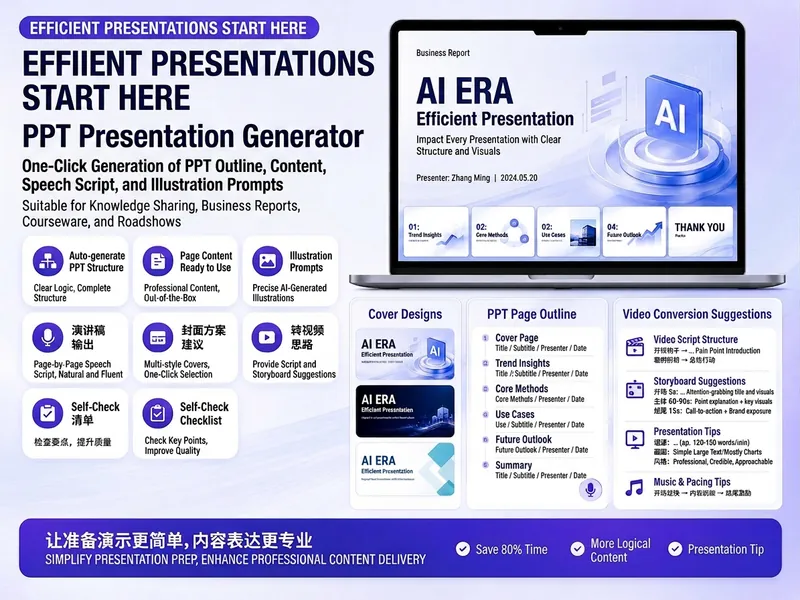
Trending PPT Slides Generator
Easily create engaging PPT Slides for knowledge sharing, business reports, course teaching, product introductions, or roadshows. Simply provide the topic, purpose, audience, duration, number of slides, or style preferences to get a customized PPT content plan. This skill provides a detailed PPT slides plan, including the PPT title, one-sentence theme, audience analysis, slide structure, titles for each slide, body text, and key points for your speech. It also offers specific visual suggestions and image prompts for each slide, even including cover design keywords to help you create a visually cohesive and attractive presentation. If you need to convert your PPT to a short video, this skill can also provide professional video conversion suggestions, covering key elements like rhythm, subtitles, voiceover, camera movements, and cover art to help your content perform well on multiple platforms. Say goodbye to vague outlines; every slide's content is ready to copy and use, ensuring your presentation is both substantive and impressive.
 Slides
Pixel Game PPT Designer Pro
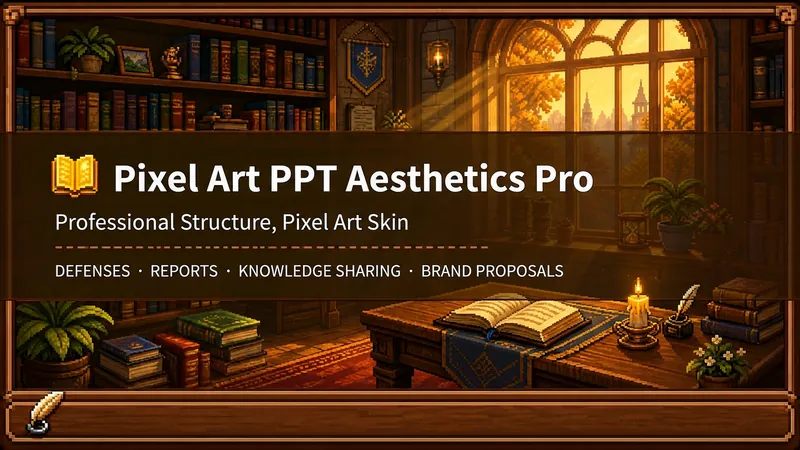
Who says professional PPTs have to be white backgrounds, black text, blue-gray colors, and cookie-cutter templates? If you love games, adore pixel art, and happen to need a thesis defense, report, knowledge sharing session, or brand proposal—then you have to try this. Pixel Game PPT Aesthetic Designer Pro does one simple thing: the skeleton is professional, the skin is pixel. It doesn't just make a "pixel-style creative PPT"; it makes a serious PPT that's fit for any professional occasion—only this one wears a 16-bit pixel game aesthetic coat. Core design philosophy: Separate skeleton and skin. Information architecture, visual flow, and page templates stick to professional norms; colors, borders, icons, and decorations adhere to universal pixel game aesthetics. Text is never pixelated, ensuring readability within 0.8 seconds. Pixel elements only appear in backgrounds, borders, icons, and decorative accents. No game-specific symbols are used—only cross-game universal symbols like candles, books, coins, stars, hearts, and crystals—so any pixel fan can use it. 🎮 How to use? Two modes, choose as needed: ① Direct Generation (2 steps): Enter topic/materials → AI confirms framework → Full output. Ideal for everyday scenarios with tight deadlines and moderate text requirements. ② Fine Mode (3 steps, saves credits): Enter topic/materials → AI confirms framework → Confirm text per slide → Full output. Finalize text per slide before generating images—avoids wasting credits on regenerating due to text errors. Use this for important occasions to control content and save credits. 🏰 Four professional scenarios with adaptive immersion depth: Academic Defense — Light immersion mainly, medium immersion on cover, deep immersion anchor points on data pages. Judges get it at a glance, and key pages make an impression. Work Reports — Light immersion plus medium immersion on metrics pages; risk pages stay non-pixelated. Bosses see professionalism, colleagues remember the style. Knowledge Sharing — Medium immersion mainly plus deep immersion on synthesis recipes. Replace boring flowcharts with "synthesis recipes" so knowledge sticks like game items. Brand Proposals — Adapts to brand temperature: cool brands get restrained pixel use, warm brands embrace the scene. 🎨 What you'll get: ① A complete pixel-style professional PPT (YouMind Slides format, editable online—text, layout, page order—change anytime. Edit within YouMind, then export locally as images.) ② A three-layer pixel wood border system (#5C3A1E outer ring + #8B5E3C inner ring + #F5E6D3 fill, unified visual language across the deck) ③ Exclusive synthesis recipe infographic (ingredient grid → synthesis circle → result grid, replacing traditional flowcharts with a visual anchor that RPG players instantly understand) ④ Adaptive immersion rhythm across four scenarios (not every page crammed with pixels—heavy where needed, light where not) ⑤ Dual-mode design (direct generation for daily use, fine mode for important occasions—finalize text first, then generate images to save credits) 399 credits. Give your professional content a 16-bit armor. Anyone who loves pixel art knows its worth.
Xiaohongshu Card Generator
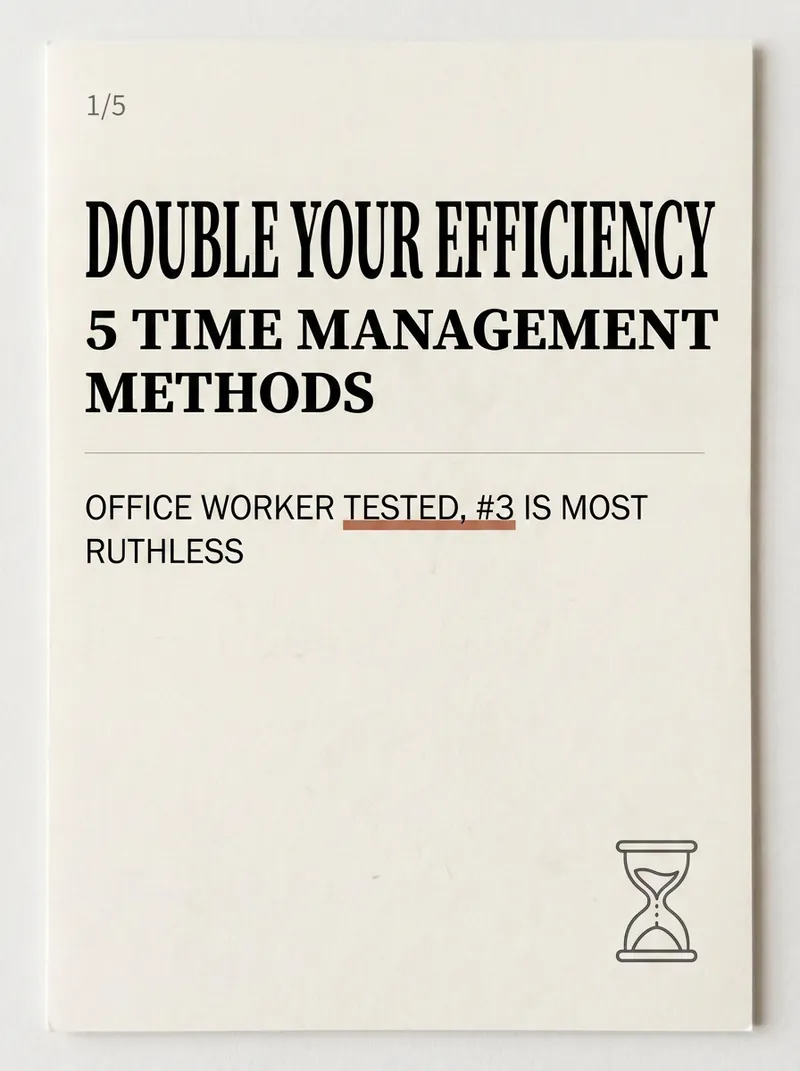
Being a Xiaohongshu knowledge blogger, the hardest part isn't writing content—it's formatting it into card images that people want to click and save. Searching for templates, adjusting fonts, colors, alignment—a single set can take two hours, and it still often has that AI-generated tacky feel. The Xiaohongshu Viral Knowledge Card Generator compresses this into one minute: input a topic or text, and it automatically splits into cover + inner pages, applies layouts that match real Xiaohongshu aesthetics, and generates a complete set of vertical cards ready to publish. ✨ Core Capabilities 1. 6 combinable layout types—cover hook cards, checklist cards, step-by-step cards, comparison cards, quote cards, and knowledge point breakdown cards—covering almost all informative posts. 2. 5 native styles—Cream Magazine, Morandi Minimalist, High Saturation Pop, Sticker Journal, Business Premium Gray—switch styles with one click, no rework needed. 3. 3 sizes—Xiaohongshu vertical 3:4, square 1:1, story 9:16—one input, multiple uses. 4. Cover formula—number hook + pain point + benefit, specifically designed to solve 'no one clicks'. 5. Anti-AI guardrails—rejects standard fonts, purple-white gradients, and rigid symmetry to deliver an authentic blogger feel. 📱 Applicable Scenarios Workplace, study, finance, science, and education bloggers' value-packed collections, knowledge sharing, list recommendations, opinion quotes; also works for WeChat Official Account headers and WeChat Moments infographics. Input a topic, leave the rest to it—make your notes irresistible at first glance.
Red Party-Building Slides
Red slides for teachers, officials, and firms
Description
Party Building Style Red Themed Slides Generator A full-process automation engine for turning party building work content into party-government style Slides. Input: Speech manuscripts, work summaries, study notes, or any party building related text. Output: Complete, professionally designed red-themed party building Slides with: ✓ Intelligent layering: automatically identifies key points, difficulties, and highlights → generates 6 standard page types (cover, section, content, prompt, table, end page) ✓ Party government color palette: three-color system of Chinese red, gold, and off-white, with 16+ layout options built in ✓ Real-time image search engine: automatically retrieves and embeds real case images for party building, ideological education, youth league, and red themes ✓ Scenario adaptation: for party building study lectures, ideological education, youth league reports, Young Pioneer work, policy interpretation — one-click switch ✓ Batch generation and auto-assembly: handles large content by automatic slicing, generating page by page, then seamlessly stitching together You copy a speech → select the application scenario → confirm the color scheme → generate the Slides In 15 minutes, deliver Slides with professional quality comparable to enterprise-grade design.
Related Skills
View allTrending PPT Slides Generator
Easily create engaging PPT Slides for knowledge sharing, business reports, course teaching, product introductions, or roadshows. Simply provide the topic, purpose, audience, duration, number of slides, or style preferences to get a customized PPT content plan. This skill provides a detailed PPT slides plan, including the PPT title, one-sentence theme, audience analysis, slide structure, titles for each slide, body text, and key points for your speech. It also offers specific visual suggestions and image prompts for each slide, even including cover design keywords to help you create a visually cohesive and attractive presentation. If you need to convert your PPT to a short video, this skill can also provide professional video conversion suggestions, covering key elements like rhythm, subtitles, voiceover, camera movements, and cover art to help your content perform well on multiple platforms. Say goodbye to vague outlines; every slide's content is ready to copy and use, ensuring your presentation is both substantive and impressive.
SlidesPixel Game PPT Designer Pro
Who says professional PPTs have to be white backgrounds, black text, blue-gray colors, and cookie-cutter templates? If you love games, adore pixel art, and happen to need a thesis defense, report, knowledge sharing session, or brand proposal—then you have to try this. Pixel Game PPT Aesthetic Designer Pro does one simple thing: the skeleton is professional, the skin is pixel. It doesn't just make a "pixel-style creative PPT"; it makes a serious PPT that's fit for any professional occasion—only this one wears a 16-bit pixel game aesthetic coat. Core design philosophy: Separate skeleton and skin. Information architecture, visual flow, and page templates stick to professional norms; colors, borders, icons, and decorations adhere to universal pixel game aesthetics. Text is never pixelated, ensuring readability within 0.8 seconds. Pixel elements only appear in backgrounds, borders, icons, and decorative accents. No game-specific symbols are used—only cross-game universal symbols like candles, books, coins, stars, hearts, and crystals—so any pixel fan can use it. 🎮 How to use? Two modes, choose as needed: ① Direct Generation (2 steps): Enter topic/materials → AI confirms framework → Full output. Ideal for everyday scenarios with tight deadlines and moderate text requirements. ② Fine Mode (3 steps, saves credits): Enter topic/materials → AI confirms framework → Confirm text per slide → Full output. Finalize text per slide before generating images—avoids wasting credits on regenerating due to text errors. Use this for important occasions to control content and save credits. 🏰 Four professional scenarios with adaptive immersion depth: Academic Defense — Light immersion mainly, medium immersion on cover, deep immersion anchor points on data pages. Judges get it at a glance, and key pages make an impression. Work Reports — Light immersion plus medium immersion on metrics pages; risk pages stay non-pixelated. Bosses see professionalism, colleagues remember the style. Knowledge Sharing — Medium immersion mainly plus deep immersion on synthesis recipes. Replace boring flowcharts with "synthesis recipes" so knowledge sticks like game items. Brand Proposals — Adapts to brand temperature: cool brands get restrained pixel use, warm brands embrace the scene. 🎨 What you'll get: ① A complete pixel-style professional PPT (YouMind Slides format, editable online—text, layout, page order—change anytime. Edit within YouMind, then export locally as images.) ② A three-layer pixel wood border system (#5C3A1E outer ring + #8B5E3C inner ring + #F5E6D3 fill, unified visual language across the deck) ③ Exclusive synthesis recipe infographic (ingredient grid → synthesis circle → result grid, replacing traditional flowcharts with a visual anchor that RPG players instantly understand) ④ Adaptive immersion rhythm across four scenarios (not every page crammed with pixels—heavy where needed, light where not) ⑤ Dual-mode design (direct generation for daily use, fine mode for important occasions—finalize text first, then generate images to save credits) 399 credits. Give your professional content a 16-bit armor. Anyone who loves pixel art knows its worth.
Xiaohongshu Card Generator
Being a Xiaohongshu knowledge blogger, the hardest part isn't writing content—it's formatting it into card images that people want to click and save. Searching for templates, adjusting fonts, colors, alignment—a single set can take two hours, and it still often has that AI-generated tacky feel. The Xiaohongshu Viral Knowledge Card Generator compresses this into one minute: input a topic or text, and it automatically splits into cover + inner pages, applies layouts that match real Xiaohongshu aesthetics, and generates a complete set of vertical cards ready to publish. ✨ Core Capabilities 1. 6 combinable layout types—cover hook cards, checklist cards, step-by-step cards, comparison cards, quote cards, and knowledge point breakdown cards—covering almost all informative posts. 2. 5 native styles—Cream Magazine, Morandi Minimalist, High Saturation Pop, Sticker Journal, Business Premium Gray—switch styles with one click, no rework needed. 3. 3 sizes—Xiaohongshu vertical 3:4, square 1:1, story 9:16—one input, multiple uses. 4. Cover formula—number hook + pain point + benefit, specifically designed to solve 'no one clicks'. 5. Anti-AI guardrails—rejects standard fonts, purple-white gradients, and rigid symmetry to deliver an authentic blogger feel. 📱 Applicable Scenarios Workplace, study, finance, science, and education bloggers' value-packed collections, knowledge sharing, list recommendations, opinion quotes; also works for WeChat Official Account headers and WeChat Moments infographics. Input a topic, leave the rest to it—make your notes irresistible at first glance.
Find your next favorite skill
Explore more curated AI skills for research, creation, and everyday work.