Viral Photo Torn-Paper Collage
Turn photos into true-color vintage collages
Viral Photo Torn-Paper Collage
Turn photos into true-color vintage collages
Showcase
Description
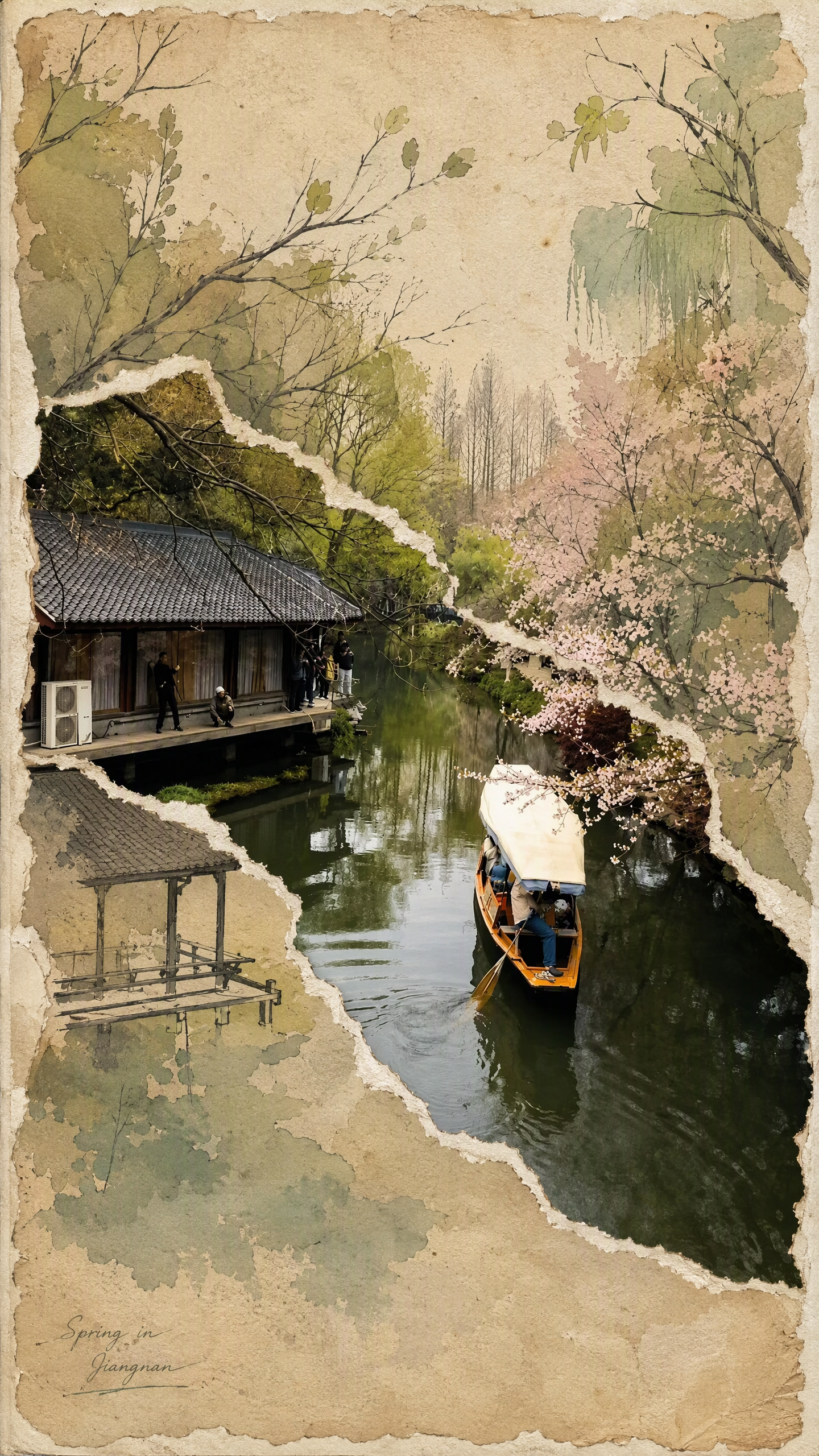
Turn a real-world photo into a vintage torn-paper collage with the tactile feel of physical paper, while preserving the true colors and recognizability of important subjects. The image follows the original photo's proportions, naturally emerging through torn edges in old beige paper. Around it, minimalist painted elements, hand-drawn outlines, and paper grain create a mixed-media collage where photography overlaps with illustration. The torn edges vary freely with the image content instead of using rigid straight cuts, while keeping the subject's contours, perspective, and horizon as coherent as possible across different layers. The overall look is vintage and low-saturation, but this treatment is not applied to the preserved real-world photo areas. Beige paper extends beyond the photo to enhance the feel of a handmade collage. You can add corner text, keywords, or layout preferences, and the result will prioritize clear requirements. When no preferences are specified, it uses a natural collage composition with a small amount of concise text. Suitable for transforming travel scenes, architecture, street views, and everyday-life photos into artistic images that combine realism with a sense of narrative.
Recommended by
Dancang
Why we love this skill
Blends true-color photos with vintage torn-paper illustration while keeping subjects, perspective, and horizons coherent across layers.
Best for
Content creators who want to turn travel, architecture, street, or everyday-life photos into artistic collages.
How to use this Skill
Provide your input
Upload a real-world photo, and optionally add corner text, keywords, or composition preferences.
Run the Skill
Turn the photo into a vintage torn-paper collage that preserves its real-world colors and recognizability, with beige paper, hand-drawn lines, and grainy texture.
Review your result
Generate a mixed-media collage matching the original photo's proportions, with exposed photo areas, painted sections, torn edges, and a paper border.
Related Skills
View all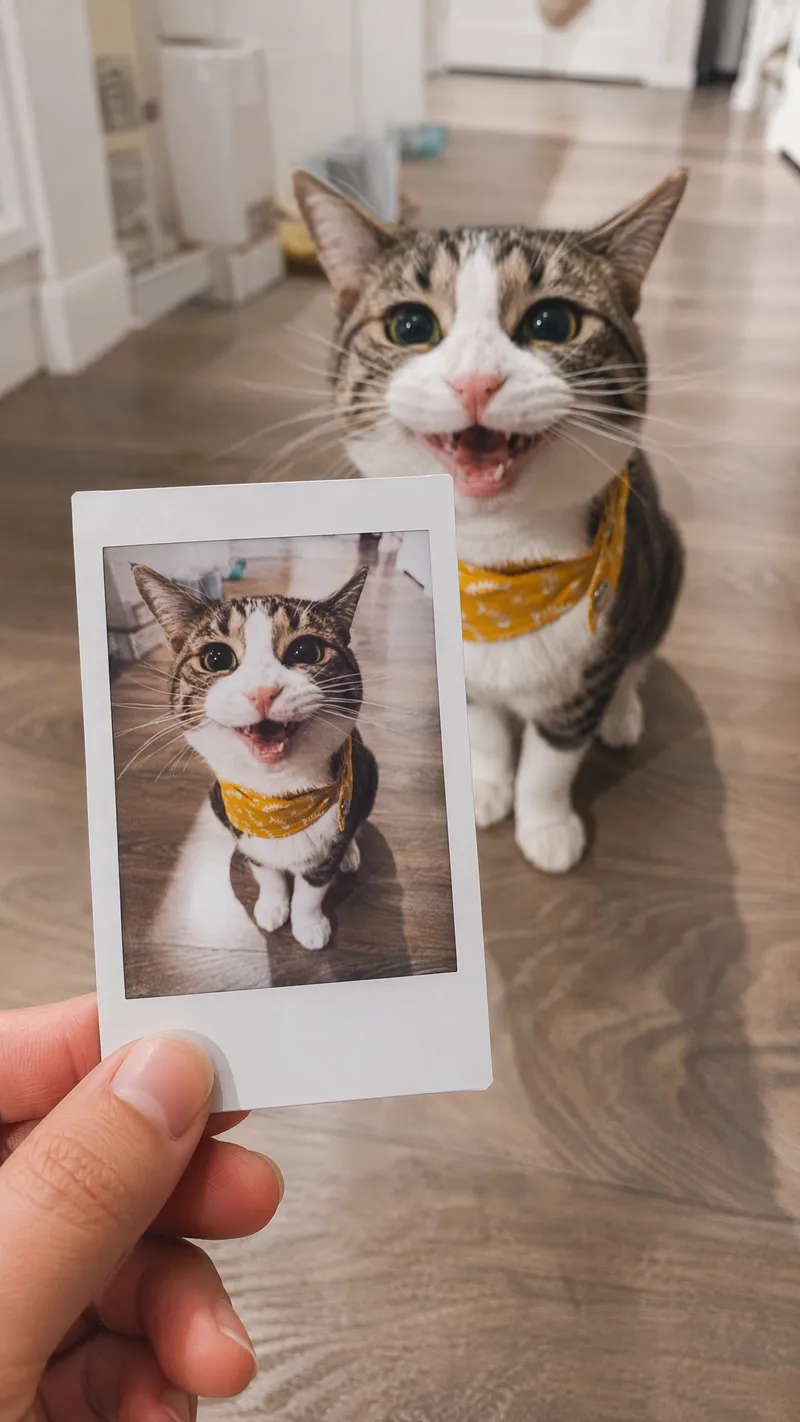 Image
ImageSame-Scene Instant Photo
Turn an image or natural-language scene description into a realistic, natural-looking handheld instant photo: a hand holds a physical white-bordered instant print in the foreground, while the real scene from the same place and moment appears in the background, creating a coherent picture-within-picture effect. Whether the subject is a landscape, urban architecture, person, animal, car, product, or everyday object, the image preserves its key appearance and places it in a plausible real-world setting—not simply pasted into a frame. The results emphasize authentic photographic qualities, including natural perspective, paper texture, contact shadows, hand details, moderate depth of field, and the casual feel of a phone snapshot. Mountains, buildings, people, animals, and other subjects in the instant photo correspond to the background, allowing viewers to directly compare the image inside the print with the real scene outside it. Unnatural elements such as floating cards, digital collages, design lines, and excess text are avoided. The composition automatically adapts to landscape, portrait, or square formats based on the original image or your specified aspect ratio, while keeping the instant photo in your hand aligned with the final image. You can also use natural language to adjust the photo’s position, tilt, size, background clarity, lighting, and overall style. It’s suitable for travel photography, life documentation, and scene images with a convincing realistic illusion.
 Image
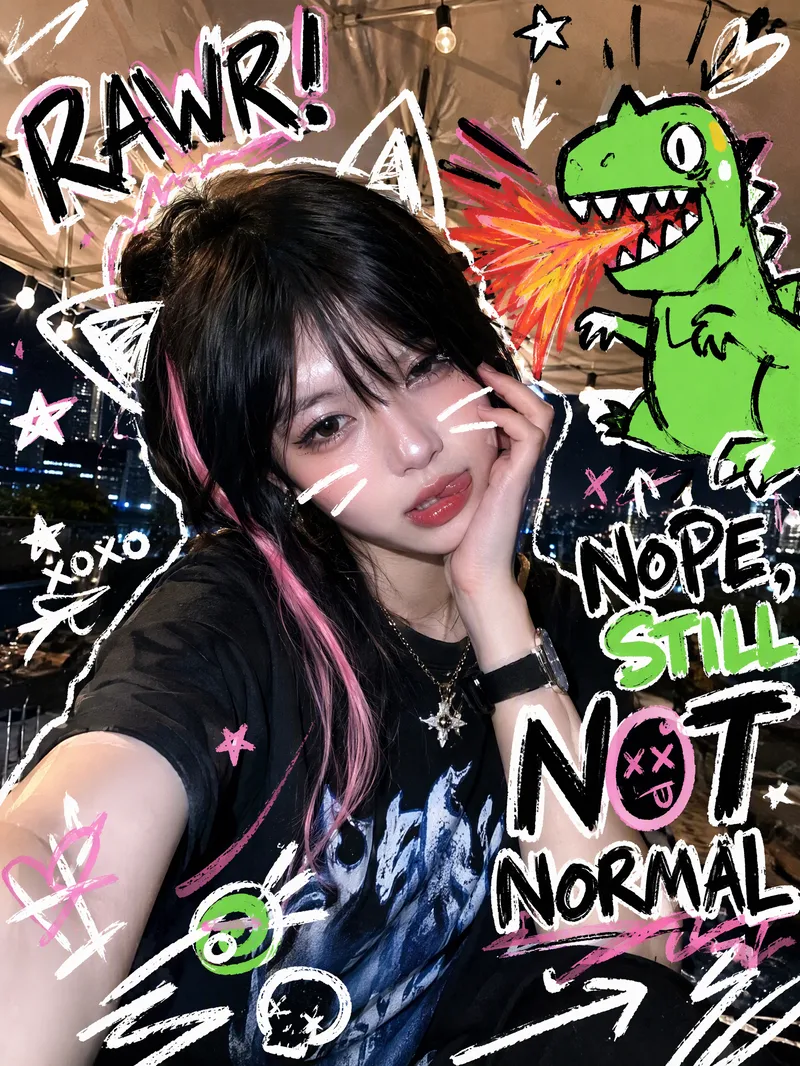
ImageTrending Doodle Photo
Turn your photo into a distinctive Y2K hand-drawn doodle illustration while preserving the subject’s identity, facial features, and original setting. After you upload a photo, sticker-like doodle graphics are layered over the original image, such as stars, arrows, scribbled lines, hearts, lightning bolts, bubbles, or cute cartoon animals. Bold handwritten doodle text surrounds the subject, creating a lively, playful, and spontaneous social media sticker-art style. Each generation randomly creates a new visual combination based on the same compositional relationship. The cartoon figures, doodle objects, short phrases, positions, quantities, angles, and color palettes vary, without mechanically repeating the same template. The text may feature English slang, onomatopoeia, or lighthearted teasing phrases, while maintaining clear, precise sticker-like outlines. Ideal for creating Instagram and WeChat Moments profile photos, photo stickers, and personalized shareable images. The result is a ready-to-use doodle photo, along with a brief description of the graphic and text elements added.
 Image
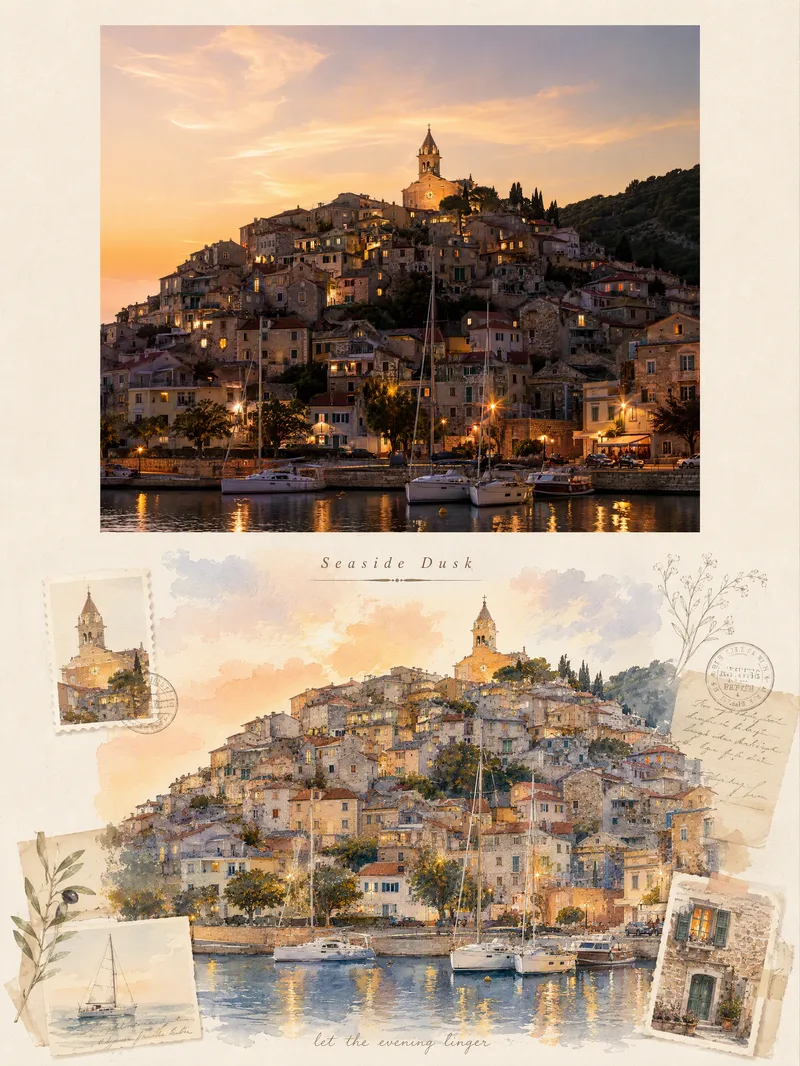
ImageViral Travel Journal Poster
Turn a single travel photo into a 3:4 vertical romantic travel journal poster that combines a sense of memory with an illustrated aesthetic. The upper half preserves the original photo’s subject, composition, colors, lighting, and shadows, framed with a natural warm-white paper border. The lower half reimagines the scenery and spatial relationships from the original photo as a full-bleed horizontal gouache-and-watercolor collage, giving the same journey a more artistic second expression. The design extracts distinctive architectural, botanical, transportation, or scenic elements from the photo and combines them with hand-drawn stickers, landscape stamps, stationery, postmarks, and delicate botanical lines, layered with soft warm light, paper texture, and restrained decoration. Based on the scene, it automatically creates an elegant English serif title and short handwritten English text, making the poster feel like a carefully crafted travel journal page rather than a standard photo layout. It suits photos of seaside towns, city walks, natural landscapes, cafés, travel sunsets, and more. You can also guide the creation with a specific scene mood, color preference, or title copy. When no photo is provided, it can first generate a realistic travel photography base image from your scene description, then create the complete poster.
Information
- Version
- v4
- Last updated
- Runtime credits
- Usage-based
- Models
- Auto
- Use cases
- Images & design
- What you get
- Image
- Visual styles
- RetroCollagePaper art
