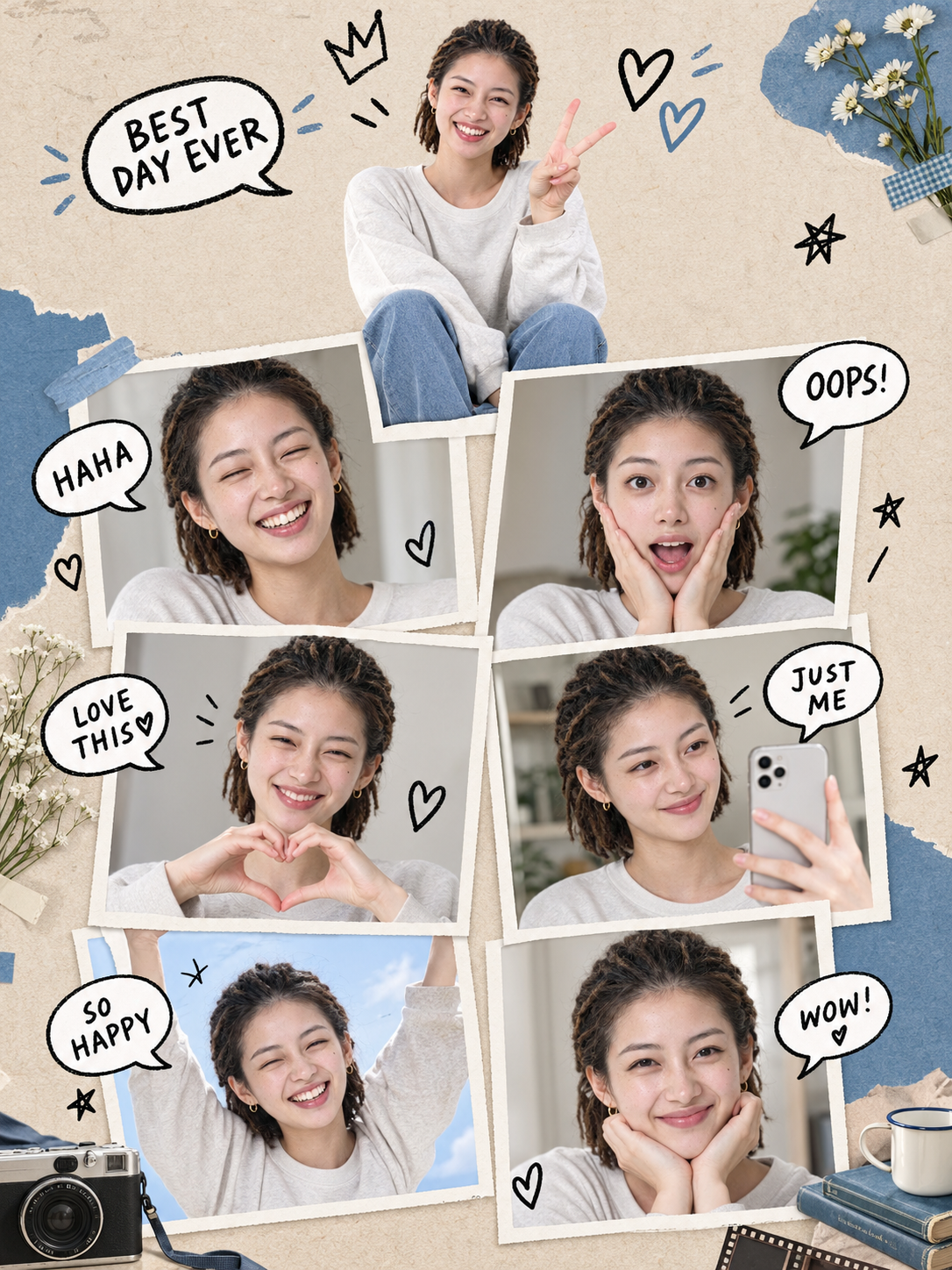
Seven Me Collage Poster
Turn one portrait into a seven-expression poster
Seven Me Collage Poster
Turn one portrait into a seven-expression poster
Showcase
Description
One selfie, seven versions of you—great for profile pictures, social posts, or keepsake posters. Using the uploaded reference photo as the sole source of identity, it automatically combines themes, backgrounds, frames, outfits, color palettes, lighting, hand-drawn decorations, and props at random to create a realistic vertical 3:4 collage poster: the same person appears as one main portrait plus six framed portraits, with hand-drawn speech bubbles and decorations.
Recommended by
Dancang
Why we love this skill
Turn one photo into a realistic frame collage poster of the same person in seven expressions and poses, with a consistent two-column, three-tier layout and varied themes, materials, and decorations.
Related Skills
View all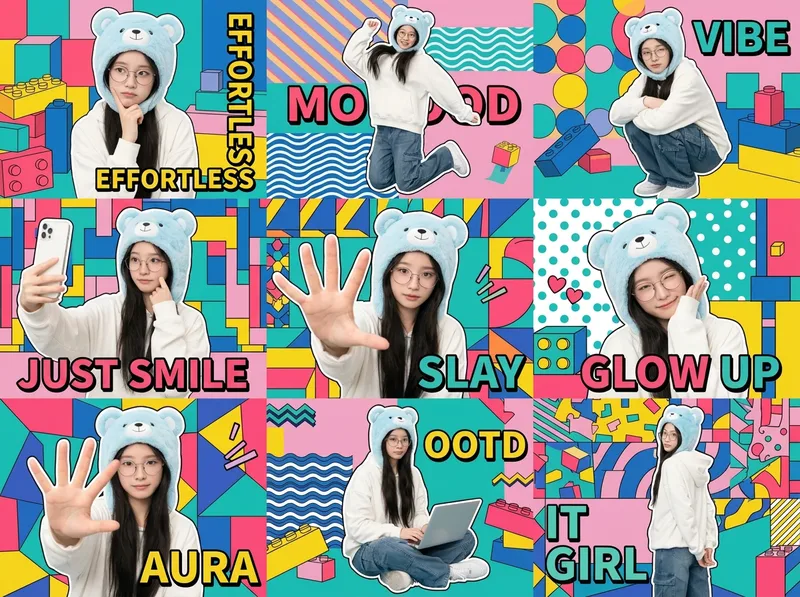 Image
ImageOne-Click Chibi Sticker Diary
Using the person in your uploaded photo as an identity reference, this Skill automatically plans coordinated accessories, outfits, and a unified visual theme to create a 3×3 IP character collage poster. It selects a cohesive combination from built-in libraries of accessories, outfits, visual themes, poses, and keywords, while allowing you to override any parameter. The final result keeps the character’s identity consistent across all nine panels, with unified colors and a professional layout. Ideal for building a personal IP, creating images for social profiles, and making AI photo posters.
 Image
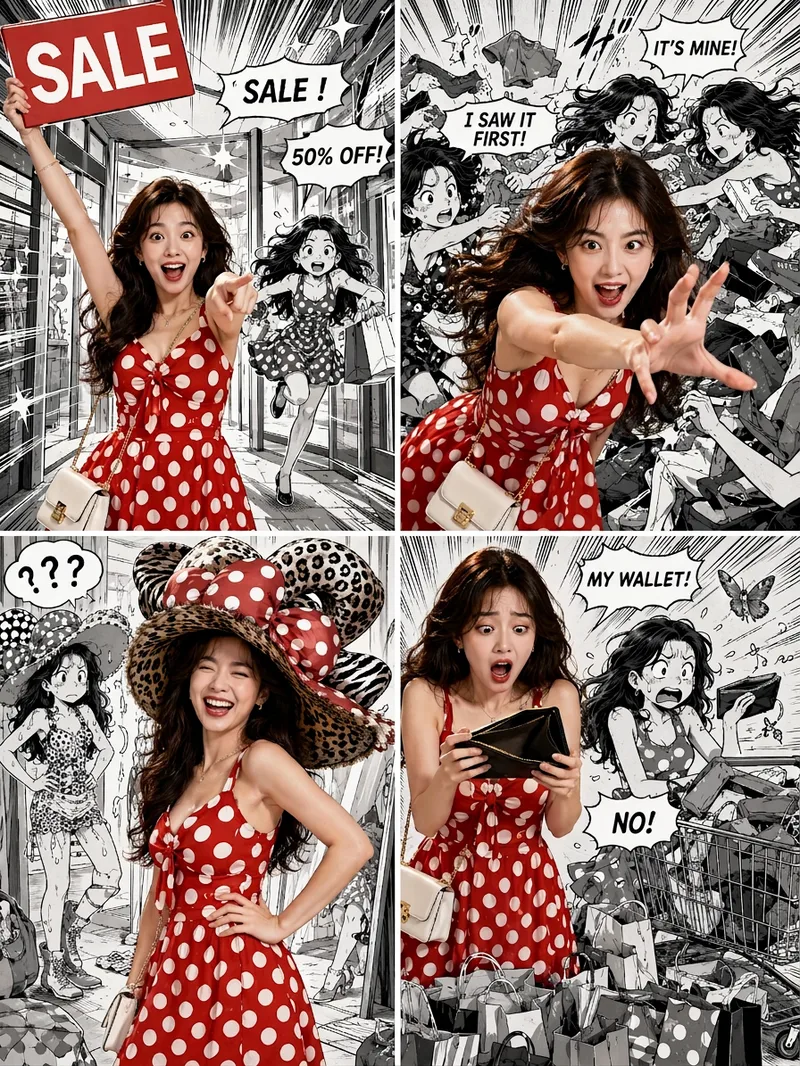
ImageViral Comic Selfie
Turn a photo of a person into a story-driven four-panel pop comic: preserve the character’s facial features, hairstyle, skin tone, body type, and overall presence, with the same protagonist appearing across four connected scenes. The finished image uses a 3:4 portrait 2×2 collage layout, with each panel in a separate 3:4 frame and divided by thin white borders, creating a striking contrast between “realistic, colorful character × black-and-white comic storyboard backgrounds.” You can upload one or more photos and specify a theme, plot, four-panel beats, style, or text for speech bubbles and signs. The Skill organizes connected scenes from opening to climax, turning point, and ending, and aims to render the specified text accurately. If you upload only photos without additional instructions, it creates a fitting four-panel story based on the environment, lighting, occasion, and the person’s presence in the photos. Without a photo, it can also generate a consistent, realistic protagonist. The final deliverable is always one four-panel collage image rather than separate finished images, accompanied by a description of the theme and scene beats. You can continue refining the story theme, four-panel pacing, or text in the image, or recreate an enlarged version of a specific panel while preserving the character’s appearance.
Infinite Loop Selfie
Turn your written concept or character reference image into a selfie photo with a Droste effect: the person in the image holds a phone with its screen facing the camera, clearly showing the complete scene—including the person, phone, and white studio background—nested and shrinking layer by layer to form a visible visual loop with at least three levels. Customize the person’s gender, age, hairstyle, clothing, pose, and expression. You can also specify a portrait 3:4, square 1:1, or vertical 9:16 aspect ratio. When you upload a reference image, the person’s facial features, hairstyle, skin tone, body type, accessories, and visible clothing will be faithfully recreated. If the reference is only a half-body shot or even a close-up, unseen bottoms, shoes, and accessories will be carefully inferred from visible cues such as the collar, top fabric, and color palette to complete a coordinated outfit in the same style. These details will only be changed when you explicitly describe the changes in text. Without a reference image or character specifications, an original character will be generated, with a consistent appearance, pose, and outfit at every layer. The final image uses a pure white or light gray seamless studio background, soft high-key lighting, and a realistic photographic look, highlighting natural skin tones, fabric details, and a clearly visible phone screen. The composition remains a clean, front-facing shot of one person against an uncluttered background. It avoids incorrect screen content, mirrored text, watermarks, and distorted phones or fingers, keeping the infinite nesting effect natural and easy to recognize.
Information
- Version
- v3
- Last updated
- Runtime credits
- Usage-based
- Models
- Auto
