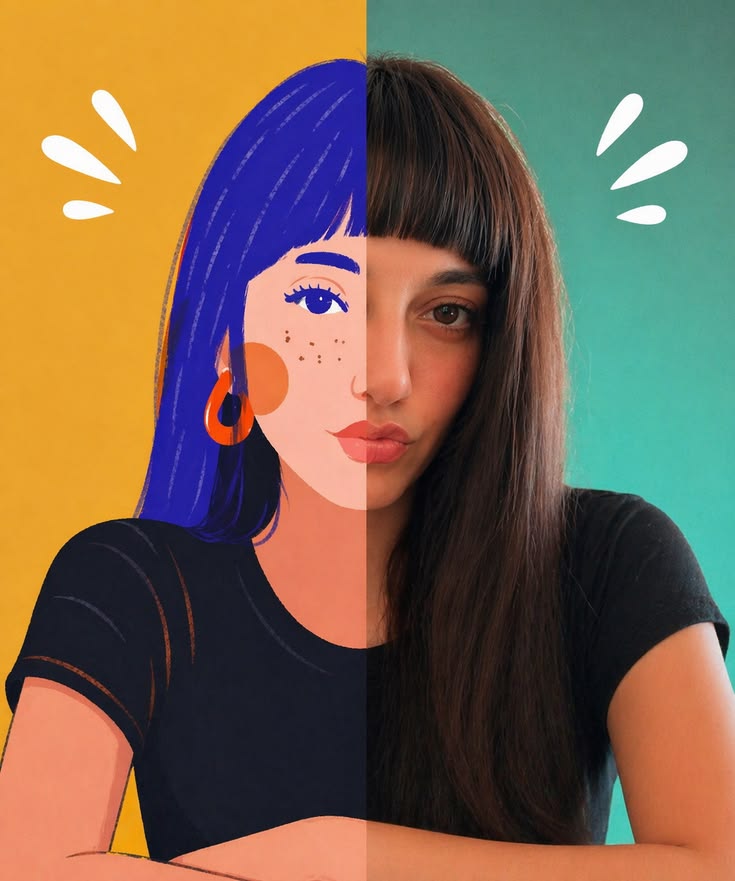
Seamless Photo–Illustration
Blend photos into seamless real-to-illustration art
Seamless Photo–Illustration
Blend photos into seamless real-to-illustration art
Showcase
Description
Transform photos of people, animals, pets, cars, buildings, products, food, plants, or scenes into dual-visual artwork featuring the same subject and composition in both realistic and illustrated form. One side preserves photographic texture, natural lighting, and material details, while the illustrated side clearly reflects a hand-drawn, anime, comic, watercolor, oil painting, clay, or vector illustration medium—not a simple filter effect. You can specify whether the visuals are arranged left and right or top and bottom, define where the realistic and illustrated areas appear, choose an illustration style, and set the aspect ratio. The subject’s pose, expression, facial features, structure, clothing, colors, and relationship to the scene remain coherent. People, animals, and objects transition according to their own visual centers, allowing both treatments to occur naturally within the subject rather than mechanically splitting the image. The final image emphasizes seamless integration: photographic texture gradually becomes lines, color blocks, or brushstrokes, while contours and lighting connect naturally. There are no dividing lines, hard edges, collage seams, torn-paper effects, or glowing boundaries. You’ll get a dual-visual image where the difference between the real world and the illustrated world is clear, yet no exact dividing point can be found.
Recommended by
Dancang
Why we love this skill
Featured because it goes beyond photo-to-illustration conversion, placing realistic photography and hand-drawn media within the same subject and composition. Its signature is a natural transition with no harsh dividing line.
Related Skills
View all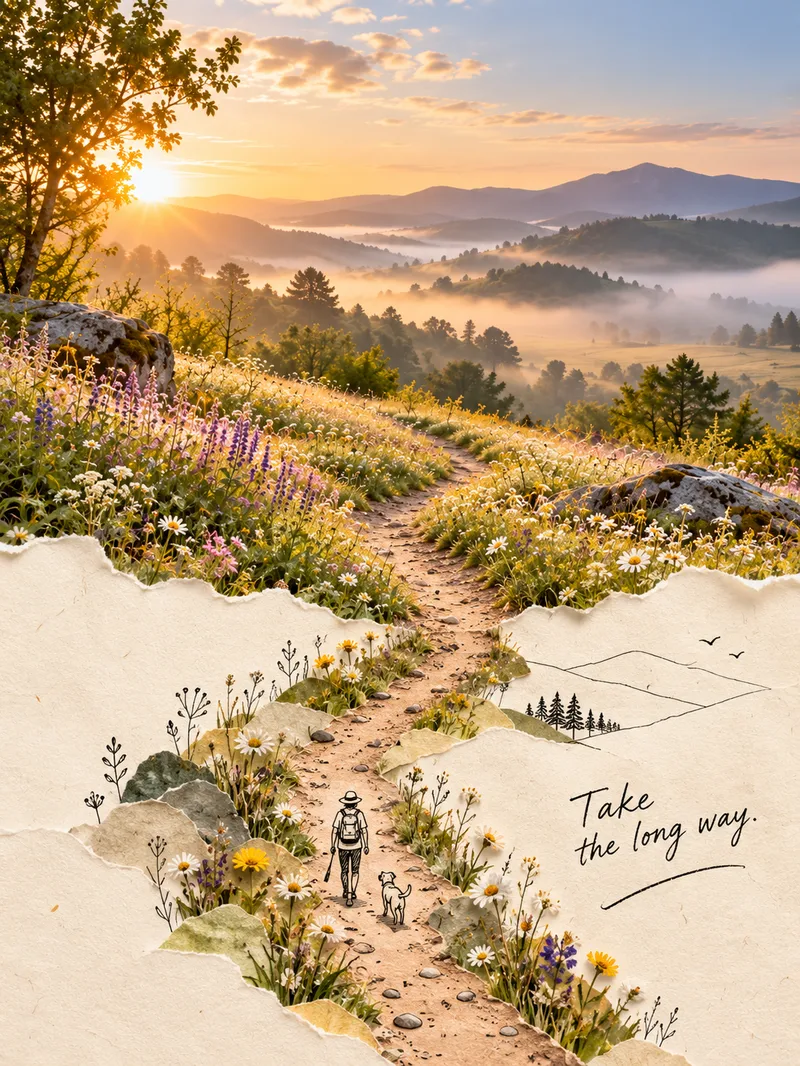 Image
ImagePhoto Second World Posters
Upload an ordinary photo, and the skill will identify its most distinctive “physical visual structure”—not just the subject—then extend it into a second world. The real-photo area stays 100% faithful, preserving the original colors, lighting, and texture without recoloring or redrawing, and occupies the main part of the composition, about two-thirds of the image. The other section naturally grows from a warm cream paper background in soft watercolor or minimal black line art, creating an organic blend where the real and illustrated areas flow into each other rather than meeting at a clear dividing line. The poster also includes one minimal line-art figure interacting with the structure and a short handwritten note, resulting in a creative poster with the feel of an independent art magazine or photobook. It supports five approaches: torn-paper extension, watercolor second world, photo × minimal black lines, soft-edge blending, and turning objects into pictures. The workflow has two steps: review and confirm the creative concept first, then generate the image by feeding the real style anchor image into the image-generation model and checking each element. The skill includes five built-in style anchor images.
 Image
ImageViral Photo Torn-Paper Collage
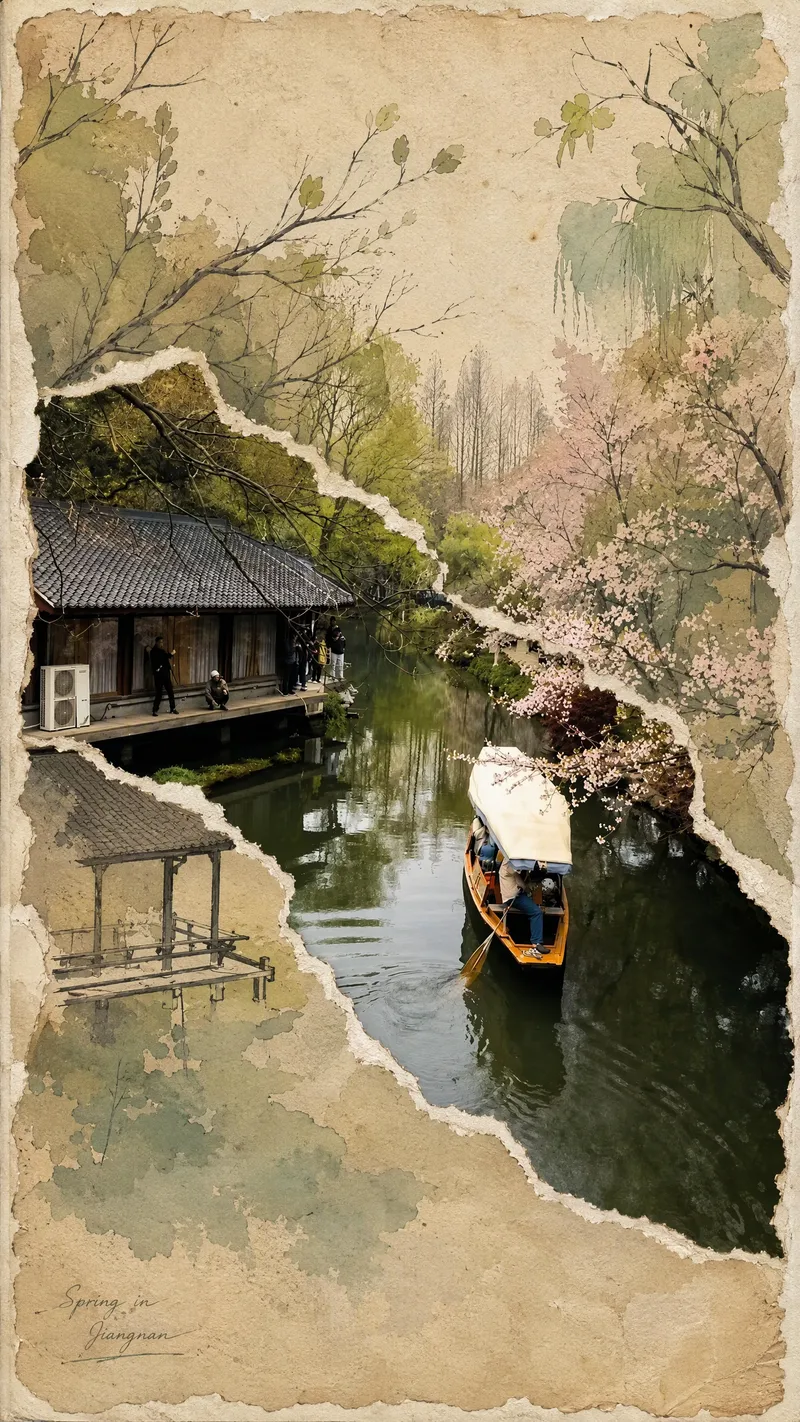
Turn a real-world photo into a vintage torn-paper collage with the tactile feel of physical paper, while preserving the true colors and recognizability of important subjects. The image follows the original photo's proportions, naturally emerging through torn edges in old beige paper. Around it, minimalist painted elements, hand-drawn outlines, and paper grain create a mixed-media collage where photography overlaps with illustration. The torn edges vary freely with the image content instead of using rigid straight cuts, while keeping the subject's contours, perspective, and horizon as coherent as possible across different layers. The overall look is vintage and low-saturation, but this treatment is not applied to the preserved real-world photo areas. Beige paper extends beyond the photo to enhance the feel of a handmade collage. You can add corner text, keywords, or layout preferences, and the result will prioritize clear requirements. When no preferences are specified, it uses a natural collage composition with a small amount of concise text. Suitable for transforming travel scenes, architecture, street views, and everyday-life photos into artistic images that combine realism with a sense of narrative.
 Image
ImageReality Blend Artist Pro
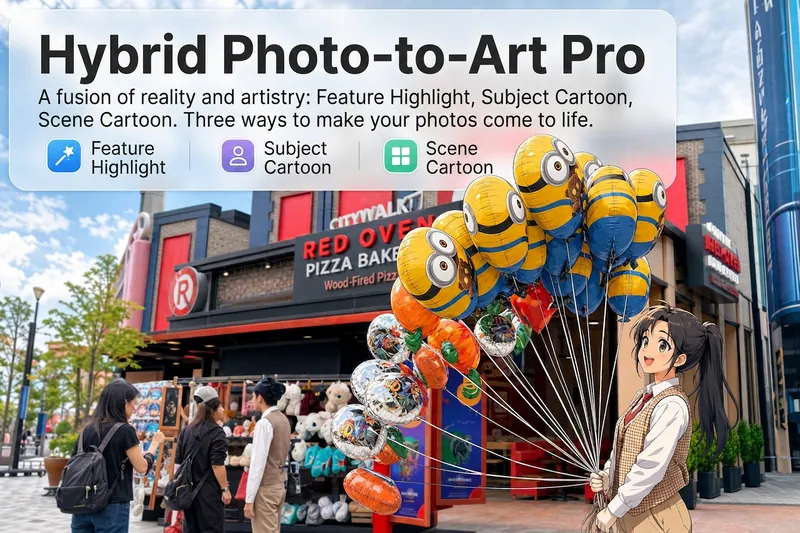
Upload a photo, and AI first reads it like a visual analyst across five dimensions: what the subject is, how it is composed, its color palette, where the visual focus lies, and what emotion it conveys. It then tells you where a hand-drawn treatment would have the most impact and how to make it look best. Four real-and-drawn blend modes, four ways to play: 🔹 Local Accents — Keep the overall image realistic while AI selects 2–3 local areas to replace with a hand-drawn style. Patterns on a sign, the coffee cup in someone’s hand, or a few flowers peeking out from a flower bed—just enough to give the photo a sense of life. Choose from 4 hand-drawn styles: pencil sketch / watercolor wash / sticker doodle / clay relief. 🔹 Subject Anime — Turn a person, animal, or object into an anime-style subject while keeping the background’s realistic photographic texture. Choose from 5 anime styles: action manga / American superhero comics / Ghibli-style / Korean webtoon / Chinese ink wash. It feels like an anime character has stepped into the real world. 🔹 Environment Anime — Reverse the approach: keep the subject realistic while transforming the surrounding environment into an anime style. The contrast of being in a real world surrounded by a 2D universe is instantly amplified. 🔹 Selective Color Light Trails — Convert the image to black-and-white grayscale while keeping selected objects in their original, highly saturated colors. Clean white detail outlines surround the colored objects, extending into flowing, curling, psychedelic agate-like color trails that naturally follow the scene’s direction. Retro collage × surreal art turns a single photo into a movie poster in an instant. Each mode × 2 blending methods: Gradient Feathering (a natural transition between real and illustrated, like ink spreading through paper) / Hand-Drawn Border (a white outline, like a sticker placed on the image). No blind image generation—you're in control at every step. AI analyzes first → recommends an approach → you confirm → then it generates, helping avoid wasted results. For portrait photos, faces and facial features are automatically avoided and are not replaced with hand-drawn elements. The number of local areas is limited to 2–3, with professional constraints on their position and size—the result is a finishing touch, not a collage. 4 modes · 16 styles · 2 blending methods = 32 real-and-drawn combinations. The same photo can take on completely different moods.
Information
- Version
- v6
- Last updated
- Runtime credits
- Usage-based
- Models
- GPT Image 2.5 Flare
