Free · Museum of Everything
Museum-style nature & culture infographics
Free · Museum of Everything
Museum-style nature & culture infographics
Showcase
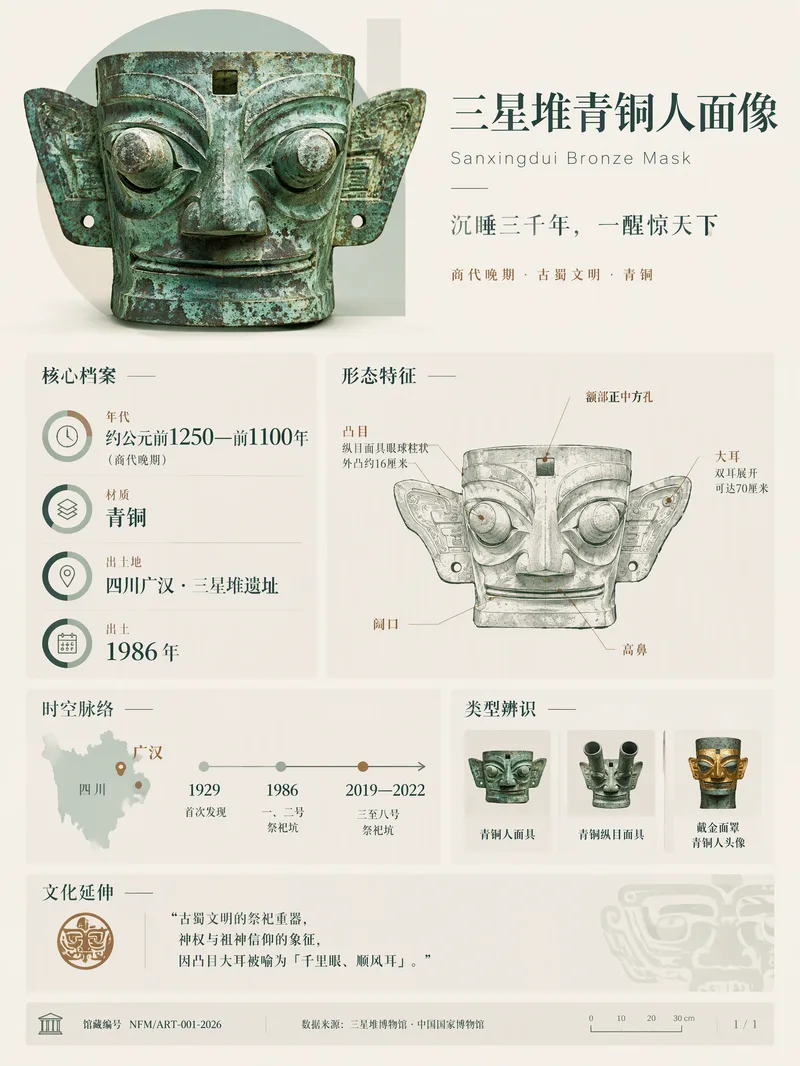
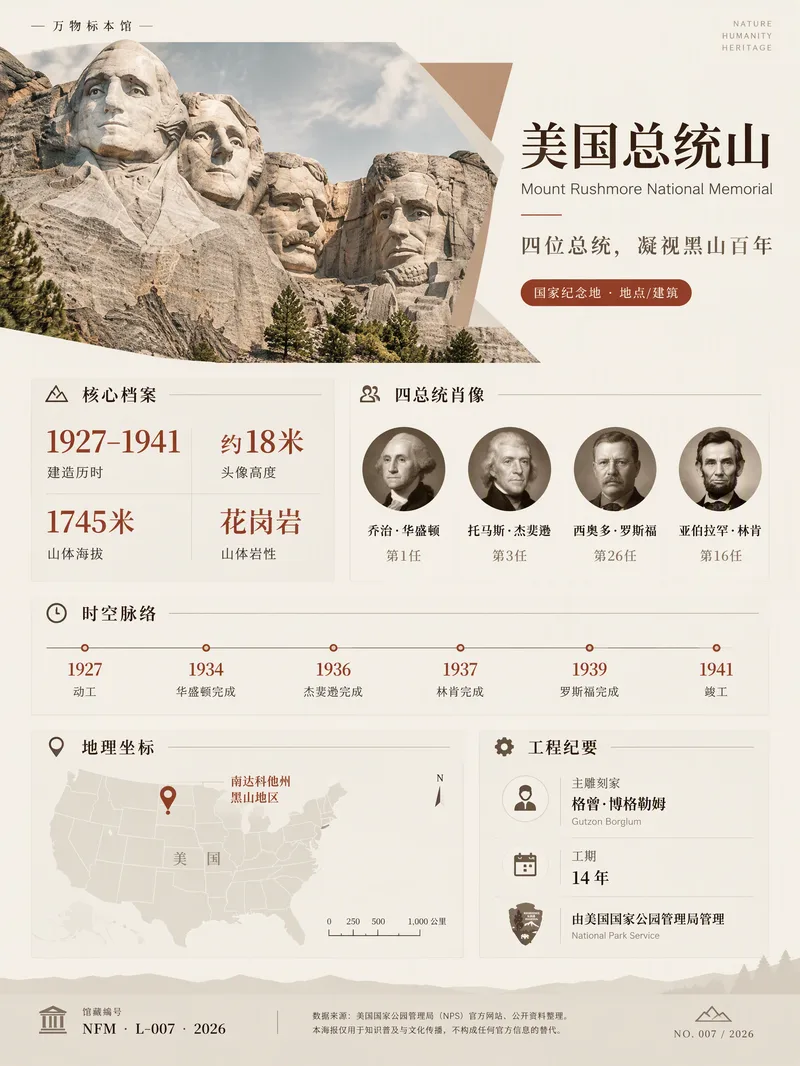
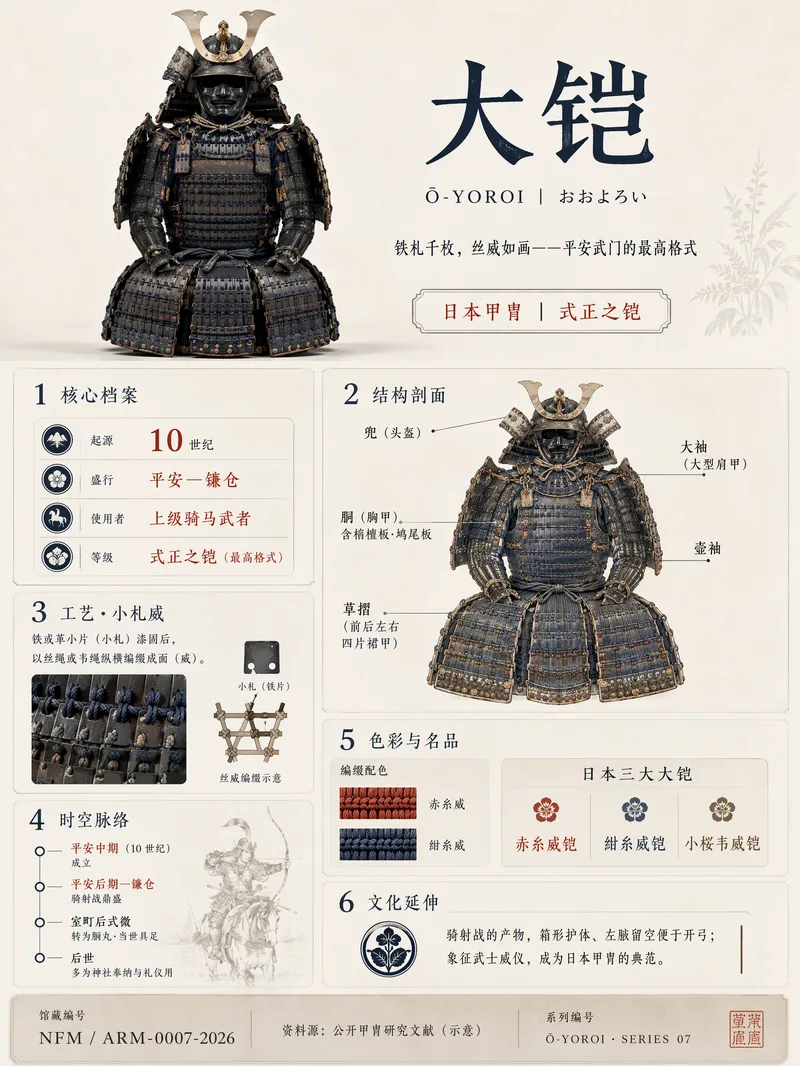
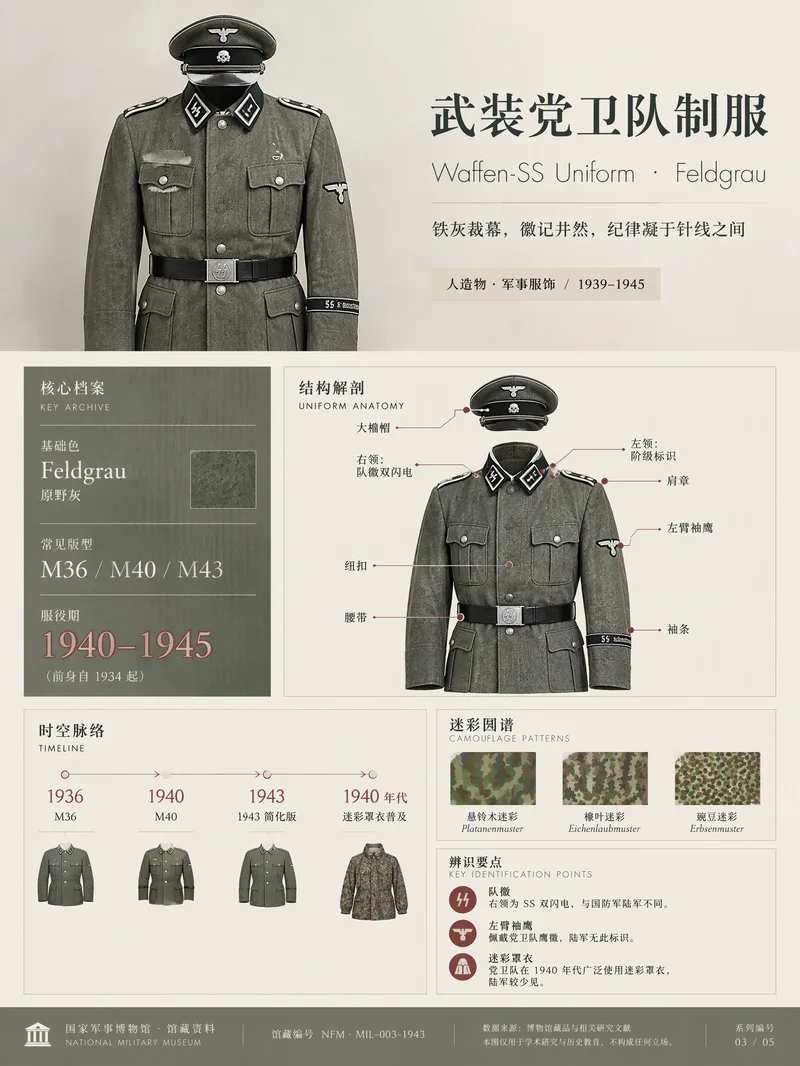
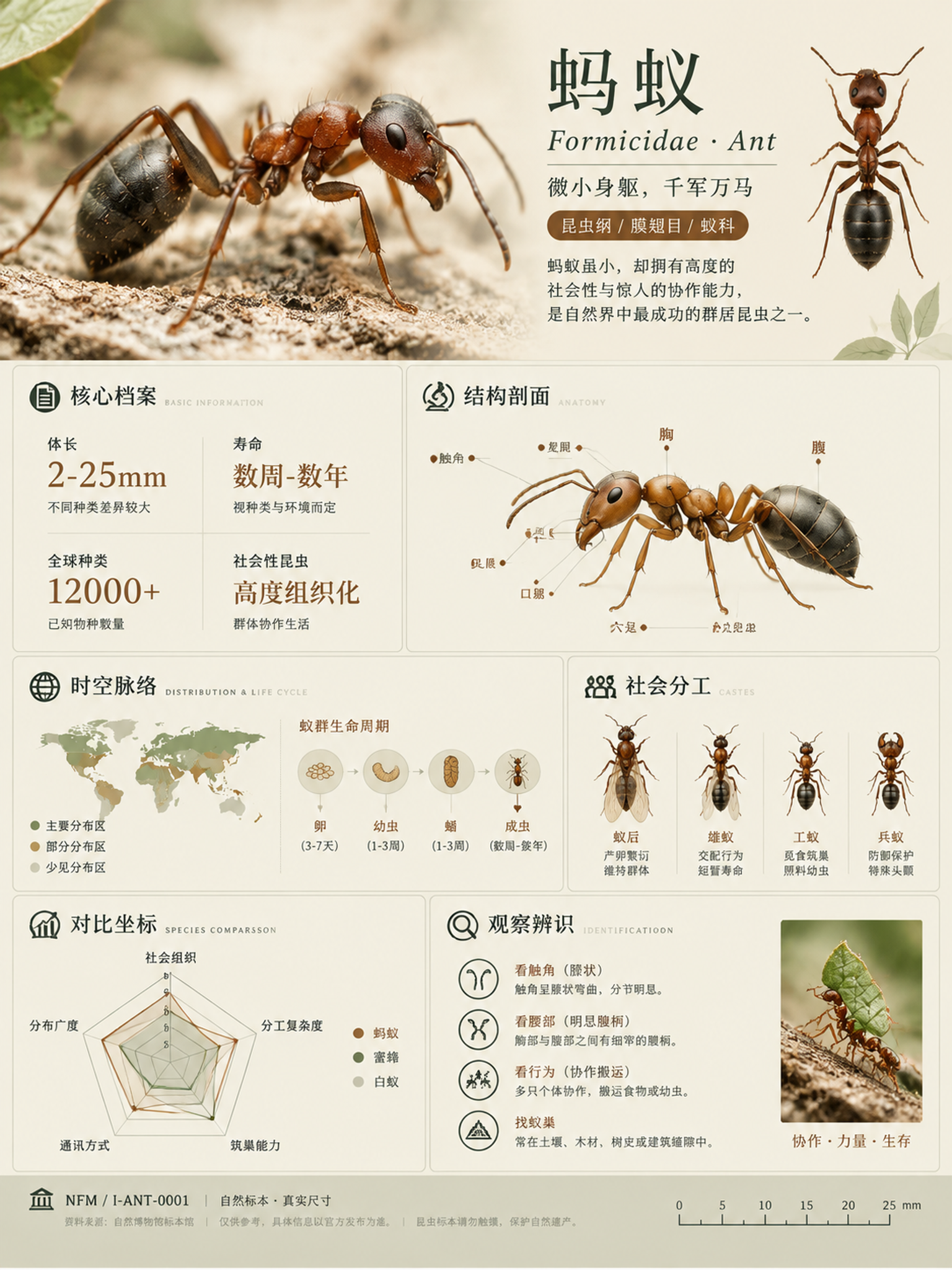
Description
Turn a city, plant, animal, ingredient, mineral, object, building, or cultural concept into a museum-style knowledge infographic with both educational value and a collectible feel. The 3:4 portrait layout uses a high-quality hero visual to anchor the composition, paired with elegant Chinese titles, English or Latin scientific names, classification labels, and concise definitions so the subject’s traits and character are immediately clear. The information is organized flexibly according to the subject, covering modules such as a core profile, structural cross-section, geographic and historical context, experiences and applications, comparisons with similar subjects, identification and care, or cultural extensions. Key figures, icons, maps, timelines, and concise charts are interwoven to avoid crowded tables and rigid nine-grid layouts, balancing rich information with easy reading. When presenting key names and user-provided data, the design prioritizes textual accuracy and avoids inventing precise conclusions. The overall visual style combines natural specimen photography, refined museum wayfinding panels, and the character of a high-end magazine yearbook. It uses low-saturation natural colors such as off-white, gray-green, and warm gray, along with restrained accent colors, serif headings, and generous whitespace. It is suitable for knowledge cards, educational posters, exhibition guides, and social media content. It also supports creating a series of collectible images with consistent layouts, colors, and numbering across multiple subjects.
Related Skills
View all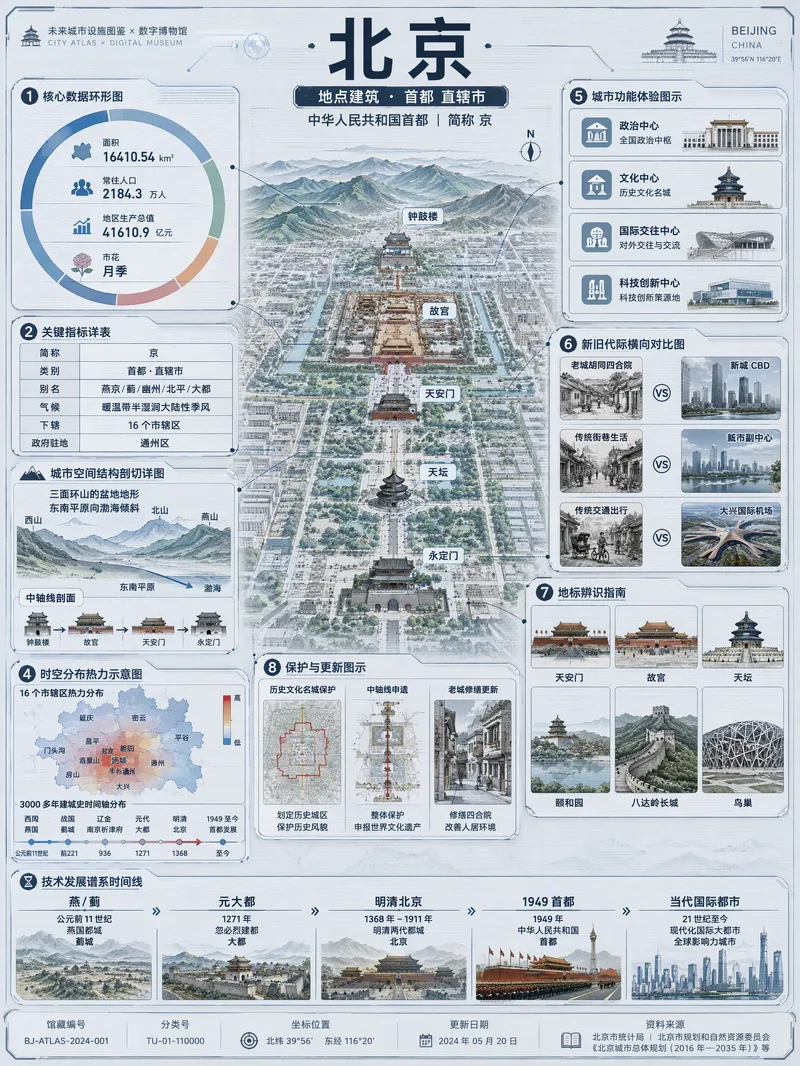 Image
ImageViral Info Atlas Maker
Quickly turn any subject name into a technology-inspired natural history atlas poster that combines rich information with strong visual appeal. Whether it’s a living thing, mineral or material, man-made object, place or building, cultural concept, or historical figure, the Skill organizes content for display and sharing based on your audience, focus, and language requirements. The Skill first uses real-time web research to verify definitions, key data, structure and composition, distribution, applications, evolution, identifying features, and more. It then arranges the content into a 3:4 vertical infographic. The poster centers on a specimen-style subject, surrounded by nine adaptive information modules covering core metrics, structural analysis, spatial and temporal distribution, context and use cases, comparisons, identification points, conservation or maintenance tips, and a development timeline. Module themes and information priorities are adjusted to fit the type of subject. The finished piece uses light gray-blue technical cardstock, precise linework, low-saturation cyan and blue washes, and a semi-transparent scanned texture. The result combines the visual style of a future-city infrastructure atlas with a digital museum display panel, while retaining the subject label at the top and a collection records area at the bottom. For obscure subjects or when information is limited, speculative content is distinguished with visual prompts. It is suitable for science education, exhibition introductions, knowledge sharing, and social media publishing.
 Image
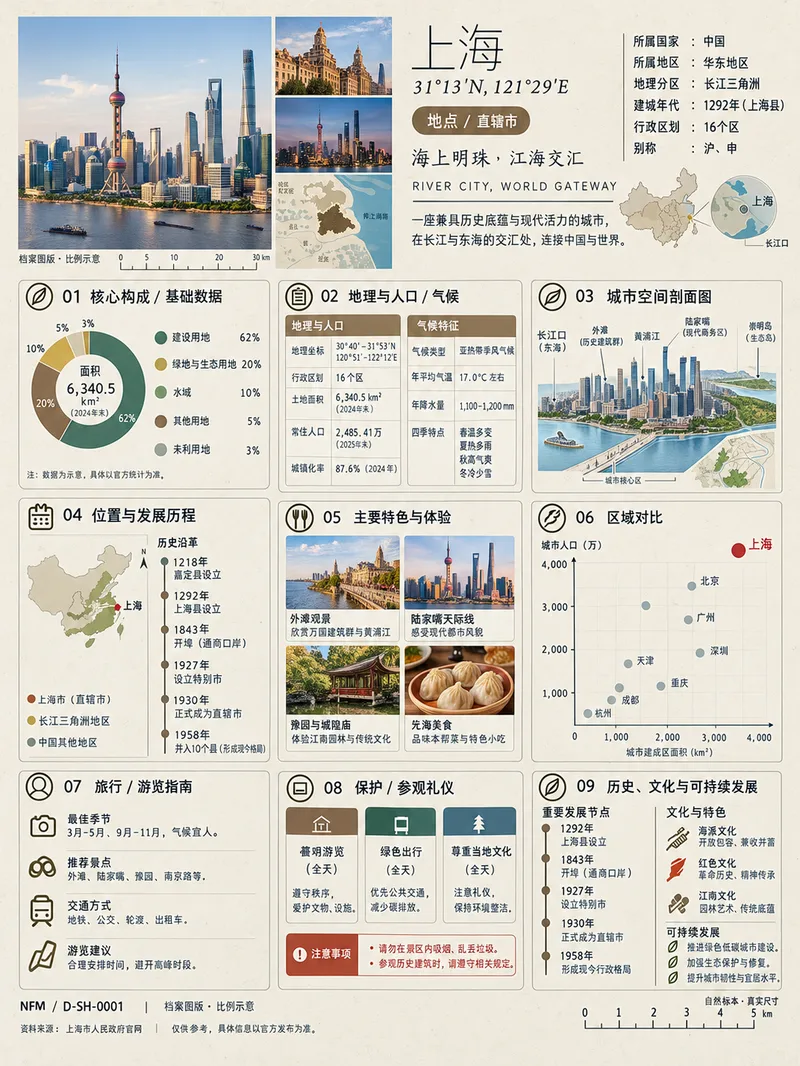
Image(Trending) Anything as an Infographic
A trending infographic generator. Enter the name of any subject, and it automatically identifies the type—such as a living thing, mineral or material, man-made object, place or building, cultural concept, or historical figure—then creates a dense 3:4 portrait infographic poster using a fixed “natural specimen archive × modern museum guide plaque” layout system. It includes a header identification area, specimen-style image area, a central 3×3 grid with a core data radial chart, detailed key metrics, structural cross-section, spatial and temporal distribution, applications and user experience, side-by-side comparison, identification guide, preservation and maintenance, and historical lineage, plus a collection number and reference information area at the bottom. The layout, grid, typography, and color systems are consistent, making the posters easy to collect as a series. GPT Image 2 is used by default as the best-fit image generation model. Best for: building an account from scratch and taking commissioned work.
 Image
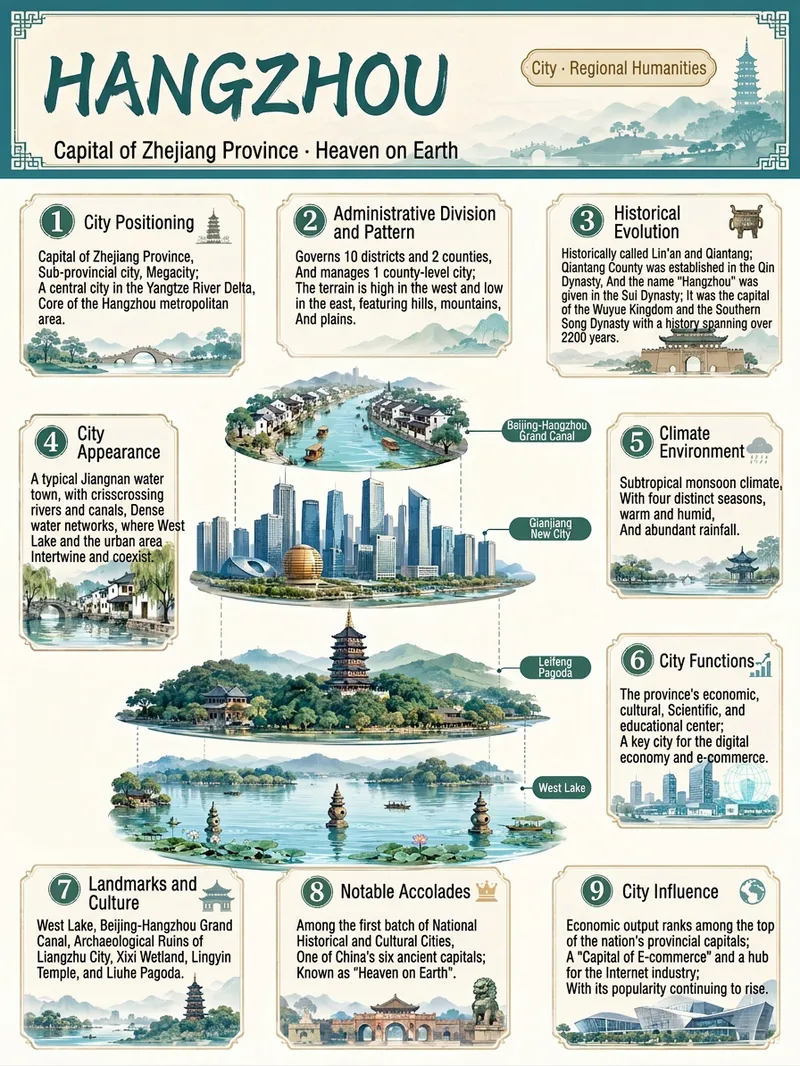
ImageEverything Infographic Maker
Enter an object name to generate a vertical Chinese nine-panel object breakdown infographic for topics including organisms, machinery, plants, celestial bodies, vehicles, buildings, food, and more. Even with only an object name, the skill identifies suitable category labels, visual expression, and information priorities based on the object's features, using a vertical layout and Chinese by default. The design includes a title label at the top, a centered exploded, layered, or cutaway-style subject, and nine information modules arranged around it. These help readers quickly understand the object through its classification, structure, principles, environment, functions, related things, unique features, and relationship to humans. Different categories are matched with corresponding stable themes to maintain a consistent, readable educational layout. Before generation, key facts such as scientific names, numbers, and parameters are checked. The content is condensed into clear Chinese copy, then paired with an illustration or engineering diagram style suited to the object type to create an infographic with legible text and an orderly layout. You can also specify the audience, purpose, visual style, language, or aspect ratio to better fit presentation, teaching, and educational communication scenarios.
Information
- Version
- v7
- Last updated
- Runtime credits
- Usage-based
- Models
- GPT Image 2.5 Flare
