Monthly top
Top free skills
Riso Portrait
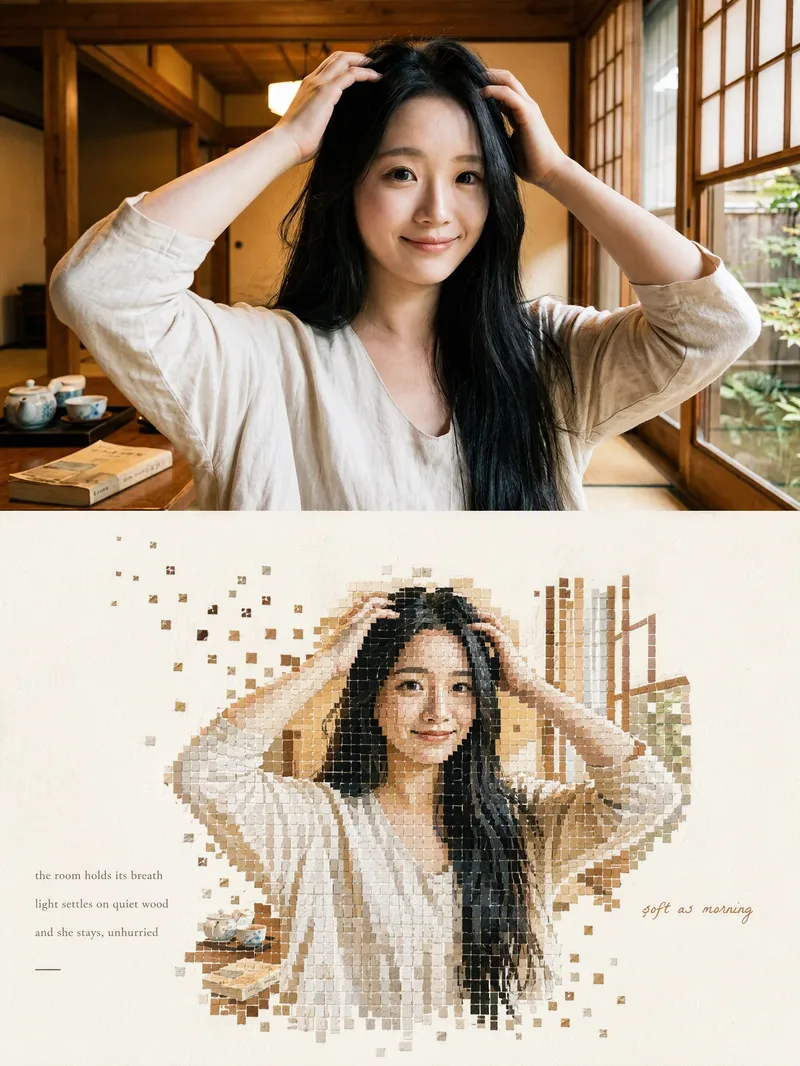
Users upload one photo, get 2 Riso Grain Indie style abstract portraits with randomized surreal head elements, referencing the user's face type and hairstyle.
Clay Minimal PPT
Craft stunning presentations with a unique "Clay Minimal" aesthetic, designed to convey your message with understated elegance. This skill specializes in creating slides that feature a sophisticated two-color palette of warm cream and light periwinkle blue, ensuring a clean and professional appearance without relying on harsh blacks or grays.
Oriental Shanshui PPT
Elevate your presentations with stunning visuals inspired by modern Chinese aesthetics, blending traditional shanshui landscapes with a minimalist, elegant design. This skill crafts slides that evoke an ethereal, poetic atmosphere, reminiscent of translucent silk and flowing mist.
ImageContent converted to hand-drawn visual pack
Enter an article or a topic, and generate a hand-drawn visual asset package (illustrations, cover, infographics, PPT) covering multiple platforms with one click. It intelligently matches 10 hand-drawn styles, allowing you to input multiple items at once.
Dual-host talk video
Craft engaging 15-second dual-host talk videos with ease. This skill helps you outline, visualize, and produce short, dynamic video content featuring two conversational AI personalities. Simply provide details for two characters and a topic – whether it's a news link, a draft, or a general idea – and watch as a complete script comes to life, structured with a compelling hook, natural banter, and a clear punchline. The skill meticulously plans each visual detail, from camera angles and character eye-lines (direct to audience or engaging with the co-host) to subtle non-speaker reactions, ensuring a natural and captivating exchange. You'll receive a detailed transcript, including performance notes, and a cover frame image to visualize your video before final generation. This allows for precise adjustments to character appearance or scene settings, guaranteeing your dual-host video is exactly as you envision.
Solo talk video
Create engaging 15-second solo talk videos with a personalized touch. Simply provide a character concept and your topic—whether it's a simple phrase, a web link, or a draft—and this skill will craft a complete script, ready for production. It intelligently researches your topic if needed, then structures a compelling narrative with a hook, core message, and clear call-to-action, all tailored to your specified character's personality and speaking style. Before generating the final video, you'll review a detailed script that includes scene descriptions, camera directions, and even audio cues like background music and sound effects. You'll also get to approve a cover frame image, ensuring the visual concept for your character and setting is perfect. Once confirmed, your lip-sync video is produced, featuring your character delivering the lines naturally and expressively, making your message resonate with viewers.

YouMind Starry Style Slide
Generate slides in the YouMind Starry Style — deep navy night sky with subtle warm gold glow, content-driven illustrations, serif titles with thick-thin stroke contrast, and ample negative space. Three-phase workflow: text framework → preview images → full deck composition.

Today's life experience instance is...
Using this skill, simply enter: "Today's life scenario is: The life of XXX." This will generate a complete creative plan similar to the popular "Life Scenario" videos on TikTok. The skill will automatically create a long, immersive script based on your input of profession, identity, habits, social circumstances, historical roles, or imaginative settings, featuring age progression, life turning points, character relationships, specific events, and a final ending. Default output includes: · A 5-8 minute long script for the life scenario · 1600-2600 words of Chinese narration · 8-14 life stages · Clean voice-over script and emotional voice-over script · Character makeup and unified visual style · 30-50 complete video shots · AI-generated images and video prompts for each shot · SRT subtitles, music, and ambient sound design · TikTok titles, cover text, posting text, and tags supporting various life types such as warm, realistic, growth, tragedy, history, fantasy, and absurdity. This skill references the common narrative structure and program rhythm of "Life's Journey" short videos, creating original content each time based on the current theme, without copying existing works. When the environment supports image, video, voice-over, and compositing tools, it can also generate 9:16 vertical videos with Chinese voice-over, subtitles, and visuals.
Paper Art Style Video Generator
Transform your linear narratives into captivating 5–10 second vintage paper-collage videos. Whether you're chronicling a brand's journey, tracing the evolution of a culture, or illustrating historical progression, this skill brings your story to life with a unique, handcrafted aesthetic. Simply provide a brief description of your narrative, and watch it unfold as a charming animated pop-up book. This skill specializes in creating seamless, one-take digital paper collage animations. It meticulously crafts each scene with a rich, tactile feel, incorporating elements like torn paper edges, visible paper grain, and layered depth. The visuals blend realistic photographic cutouts with hand-drawn paper illustrations, all presented with a refined, muted color palette inspired by the cultural context of your story. Each video is a continuous, smooth tracking shot, reminiscent of an animated pop-up book, where paper layers gracefully slide, fold, and rotate to reveal key stages of your narrative. From ancient civilizations to modern brand stories, the animation style evokes a specific era, ensuring an authentic and engaging visual journey without relying on generic effects. The result is a premium, handmade motion graphic experience that tells your story with elegance and charm.

B&W Graffiti Portrait
Generate black & white graffiti-style posters from portrait photos. Random accent color, adaptive half/full-body framing, built-in safety guardrails.

A Personalized Learning Guide for the AI Era
In the rapidly changing AI era, are you feeling lost about how to learn AI efficiently? This "Personalized Learning Guide for the AI Era" can tailor a clear and actionable AI learning roadmap just for you. It deeply understands your learning needs, technical background, and even potential anxieties, acting like a caring technical mentor to provide precise guidance. Through intelligent dialogue, this skill can identify whether you are a "goal-oriented" learner eager for systematic learning or a "confused" learner needing direction. Based on your specific situation, it will gently guide you to clarify your learning direction and goals. Subsequently, it will utilize real-time web searches and rigorous resource verification mechanisms to sift through massive amounts of information to select the latest and most authoritative learning materials, covering official documentation, high-quality tutorials, and active open-source projects, ensuring that the knowledge you acquire is both cutting-edge and reliable. Ultimately, you will receive a clearly structured and actionable personalized learning plan. This plan breaks down learning objectives into multiple specific stages, each containing clear learning goals, carefully selected recommended resources, verifiable completion markers, and estimated time commitment. Even more thoughtfully, the plan includes a "micro-action launcher" to guide you immediately into a learning task that's "too small to fail," and provides personalized mindset building suggestions to help you overcome psychological barriers during the learning process. You can also choose to export this personalized learning plan as a webpage for easy access and sharing anytime, anywhere, filling your AI learning journey with confidence and motivation.
Italian Vintage Aesthetic PPT
Generate editorial-style presentation decks in a refined Brand Collaboration aesthetic: cream backgrounds, navy blue accents, B&W photography, condensed serif titles with clean sans-serif body text, and magazine-inspired asymmetric layouts with 8 distinct page templates.
Prism Dark Gradient PPT
Modern dark corporate slide style: black backgrounds with S-curve blue-to-orange gradient overlays, geometric sans-serif white typography, professional photography. Features 5+ distinct layout patterns: Cover (left-aligned hero title + decorative arrow), TOC (numbered vertical list), Image+Text content, Team portrait grid (2×2), Icon-led bullet pages, Section Divider, Data/Chart, and Closing.

It's annoying, but it really saves points.
Points Gatekeeper: Pauses reminders when using advanced models and with long contexts; forces interruption for confirmation before video generation; images are generated in low resolution by default and strictly sequentially, with the option to stop loss at any time. All reminders are given only once per session, and are allowed if the user persists. It's annoying, but it really saves points.
Deconstruct Delicious!
Transform food images into professional exploded-view breakdown diagrams. Auto-matches origin-region typography style, backgrounds adapt to food mood (not always dark slate), defaults to social-media 3:4 + 2K. All food categories supported.

Hand-drawn knowledge cards
Users input knowledge content from any field, and Skill intelligently adapts the layout to generate 3:4 vertical hand-drawn doodle-style knowledge cards. Emphasizing the aesthetics of journaling, it uses a striking orange-yellow and blue-green color scheme, with a consistent handwritten font throughout, making it suitable for creating visual content such as knowledge popularization, policy interpretation, and process checklists.
My Peak Moment - FIFA Theme Ad Master
Turn any product, brand, or personal story into a 15s FIFA dual-narrative short film. Outputs a storyboard first for approval, then generates the final video.
Quotable Quote Card
Transform your favorite quotes and insightful passages into beautifully crafted letterpress-style cards. This skill specializes in extracting "golden quotes" from any article text, web page URL, or document you provide, then generating a series of elegant, horizontal quote cards with a vintage print aesthetic. Each card features a pure white background, showcasing your chosen quote on the left, rendered with authentic letterpress imperfections like ink voids and uneven strokes. On the right, a distinctive halftone landscape photo—ranging from misty mountain ridges to snow-capped peaks—adds a touch of natural serenity, all tinted in a sophisticated accent color. Whether you're curating wisdom from a lengthy report or highlighting key takeaways from an online article, this tool ensures every card maintains a consistent, refined design. It thoughtfully places each generated quote card back into its original context within your document or a newly created article, making it easy to share or revisit profound ideas with a timeless visual appeal.
Cute Animal Ski Race
Turn any animal (image or text) into a 10-second giant slalom ski race video — bottom-up POV, random gate colors, Olympic speed, finish-line climax.
Cyberpunk Lo-fi Loop
Transform your creative concepts into captivating vertical video loops with this cyberpunk lo-fi pixel art generator. Simply provide a few keywords describing your desired theme, scene, or mood, and receive a mesmerizing 9:16 seamless looping animation. Each video is a unique, retro-futuristic pixel art creation, featuring a dense, chaotic urban landscape filled with irregular megastructures, an overgrowth of flickering neon signs in every color, and intricate details like elevated transit lines and holographic projections. The visuals evoke a "high tech low life" grit, complemented by a perfectly synchronized lo-fi / City Pop background track that adds a melancholic yet mellow vibe. Whether you envision a rainy night alley, a bustling neon arcade, or a midnight highway, this skill brings your vision to life with atmospheric pixel art, dithering, and CRT grain textures. The result is a visually overwhelming and deeply atmospheric loop, perfect for setting a unique mood or enhancing your digital content.
Top paid skills
Eastern Bazi (Four Pillars of Destiny)
The text rigorously verifies the calendar, true solar time, and the Four Pillars of Destiny. The main text uses personality, marriage and family, and career as its fixed framework, with each chapter featuring a unique title derived from the actual content of the birth chart. It unfolds progressively according to the sequence of "Truth—Evidence—Real-world Manifestation—Two-sidedness—Improvement—Observation," and is accompanied by restrained, minimalist, and bold Chinese ink-wash style illustrations.

Reference Matching Management Expert
A comprehensive academic paper reference cross-citation management tool that automatically performs citation consistency checks, format standardization, citation relationship analysis, and dynamic citation maintenance. It supports intelligent recognition and conversion of mainstream citation formats such as APA/IEEE/GB-T 7714/MLA/Chicago, and adaptively handles three input formats: complete papers, bibliographic lists, and single citations. It integrates Zotero/EndNote bibliographic management workflows, international Citation Style Language standards, and LaTeX/BibTeX cross-citation verification mechanisms. "The most painful part of writing a paper isn't writing the main text, it's revising the references." Have you experienced these nightmares? The supervisor commented: "The text cited [5], but it is not in the reference list!" The manuscript was rejected: "The citation format does not meet the requirements of this journal. Please reorganize it according to APA 7th edition." On the eve of the defense, it was discovered that the reference numbers were not continuous, the order was chaotic, a certain reference was never cited in the text but was temporarily inserted into the list, and all the numbers after that were messed up. The cross-references in the text were manually modified one by one. [Top experts in reference citation] - Your academic writing "citation immune system" This is not a format converter. It is a four-in-one intelligent citation management solution: 🔍 Function ① Citation consistency check - bidirectional scanning of the text and reference list, second-level location of "missing citations", "orphan references" and "number breaks", leaving no room for citation loopholes to hide. 📐 Function ② Intelligent format organization - automatically recognizes APA/IEEE/GB-T 7714/MLA/Chicago format, converts with one click, and updates all cross-reference marks in the text in sync. Switching from "author-year system" to "numerical system" does not require manual intervention. 🕸️ Function ③ Citation Relationship Analysis – Builds a network of citations to identify core foundational literature, academic lineage, and isolated nodes, helping you understand the research context. ➕ Function ④ Dynamic Citation Insertion – Automatically assigns numbers to newly added citations, recommends insertion locations, and generates inline citation markers, eliminating the nightmare of "inserting one and messing up the whole list." Three input methods, one experience: Paste the entire paper → Automatically separates the main text and bibliography, fully checks the pasted bibliography list → Unified format and intelligent sorting of pasted single citations → Instantly generates standardized entries and insertion suggestions. Integrates three professional systems: Zotero/EndNote bibliography management workflow × CSL international citation standards × LaTeX/BibTeX cross-citation verification mechanism. Whether you are a graduate student rushing to meet deadlines, a young teacher sprinting to submit papers, or a supervisor guiding multiple papers – transform citation management from "manual labor" to "one-click peace of mind." Now enter your paper or bibliography list and get a flawless citation diagnostic report within 60 seconds.
WriteAcademic Paper AIGC Rewriting Expert v6.0 (Plagiarism Reduction and Quality Preservation)
Based on a three-tiered, progressive closed-loop system of "source control → process correction → result verification," this approach integrates the holistic writing perspective of the "Big Cycle Iron Triangle," the five-source model for source control, 10 AI text fingerprint diagnostic methods, three-dimensional seven-subtype detailed diagnostics, 13 sentence transformation techniques, and 20 AI-generated catchphrase elimination strategies. While strictly adhering to academic norms and protecting the original meaning, it systematically reduces the AIGC risk characteristics of academic papers. Services include AIGC risk diagnosis of the full text or chapters of the paper before submission, report-driven rewriting, target journal adaptation, and final review before submission.
LearnLiterature search on the method of peeling onions upside down
Enter a topic phrase, and it automatically breaks down the topic structure using the "onion peeling method" → expands synonyms → generates four-layer search queries (CNKI + WoS/Google Scholar), and provides an execution list and filtering strategy. Applicable to all disciplines, the search queries can be directly pasted and used. 🎯 What pain points does it solve? ❌ Directly entering a whole sentence into the search box → 0 results ❌ Searching for only one keyword → 5000 results with no idea where to start ❌ Not knowing how to break down a topic → No direction in search terms ✅ Enter "Middle-class educational anxiety and shadow education practices" → Output 30+ directly pasteable search queries + a thesaurus + a layered execution list 📐 Core method: The onion peeling method expands from the inside out, from narrow to wide, in three progressively deeper layers—the core layer precisely identifies 4 essential reading articles, the expansion layer finds 48 directly related studies, and the panoramic layer establishes a comprehensive understanding of the field's scope. 🔧 Output includes: • Breakdown of the three elements of topic selection (qualifiers + research unit + research dimension) • 5-8 related concepts for each element + Chinese-English comparison + superordinate/subordinate concepts • First layer: 8 sets of three-element combination search formulas (title → topic, tight → loose) • Second layer: 3 types of two-element pairings (marking core/background uses) • Third layer: Single-element panoramic search formula • Fourth layer: Superordinate concept expansion strategy • 📋 Six-step execution checklist + screening criteria for each layer (highly cited + cutting-edge) 👥 Who is it suitable for? Academic novices, graduate students, young scholars—anyone who needs to systematically conduct literature searches rather than searching keywords based on intuition.

Knowledge Graph Engine
Automatically builds five types of graphs (knowledge graph, mind map, concept map, flowchart/architecture diagram, and relationship graph) from text, files, or topics, delivering a three-in-one solution that outputs interactive web pages, static images, and visual code to the highest standards. It integrates best practices in knowledge graph engineering and information visualization, supporting dynamic granular control, disambiguation and deduplication, and multi-source cross-validation. Transform your text, files, or even a single thought into a draggable, scalable, and searchable interactive knowledge graph in seconds, and export high-definition images and ready-to-use code with a single click—this is a knowledge visualization "three-in-one" engine you've never experienced before. 🧠 What is a "Knowledge Graph Engine"? It's not the simple drawing tool you've seen; it's a knowledge engineer and visualization expert hidden in your browser. Give it a textbook passage, a paper, a PDF, or even just a keyword, and it can automatically: 🔍 Extract core entities and clarify deep relationships 🧱 Construct a structured graph JSON (knowledge graph/mind map/concept map/flowchart/relationship graph) 🎨 Output three top-tier formats: interactive webpage + high-definition static graph + Markdown/Mermaid/Graphviz code. From now on, information organization will no longer rely on manual drawing, and knowledge presentation will no longer be just a static image. ⚡ Why is it considered "top-tier"? 1. Fully automated "from text to graph" pipeline. No need to learn any modeling languages, no need to manually define nodes and connections. You only need to input the content, and the engine will automatically determine the graph type: Subject knowledge system? → Generate a semantically rich knowledge graph. Reading notes breakdown? → Generate a hierarchical mind map. Flowcharts and decision-making? → Generate flowcharts/architecture diagrams with branches. Relationship network? → Generate a multi-dimensional relationship graph. Even if you only give it a keyword, it can autonomously collect data, complete the content, and then generate the graph. 2. Three-in-one output, covering all use cases 🖱️ Interactive D3.js webpage: drag and drop nodes, zoom with wheel, click to pop up details, highlight related paths, keyword search... like operating a living map. Single-file HTML, no backend required, can be directly embedded in any page or sent to anyone. 🖼️ High-definition static map: force-directed layout, color classification, directly usable for paper illustrations, PPT presentations, teaching materials, so clear that every tag is sharp and readable. 📜 Visual code: Simultaneously generates Mermaid and Graphviz source code, which developers can directly put into documentation, wikis, and Notion for secondary editing and unlimited expansion. 3. Ultimate User Experience Design 🎨 Colors are automatically mapped according to entity type, and hierarchy is intuitively expressed using node size 🔗 Relationship labels are directly displayed on the curve, making "contains," "causes," and "supports" immediately clear 💡 Clicking any node automatically fades out unrelated parts, focusing on the thought process 🔄 Resetting the layout, searching and locating, zooming and panning... all operations are silky smooth. 4. Engineering Wisdom Balancing "Breadth" and "Depth" From entity disambiguation and deduplication to multi-source cross-validation; from hierarchical granularity control to dotted line connections supporting cross-domain associations—behind this lies the best practices of knowledge graph engineering, not a toy, but a productivity tool. 👥 Who needs it most? Teachers & Educational Content Creators: Turning entire textbook chapters into an interactive knowledge map, allowing students to understand concept connections with a single click. Researchers & Students: Literature reviews are no longer just a pile of text; a single diagram clarifies the theoretical framework of dozens of papers. Product Managers & Enterprise Architects: System architecture, business processes, and functional breakdowns generate architecture diagrams instantly, doubling communication efficiency. Notes for book lovers and lifelong learners are no longer just outlines, but explorable networks of thought, allowing knowledge to truly "grow" together. 🚀 Now, bring your knowledge to life. You provide the content, it provides the insights. You provide the themes, it provides the system. You provide the requirements, it provides complete deliverables including web pages, images, and code. This isn't just a feature; it's a workflow that elevates information to a cognitive level. Let the "Knowledge Graph Engine" become an extension of your thinking, visualizing your expertise and reaching the "aha moment" of every audience. — From today onward, stop "drawing" graphs, start "creating" them.
How to quickly understand an industry
📋 User Guide: This Skill is an industry research engine driven by McKinsey methodologies, based on the eight-dimensional framework in Xiao Jing's "How to Quickly Understand an Industry." You tell it an industry name, and it generates a systematic industry research report for you. —————————————————————————————— 🚀 Basic Usage: Simply tell me what industry you want to research, the more specific the better: a. "Please analyze the solid-state battery industry for me" b. "Look at the humanoid robot industry chain from an entrepreneurial perspective" c. "Is the photovoltaic industry still worth investing in?" You can include three pieces of information (not mandatory, I will use the default if missing): 1. Industry Name: The more specific the better, such as "perovskite photovoltaics" rather than "new energy," this is "required"; 2. Goal: Investment/Career Selection/Entrepreneurship/Competitive Analysis/Popular Science, default: Investment; 3. Region: China Market/Global/USA/Southeast Asia..., default: China Market; —————————————————————————————— ⚙️ What will it do automatically? The entire process is divided into four stages: 1. Multiple rounds of online searches to gather evidence of market size/growth rate/penetration rate, industry chain, competitive landscape, moat, policies, and valuation—every conclusion has a source and timeframe, and is never fabricated; 2. Life cycle positioning: using penetration rate to determine whether the industry is in the introduction/growth/maturity/decline stage, with completely different research focuses at each stage; 3. In-depth analysis across eight dimensions: business model → market size → moat (mandatory in-depth analysis of dynamic trends) → competitive landscape (mandatory scoring of each of the five forces) → valuation → PEST analysis → business climate; 4. Anti-consensus testing: distinguishing between market-priced, obvious trends and overlooked real problems, and providing decision-making suggestions; —————————————————————————————— 📊 What will be produced? A professional industry research report in Markdown format is structured as follows: 1. ⚡ 30-Second Quick Assessment — Stage / Core Profitability Logic / Greatest Opportunity / Greatest Risk / One-Sentence Conclusion; 2. Research Subject and Boundary Definition; 3. Life Cycle Positioning (including penetration rate data); 4. Eight-Dimensional Item-by-Item Analysis (Moat includes dynamic trend table and Porter's Five Forces scoring table); 5. Anti-Consensus Test; 6. Conclusions and Decision Recommendations; 7. Key Risk List; 8. Data Sources and Time Explanation; —————————————————————————————— 🔑 Two Core Highlights 1. In-depth Moat Analysis: Not just discussing barrier types, but requiring an answer to "has it widened or narrowed in the past 2-3 years," using market share / gross profit margin / pricing power data; 2. Porter's Five Forces Scoring: All five criteria are assessed, leaving no room for shortcuts, determining who currently has the strongest bargaining power and whether the market structure is favorable or deteriorating for leading companies; —————————————————————————————— ⏱️ This takes approximately 2-4 minutes, as it requires multiple rounds of searching, dimension-by-dimensional analysis, and report writing. —————————————————————————————— 🧩 After the report output is expanded, we can continue with two specialized analyses (you will need to manually confirm these; they won't run automatically): 1. "Dissecting the Chain to Find Bottlenecks": Identifying unavoidable physical bottlenecks in the industry chain during a trend surge, and pinpointing the true beneficiaries; 2. "DCF Valuation": Running a complete discounted cash flow model for specific companies within the industry; —————————————————————————————— ▶️ Want to try? Just tell me an industry name, such as "Please take a look at the AI Agent industry from a startup perspective" or "What's the current situation of the hydrogen energy industry chain?"

Idea as an image
One image, one sentence—that's enough. Have you ever had this experience—you have a great idea, wanting to create a long infographic like those popular social media accounts, but the result is: you open an AI image generator, write and delete prompts repeatedly, and the resulting image is either poorly formatted or stylistically mismatched. You change prompt templates several times, going back and forth three or four times for each image, and half an hour later, you still haven't finalized it. You want to create a financial literacy style, a traditional Chinese style, a science popularization style, a tech style… and you have to re-examine the color scheme and layout every time. Now, you don't have to. "Idea to Image" automates all of this: You say, "Make an image about emotional management," and it automatically determines whether to use a warm traditional Chinese style or a healing science popularization style, automatically searches and organizes the core knowledge points of emotional management, automatically breaks it down into 6-8 module cards, automatically assembles the optimal prompts, and automatically performs quality checks—if it's not up to standard, it automatically starts over; if it's up to standard, it's delivered directly to you. Four killer features, all built-in: 🧠 Style Engine—Not a rigid four-choice option. Your theme matches financial literacy, automatically switching to a deep blue and gold tone; matches traditional Chinese culture, using Xuan paper and ink painting; matches technology, using cyan and neon. Encountering something outside these four categories? It automatically synthesizes a new style. Coffee encyclopedia → warm food tones; sports and fitness → vibrant orange and gray—there's no style it can't handle. 🔍 Content Brain—Give it a word, and it searches the entire internet to complete the content; give it a paragraph, and it extracts the core; give it nothing but the theme, and it will organize it clearly for you. It's fully compatible with three input methods—the simpler, the more worry-free. 📐 Layout Expert—It automatically matches five logical structures: progressive ladder, parallel comparison, causal link, and general-to-specific radiation. It doesn't just randomly stuff text into an image; it truly "designs" an infographic. ✅ Self-Check and Self-Correction—After generating the image, it automatically checks the layout, text density, image-to-text ratio, and style matching. It automatically adjusts and re-generates if there are problems, adjusting a maximum of two times. You don't need to know how to write prompts; you just need to know how to speak. Who is this skill suitable for? For those who create content for social media, need to produce images daily but don't want to learn design and graphic creation for paid knowledge platforms, want to visualize course content but lack designers for corporate training, or need professional infographics but lack the budget to outsource, here's a summary for anyone who wants to turn their ideas into a great image: You have the idea, this tool has the image. It handles all the hassle in between.
ImageSimple paper cutting
Transform any structured text into a handmade paper collage-style knowledge poster (3:5 vertical), complete with Xiaohongshu captions. The style is set to Scrapbook collage, and the content is entirely determined by user input, with no limit on the number of key points.

College application expert (market price: 10,000 yuan per student)
Why would an AI-powered college application consultant who understands "university and major groups," speaks the truth, and uses data to inform their decisions need this skill? After the new college entrance examination reform, the "university and major group" model has exponentially increased the difficulty of application: 😱 A slight misstep in subject selection can result in being barred from applying to your desired major. 😰 A single "pitfall" within a group can lead to being stuck with the option of being assigned to another major. 😨 Inaccurate ranking calculations can result in high-scoring students being rejected and low-scoring students wasting their potential. 😵 Information asymmetry can turn well-intentioned parents into misleading ones. This skill was created to address these pain points. #What can it do? 🎯 **Subject Selection Verification:** Identifies prohibited majors in combinations like "Physics, Geography, Biology, Chemistry" within seconds. 📊 **Rank Anchoring Method:** Uses equivalent rankings as an anchor to verify real-time application data online. 🚦 **Aim High, Stable, and Safe Gradient:** Scientifically allocates a three-tiered plan: 15% Aim High + 60% Stable + 25% Safe. ✅ **Green Card Major Labeling:** Supported by the latest data from the MyCOS Employment Blue Book. 🚀 **Strategic Track Tracking:** Includes newly added majors by the Ministry of Education such as Artificial Intelligence, Integrated Circuits, and Low-Altitude Economy. 🎓 **Graduate School Admission Rate Insight:** Clearly presents the graduate school admission rate for each university (source year noted). ⚠️ **Adjustment Zone Warning:** 🟢🟡🔴 Three-color visualization of the risk of being "scammed" within a group. ## Who is using it? ✔️ For all Gaokao (National College Entrance Examination) candidates in all provinces ✔️ For rational parents who don't want their children to study "dead-end" majors ✔️ For those hoping to balance postgraduate admission rates and employment prospects ✔️ For ordinary families overwhelmed by information and urgently needing professional advice ## Its essence combines **Zhang Xuefeng's sharp and straightforward style** + **the rigorous and rational analysis of MyCOS employment data** + **the authoritative basis of the latest policies from the Ministry of Education**, making it your "truth-telling and genuinely helpful" college application planning consultant. **Enter 5 key pieces of information and generate a personalized plan for all your needs in 30 seconds.** **Start now → Let slip away the fear of being rejected, making mistakes, or being assigned to a different major.**

Thesis Formatting and Layout Specialist
Users upload sample documents in any format along with the manuscript to be formatted. Skill automatically extracts all formatting features of the sample document (font/font size/line spacing/margins/structure/citation format) and outputs the manuscript in the same format. Supports PDF/DOCX/TXT/MD input, HTML (Word)/Markdown output, and 8 reference formats. "No need to learn formatting, no need to write commands. Give it a sample paper, and it will give you a paper with the exact same formatting. The 'Academic Formatting Expert' Skill lets you 'copy and paste' your paper's formatting from now on." 🗣️ User Testimonials: "Before, submitting to a different journal would waste an entire day just adjusting the formatting. Now, with this Skill, I can upload a sample paper for a new journal, and my paper can be 'redesigned' in 30 seconds—it's so convenient!" — A young university teacher. "The paper templates provided by the school are dozens of pages long, which gives me a headache. Using this Skill, I directly used an excellent graduation thesis given by my supervisor as a sample, formatted it with one click, and the formatting was exactly the same—it's amazing!" — A second-year graduate student bids farewell to the pain of formatting and returns to the beauty of academia. It's time to end the war with formatting. Hand over this tedious, repetitive, yet precise work to AI, and give your precious time and energy back to real research and thinking. Let your paper receive the evaluation it deserves in the most professional and compliant manner. Experience the "Academic Typesetting Expert" skill now and turn your next paper into your next masterpiece.
Professional productization process
An end-to-end process for productizing professional experience and transforming it into personal IP content and skills delivery: Needs and trust diagnosis → IP anchoring → Minimum distributable product → Content master draft → Multi-platform tailoring → Distribution skills configuration → Publication verification → Optional visual output. Suitable for lawyers, consultants, teachers, researchers, and other experts who want to turn their professional capabilities into content, products, skills, and monetization pathways.
Text-based logo generator
Want to create a unique visual identity for your brand or text? This text-based logo generator cleverly integrates your text into creative graphics, creating a minimalist logo that is both artistic and highly recognizable. Whether you need to transform your company name, product name, or any piece of text into an eye-catching visual symbol, it can help you. This tool offers three creative shaping techniques: you can choose to let the text elegantly fill the outline of a specific object, allowing the strokes of the text to outline the shape itself; or you can cleverly deform the text to act as components of a graphic, such as letters becoming wheels or supporting structures; you can even directly shape an entire block of text into a specific object, supplemented by a scene narrative, creating a story-driven, illustrative logo. You only need to provide the text you want to design, and the tool will intelligently suggest and recommend the most suitable object shapes and shaping methods. Of course, you can also explicitly specify what shape you want the text to become or which technique to use. Ultimately, you will receive a ready-to-use design prompt, which will then generate a high-quality logo image. The logo will feature a consistent style: pure black graphics against a light gray-white background, using a flat design to ensure high contrast and vector-level aesthetics. If you are not satisfied with the generated logo, you can request modifications to the objects, techniques, or background at any time, allowing your creativity to expand infinitely.
LearnTen times faster learning
Input any topic and background you want to learn, and generate a complete structured learning plan with one click: learning ladder, 20-hour plan, advanced quizzes, Feynman compression, learning map and resource recommendations, based on the Path→Test→Compress→Repeat closed-loop methodology.
WriteCourse Outline Packaging Specialist
Transform the academic course syllabus provided by the teacher into a marketing-attractive course details page, including a complete module such as the main title, slogan, highlights, and course outline, remaining faithful to the original content without exaggeration or deviation.
ImageCinematic Cover Studio v1.4
Create cinematic poster-quality visual covers for your articles, themes, or content. This tool transforms your core ideas into captivating visual art, making it easy to find eye-catching images for your blog, WeChat official account, Xiaohongshu, or video platforms. Simply provide the article link or theme, and select your preferred platform proportions and design style, such as "Minimalist Symbolism," "Illustrated Narrative," or "Eastern Artistic Conception." The system automatically captures the deeper meaning of the content and generates three unique cover images for you through exquisite composition, color matching, and conceptual distillation: literal, metaphorical, and minimalist, each with its own distinct style. By intelligently analyzing the content type and emotional tone, this tool matches the most suitable design philosophy, composition, and color scheme to ensure the final product meets professional aesthetic standards while accurately conveying the essence of your content. You can adjust the lighting, composition, or overall style as needed until you achieve the perfect result. Whether you're looking for the visual impact of a blockbuster or preferring artistic expression with surreal metaphors, Cinematic Cover Studio v1.3 can help you make your content stand out from the crowd and attract more attention with its cinematic quality.
ImageHealing Little Hand-Drawn Cards
Create healing cards with a truly hand-drawn feel—a minimalist prompt + reference image-driven style, 18 categories of imagery covering the entire spectrum of emotions, alternating between people and non-people, and heartfelt copywriting with attitude.
Dry Line Art PPT - Light
Create elegant presentations with a unique oriental aesthetic, inspired by traditional Chinese dry line ink art and modern minimalist typography. This skill helps you design sophisticated slides that blend the delicate beauty of botanical illustrations with clear, uncluttered composition, perfect for making a refined visual impact.

Textual Imagery Design
Chinese characters are inherently pictures. However, after thousands of years of writing, they have become abstract symbols. This skill allows you to rediscover the scene behind the characters. — Enter any Chinese character or short word, and AI will find the most suitable strokes and draw it into the character's original shape. Black and white woodcut style, instant output. Try other languages for a surprise!
WriteJournal Article Writing Engine
Enter your research direction in a single sentence, and the AFP step-by-step engine will guide you through the entire process. P1 Topic Design—Davis's interesting theory + Problematization five-level topic selection method, extracting real problems from phenomena. P2 Introduction Writing—Five-color template analysis method, breaking down top-journal model articles paragraph by paragraph: emotional mobilization → knowledge gap → literature positioning → research space → value declaration, with embedded complete deconstruction prompts. P3 Literature Review—Structured organization, distinguishing research context and dialogue objects. P4 Theoretical Framework—6 sets of theoretical integration templates are embedded throughout the text (complementary, comparative, bridging, hierarchical, evolutionary, universal), each set containing six paragraphs: introduction → reasons → analysis → premise → interpretation → conclusion; plus five layers of in-depth sentence structure for developing a single theory in depth. P5 Research Methodology—Automatic adaptation strategy based on four paths: empirical quantitative/qualitative/speculative/hybrid. P6 Main Body Writing—9-3-1 pyramid structure. P7 Conclusion Writing—Three-level processing of conclusions (discovery → dialogue → extension). P8 Submission Preparation—8 Methods to Reduce AI Rate. P9 Global Assembly—Independent documents from each stage are compiled into a complete draft, supporting cross-chapter bidirectional backfilling and iterative iteration at any time. 🎯 Suitable for: Master's and doctoral students and young scholars who need to submit to C-level journals/core/SSCI journals, especially researchers stuck on theoretical frameworks and preface writing. ⚙️ Underlying Architecture: Five-Source Model × AFP Step-by-Step Human-Machine Relay Protocol, Heartbeat Signal + Forced Stop Point + Dual-Core Audit.

Draw Your Way Through China | Travel Itinerary Illustration Generator
Provide your destination, and the entire process of verification, planning, and map generation will be completed automatically. First, the system verifies the opening status of attractions, transportation access, and authentic landmark features. Then, it plans daily routes, generating hand-drawn cultural and tourism illustrations in a unified style after confirmation. It adheres to the principles of not fabricating landmarks, proofreading Chinese text word by word, presenting time information independently, and maintaining a consistent style across days.