
EvidenceGraph | Research Graph
Evidence-backed research graphs from sources
EvidenceGraph | Research Graph
Evidence-backed research graphs from sources
Showcase
Description
The more materials you have, the real difficulty is not summarization but seeing the relationships between concepts, people, events, and evidence. EvidenceGraph reads papers, PDFs, articles, meeting minutes, or multiple links, automatically extracts entities and relationships, merges duplicate concepts, flags conflicting information, and generates an interactive research graph that can be dragged, zoomed, searched, and filtered. Unlike ordinary mind maps, each key node and relationship retains source numbers, evidence descriptions, and confidence levels. Click a node to see why it appears in the graph, avoiding a web of relationships that is beautiful but unverifiable. One run delivers: - Interactive single-file HTML - High-resolution PNG / SVG static images - Editable Mermaid code - Structured JSON data - Source and conflict list Ideal for researchers, students, teachers, product managers, consultants, investment research, and knowledge workers who handle large volumes of material.
Related Skills
View all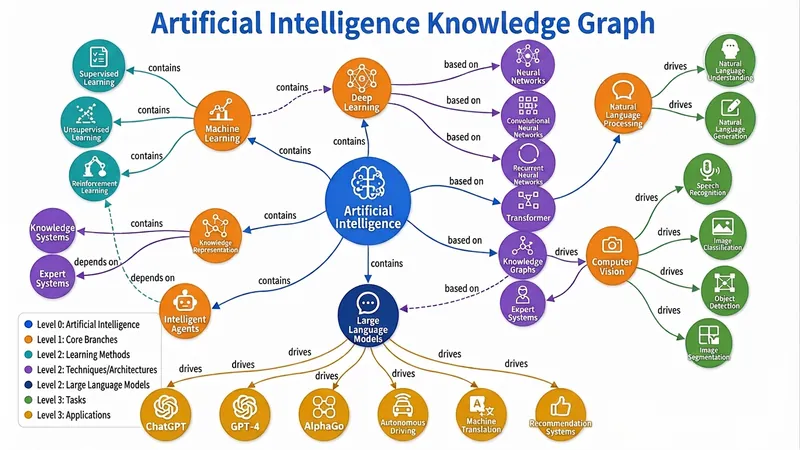
Knowledge Graph Engine
Automatically build five types of diagrams (Knowledge Graph, Mind Map, Concept Map, Flowchart/Architecture Diagram, Relation Diagram) from text, files, or topics, and output an interactive web page, static image, and visualization code all in one — a triple-threat solution built to the highest standards. Combines best practices from knowledge graph engineering and information visualization, supporting dynamic granularity control, disambiguation and deduplication, and multi-source cross-validation. Turn your words, files, or even a thought into a draggable, zoomable, searchable interactive knowledge graph in seconds, and export high-definition images and ready-to-use code with one click — this is the knowledge visualization "triple-threat" engine you've never experienced before. 🧠 What is the Knowledge Graph Engine? It's not the simple drawing tool you've seen before. It's a knowledge engineer + visualization expert hidden in your browser. Give it a textbook passage, a thesis, a PDF, or just a keyword, and it will automatically: 🔍 Extract core entities and clarify deep relationships 🧱 Build structured graph JSON (Knowledge Graph / Mind Map / Concept Map / Flowchart / Relation Diagram) 🎨 Output three top-tier forms: interactive web page + high-definition static image + Markdown/Mermaid/Graphviz code From now on, information organization doesn't rely on manual box drawing, and knowledge presentation is no longer just a static picture. ⚡ Why is it "top-tier"? 1. Fully automatic "text-to-graph" pipeline: No need to learn any modeling language or manually define nodes and connections. Just input content, and the engine automatically determines the graph type: Subject knowledge system? → Generates a semantically rich knowledge graph Reading notes deconstruction? → Generates a clear hierarchical mind map Process and decision? → Generates a flowchart/architecture diagram with branches Character relationship network? → Generates a multi-dimensional relation diagram Even if you just throw a topic word, it can independently gather information, fill in the content, and then generate the graph. 2. Triple-threat output covering all use cases: 🖱️ Interactive D3.js web page: Drag nodes, scroll to zoom, click for details, highlight related paths, keyword search... like operating a living map. Single-file HTML, no backend, can be embedded directly into any page or sent to anyone. 🖼️ High-definition static graph: Force-directed layout, color-coded categories, directly usable for thesis illustrations, PPT presentations, teaching materials — every label is sharp and readable. 📜 Visualization code: Generates both Mermaid and Graphviz source code simultaneously. Developers can directly insert into documentation, wiki, Notion, with unlimited expandability for secondary editing. 3. Ultimate user experience design: 🎨 Colors automatically mapped by entity type, hierarchy expressed intuitively by node size 🔗 Relationship labels displayed directly on curves — instantly see 'contains', 'causes', 'supports' 💡 Click any node, non-related parts auto-fade to focus on the thought path 🔄 Reset layout, search positioning, zoom and pan... all operations smooth as silk 4. Engineering wisdom balancing 'breadth' and 'depth': From entity disambiguation and deduplication to multi-source cross-validation; from hierarchical granularity control to dotted-line connections supporting cross-domain relationships — behind this are the best practices of knowledge graph engineering, not a toy but a productivity tool. 👥 Who needs it most? Teachers & Educational Content Creators: Turn entire textbook chapters into an interactive knowledge map — students click to understand concept relationships. Researchers & Students: Literature reviews no longer rely on text walls — one diagram clarifies the theoretical threads of dozens of papers. Product Managers & Enterprise Architects: System architecture, business processes, feature breakdown — instantly generate architecture diagrams, doubling communication efficiency. Readers & Lifelong Learners: Notes are no longer just outlines but explorable thought networks, letting knowledge truly 'grow' together. 🚀 Now, let your knowledge 'come alive' You give content, it gives insights. You give a topic, it gives a system. You give a requirement, it gives a complete deliverable of web pages, images, and code. This is not a feature; it's a workflow that elevates information into cognition. Let the Knowledge Graph Engine become an extension of your thinking, visualize your expertise, and reach every audience's 'aha moment.' — From today, don't 'draw' graphs, 'generate' graphs.
 Research
Multi-Source Mind Map 2.0
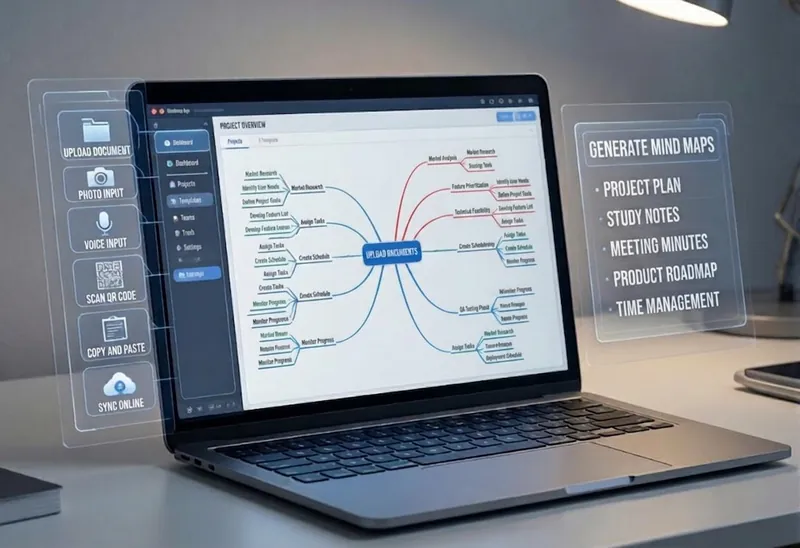
Turn complex documents, web pages, or long text into clearly structured visual mind maps with one click. Whether it's academic papers, course materials, or technical documents, this tool intelligently extracts core topics and multi-level knowledge points, helping you quickly clarify the logical structure. Through in-depth content analysis of the input source, it automatically identifies section structure and key details, generating a well-organized knowledge system. This tool supports generating mind maps in multiple styles, including professional educational tree diagrams (PlantUML format) and intuitive center-radial diagrams (Mermaid format). You can directly get SVG images viewable in a browser, along with the corresponding source code files. This means you can quickly preview the results and also import the source code into XMind, FreeMind, or a Markdown editor for further editing and in-depth processing. Simply upload a PDF, Word, or text file, or provide a web link, to transform a large amount of information into a visual knowledge map. It's ideal for study notes, structured paper reading, and brainstorming presentations, making knowledge organization and sharing more efficient and professional.
 Image
ImageOne Text, One Visual
Have you saved lots of articles but still struggle to find the key points at a glance? Give it an article, note, or clearly defined topic that you have permission to use. It will organize the information around one question and present it as a hand-drawn-style diagram. The first version focuses on method steps and operational workflows. You’ll get: ① A knowledge diagram with clear steps, conditions, and reading order. ② Copyable text, including the title, nodes, and key explanations. ③ A source checklist that preserves the original evidence and items requiring confirmation. ④ Short sharing copy to make it easy to post with the image. It won’t depict parallel content as causal, omit key conditions, or invent performance data. When there is too much content, it will narrow the topic first while preserving readable type size and whitespace for mobile viewing. Creating the final image requires access to an image or drawing tool in the current environment. If no tool is available, it will clearly state that the image has not been generated and preserve the complete image-ready draft. Image-generation usage is subject to the platform’s rules at the time. Suitable for study organization, knowledge sharing, and adapting content for social media. It does not publish on your behalf or guarantee traffic. The sample image uses a newly created article and local drawing tools; it is not a YouMind runtime screenshot.
Information
- Version
- v4
- Last updated
- Runtime credits
- Usage-based
- Models
- Auto
