leowang的AI世界
 Image
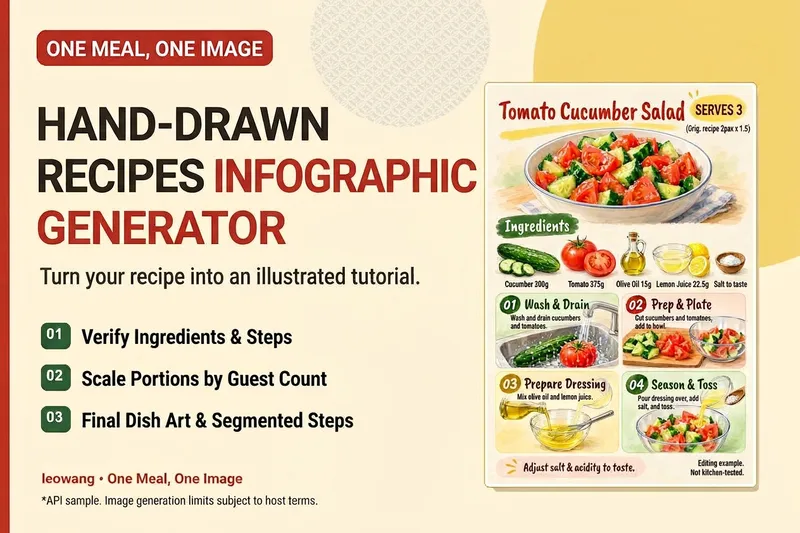
ImageOne Meal, One Image | Illustrated Recipe
Turn your signature dish into a hand-drawn recipe that’s easy to follow and worth saving. One Meal, One Image organizes the ingredients and cooking steps, scales the quantities for the specified number of servings, and designs an illustration of the finished dish, a prep checklist, and step-by-step cards. It also checks whether any step suddenly introduces an ingredient that wasn’t listed, helping prevent recipe details from being lost in the visuals. Ideal for food content creators, organizing family recipes, and turning your own or authorized recipes into tutorial graphics. Warm paper watercolor is the default art style, but you can also specify your preferred colors and layout. When an image-generation tool is available, it generates and reviews the image. Without one, it delivers complete copy, layout, and prompts. Recipe scaling is not a substitute for kitchen testing; unclear parts of the original recipe are flagged for confirmation, and calories or success rates are never made up. Adaptation and product design: leowang. Based on a long-form image method licensed under the MIT License, with the necessary copyright notice retained.
 Image
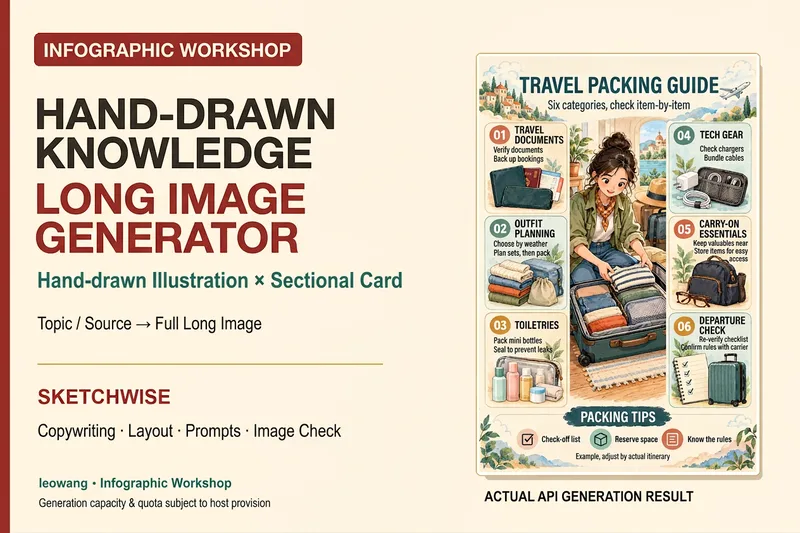
ImageIllustrated Knowledge Infographic
Want to turn a piece of knowledge into a vertical infographic with illustrations, organized sections, and a top-to-bottom reading flow? Illustrated Knowledge Infographic organizes text from a topic, article, or notes; designs the main illustration, knowledge cards, and bottom summary bar; and provides complete image-generation prompts. When an image-generation tool is available, it generates the image and then checks the text, missing content, and layout. It supports reference images for composition and color palettes, Chinese or other languages, and layouts such as processes, comparisons, and modular cards. It can be designed for everyday knowledge, study methods, or work instructions; traditional Chinese and warm paper hand-drawn styles are optional. It is suitable for social media creators, educators and trainers, and knowledge-content creators. Actual image generation depends on the host tool and available credits. Without image-generation capabilities, it clearly delivers a design draft and prompts rather than presenting them as an image. Adaptation and product design: leowang. Adapted from baoyu-infographic under the MIT License, with the necessary copyright notice retained.
 Research
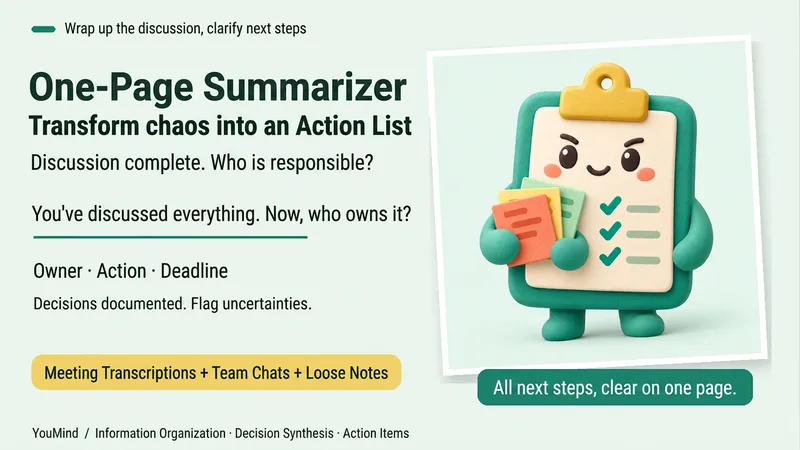
One-Page Action Planner
The meeting is over, the chat has filled several screens, yet nothing is moving forward. Bring in meeting transcripts, chat logs, scattered notes, or multiple documents, and the One-Page Action Planner will organize them into one page: the current situation, decided items, blockers, and who will do what next—and when. Each action includes an owner, timing, status, and source. Agreed decisions are preserved, personal suggestions are marked separately, and conflicting information or missing owners and dates are labeled “To confirm.” It will not make decisions for the team just to fill in a table. Useful for post-meeting follow-up, project handoffs, organizing multiple sources, and personal planning. It ends by highlighting one question that most urgently needs confirmation, making the next step clearer. Supports text and attachments, screenshots, audio transcripts, and links that the current platform can read; when something cannot be read, it will say so clearly. “One page” refers to a compact reading structure; the actual length varies with the complexity of the materials.
 Image
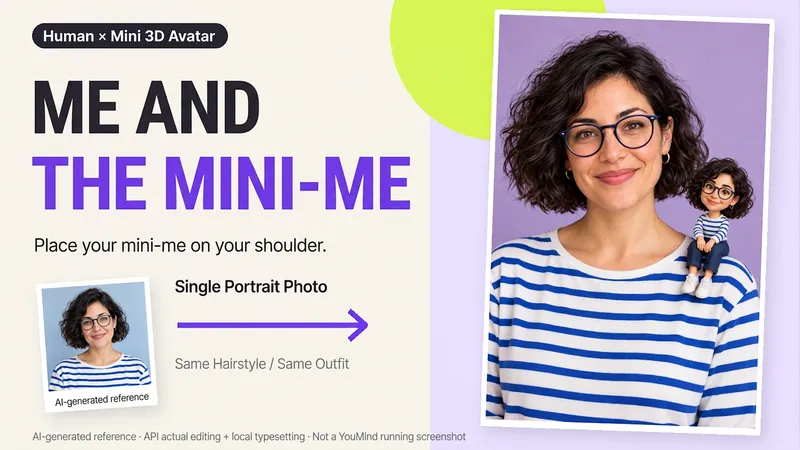
ImageMe and My Mini Me
What would it look like to have a tiny version of yourself sitting on your shoulder? Upload a clear photo of one person to create a creative portrait featuring the real person alongside a mini 3D double. One keeps the look of a photograph, while the other becomes a detailed little designer toy, with matching hair, glasses, and outfit so the two forms feel connected. What you can get: ① Shoulder companion: By default, the double sits on your shoulder, with you and your mini self looking at the camera together. ② Matching features: Focuses on visible details from the reference, including hairstyle, glasses, accessories, clothing colors, and patterns. ③ Clean final image: Defaults to a 2:3 vertical format, a soft studio background, and no text—one image to start. ④ Further adjustments: Ask to change the background or adjust the double’s size or pose, with priority given to continuing the version you already approved. Great for personal profiles, birthday keepsakes, and social sharing. The double is an artistic miniature version of the same person, not a real parent-and-child photo. You can also create fictional characters from text. The final image depends on the image tools and usage available on the current platform. Generative editing may change details of the person; exact preservation of the original photo, 100% likeness, and flawless hand structure are not guaranteed. If the tool is unavailable, this will be stated clearly and a complete prompt will be provided.
 Image
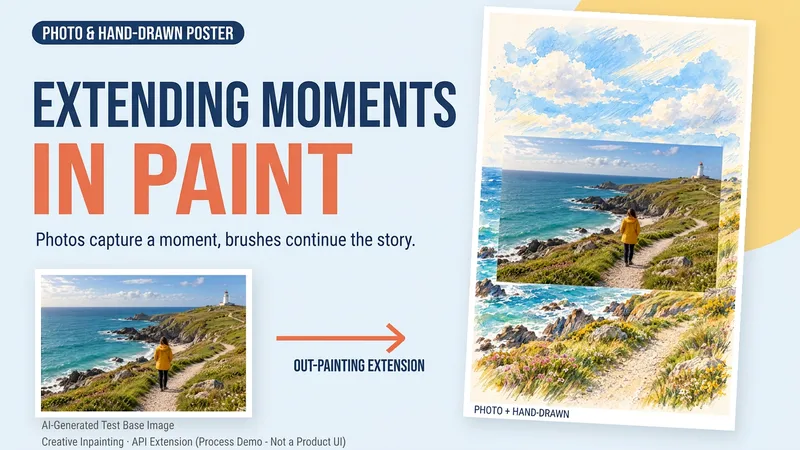
ImageDraw That Day | Photo Poster
Some photos deserve another page. Upload a travel, walking, or everyday photo to create a keepsake poster where the photo meets hand-drawn scenery. The photo preserves that moment, while watercolor and colored pencil continue the scene beyond its edges. You can get: ① A keepsake poster: 2:3 portrait format by default, with a warm paper texture and no text. ② A grounded extension: starting from the sky, coast, road, or room in your photo, hand-drawn elements echo the original setting. ③ A note about photo preservation: when compositing is supported, the photo layer can be retained; with generative editing only, details may change, and this will be explained. ④ An optional short caption: use a sentence, location, or date you provide to preserve a little of how you felt at the time. Suitable for travel memories, everyday keepsakes, and social sharing. One image by default; it does not automatically create a full storybook. The scene beyond the photo is an artistic creation, not a recreation of the actual surroundings. Generation and compositing depend on the platform's current image tools and usage limits. We do not promise that the original photo will remain completely unchanged using a generative model alone. If the tools are unavailable, this will be stated clearly and a complete prompt will be provided.
 Image
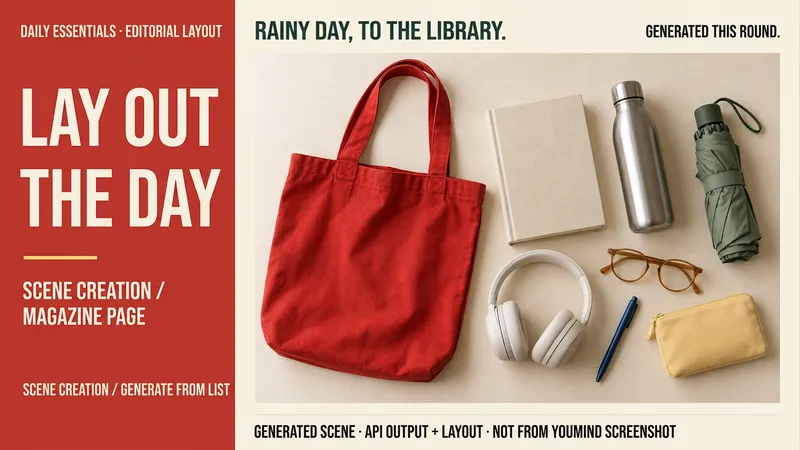
ImageLay Out Your Everyday
Rainy days at the library, weekend city walks, a short getaway… your everyday life can have a magazine-worthy look. Tell me a life scene, or share an item list and reference image, and I’ll create a story-driven overhead still-life image: a bag, book, headphones, and water bottle, each with its own place and texture. Here’s how you can use it: ① Scene creation: Start with one sentence and pair it with 6–8 fitting items, clearly labeled as a fictional scene. ② List-based arrangement: Generate an image using the items and quantities you provide, without adding props at random. ③ Visual design: Straight overhead view, natural light, and a balanced rhythm of density and open space. The default is text-free, vertical 3:4. ④ Targeted edits: Change items, background color, or aspect ratio while preserving as much of the approved image as possible. Great for lifestyle sharing, travel inspiration, and personal content images. One image is generated by default; you can request a landscape, square, or other visual style. Actual generation depends on the image tools and usage limits available on the current platform. Item counts, structure, logos, and small packaging text may vary, so product-level exact replication is not guaranteed. If the tool is unavailable, this will be stated clearly and a complete prompt will be provided. Usage is calculated according to the platform’s rules at the time.
 Image
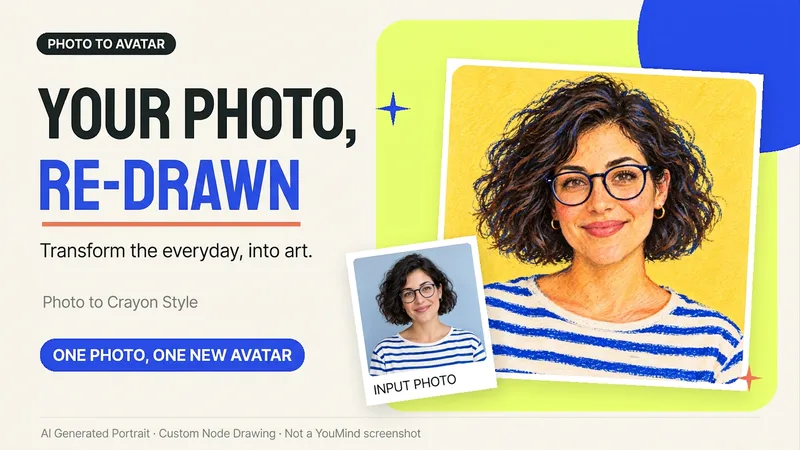
ImagePhoto to Hand-Drawn Avatar
Want a hand-drawn avatar while keeping your hairstyle, glasses, and distinctive expression? Upload a clear photo of one person, then choose a warm crayon or cool marker style to create a square avatar for WeChat, social accounts, and personal homepages. You can also start without choosing a style; warm crayon is used by default. You can get: ① One hand-drawn avatar: clean background, head-and-shoulders composition, and no text by default. ② Preserved features: focuses on the hairstyle, glasses, face shape, and noticeable accessories to reduce a generic look. ③ Avatar-friendly composition: designed for circular cropping and recognizability at small sizes; when supported by the tool, the thumbnail and circular preview are checked. ④ Targeted edits: when changing the background, expression, or accessories, the previously approved version is prioritized for continuity. Photo conversion is supported, as is creating fictional avatars from text descriptions. Delivery is one image by default; a full sticker pack is not generated automatically. The final image and edits depend on the image tools and usage limits available on the current platform, and exact consistency of personal features is not guaranteed. If an image cannot be generated, this will be stated clearly and a copyable conversion prompt will be provided; the prompt will not be presented as a finished avatar. Usage is calculated according to the platform's rules at the time.