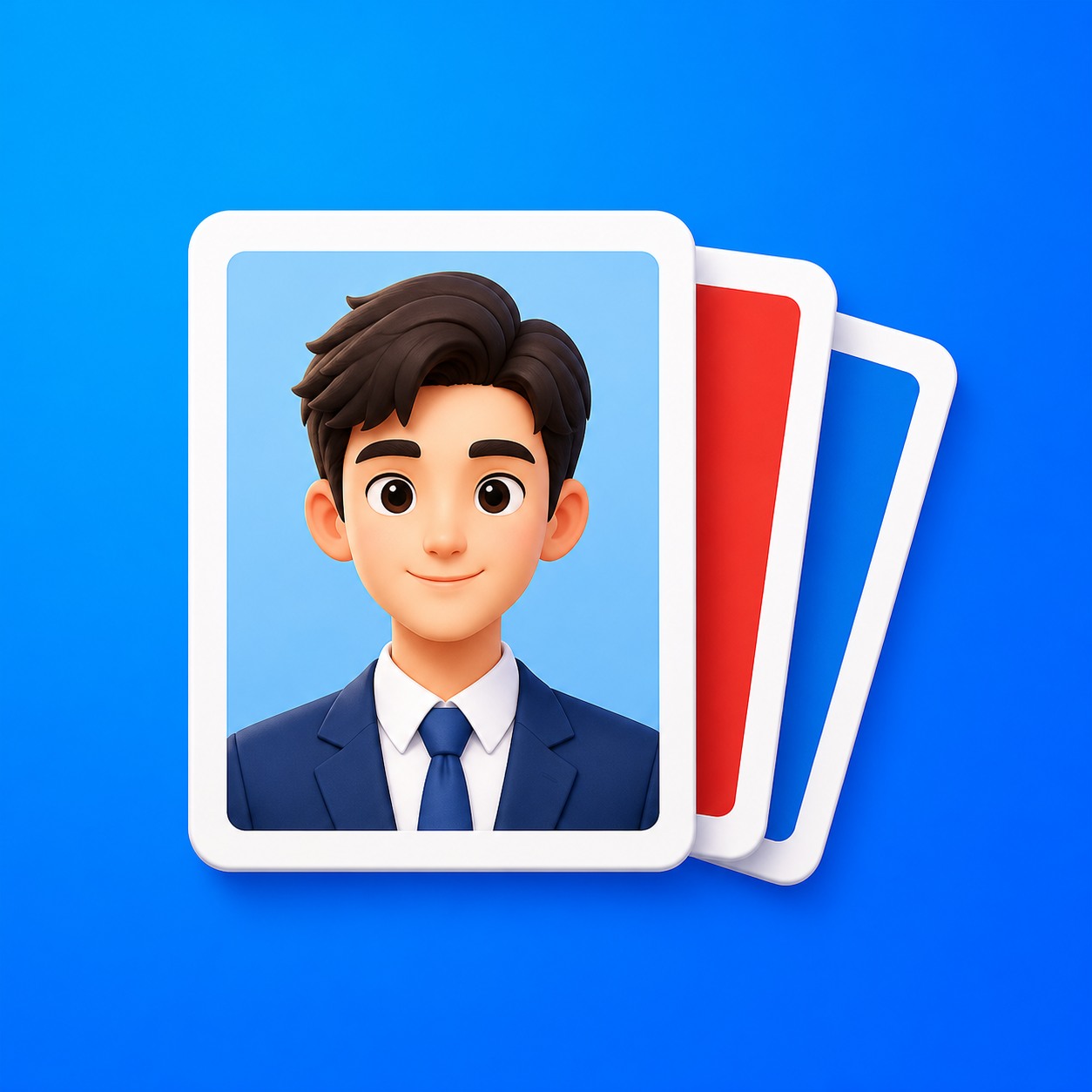
Polished ID Photos
Formalize selfies, swap outfits, fix old IDs
Description
Recommended by
淡苍
Why we love this skill
Turn selfies or old ID photos into natural, compliant one-inch ID photos while preserving identity and facial features. Also supports background, outfit, size, and print-layout changes, including temporary drapes and unsuitable necklines.
Just upload one clear photo—no need to specify a purpose or parameters first. Selfies and casual snapshots can be turned into formal one-inch photos with a blue background. You can also upload a separate clothing photo as an outfit reference, or adjust the background color, lighting, crop, and dimensions of an existing ID photo. Once you’re satisfied with the first image, create white-background, red-background, two-inch, specified-pixel, or six-inch print layouts as needed, avoiding a pile of images you don’t need.
Related Skills
View all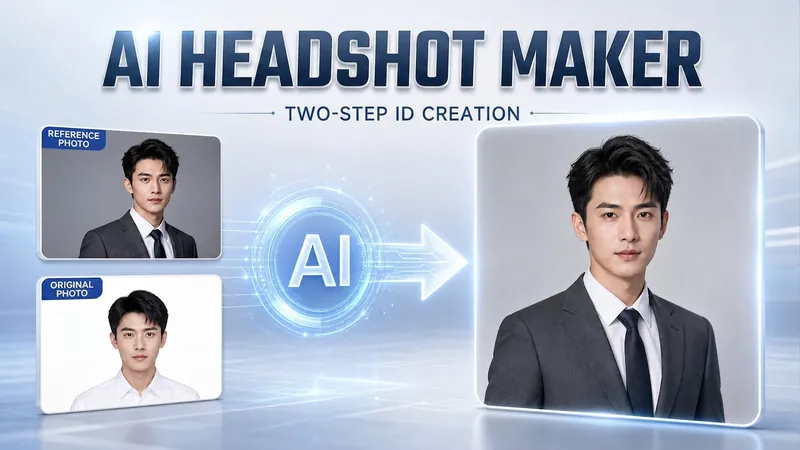 Image
ImagePortrait Freedom-2-Step Prompt
Generate a high-end portrait that is uniquely yours from a single reference image. Many people creating AI portraits upload a selfie and say 'Generate a high-end professional headshot for me,' but often end up with a face that doesn't look like them, a style that is template-like and generic, plastic-looking skin, and makeup and clothing that don't match their personality. The root problem is asking the AI to simultaneously guess 'what you look like' and 'what style to use'—it fails at both. This skill breaks it down into two stable steps: First, you provide a single reference image (professional headshot, magazine portrait, black-and-white film, modern Chinese style, etc.). Instead of immediately generating an image, the AI deconstructs its 'photographic language' like a photographer—analyzing lighting, composition, focal length, background, color palette, mood, and texture—and then writes two complete prompt sets for male and female versions separately. Clothing, makeup, hairstyle, and pose are all written differently by gender, fundamentally avoiding disasters like 'putting a man in a silk camisole.' Second, you choose your set of prompts and pair it with a clear photo of yourself: the reference image handles the style, while your photo handles the identity—preserving your face shape, features, age perception, and expression, then applying the professional photographic quality from the reference. The result is a portrait that is unmistakably you with a cinematic quality. The reference image controls the style, your photo controls the identity—it's that simple. Changing the reference image changes the direction. ID photos, professional headshots, magazine covers, black-and-white film—one workflow handles them all, completely eliminating the homogeneity and plastic feel of AI portraits. Target audience: professionals needing a headshot/ID photo/personal brand portrait, social media influencers, job seekers, and anyone who wants a high-end portrait that is truly their own.
 Image
ImageTurn Photos into Art Posters
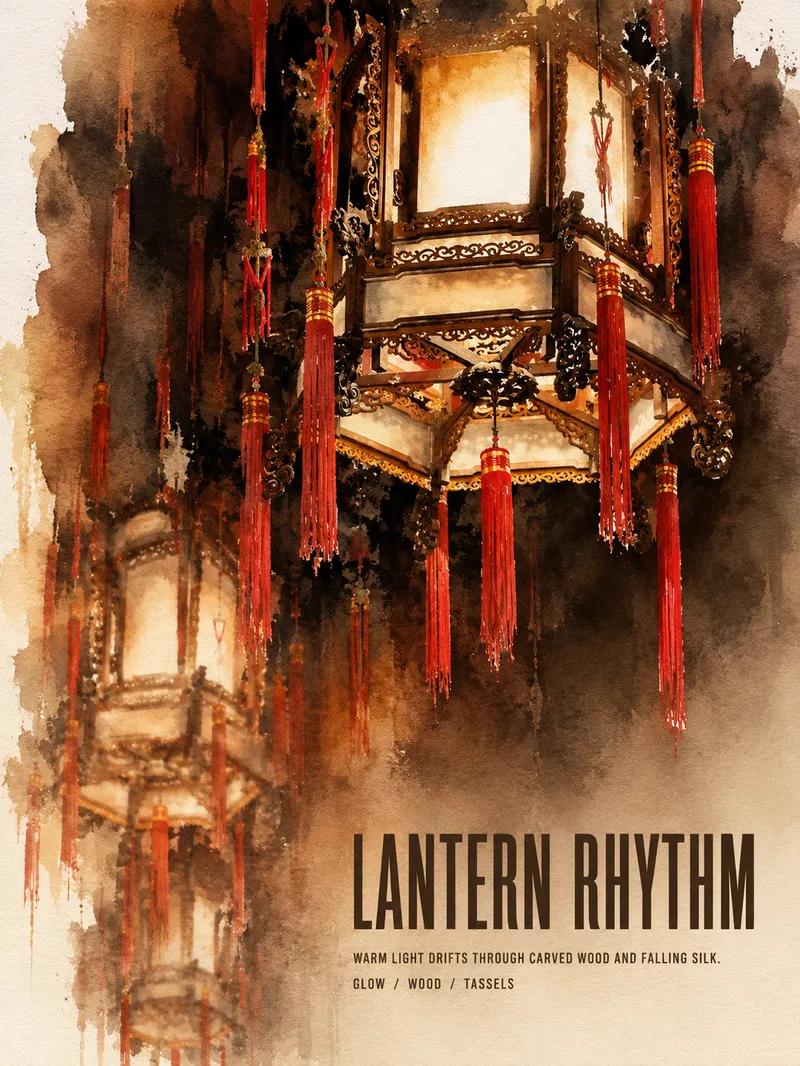
Upload a photo of a person, pet, building, travel scene, street view, vehicle, product, still life, or everyday moment. The Skill first identifies the details that matter most to preserve, then automatically selects an artistic approach—such as translucent watercolor, coarse screen printing, knife-mark rubbing, impasto, or conceptual collage—based on the composition, colors, lighting, and mood. It rearranges the subject’s scale, negative space, material field, and English headline so text and imagery weave together naturally, generating a 3:4 vertical art poster with a clear visual focal point and collectible appeal. You can also specify the artistic material, an English or Chinese title, aspect ratio, color direction, mood, intended use, or a text-free mode. If you don’t specify, the Skill will decide automatically and generate the poster directly.
 Image
ImageAI Style Quick Diagnosis V3.0
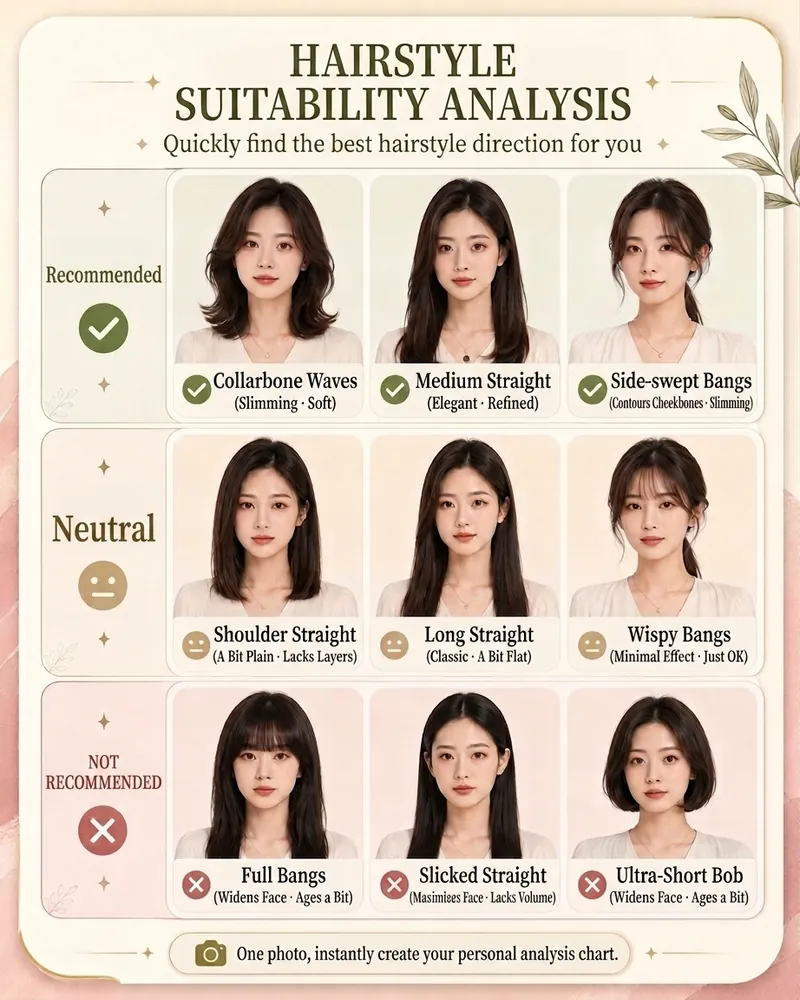
Save hundreds to thousands of dollars in trial and error costs by buying three fewer unsuitable outfits. Upload a photo to quickly identify the top 3 image issues to address first. Can't choose a hairstyle, don't know how to match colors, or worried about buying the wrong jewelry? Upload a photo to quickly generate your AI Style Quick Diagnosis Card Pro. The system will provide clear, intuitive analysis results across four modules: hairstyle, makeup, color, and jewelry, helping you quickly find a personal style that suits you better. No complex tests needed—just one photo for a visual reference, perfect for everyday beauty improvement, self-enhancement, and image management.
Polished ID Photos
Formalize selfies, swap outfits, fix old IDs
Description
Recommended by
淡苍
Why we love this skill
Turn selfies or old ID photos into natural, compliant one-inch ID photos while preserving identity and facial features. Also supports background, outfit, size, and print-layout changes, including temporary drapes and unsuitable necklines.
Just upload one clear photo—no need to specify a purpose or parameters first. Selfies and casual snapshots can be turned into formal one-inch photos with a blue background. You can also upload a separate clothing photo as an outfit reference, or adjust the background color, lighting, crop, and dimensions of an existing ID photo. Once you’re satisfied with the first image, create white-background, red-background, two-inch, specified-pixel, or six-inch print layouts as needed, avoiding a pile of images you don’t need.
Related Skills
View allImagePortrait Freedom-2-Step Prompt
Generate a high-end portrait that is uniquely yours from a single reference image. Many people creating AI portraits upload a selfie and say 'Generate a high-end professional headshot for me,' but often end up with a face that doesn't look like them, a style that is template-like and generic, plastic-looking skin, and makeup and clothing that don't match their personality. The root problem is asking the AI to simultaneously guess 'what you look like' and 'what style to use'—it fails at both. This skill breaks it down into two stable steps: First, you provide a single reference image (professional headshot, magazine portrait, black-and-white film, modern Chinese style, etc.). Instead of immediately generating an image, the AI deconstructs its 'photographic language' like a photographer—analyzing lighting, composition, focal length, background, color palette, mood, and texture—and then writes two complete prompt sets for male and female versions separately. Clothing, makeup, hairstyle, and pose are all written differently by gender, fundamentally avoiding disasters like 'putting a man in a silk camisole.' Second, you choose your set of prompts and pair it with a clear photo of yourself: the reference image handles the style, while your photo handles the identity—preserving your face shape, features, age perception, and expression, then applying the professional photographic quality from the reference. The result is a portrait that is unmistakably you with a cinematic quality. The reference image controls the style, your photo controls the identity—it's that simple. Changing the reference image changes the direction. ID photos, professional headshots, magazine covers, black-and-white film—one workflow handles them all, completely eliminating the homogeneity and plastic feel of AI portraits. Target audience: professionals needing a headshot/ID photo/personal brand portrait, social media influencers, job seekers, and anyone who wants a high-end portrait that is truly their own.
ImageTurn Photos into Art Posters
Upload a photo of a person, pet, building, travel scene, street view, vehicle, product, still life, or everyday moment. The Skill first identifies the details that matter most to preserve, then automatically selects an artistic approach—such as translucent watercolor, coarse screen printing, knife-mark rubbing, impasto, or conceptual collage—based on the composition, colors, lighting, and mood. It rearranges the subject’s scale, negative space, material field, and English headline so text and imagery weave together naturally, generating a 3:4 vertical art poster with a clear visual focal point and collectible appeal. You can also specify the artistic material, an English or Chinese title, aspect ratio, color direction, mood, intended use, or a text-free mode. If you don’t specify, the Skill will decide automatically and generate the poster directly.
ImageAI Style Quick Diagnosis V3.0
Save hundreds to thousands of dollars in trial and error costs by buying three fewer unsuitable outfits. Upload a photo to quickly identify the top 3 image issues to address first. Can't choose a hairstyle, don't know how to match colors, or worried about buying the wrong jewelry? Upload a photo to quickly generate your AI Style Quick Diagnosis Card Pro. The system will provide clear, intuitive analysis results across four modules: hairstyle, makeup, color, and jewelry, helping you quickly find a personal style that suits you better. No complex tests needed—just one photo for a visual reference, perfect for everyday beauty improvement, self-enhancement, and image management.
Find your next favorite skill
Explore more curated AI skills for research, creation, and everyday work.