
WeChat Layout Engine v2.0
Paste article, get WeChat layout in 30s.
Description
Paste your article, get a beautifully formatted WeChat layout in 30 seconds. 🔹 Intelligently identifies 7 article types (Tech, Emotion, Business, Education, Lifestyle, News, Growth) and automatically matches a unique visual style. 🔹 Title color blocks, quote highlights, data emphasis, and bold key points – generate professional layout with one click. 🔹 Select all and copy to paste into the WeChat editor with formatting fully preserved. 🔹 Markdown + inline style rendering, say goodbye to layout garbled text and formatting failures. After opening, paste the article text or @reference the document, select a layout style, and start. Survey-style interaction, complete in 3 steps, zero learning curve. Version 2.0, after 3 rounds of deep optimization, 7 stable style outputs, five ironclad rules ensure zero rendering errors.
Related Skills
View all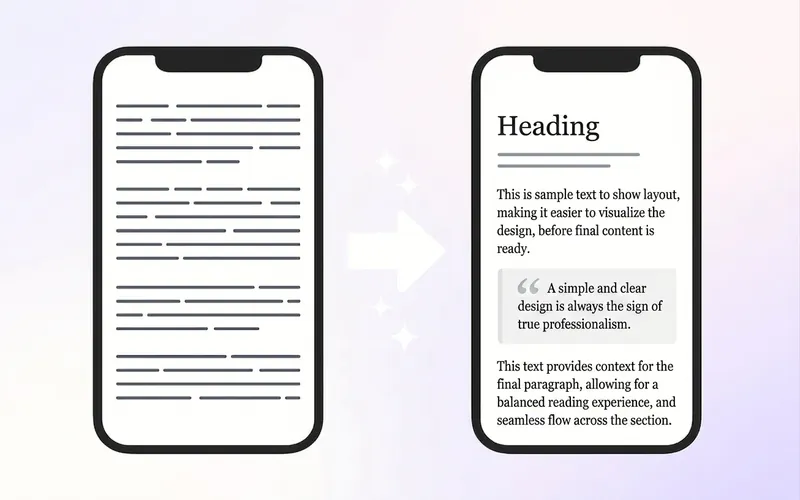
WeChat Post Formatter
Upload Markdown, plain text, or dictated drafts, and automatically deliver 3 ready-to-use outputs: ① HTML pasteable into WeChat Official Account, ② mobile long-image preview, ③ pre-publish check report. It doesn't just apply templates—it first restructures the reading hierarchy: separate subheadings, break long paragraphs, extract key quote cards, control bold density, then match a style from 6 professional bases. On first use, you can create a "Brand Style Profile" that records the Official Account name, primary and secondary colors, heading and quote styles, byline, and footer. Subsequent articles automatically reuse this to maintain visual consistency across the account. Before publishing, two rounds of checks are performed: first, check heading hierarchy, paragraphs, and content fidelity; second, check WeChat compatibility, including inline CSS, narrow screen overflow, garbled text, tables, images, and dangerous tags. Issues are fixed before delivery to reduce style loss and rework after pasting. Suitable for knowledge accounts, personal IP, industry analysis, reading notes, and branded content teams. Companion tools: For infographics in text, use "Infographic Maker"; to publish one article across multiple platforms, use "一鱼多吃 五平台分发器".
WeChat Article Formatter
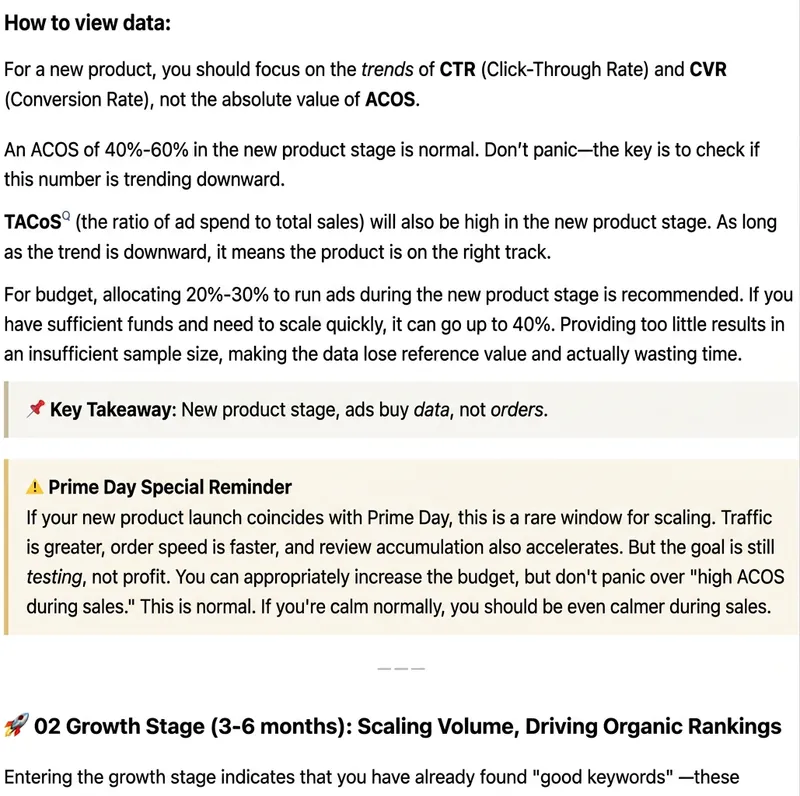
Paste plain text, Markdown, web body text, or existing HTML, and it will automatically recognize the article structure and generate beautiful formatting suitable for WeChat Official Accounts. Supports styles: Minimalist Reading, Knowledge Card, Business Professional, Warm Life, Tech Future, and New Media Magazine. You can either format the entire article in one click, or fine-tune headings, whitespace, key highlights, quotes, lists, and ending CTA while preserving the body. Output uses WeChat-compatible inline HTML, ideal for content operators, brand teams, knowledge bloggers, and corporate accounts.
 Webpage
Black-Gray Numbered Long Form
1. Automatically apply article content to the theme's WeChat official account formatting template, generating a preview webpage with a 'Copy Rich Text' button. After copying, the content can be pasted directly into the WeChat official account editor, preserving all formatting styles. Note: Due to WeChat editor limitations, images need to be added manually. 2. Different models may produce varying quality.
WeChat Layout Engine v2.0
Paste article, get WeChat layout in 30s.
Description
Paste your article, get a beautifully formatted WeChat layout in 30 seconds. 🔹 Intelligently identifies 7 article types (Tech, Emotion, Business, Education, Lifestyle, News, Growth) and automatically matches a unique visual style. 🔹 Title color blocks, quote highlights, data emphasis, and bold key points – generate professional layout with one click. 🔹 Select all and copy to paste into the WeChat editor with formatting fully preserved. 🔹 Markdown + inline style rendering, say goodbye to layout garbled text and formatting failures. After opening, paste the article text or @reference the document, select a layout style, and start. Survey-style interaction, complete in 3 steps, zero learning curve. Version 2.0, after 3 rounds of deep optimization, 7 stable style outputs, five ironclad rules ensure zero rendering errors.
Related Skills
View allWeChat Post Formatter
Upload Markdown, plain text, or dictated drafts, and automatically deliver 3 ready-to-use outputs: ① HTML pasteable into WeChat Official Account, ② mobile long-image preview, ③ pre-publish check report. It doesn't just apply templates—it first restructures the reading hierarchy: separate subheadings, break long paragraphs, extract key quote cards, control bold density, then match a style from 6 professional bases. On first use, you can create a "Brand Style Profile" that records the Official Account name, primary and secondary colors, heading and quote styles, byline, and footer. Subsequent articles automatically reuse this to maintain visual consistency across the account. Before publishing, two rounds of checks are performed: first, check heading hierarchy, paragraphs, and content fidelity; second, check WeChat compatibility, including inline CSS, narrow screen overflow, garbled text, tables, images, and dangerous tags. Issues are fixed before delivery to reduce style loss and rework after pasting. Suitable for knowledge accounts, personal IP, industry analysis, reading notes, and branded content teams. Companion tools: For infographics in text, use "Infographic Maker"; to publish one article across multiple platforms, use "一鱼多吃 五平台分发器".
WeChat Article Formatter
Paste plain text, Markdown, web body text, or existing HTML, and it will automatically recognize the article structure and generate beautiful formatting suitable for WeChat Official Accounts. Supports styles: Minimalist Reading, Knowledge Card, Business Professional, Warm Life, Tech Future, and New Media Magazine. You can either format the entire article in one click, or fine-tune headings, whitespace, key highlights, quotes, lists, and ending CTA while preserving the body. Output uses WeChat-compatible inline HTML, ideal for content operators, brand teams, knowledge bloggers, and corporate accounts.
WebpageBlack-Gray Numbered Long Form
1. Automatically apply article content to the theme's WeChat official account formatting template, generating a preview webpage with a 'Copy Rich Text' button. After copying, the content can be pasted directly into the WeChat official account editor, preserving all formatting styles. Note: Due to WeChat editor limitations, images need to be added manually. 2. Different models may produce varying quality.
Find your next favorite skill
Explore more curated AI skills for research, creation, and everyday work.