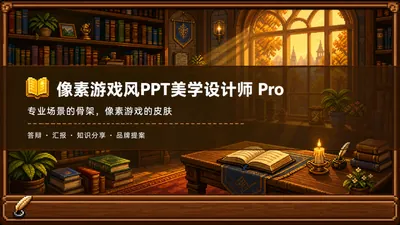
Pixel Game Style PPT Aesthetics Designer Pro
Construct the skeleton of a professional scene and dress it up with the skin of a pixel game.
Featured by
Nico@YouMind
Why we love this skill
This skill skill cleverly blends the rigorous structure of professional PowerPoint presentations with the aesthetics of 16-bit pixelated games, offering two workflows: "Direct Generation" and "Fine Mode," allowing your presentations to be both in-depth and creative.
Description
Who says professional PPTs have to be white backgrounds with black text, blue-gray color schemes, and monotonous templates? If you love games, adore pixel art, and happen to need to prepare a presentation, report, knowledge sharing session, or brand proposal—then you absolutely must try this. Pixel Game Style PPT Aesthetics Designer Pro does something simple: the skeleton remains true to professional standards, while the skin remains true to pixel art. It doesn't create a "pixel-style creative PPT," but rather a professional PPT that's presentable in any professional setting—it's just dressed in the aesthetics of 16-bit pixel games. Core design philosophy: separation of skeleton and skin. Information architecture, visual flow, and page templates adhere to professional standards for the scene; colors, borders, icons, and decorations adhere to universal pixel game aesthetics. Text is never pixelated, ensuring readability in 0.8 seconds; pixel elements only appear in backgrounds, borders, icons, and ambient decorations. It doesn't use any game-specific symbols, only cross-game universal symbols—candles, books, coins, stars, hearts, crystals—making it usable by everyone who loves pixel art. 🎮 How to use it? Two modes, choose according to your needs: ① Direct Generation Mode (2 steps): Input topic/materials → AI-extracted framework confirmation → Full image generation. Suitable for everyday scenarios where time is tight and text content requirements are not high. ② Fine-grained Mode (3 steps, saves points): Input topic/materials → AI-extracted framework confirmation → Page-by-page text confirmation → Full image generation. Finalize each page of text first, then generate images all at once—avoiding the waste of points by "finishing the text after the image is generated and having to start over." Use this for important occasions, as it allows for precise content control and saves money. 🏰 Four professional scenarios with adaptive penetration depth: Academic Defense—Primarily shallow penetration, with medium penetration on the cover, and deep penetration of anchor points on the data pages. Judges can understand it at a glance, and they will be impressed when they turn to the key pages. Work Report—Shallow penetration + medium penetration on indicator pages, and risk pages are not pixelated. The boss sees professionalism, and colleagues remember the style. Knowledge Sharing—Primarily medium penetration + deep penetration of synthetic formulas. Replace dry flowcharts with "synthetic recipes," making knowledge points as memorable as game items. Brand Proposal—Adapts to your brand's emotional tone. Cool-toned brands use restrained pixelation, warm-toned brands embrace specific scenarios. 🎨 What will you get? ① A complete pixel-style professional PPT (YouMind Slides format, which allows for further text editing, layout adjustments, and page order management in the online editor—modify anytime if you're not satisfied. It's recommended to complete all editing within YouMind and export as an image). ② A pixelated wooden three-layer border system (#5C3A1E outer ring + #8B5E3C inner ring + #F5E6D3 fill, providing a unified visual language throughout). ③ A unique crafting recipe infographic (material grid → crafting circle → finished product grid, replacing traditional flowcharts, providing visual anchors instantly recognizable to RPG players). ④ A four-scene adaptive pacing (not cramming every page with pixels, but using varying degrees of intensity). ⑤ A dual-mode design (generate directly for daily use, refine for important occasions, finalize the draft before outputting the image to save points). 399 points to give your professional content a 16-bit armor. Those who love pixel art know how much this armor is worth.
Related Skills
View all Slides
White Space | Minimalist PPT
"White Space" is a Skill specifically designed to generate minimalist research report slides. Upload Word, PDF, web pages, data tables, research materials, or old PPTs, and it will convert them into an editable PPT with a cool white background, black-gray text, generous white space, thin line separators, and a touch of deep red accents. It automatically completes: · Reading and organizing raw materials · Extracting core conclusions from the report · Building a complete presentation storyline · Generating conclusion-style titles with one point per page · Redrawing native editable data charts · Unifying fonts, colors, margins, and page grids · Controlling text and chart density per page · Adding page numbers, dates, and data sources · Outputting actually editable Slides By default, it uses a 16:9 aspect ratio, with visual features including: · Cool white background · Black-gray text · Single deep red accent color · All left-aligned · Generous white space · Minimalist architectural geometry · At most two fonts throughout · Charts and shapes are fully editable Suitable for industry research, market analysis, business presentations, strategic plans, course reports, graduation defenses, and management reports. Simply upload your materials and describe the presentation scenario to generate a clean, professional, directly editable and presentable minimalist PPT.
 Slides
Hand-Drawn Whiteboard Slides
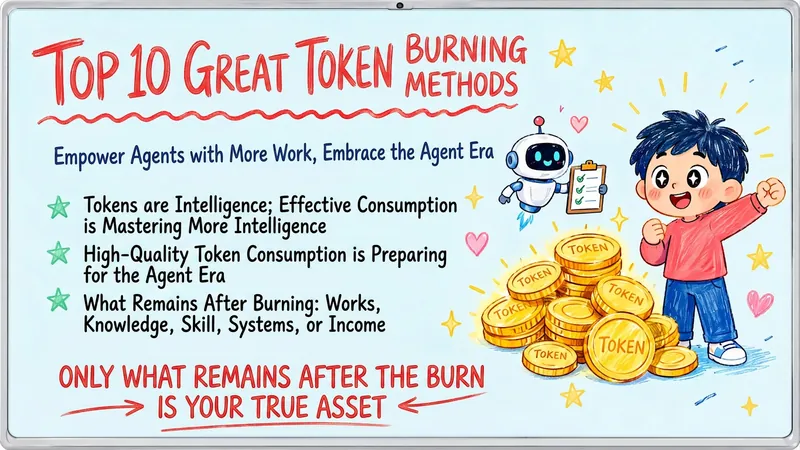
Transform your topic content, articles, knowledge points, or course copy into a set of creative and warm hand-drawn whiteboard style Slides. Whether you need to present key ideas, teaching content, or share personal insights, we can refine them and present them in a fresh, lively visual form. This skill excels at simplifying complex information. Each Slide revolves around a core topic, accompanied by vivid hand-drawn illustrations and clear, concise key points. We simulate the feel of a teacher writing on a digital whiteboard in class, using a light blue screen background, red and blue handwritten titles, and hand-drawn elements like stars and hearts to make learning and sharing more fun and engaging. Whether it's quote interpretation, method steps, science popularization, parent-child education, inspirational growth, or AI technology topics, this skill automatically matches the most suitable visual expression. The final Slides will be in 16:9 landscape format, with natural handwriting-style fonts, soft colors, and a unified overall style, making your content both professional and approachable, like warm and interesting knowledge cards.
Pine & Ink Line Drawing - Dark
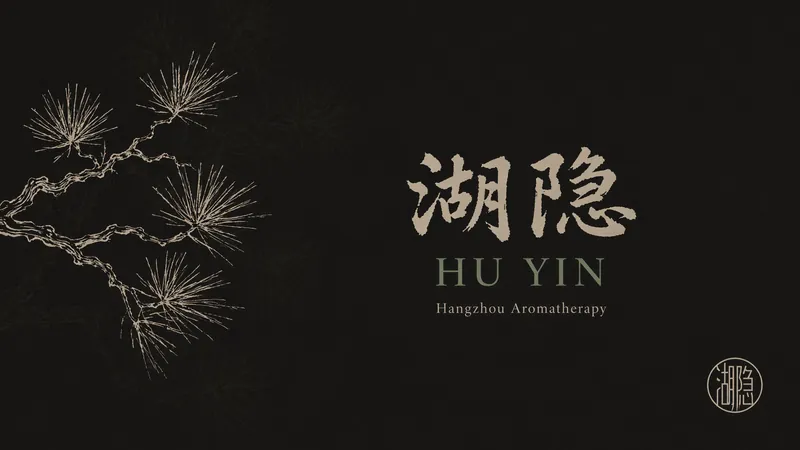
Creates elegant slides with oriental dry line ink art on a unified dark background. All pages use dark tones with light text and classical painting/botanical textures.
Pixel Game Style PPT Aesthetics Designer Pro
Construct the skeleton of a professional scene and dress it up with the skin of a pixel game.
Featured by
Nico@YouMind
Why we love this skill
This skill skill cleverly blends the rigorous structure of professional PowerPoint presentations with the aesthetics of 16-bit pixelated games, offering two workflows: "Direct Generation" and "Fine Mode," allowing your presentations to be both in-depth and creative.
Description
Who says professional PPTs have to be white backgrounds with black text, blue-gray color schemes, and monotonous templates? If you love games, adore pixel art, and happen to need to prepare a presentation, report, knowledge sharing session, or brand proposal—then you absolutely must try this. Pixel Game Style PPT Aesthetics Designer Pro does something simple: the skeleton remains true to professional standards, while the skin remains true to pixel art. It doesn't create a "pixel-style creative PPT," but rather a professional PPT that's presentable in any professional setting—it's just dressed in the aesthetics of 16-bit pixel games. Core design philosophy: separation of skeleton and skin. Information architecture, visual flow, and page templates adhere to professional standards for the scene; colors, borders, icons, and decorations adhere to universal pixel game aesthetics. Text is never pixelated, ensuring readability in 0.8 seconds; pixel elements only appear in backgrounds, borders, icons, and ambient decorations. It doesn't use any game-specific symbols, only cross-game universal symbols—candles, books, coins, stars, hearts, crystals—making it usable by everyone who loves pixel art. 🎮 How to use it? Two modes, choose according to your needs: ① Direct Generation Mode (2 steps): Input topic/materials → AI-extracted framework confirmation → Full image generation. Suitable for everyday scenarios where time is tight and text content requirements are not high. ② Fine-grained Mode (3 steps, saves points): Input topic/materials → AI-extracted framework confirmation → Page-by-page text confirmation → Full image generation. Finalize each page of text first, then generate images all at once—avoiding the waste of points by "finishing the text after the image is generated and having to start over." Use this for important occasions, as it allows for precise content control and saves money. 🏰 Four professional scenarios with adaptive penetration depth: Academic Defense—Primarily shallow penetration, with medium penetration on the cover, and deep penetration of anchor points on the data pages. Judges can understand it at a glance, and they will be impressed when they turn to the key pages. Work Report—Shallow penetration + medium penetration on indicator pages, and risk pages are not pixelated. The boss sees professionalism, and colleagues remember the style. Knowledge Sharing—Primarily medium penetration + deep penetration of synthetic formulas. Replace dry flowcharts with "synthetic recipes," making knowledge points as memorable as game items. Brand Proposal—Adapts to your brand's emotional tone. Cool-toned brands use restrained pixelation, warm-toned brands embrace specific scenarios. 🎨 What will you get? ① A complete pixel-style professional PPT (YouMind Slides format, which allows for further text editing, layout adjustments, and page order management in the online editor—modify anytime if you're not satisfied. It's recommended to complete all editing within YouMind and export as an image). ② A pixelated wooden three-layer border system (#5C3A1E outer ring + #8B5E3C inner ring + #F5E6D3 fill, providing a unified visual language throughout). ③ A unique crafting recipe infographic (material grid → crafting circle → finished product grid, replacing traditional flowcharts, providing visual anchors instantly recognizable to RPG players). ④ A four-scene adaptive pacing (not cramming every page with pixels, but using varying degrees of intensity). ⑤ A dual-mode design (generate directly for daily use, refine for important occasions, finalize the draft before outputting the image to save points). 399 points to give your professional content a 16-bit armor. Those who love pixel art know how much this armor is worth.
Related Skills
View allSlidesWhite Space | Minimalist PPT
"White Space" is a Skill specifically designed to generate minimalist research report slides. Upload Word, PDF, web pages, data tables, research materials, or old PPTs, and it will convert them into an editable PPT with a cool white background, black-gray text, generous white space, thin line separators, and a touch of deep red accents. It automatically completes: · Reading and organizing raw materials · Extracting core conclusions from the report · Building a complete presentation storyline · Generating conclusion-style titles with one point per page · Redrawing native editable data charts · Unifying fonts, colors, margins, and page grids · Controlling text and chart density per page · Adding page numbers, dates, and data sources · Outputting actually editable Slides By default, it uses a 16:9 aspect ratio, with visual features including: · Cool white background · Black-gray text · Single deep red accent color · All left-aligned · Generous white space · Minimalist architectural geometry · At most two fonts throughout · Charts and shapes are fully editable Suitable for industry research, market analysis, business presentations, strategic plans, course reports, graduation defenses, and management reports. Simply upload your materials and describe the presentation scenario to generate a clean, professional, directly editable and presentable minimalist PPT.
SlidesHand-Drawn Whiteboard Slides
Transform your topic content, articles, knowledge points, or course copy into a set of creative and warm hand-drawn whiteboard style Slides. Whether you need to present key ideas, teaching content, or share personal insights, we can refine them and present them in a fresh, lively visual form. This skill excels at simplifying complex information. Each Slide revolves around a core topic, accompanied by vivid hand-drawn illustrations and clear, concise key points. We simulate the feel of a teacher writing on a digital whiteboard in class, using a light blue screen background, red and blue handwritten titles, and hand-drawn elements like stars and hearts to make learning and sharing more fun and engaging. Whether it's quote interpretation, method steps, science popularization, parent-child education, inspirational growth, or AI technology topics, this skill automatically matches the most suitable visual expression. The final Slides will be in 16:9 landscape format, with natural handwriting-style fonts, soft colors, and a unified overall style, making your content both professional and approachable, like warm and interesting knowledge cards.
Pine & Ink Line Drawing - Dark
Creates elegant slides with oriental dry line ink art on a unified dark background. All pages use dark tones with light text and classical painting/botanical textures.
Find your next favorite skill
Explore more curated AI skills for research, creation, and everyday work.