
WeChat Post Card Studio
Turn a topic into an original visual set
WeChat Post Card Studio
Turn a topic into an original visual set
Showcase
Description
Want to create WeChat visual content but not sure how to combine topic selection, copywriting, and layout? Enter a topic, a note, or reference material, and WeChat Post Card Studio will organize the content, design the visuals, and create an original visual post set optimized for mobile reading. Core features: • Topic planning: Refine broad directions into specific content angles. • Visual set generation: By default, four standalone images—a cover, two content cards, and a summary card. • Multiple styles: Warm white hand-drawn, clean knowledge cards, and humorous comics. • Series consistency: Keep the colors, fonts, characters, and reading rhythm consistent. • Reference design: Analyze general characteristics of a reference image and recreate the content and layout. • Publishing support: Provide three title options, a short caption, natural engagement questions, and page-by-page copy. • Targeted revisions: Adjust the text, colors, or visuals as requested. Suitable for creators focused on everyday observations, emotional expression, workplace communication, practical checklists, and accessible knowledge. By default, it generates a cover preview first and continues with the full set after confirmation. You can also explicitly request all images at once. The default format is 3:4 portrait and can be adjusted to fit your publishing needs. AI-generated text, facts, and images still require human review. Image generation, search, and output dimensions depend on the capabilities available on your account. No guarantees are made regarding traffic, follower growth, or revenue, and content is not automatically published to WeChat.
Recommended by
Dancang
Why we love this skill
Turns a topic into a complete WeChat image-post workflow, with consistent visuals, page copy, titles, and publishing text for mobile-first series content.
Related Skills
View all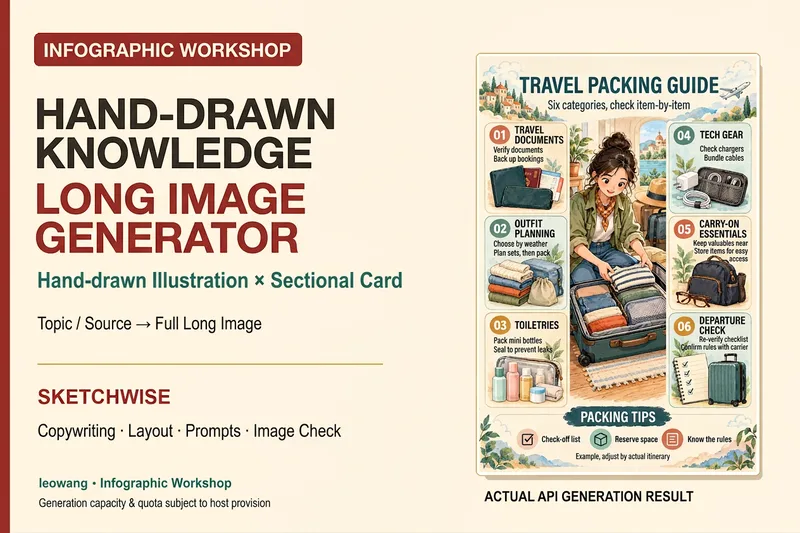 Image
ImageIllustrated Knowledge Infographic
Want to turn a piece of knowledge into a vertical infographic with illustrations, organized sections, and a top-to-bottom reading flow? Illustrated Knowledge Infographic organizes text from a topic, article, or notes; designs the main illustration, knowledge cards, and bottom summary bar; and provides complete image-generation prompts. When an image-generation tool is available, it generates the image and then checks the text, missing content, and layout. It supports reference images for composition and color palettes, Chinese or other languages, and layouts such as processes, comparisons, and modular cards. It can be designed for everyday knowledge, study methods, or work instructions; traditional Chinese and warm paper hand-drawn styles are optional. It is suitable for social media creators, educators and trainers, and knowledge-content creators. Actual image generation depends on the host tool and available credits. Without image-generation capabilities, it clearly delivers a design draft and prompts rather than presenting them as an image. Adaptation and product design: leowang. Adapted from baoyu-infographic under the MIT License, with the necessary copyright notice retained.
 Image
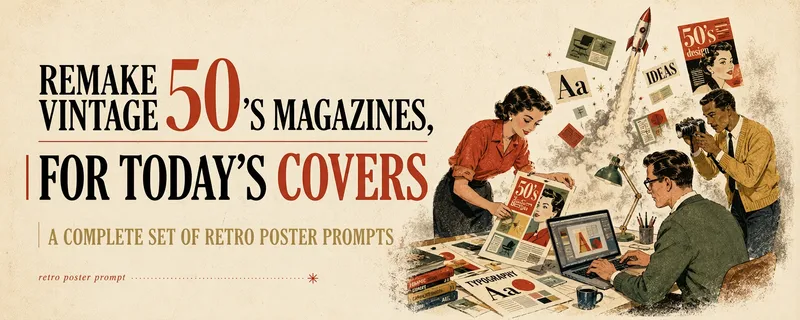
ImageMulti-Platform Cover Design
Turn articles, notes, topics, or long-form text into stylized covers ready for publishing and sharing, balancing title readability, content recognition, and memorable visual metaphors. Supports Xiaohongshu, WeChat Official Accounts, X, and custom aspect ratios. It works for single covers and can also create separate compositions for clearly specified multi-size requirements, avoiding simple cropping or stretching. The skill extracts the title, topic, visual subject, audience, emotion, and contextual background from your content. It then combines these insights with visual styles suited to covers or posters to generate a complete cover prompt ready for AI image generation. Title hierarchy, typography, color, materials, negative space, and the relationship between text and imagery are handled consistently around the selected style, making the result feel more like a designed editorial cover than a generic illustration or templated poster. If you have not provided a publishing platform or visual style, it first asks about the required dimensions and recommends three suitable styles based on your content. Once the details are clear, it continues with generation. You can choose to generate the cover directly or receive only a polished prompt, making it suitable for content creators, editors, and teams that need to adapt covers in batches for social platforms.
 Image
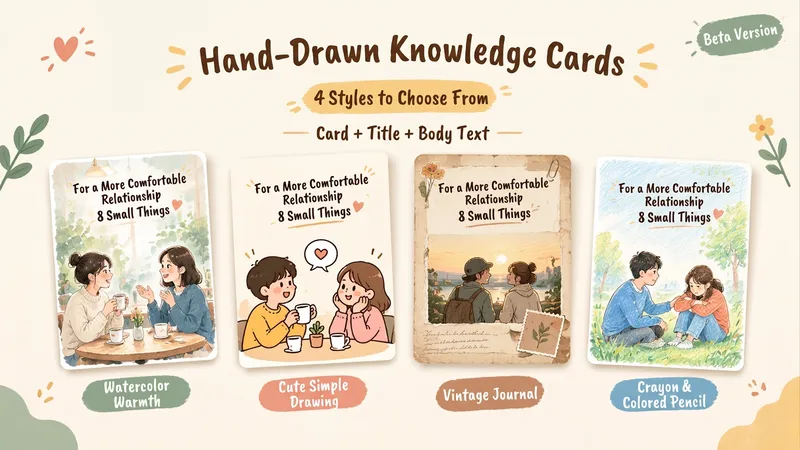
ImageHand-Drawn Knowledge Cards | 4 Styles
This Skill helps you turn a topic and reference content into a 2:3 vertical Chinese hand-drawn knowledge card, complete with a title, body copy, and hashtags for posting. Choose from four visual styles: warm watercolor, cute simple line art, vintage journal, or crayon and colored pencil. It first shows sample images for you to choose from. Once selected, you can reuse the same series settings for the next card and continue with a new topic. Ideal for visual-content creators who regularly share knowledge about relationships, emotions, personal growth, and everyday life. You’ll receive a card PNG, post copy, editable text, series settings, and records of checks for text, content, and layout readability.
Information
- Version
- v3
- Last updated
- Runtime credits
- Usage-based
- Models
- Auto
