
Image Generation Grandmaster
Extract and test reusable visual rules
Image Generation Grandmaster
Extract and test reusable visual rules
Showcase
Description
If you want to extract production-ready image-generation Skills from reference images on YouMind in one streamlined process, this is the grandmaster-level option. Creating a new Skill costs around 300 credits, turning you into an image-generation Skill-making machine and helping you avoid Skills that cost thousands. With reference images, you can build what you need yourself. Personally tested and effective; see the task examples for details. It distills the visual mechanisms in reference images into reusable, testable image-generation Skills. The subject can change while the composition, spatial logic, material appearance, and visual hierarchy are preserved, rather than simply copying the original image. It is suited to creators and teams that need to establish a consistent visual style, reuse design principles, or evaluate existing generation Skills. Use it to compile visual rules, test existing Skills, calibrate based on feedback, run historical regressions, and publish versions. It clearly identifies the scope of application, fixed invariants, adjustable variables, adaptation rules, and common failure modes. It also distinguishes between an image that is high quality and one that truly preserves the visual mechanism, helping you identify why a generated result has deviated from the underlying rules. The final results may include a structured visual specification, an independent Skill, a test plan or audit report, along with calibration patches, regression results, and release records. When image generation or visual inspection is unavailable, complete test prompts are retained and the pending-verification status is clearly indicated. Once confirmed, rules, failure diagnoses, and version information can continue to be recorded in YouMind for future maintenance and reuse.
Best for
For creators and teams who want to reuse visual rules consistently, build image-generation Skills, or evaluate existing Skills.
How to use this Skill
Provide your input
Provide reference images and describe the visual rules you want to reuse. For testing or calibration, you may also provide an existing Skill and relevant feedback.
Run the Skill
Analyze composition, spatial relationships, materials, and visual hierarchy in the reference images. Organize them into reusable rules and prepare testing, calibration, or version records as needed.
Review your result
Get a structured visual specification, a standalone reusable image-generation Skill, and a test plan or audit report. If images cannot be generated or checked, the status will be marked as pending verification.
Related Skills
View all
9D Visual Deconstruction
Break down one or more infographics, data visualizations, flowcharts, timelines, maps, knowledge graphs, and organizational charts into reusable visual and information structures. Understand precisely why an image is organized the way it is and reconstruct a similar communicative effect. The skill examines spatial composition, dimensionality and materials, color hierarchy, typography and layout, and module relationships, while also identifying chart encodings, reading paths, visual-symbol metaphors, and geographic or network relationships—so the analysis goes beyond simply describing what the style resembles. You will receive a parameterized visual deconstruction covering the canvas and compositional logic, visual hierarchy, text density, module topology, ways of expressing data and relationships, and the narrative flow within the image. For statistical charts, maps, and relationship networks, the output focuses on how data is mapped to visual variables such as color, position, size, connecting lines, and nodes. For complex subject-specific visuals, it further organizes the coordinated relationships among graphics, text, and metaphor systems. Based on this analysis, the skill generates detailed, clearly structured English image-generation prompts suitable for infographic recreation, visual research, design reference, brand content exploration, and concept development. Whether you provide an existing image or an idea for a theme and visual direction, you will receive prompts aimed at reproducing the underlying structure—not just a vague description of the style.
Idea to Infographic
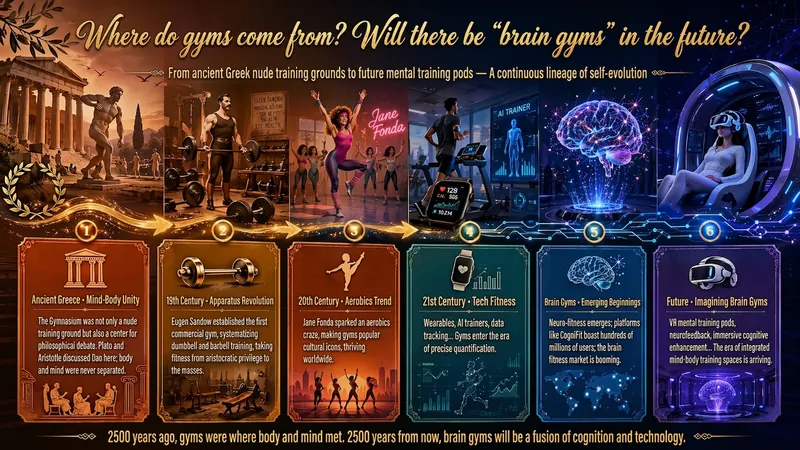
A single image, a single sentence is all it takes. Have you ever had this experience—you have a great idea and want to turn it into an infographic like the ones big accounts post, but: - Open an AI image tool, rewrite prompts over and over, and the result either has terrible layout or completely mismatched style. - Tried several prompt templates, each requiring three or four adjustments, and half an hour later you're still not done. - Want styles like financial literacy, Chinese classic, science, tech... each time you have to research colors and layouts from scratch. Now you don't have to. 「Idea to Infographic」automates all of this: You say "make an emotion management infographic," and it decides whether to use a warm Chinese style or a healing scientific style, searches and organizes core knowledge points, breaks them into 6-8 module cards, assembles the optimal prompt, and quality-checks—if it fails, it automatically redoes; if it passes, it hands it right to you. Four killer capabilities, all built-in: 🧠 **Style Engine** — Not a rigid four-choice. If your topic matches financial literacy, it automatically goes with deep blue gold; if it matches Chinese classics, it uses rice paper and ink; if it matches technology, it uses cyan neon. For topics outside these four? It automatically synthesizes a new style. Coffee encyclopedia → food warm tones; exercise and fitness → vibrant orange gray. No style it can't handle. 🔍 **Content Brain** — You give a word, it searches the web to fill out content; you give a paragraph, it extracts the core; you give nothing but a topic, it organizes everything clearly. All three input methods are supported—the simpler, the more effortless. 📐 **Layout Adviser** — Progressive ladders, side-by-side comparisons, causal chains, overarching-subcategory radiation... Five logical patterns automatically matched. Not just stuffing text into an image, but actually designing an infographic. ✅ **Self-Inspection** — After generating, it automatically checks layout, text density, image-to-text ratio, and style match. If there's an issue, it adjusts and regenerates, up to two times. You don't need to know how to write prompts; you just need to know how to speak. **Who is this Skill for?** - Social media creators who need to produce images daily but don't want to learn design. - Knowledge commerce creators who want to visualize course content but lack a designer. - Corporate trainers who need professional infographics but lack budget for outsourcing. 🔍 - Anyone who wants to turn an idea into a great image. In a word: You have the idea, it has the image. All the hassle in between, it handles for you.
Skill Designer
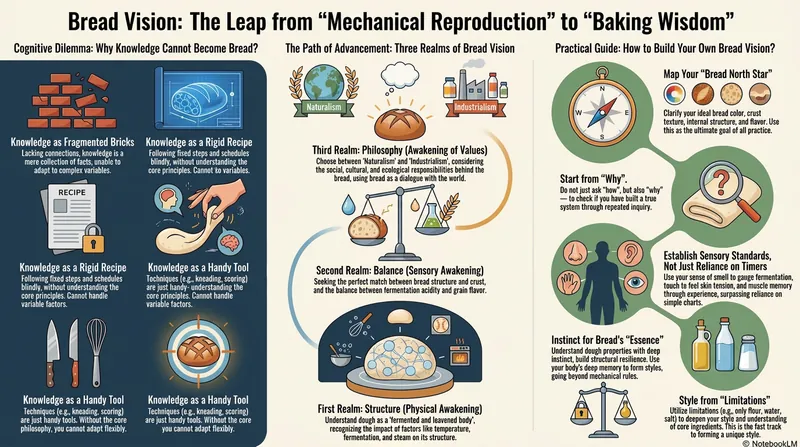
Can't write a Skill? Just describe it in a sentence. Skill Designer is a 'Skill that teaches you to write Skills' — it uses a 7-layer meta-framework (Intent Definition → Input Classification → Workflow Design → Tool Strategy → Output Specification → Constraints and Boundaries → Composability & Testing) to turn your vague idea into a well-structured, immediately executable YouMind Skill. It supports two paths: Design from Scratch (describe your idea, it automatically asks for missing info, runs through the 7 layers, and directly creates the Skill) and Review & Improve (send an existing Skill draft, and it diagnoses issues layer by layer with improvement suggestions). When information is insufficient, it asks follow-up questions and offers choices rather than open-ended questions, reducing the effort to respond. Finally, it directly calls createSkill to create a usable Skill, no manual instruction writing needed. Ideal for creators who want to turn their experience into skills but don't know where to start.
Information
- Version
- v6
- Last updated
- Runtime credits
- Usage-based
- Models
- Auto
- Use cases
- Images & designResearch & analysis
- What you get
- ReportDocumentPlan
