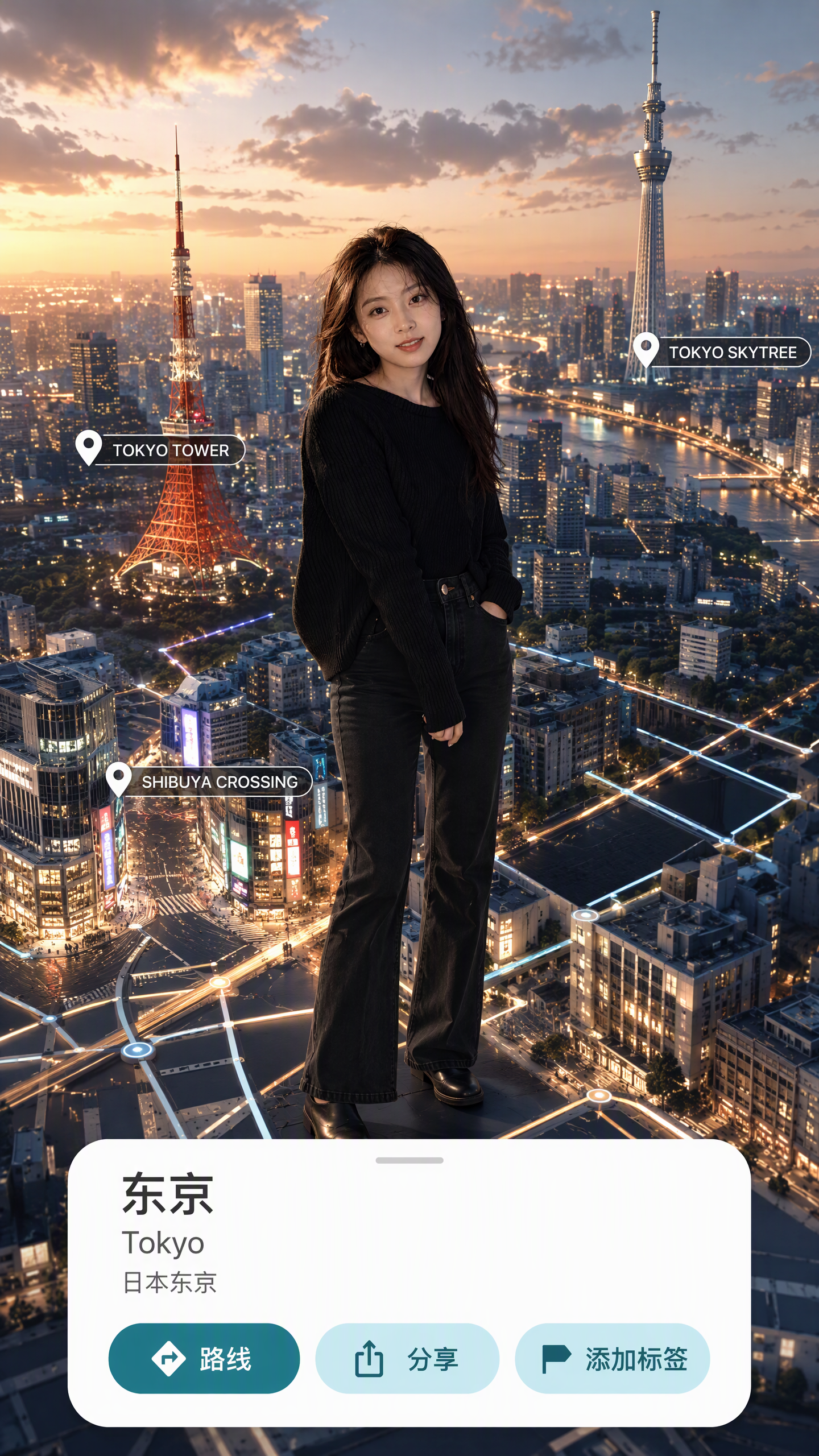
(Trending) Portrait to 3D Map
Turn a portrait and place into a 3D map video
(Trending) Portrait to 3D Map
Turn a portrait and place into a 3D map video
Showcase
Description
Turn one portrait and a city or place into a vertical portrait-to-3D-map short video with a memorable visual hook. The skill first arranges the person into a 9:16 opening frame with a white background, while preserving facial features, clothing, pose, and identity as closely as possible. If you specify that the original background, composition, or reference style should be retained, it will follow those requirements. If the photo or place is missing, it will ask you to confirm first. The finished video uses a rotating camera move for a natural transition: the person starts on a white background, then transitions into a 3D city map with dimensional buildings, illuminated road networks, and landmarks, ending on a clear location interface. The video can show English landmark labels, the place name in Chinese, its English name, and country and city information—ideal for travel sharing, personal introductions, city check-ins, and short-video openings. Before generating the video, it shows the required credit cost and waits for confirmation. The default output is an approximately 6-second, 9:16 vertical video. After completion, it checks character consistency, transition smoothness, map depth, and text clarity. When needed, it holds the ending on a readable location interface and saves the editable final video as “Place · Portrait 3D Map Transition.”
Recommended by
Dancang
Why we love this skill
Connects a portrait and destination in one polished 3D map transition—from a white-background full-body opening through landmark search to a labeled location card, with character consistency and quality checks.
Related Skills
View all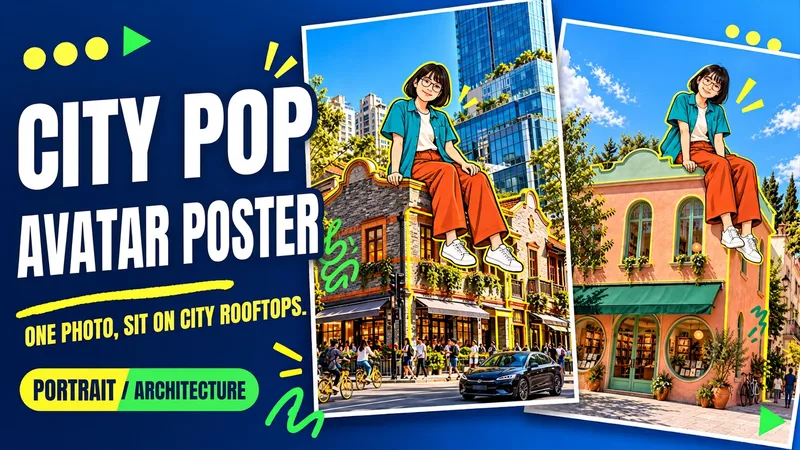 Image
ImageUrban Pop Double
Upload a photo of yourself and provide a city, landmark, or building image to create a personalized Urban Pop poster. In a realistic street scene, a giant cartoon double that preserves cues from your hairstyle, glasses, and outfit sits on a rooftop. Bright yellow architectural outlines, bold city lettering, and colorful graffiti give travel and everyday photos a trendier visual expression. Choose from three starting options: a person photo plus a city name; a person photo plus a landmark name; or a person photo plus a building image. Without a city name, you can also create an untitled poster centered on the building you provide. The default format is 3:4 portrait, with options to change the aspect ratio, title, props, and pose. After generation, check the person’s features, the building’s appearance, the sitting support, and the text, then revise any issues. Requires an image generation or editing environment that supports reference images. The person is reinterpreted as a cartoon, and the pose is reconstructed, so photo-level identity consistency is not guaranteed. Display materials feature original AI-generated fictional people and buildings; city examples are AI-generated photography-style street scenes. Availability and usage costs depend on the actual platform.
 Image
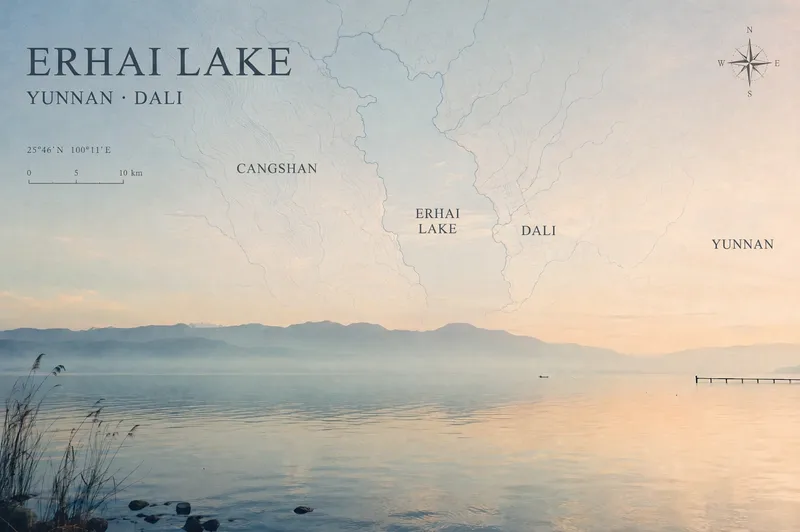
ImageTravel Photo Map Poster
Turn a travel photo into a map poster with geographic information and an independent magazine sensibility, while preserving the original subject, colors, lighting, composition, and aspect ratio. Simply provide a photo and shooting location, and the poster will use real local terrain to select map elements such as coastlines, lake shorelines and waterways, urban streets and lanes, or mountain-ridge contours. These elements are layered into negative space such as the sky, sea, or walls to avoid covering the main subject. The poster includes a title, subtitle, and a small number of real place names in the local official language, along with a refined compass rose, scale bar, and a small red dot marking the approximate shooting area. When location information is unreliable, precise coordinates are not fabricated. The overall design uses low-saturation, light-colored linework, natural fade-outs, and a subtle paper-print texture for a restrained, clean Travel Map Poster / Travel Zine style. It is suitable for preserving travel memories, creating destination keepsake posters, or adding map-based storytelling to landscape, architectural, and urban photography. After generation, you can further fine-tune the map’s opacity, scale, title placement, and font style as needed.
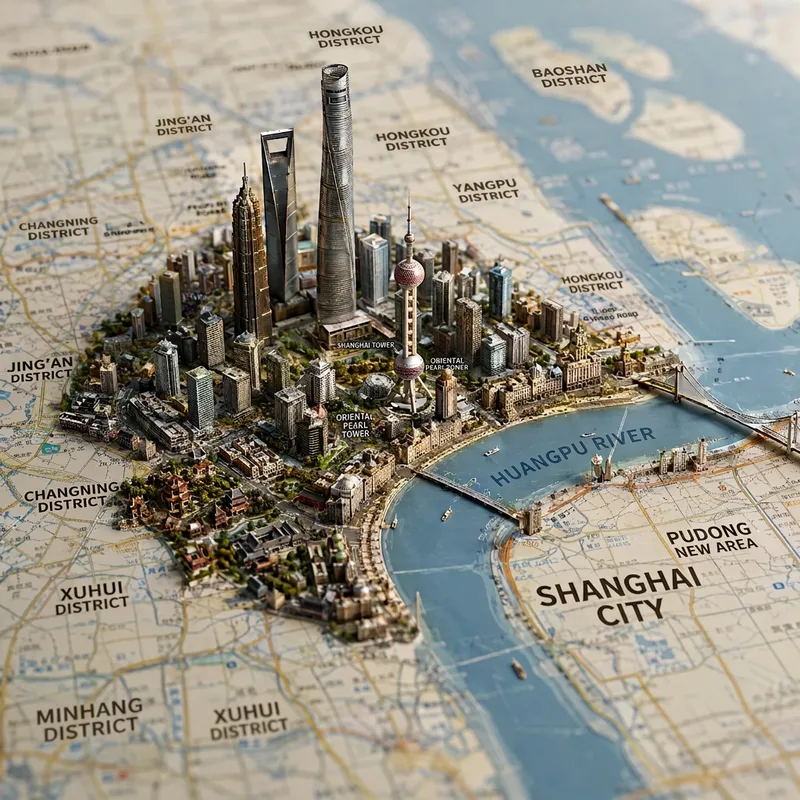
Viral Place Miniature Maps
Enter the name of a city, district, county, township, province, country, or region to generate a realistic miniature map city and landmark image. Based on the area’s real geography, the image combines map features such as terrain, coastlines, mountains, rivers, and roads, bringing representative architecture, natural landscapes, city skylines, and regional cultural elements to life in their corresponding locations. The result naturally blends a map with a miniature diorama. The default format is a 1:1 square composition from a top-down perspective, with the shallow depth of field of high-end macro photography, finely detailed materials, soft lighting, and the collectible quality of a scale model. You can also add requests for a night scene, snowy setting, specific color palette, camera position, or landmarks. After generation, the image includes a brief explanation of the representative elements shown, making it suitable for travel visuals, city showcases, regional cultural expression, and geography-themed creative work.
Information
- Version
- v6
- Last updated
- Runtime credits
- Usage-based
- Models
- Auto
