Urban Pop Double
Become a Pop figure on a city rooftop.
Urban Pop Double
Become a Pop figure on a city rooftop.
Showcase
Description
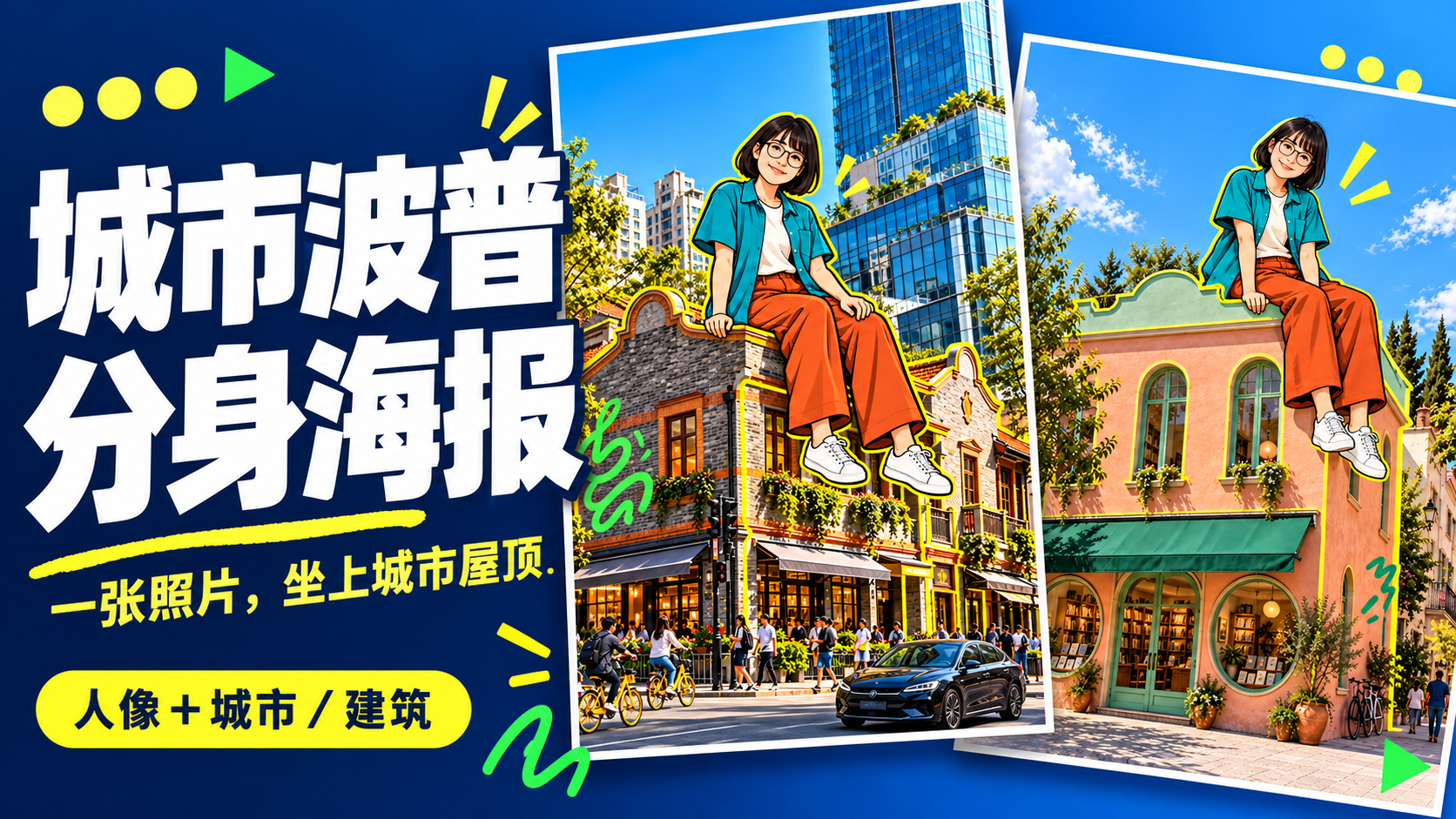
Upload a photo of yourself and provide a city, landmark, or building image to create a personalized Urban Pop poster. In a realistic street scene, a giant cartoon double that preserves cues from your hairstyle, glasses, and outfit sits on a rooftop. Bright yellow architectural outlines, bold city lettering, and colorful graffiti give travel and everyday photos a trendier visual expression. Choose from three starting options: a person photo plus a city name; a person photo plus a landmark name; or a person photo plus a building image. Without a city name, you can also create an untitled poster centered on the building you provide. The default format is 3:4 portrait, with options to change the aspect ratio, title, props, and pose. After generation, check the person’s features, the building’s appearance, the sitting support, and the text, then revise any issues. Requires an image generation or editing environment that supports reference images. The person is reinterpreted as a cartoon, and the pose is reconstructed, so photo-level identity consistency is not guaranteed. Display materials feature original AI-generated fictional people and buildings; city examples are AI-generated photography-style street scenes. Availability and usage costs depend on the actual platform.
Recommended by
Dancang
Why we love this skill
Turn your portrait into a giant pop avatar on a city rooftop, blending realistic street photography, yellow architectural outlines, and bold titles into a distinctive mixed-media poster.
Best for
For anyone who wants to combine a personal photo with a city landmark to create a personalized travel keepsake poster.
How to use this Skill
Provide your input
Upload a clear photo of a person and provide a city name, landmark name, or building photo. You may also add title, aspect ratio, prop, or pose requirements.
Run the Skill
Transforms the person into a giant Pop-art cartoon double while preserving cues like hairstyle, glasses, and clothing, then combines them with city architecture and photographic street scenes in a poster layout.
Review your result
Get a default 3:4 portrait Urban Pop poster: a cartoon double sits on a building rooftop or suitable support, with yellow architectural outlines, a city title, and graffiti decorations.
Related Skills
View all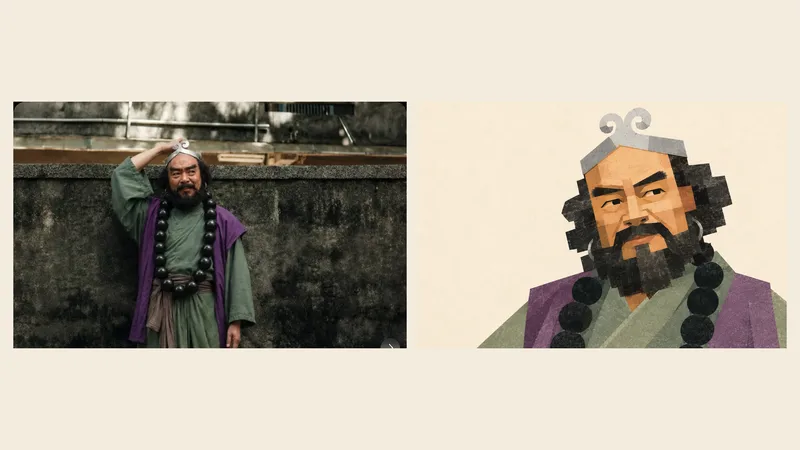 Image
ImageGeometric Photo Collage
Turn photos of people, pets, buildings, or landscapes into geometric collage illustrations with asymmetrical forms, offset paper pieces, a grayscale palette, and fine printed grain. Provide a subject photo and optionally add a target style image. The photo determines the subject’s identity and recognizable features, while the reference guides the styling, composition, negative space, and paper layering. First create a standalone illustration, then optionally make a 3:4 comparison poster with the original photo on top and the illustration below. No text by default; multiple photos are rendered separately. The result can be refined based on actual comparisons, including facial proportions, hair and beard structure, building hierarchy, the negative space within bridges, and the paper texture. This helps avoid generic geometric cartoons and three-dimensional block effects. Version 1.1.0. Three sets of original photos and corresponding target images have been calibrated locally for reference; city details may still appear overly fragmented or too three-dimensional. Cross-subject performance and image generation on the YouMind platform still require practical testing, so exact reproduction is not guaranteed. Image generation capabilities, operating costs, and precise collage alignment depend on the environment used.
 Image
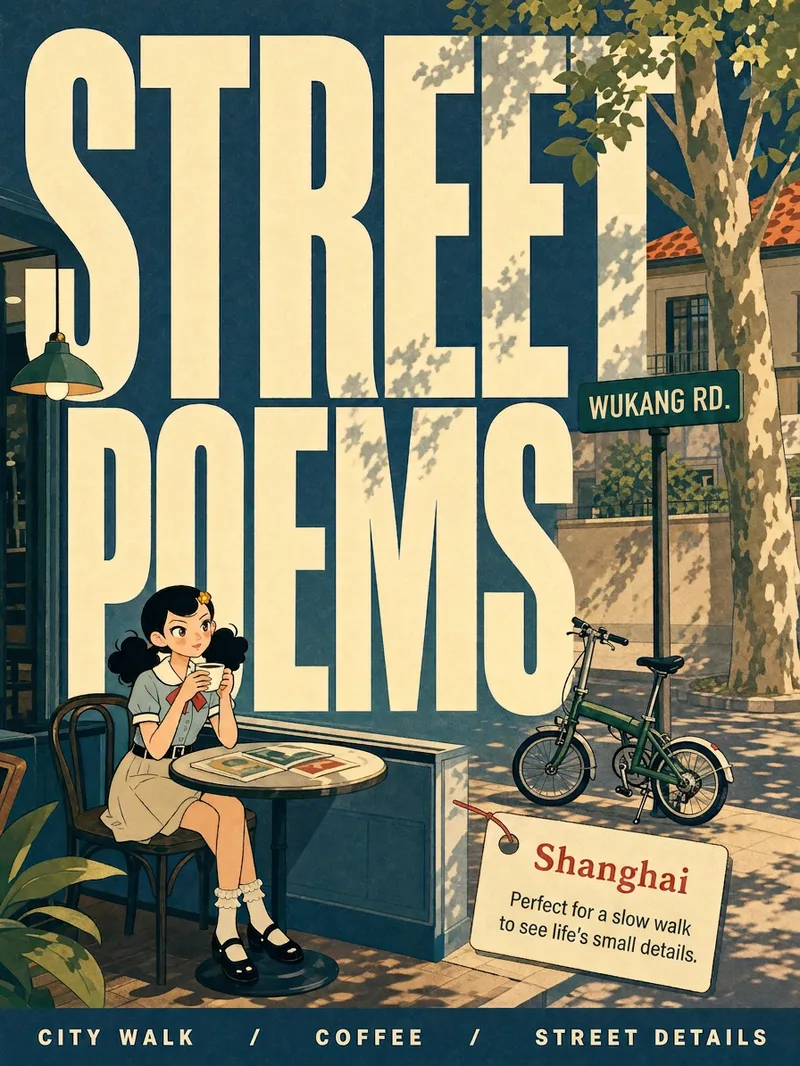
ImageCity Observer Poster
Upload any character image and name a city to create a collectible City Observer poster. This is not a tourism promo—it’s a visual note on the city’s mood. The Skill preserves the character’s recognizable features, translates them into a unified flat illustration style, and places them in everyday city scenes. The three-step process (character analysis → city concept card → image generation) lets you confirm each step. A consistent visual system: vertical 3:4 format, oversized English title, blue-cyan line art, risograph print texture, and limited-color editorial layout. Create 10 cities and you’ll have a cohesive 10-poster city atlas. Minimum input: one image + a city name.
 Image
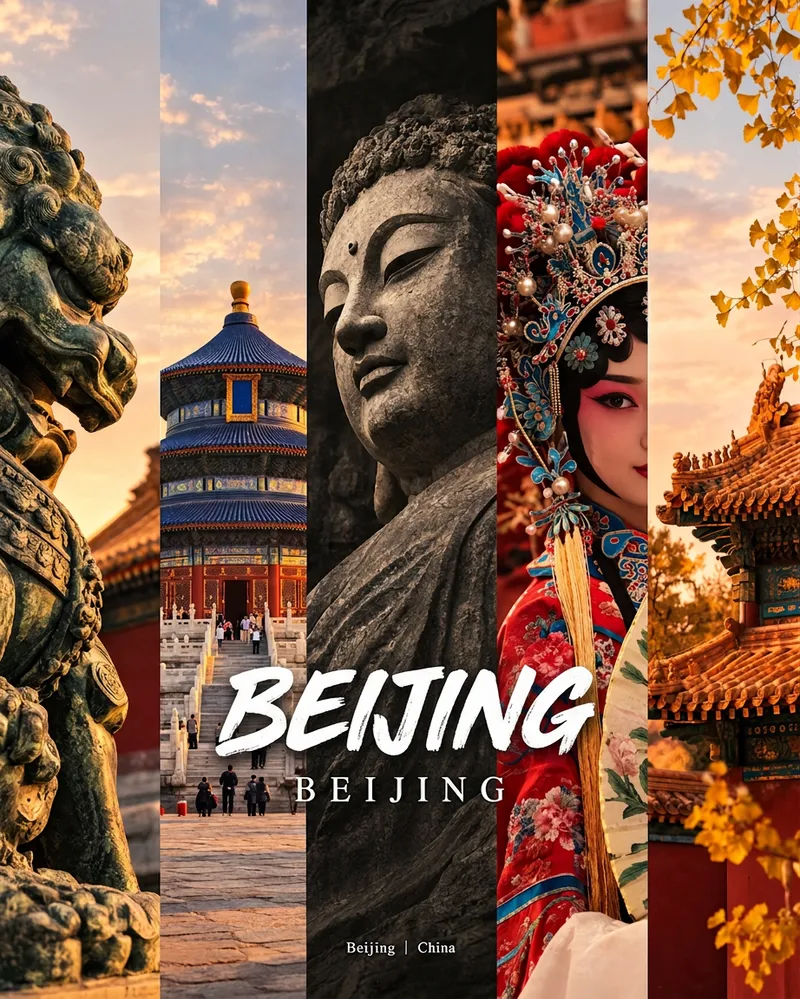
ImageCity Culture Poster Maker
Enter a place name to instantly create a polished city identity poster in a five-panel vertical-strip format. The design seamlessly combines five equal-width vertical strips: close-ups of cultural artifacts and nature on the outer panels, an architectural landmark in the second panel, local customs and cultural life in the fourth, and the city’s most soulful cultural symbol in the center. The overall look uses warm golden-hour light and cinematic color grading. The center panel is darkened and desaturated to create a "warm—cool—warm" visual rhythm. A large white calligraphic place name, its English serif name, and the small text "Administrative Region | Country" are layered below the center panel. Two ways to use it: · Upload 5 photos you took yourself and enter a place name: the system automatically sorts them by content, crops them vertically, applies consistent color grading, and combines them into a poster in the same style · Enter only a place name: the system automatically selects 5 of the area’s most representative real-world elements and faithfully generates the poster Ideal for travel blogger covers, city tourism promotion, Xiaohongshu/Instagram carousel cover images, city identity cards, and album covers.
Information
- Version
- v4
- Last updated
- Runtime credits
- Usage-based
- Models
- Auto
- Use cases
- Images & designLifestyle & entertainment
- What you get
- Image
- Visual styles
- CartoonFlat
