Tiny World Studio
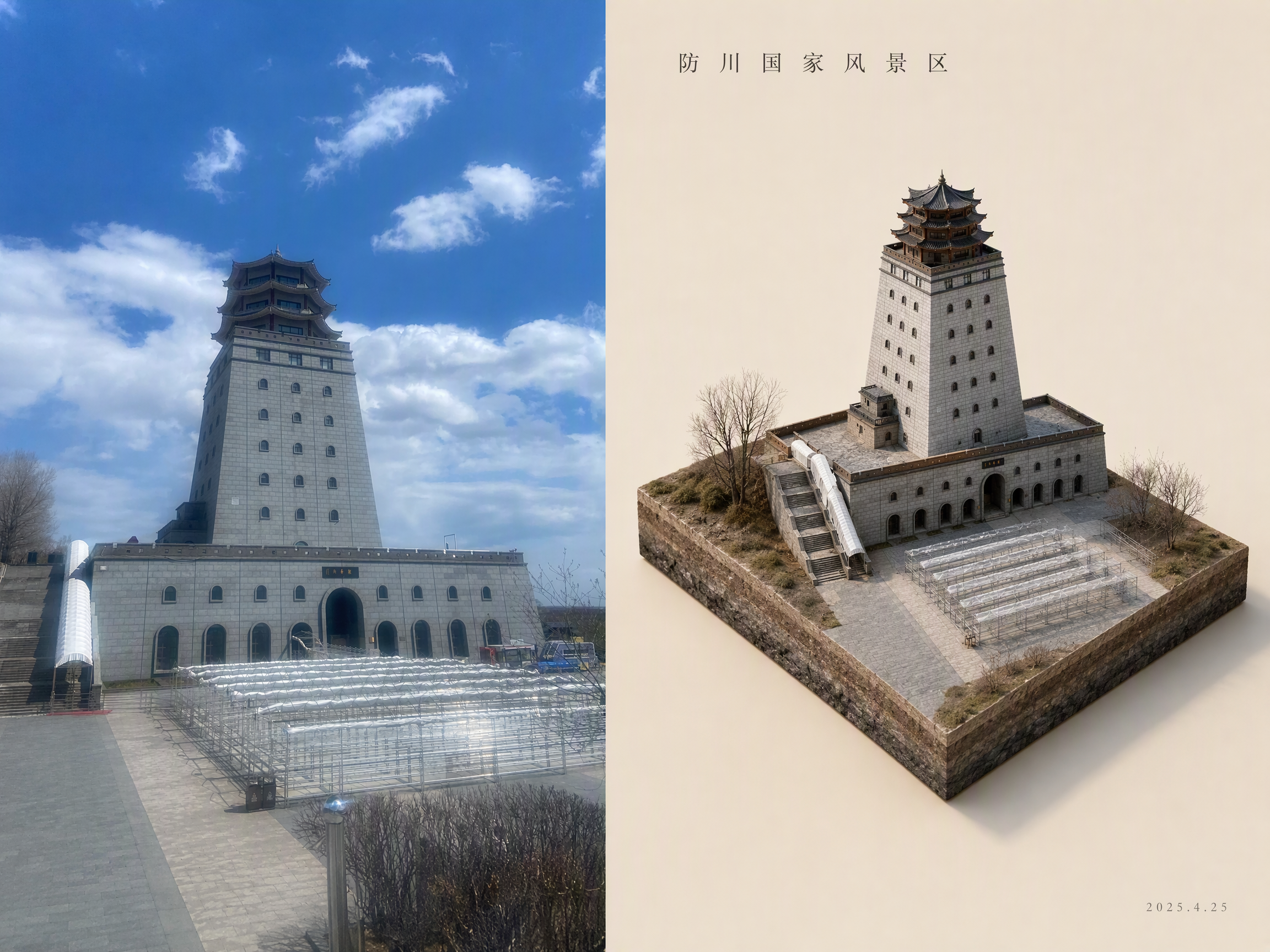
Turn a photo into a tiny isometric world
Tiny World Studio
Turn a photo into a tiny isometric world
Showcase
Description
An elite geographic visual designer and AI art prompt engineer. Best for: city landmark check-in images, travel memory posters, scenic area promotions, real estate and urban planning illustrations, WeChat Official Account headers, and Xiaohongshu covers. Use this Skill when you provide a real-world photo or a place name: ✅ Photo first ✅ Automatic aspect-ratio matching: calculates the best canvas and layout based on the photo’s actual proportions, preventing tower tips, rooftops, and people’s heads from being cropped; ✅ Two layouts: comparison image (real scene + miniature) or miniature only; automatically identifies diamond-shaped plots and rectangular skylines ✅ No "beautification" for people: no face retouching, face slimming, body slimming, face swapping, or chibi styling—only a reduction in scale ✅ Parameterized text: provides the location name, time, coordinates, position of the number, font, font size, letter spacing, and color for proofreading and rearrangement after image generation
Recommended by
Dancang
Why we love this skill
Precisely transforms real photos into isometric miniature worlds while preserving landmarks, terrain, and people, with thoughtful handling of layout, proportions, text, and model selection.
Related Skills
View all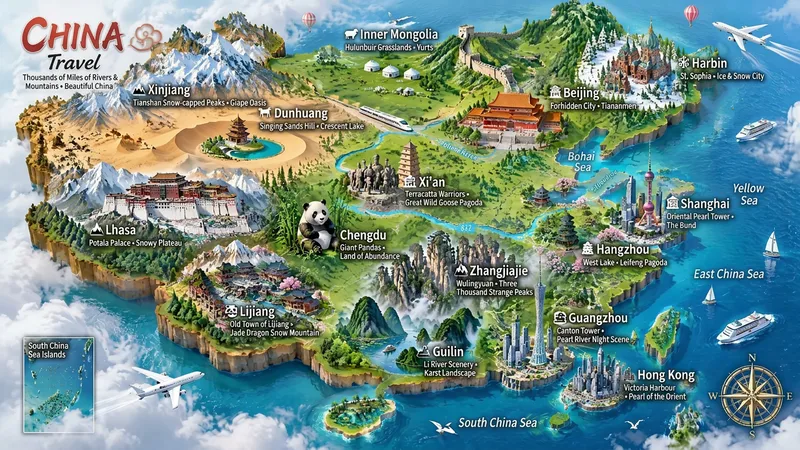 Image
ImageMiniature Maps for Any Place
Best for: travel bloggers, tourism promotion, geography and culture education, hometown promotion, travel guide covers, and social media series. Turn any place into a miniature diorama you can hold in your hands. Just enter a place name. The Skill first identifies whether it is a country, province, city, or town, then researches the area's most representative real landmarks, cultural symbols, and local specialties. Finally, it generates a bright, finely detailed 3D isometric miniature travel map poster. ✅ Landmark research: verify first, then illustrate—no invented buildings, attractions, or place names ✅ All location levels: country / province / city / district or county / town / scenic area ✅ Clear information: place name + icons + keyword labels make each area's character easy to understand at a glance ✅ Default 3:4 portrait format, suitable for Xiaohongshu, Douyin covers, and Pinterest ✅ Flexible styles: 3D miniature, clay, pixel art, watercolor, paper cut, or low-poly ✅ Series-ready: maintain a consistent style for batches such as "All Provinces of China," "Northeast China’s Three Provinces," or "Cities Across China" ✅ Supports Chinese, English, and bilingual Chinese-English labels
 Image
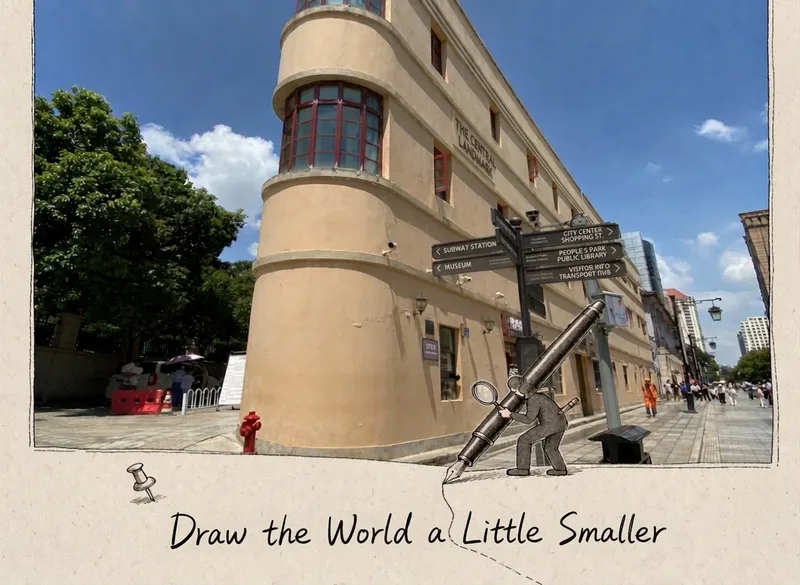
ImageScenery, Starring
Great for Xiaohongshu and Instagram visuals, travel concept images, tourism promotion, and video covers. What it can do ✅ Scene-first, never templated: Each photo is assessed on its own, so it won’t always draw “a little person holding a pen” ✅ Props always make sense: Only activities that could realistically happen in the scene are chosen—nothing is forced in ✅ Flexible character types: Choose one of four options—animal / animal + person / person / real-scene twin ✅ Five connection methods: line extension, shape borrowing, projection pass-through, material connection, and ecological extension; only 1–2 are used per image ✅ Adaptive formats: Landscape images become 16:9, square images become 1:1, and portrait images become 3:4—no stretching and no cropping of the subject ✅ Restrained colors: One ink line color plus one accent color drawn from the photo’s dominant color, avoiding a mismatched multicolor look ✅ One-line copy: A handwritten short line of ≤12 characters, placed in open space without covering the subject
 Image
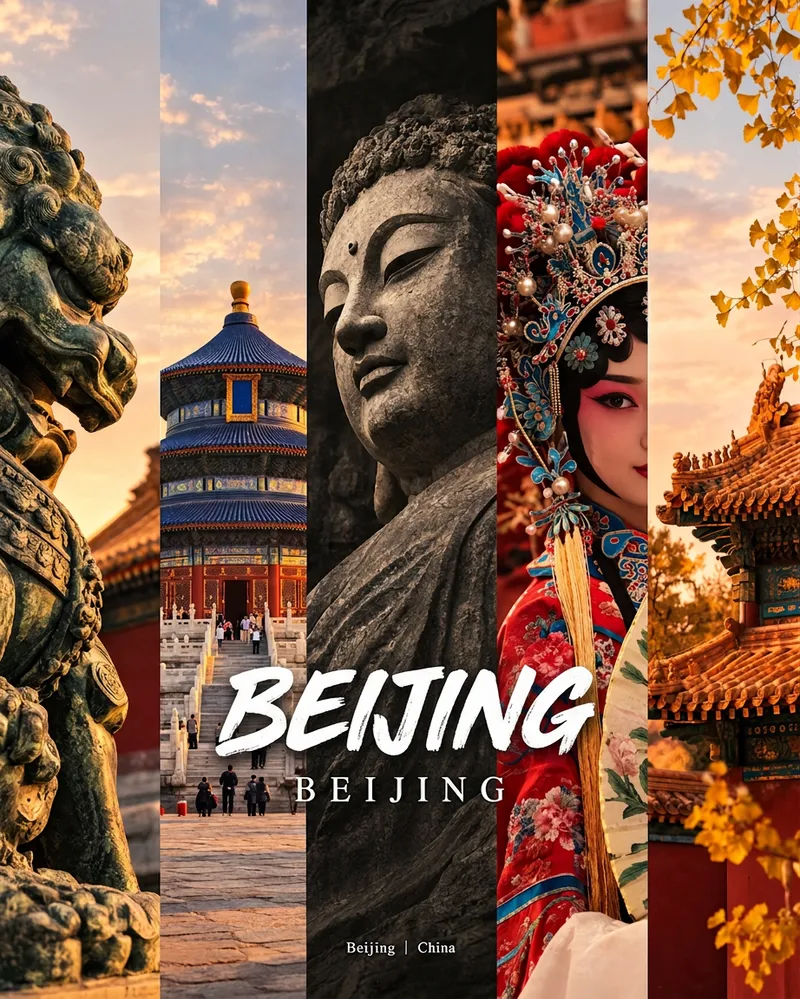
ImageCity Culture Poster Maker
Enter a place name to instantly create a polished city identity poster in a five-panel vertical-strip format. The design seamlessly combines five equal-width vertical strips: close-ups of cultural artifacts and nature on the outer panels, an architectural landmark in the second panel, local customs and cultural life in the fourth, and the city’s most soulful cultural symbol in the center. The overall look uses warm golden-hour light and cinematic color grading. The center panel is darkened and desaturated to create a "warm—cool—warm" visual rhythm. A large white calligraphic place name, its English serif name, and the small text "Administrative Region | Country" are layered below the center panel. Two ways to use it: · Upload 5 photos you took yourself and enter a place name: the system automatically sorts them by content, crops them vertically, applies consistent color grading, and combines them into a poster in the same style · Enter only a place name: the system automatically selects 5 of the area’s most representative real-world elements and faithfully generates the poster Ideal for travel blogger covers, city tourism promotion, Xiaohongshu/Instagram carousel cover images, city identity cards, and album covers.
Information
- Version
- v4
- Last updated
- Runtime credits
- Usage-based
- Models
- Auto
