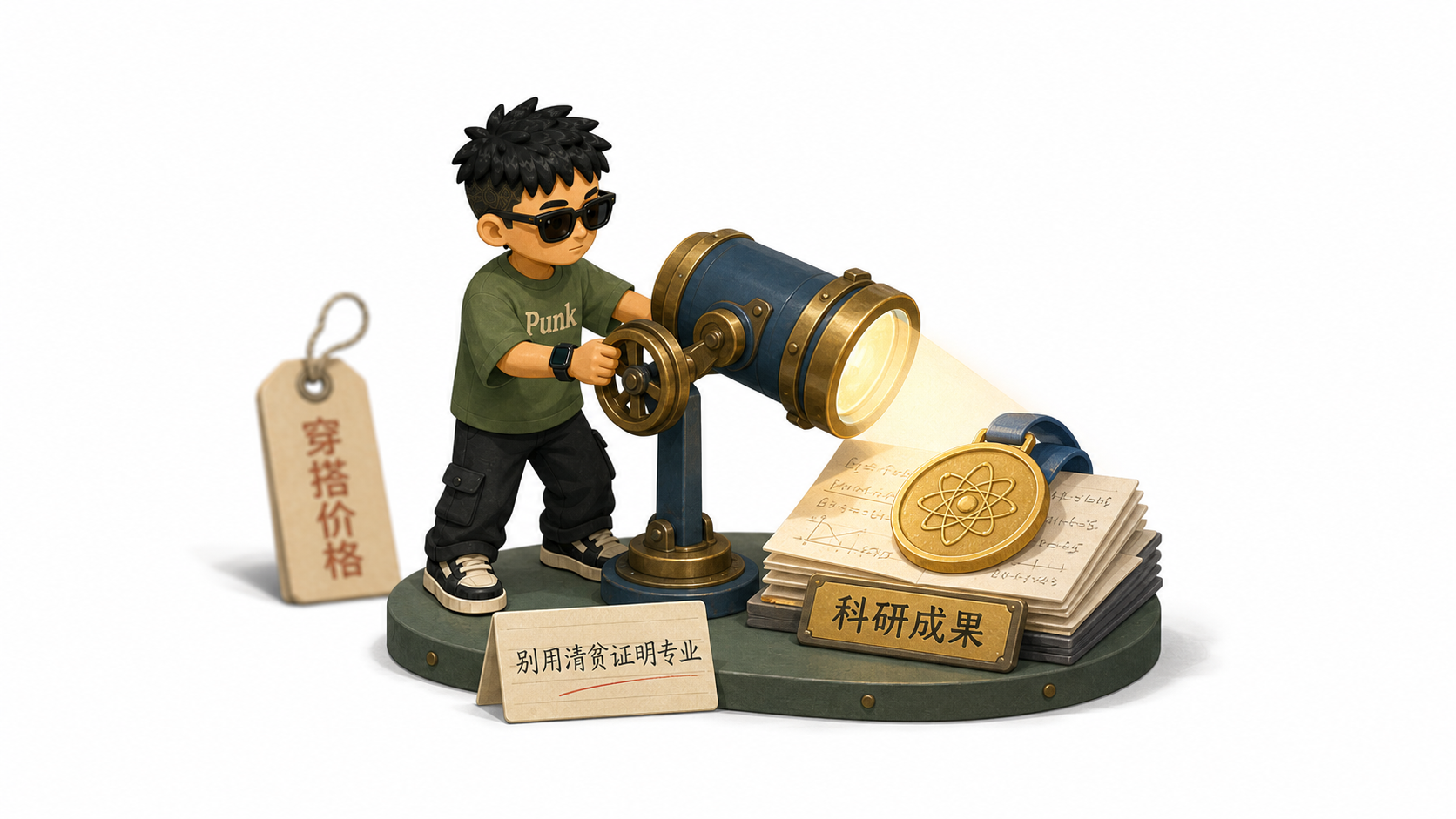
Punk IP Article Illustrations
Create a personal IP for article visuals
Showcase
Description
Punk’s complete personal IP illustration workflow: create, revise, confirm, and save a reusable character from an uploaded photo, or use the built-in Punk character directly. Once the character is confirmed, it reads full articles, Markdown, webpages, posts, or ideas, automatically determines the number of images, and generates retro, colorful, flat 3D diorama-style illustrations for the body of the content. Suitable for creating a personal IP, character concept sheets, switching characters, automatic article illustrations, multiple images for long-form content, process breakdowns, and key-action illustrations.
Recommended by
Shuting@YouMind
Why we love this skill
Turn a personal photo into a reusable, confirmed character, then create cohesive illustrations for an entire article. Character creation, version management, and article illustration form a rigorous loop that preserves consistency without sacrificing content clarity.
Best for
Creators who want to build a personal IP and make sequential illustrations for long-form content or content series.
How to use this Skill
Provide your input
Upload a person’s photo and provide a character name, or choose the built-in Punk character. Then provide an article, Markdown, webpage, post, idea, or file.
Run the Skill
Create or revise a reusable personal IP character, then use the confirmed character to generate a sequence of illustrations for your content.
Review your result
Get a character concept sheet, character reference images, and retro, colorful, flat 3D diorama illustrations suited to the article content.
Related Skills
View all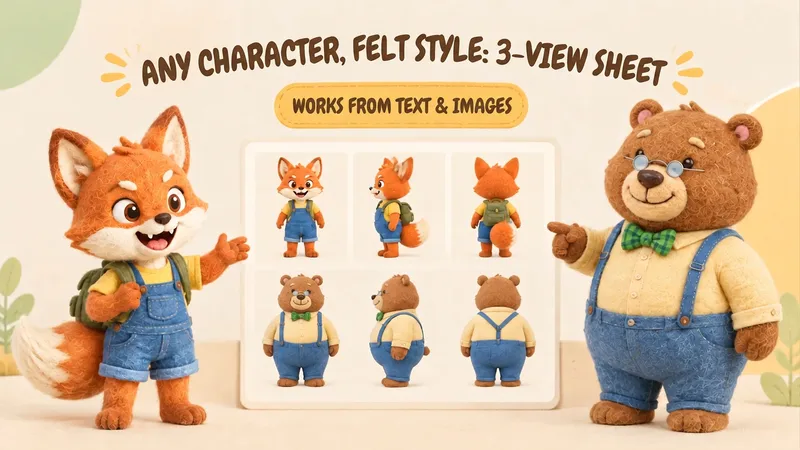 Image
ImageIP Character Felt Turnaround
Give your favorite character a soft, cozy felt texture with visible wool fibers. Upload a character image or write a one-line character description to create front, 90° side, and back views of the same character. Existing characters can retain their facial features, color palette, clothing, and signature accessories. With no reference image, you can also start from text. You’ll receive: • A complete felt-style front, side, and back character turnaround. • A clear visual description of the character’s appearance for future use. • Reusable generation prompts for further edits and expansions. The process first organizes the character’s traits, then designs the felt material, generates the three views, and checks consistency across angles, clothing, accessories, and distinctive structures. Visible discrepancies are corrected as needed. Details on the back that are not shown in the reference image are completed conservatively and clearly noted. Ideal for original IP characters, picture books and comics, short-form video development, and creators who want to turn a favorite character into a felt-style design. The generated reference sheet can support future image generation, storyboarding, and visual communication within a team. Leave the repeated work of refining material terms, viewpoint terms, and character constraints to this workflow, so you can focus on your character and story.
 Image
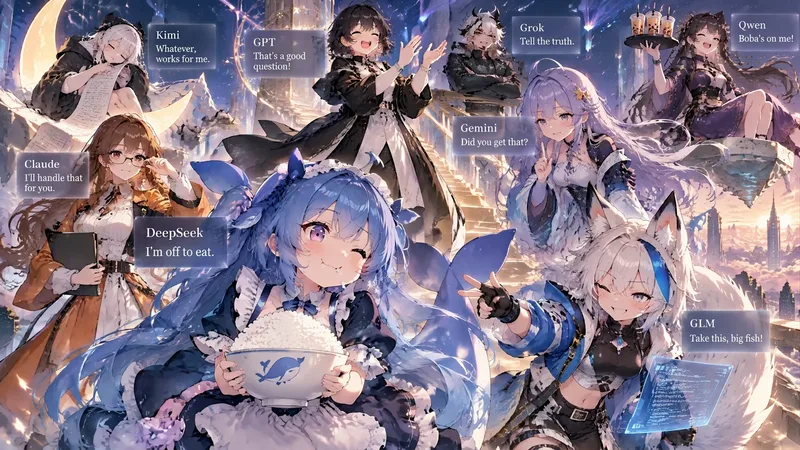
ImageCharacter Portraits—sagasu
Turn 1–8 characters into a single star-studded group portrait: anthropomorphized AI models, virtual idols, game characters, famous IP characters, and brand mascots are all supported. Each character gets their own colors, outfit, props, and pose, arranged at different depths and interacting with one another instead of standing in a row. Each person also gets a text card with their name, tags, and a line of dialogue. 🆕 Updated October 2026 · Upgraded to GPT Image 2.5: Flare is used by default for fast image generation; say “premium / poster / key visual / high resolution” to automatically switch to Sunburst for more accurate Chinese cards and a finish closer to an official promotional image · Generate directly when there’s enough information: the “show the complete plan first and wait for confirmation” step has been removed. When information is missing, all necessary questions are asked at once instead of asking about each character individually · Better at getting the references right: AI models and famous IP characters use widely recognized public personas and designs by default, such as DeepSeek’s blue, chubby fish · Less crowding: for 5–8 people, cards are automatically simplified to “name + one line of dialogue” · Uses fewer credits: the outdated multi-model fallback and retry chain has been removed, reducing wasted generations and back-and-forth conversation so the same image costs fewer credits Examples: “Turn Claude, GPT, Gemini, and DeepSeek into a group portrait using their public personas, landscape format” or “Draw portraits of my 4 original characters, vertical phone wallpaper”
 Image
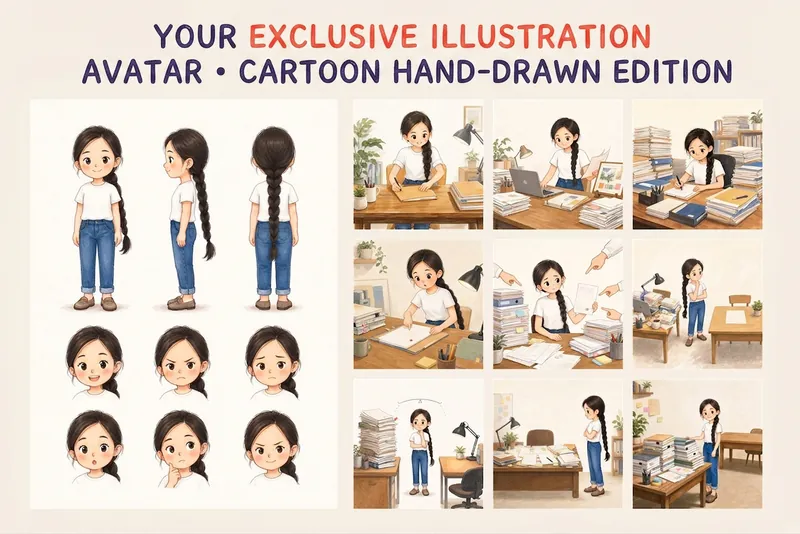
ImageYour Custom Cartoon Avatar
Turn a photo of a person into a custom hand-drawn cartoon character. Choose your favorite from 4 candidates with different poses and expressions, then finalize the design using one of 3 standard reference sets, each featuring three views and 6 commonly used expressions. You can download and save the reference images, or continue using them for article illustrations, Xiaohongshu posts, profile pictures, covers, sticker packs, nine-grid WeChat Moments posts, and custom scenes. Each task is linked to one character; when switching to a different person, we recommend creating a new task to avoid mixing up characters.
Information
- Version
- v3
- Last updated
- Runtime credits
- Usage-based
- Models
- Auto
- Use cases
- Writing & contentImages & design
- What you get
- Image
- Visual styles
- Retro3DFlat
