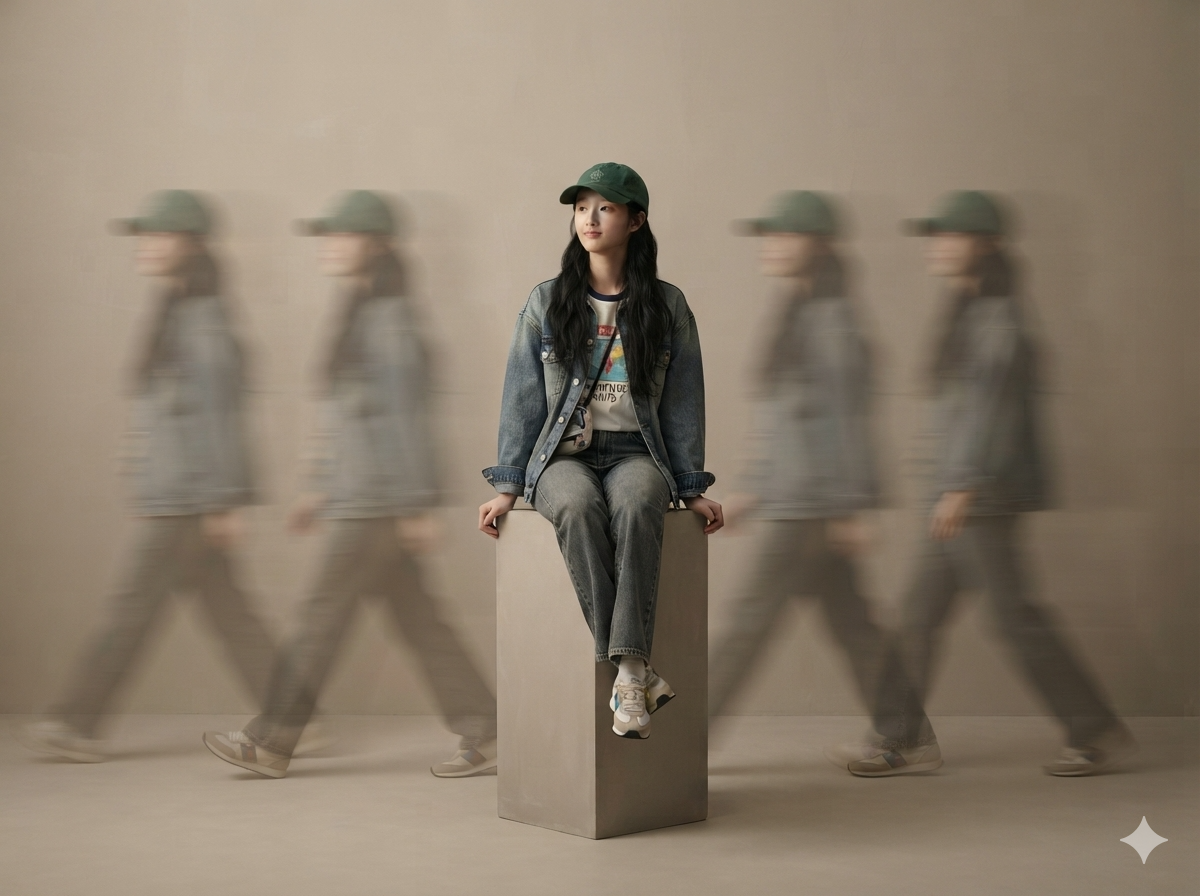
Realistic Studio Portraits
Turn photos into premium studio portraits
Realistic Studio Portraits
Turn photos into premium studio portraits
Showcase
Description
Based on uploaded photos of people or pets, this Skill generates ultra-realistic, minimalist full-body studio portraits. It supports styles such as long-exposure ghosting, clean solo full-body portraits, and cloned mirror images; faithfully recreates the subject’s appearance and directly uses the most suitable image-generation model to create the images.
Recommended by
Dancang
Why we love this skill
Uses the reference photo as an identity anchor to accurately preserve appearance while matching poses, backgrounds, compositions, and studio styles.
Best for
For anyone who wants to turn person or pet photos into premium commercial studio portraits.
How to use this Skill
Provide your input
Upload at least one person or pet photo. You can also specify poses, background tones, aspect ratio, style, quantity, and other requirements.
Run the Skill
The system recreates the subject’s appearance from the photo and generates minimalist studio portraits based on your requests. Choose long-exposure ghosting, clean solo full-body, or cloned mirror styles.
Review your result
Receive ultra-realistic studio portrait images with the subject fully in frame and centered, while preserving clothing, hairstyle, fur color, and other appearance details as consistently as possible.
Related Skills
View all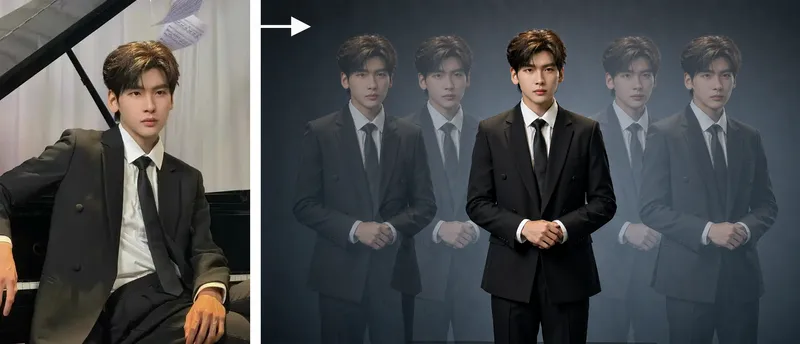 Image
ImageStudio Portraits
Hyper-realistic studio portrait photography: transform uploaded photos of people, pets, or fashion models into polished portraits in a “minimalist studio + long-exposure art photography” style, with four composition options: long-exposure ghosting, a clean full-body portrait, mirrored cloned doubles, and a two-person portrait. Trigger when users say things like “turn my photo into a studio masterpiece,” “generate a studio portrait,” “long-exposure portrait,” “create a cloned-double photo,” “make a pet portrait,” “generate a Xiaohongshu profile picture,” “create a persona portrait,” “make a couple’s portrait,” or “turn an uploaded photo into a masterpiece.” Core rules: put identity preservation first and clearly state that beautification is not allowed; the subject must be the only sharp element in the image; motion trails are used only for atmosphere. Accurately preserve the subject’s visual features. By default, output uses the same aspect ratio as the uploaded image. Directly use the most suitable YouMind image generation model, or customize it with ratios such as 16:9 or 4:3.
 Image
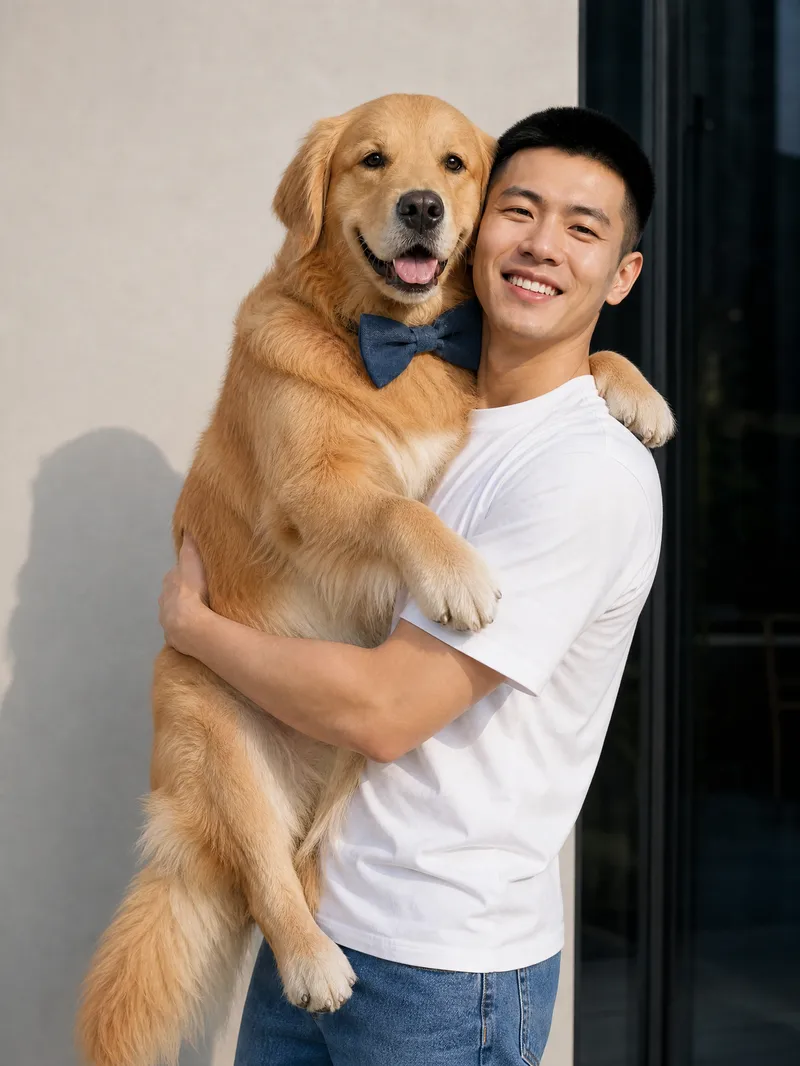
ImagePet-and-Owner Photo Maker
Turn real photos of you and your pet into natural, heartfelt everyday moments. Just provide one real photo of yourself and a complete pet profile to generate realistic, photography-style images of you together. The results aim to preserve your facial features, hairstyle, and body shape, while retaining your pet’s coat color, size, and accessory details, making each image feel like a genuine snapshot of time spent together. Choose from everyday scenes such as walking in the park, cuddling on the sofa, holding your pet, lounging in bed, feeding time, sunbathing by the window, watching TV together, keeping you company while you work, or playing outdoors. You can also describe the scene you want directly. The system arranges natural poses, lighting, and interactions based on the setting—for example, a dog wagging its tail to greet you or a cat snuggling and rubbing against you—to reduce the stiff feel of posed photos and capture a close, authentic sense of companionship. Single- or multiple-pet group photos are supported, with high-resolution portrait or landscape images suitable for sharing and saving. Whether you want to document everyday life, create a pet memorial photo, or preserve a warm moment with your beloved pet, you can get multiple realistic, story-filled photos of you and your pet together.
 Image
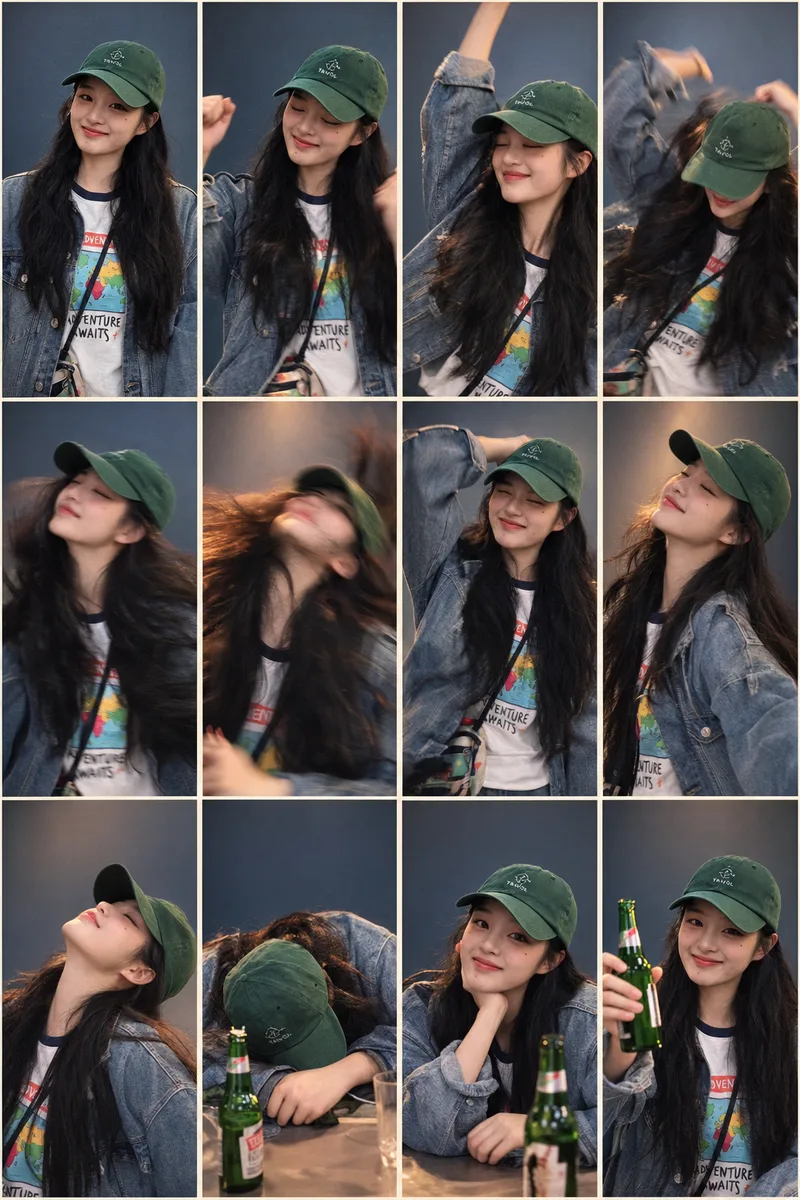
ImagePhotorealistic Comic Grid
Based on a photo uploaded by the user, generate a 4-column × 3-row grid image with 12 panels in a photorealistic style, keeping the subject’s appearance highly consistent. Ideal for extending a single portrait into a storyboard narrative with an emotional or action arc, such as drinking, working out, working overtime, enjoying food, or dancing. The skill automatically matches the most suitable storyboard plan and background color palette. Users can also explicitly specify the plan and color mode.
Information
- Version
- v5
- Last updated
- Runtime credits
- Usage-based
- Models
- Auto
- Use cases
- Images & design
- What you get
- Image
- Visual styles
- MinimalistPhotorealistic
