
Biz Infographic Generator v2.0
Paste text, say infographic, get both formats
Biz Infographic Generator v2.0
Paste text, say infographic, get both formats
Showcase
Description
Transforms complex text into clear, professional, presentation-ready business minimalist infographics. It can help you: 1. Automatically extract core information Extract topics, keywords, logical relationships, and key points from user-provided text, materials, course content, meeting minutes, or reports. 2. Automatically design infographic structure Match business expression formats such as flowcharts, comparison charts, hierarchical charts, matrix charts, checklist charts, and path charts based on content type. 3. Automatically generate dual-format solutions Output two sets of infographic designs: landscape and portrait. Landscape is suitable for PPT, presentations, and web display; portrait is suitable for Xiaohongshu, WeChat Moments, public account covers, and vertical screen display. 4. Automatically generate diagram prompts Output complete diagram prompts ready for use with AI drawing tools, designers, or PPT tools. Suitable for: Professionals, knowledge bloggers, trainers, course creators, consultants, operations staff, PPT designers, business report creators. How to use: Directly paste a piece of text, materials, course content, meeting minutes, or report summary. You don't need to organize the structure first; I will automatically extract the core content and generate both landscape and portrait business minimalist infographic solutions.
Recommended by
Nico@YouMind
Why we love this skill
This skill intelligently transforms complex text into horizontal and vertical business infographics, providing detailed design plans and AI drawing prompts, making it an efficiency tool for professionals and content creators.
Related Skills
View allMinimal Explainer Diagram
Turn selected text, articles, files, or project information into a clear, compact explainer diagram. It extracts key nodes and relationships to help you organize processes, hierarchies, comparisons, timelines, or connections between different approaches. It’s suited to project presentations, team communication, content summaries, and organizing ideas. You can specify the diagram type, focus, layout direction, or accent color. Or simply provide the material, and it will determine a suitable way to present the content. It supports flowcharts, structure diagrams, comparison diagrams, timelines, and solution relationship diagrams. Before drawing, it lets you confirm the diagram type, layout, and colors to help prevent misunderstandings about the information’s focus. The finished diagram uses a white background, generous whitespace, fine lines, and flat geometric shapes, with a single low-saturation accent color. Short node labels and clear connecting lines show the relationships. It doesn’t crowd the original text or add people and decorative illustrations, so readers can quickly understand the content structure without first reading lengthy explanations.
 Image
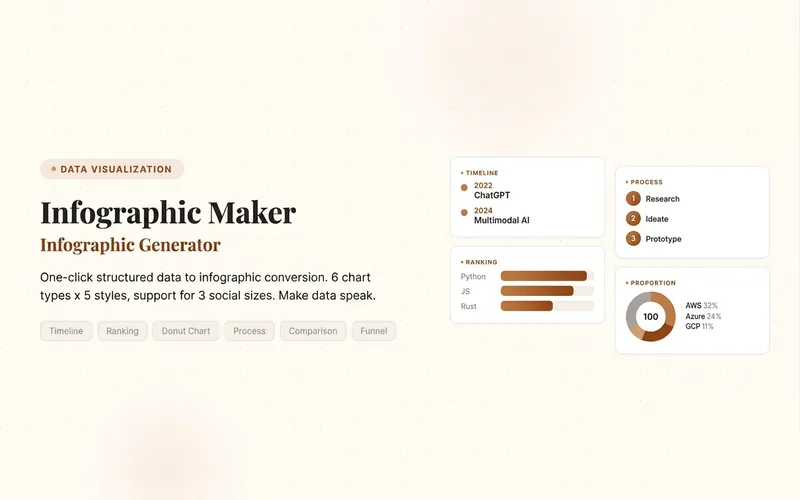
ImageInfographic Maker
Easily turn any article, table, link, or casual note into a professional infographic, making your data and insights stand out. Whether it's a single poster or a multi-page carousel, this tool intelligently identifies content structure and automatically extracts key information—no manual formatting required. Choose from six chart types: timeline, flowchart, ranking, proportion, comparison, or funnel, and pair them with visual styles like Business Blue, Creative Color, Dark Tech, Elegant Warm, Minimalist Black & White, or Xiaohongshu-exclusive styles. We specially support Chinese content and brand colors to ensure visuals are both professional and aligned with your brand identity. Whether for annual reports, social media (e.g., Xiaohongshu, Instagram, X), or study notes, this tool generates high-resolution PNG images in multiple sizes, helping your information spread in the most appealing way. Say goodbye to tedious design work—create stunning infographics with one click, letting data speak and stories come alive. Companion tools: For final drafts to be published on WeChat Official Accounts, look for '公众号排版器'; for data tables needing publication-grade formatting, look for 'TableCraft'; for quote card sets, look for '知识卡片生成工坊'.
Idea to Infographic
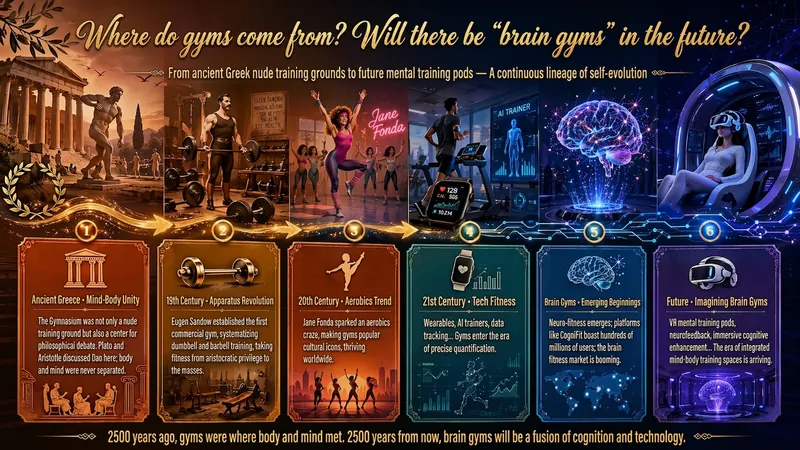
A single image, a single sentence is all it takes. Have you ever had this experience—you have a great idea and want to turn it into an infographic like the ones big accounts post, but: - Open an AI image tool, rewrite prompts over and over, and the result either has terrible layout or completely mismatched style. - Tried several prompt templates, each requiring three or four adjustments, and half an hour later you're still not done. - Want styles like financial literacy, Chinese classic, science, tech... each time you have to research colors and layouts from scratch. Now you don't have to. 「Idea to Infographic」automates all of this: You say "make an emotion management infographic," and it decides whether to use a warm Chinese style or a healing scientific style, searches and organizes core knowledge points, breaks them into 6-8 module cards, assembles the optimal prompt, and quality-checks—if it fails, it automatically redoes; if it passes, it hands it right to you. Four killer capabilities, all built-in: 🧠 **Style Engine** — Not a rigid four-choice. If your topic matches financial literacy, it automatically goes with deep blue gold; if it matches Chinese classics, it uses rice paper and ink; if it matches technology, it uses cyan neon. For topics outside these four? It automatically synthesizes a new style. Coffee encyclopedia → food warm tones; exercise and fitness → vibrant orange gray. No style it can't handle. 🔍 **Content Brain** — You give a word, it searches the web to fill out content; you give a paragraph, it extracts the core; you give nothing but a topic, it organizes everything clearly. All three input methods are supported—the simpler, the more effortless. 📐 **Layout Adviser** — Progressive ladders, side-by-side comparisons, causal chains, overarching-subcategory radiation... Five logical patterns automatically matched. Not just stuffing text into an image, but actually designing an infographic. ✅ **Self-Inspection** — After generating, it automatically checks layout, text density, image-to-text ratio, and style match. If there's an issue, it adjusts and regenerates, up to two times. You don't need to know how to write prompts; you just need to know how to speak. **Who is this Skill for?** - Social media creators who need to produce images daily but don't want to learn design. - Knowledge commerce creators who want to visualize course content but lack a designer. - Corporate trainers who need professional infographics but lack budget for outsourcing. 🔍 - Anyone who wants to turn an idea into a great image. In a word: You have the idea, it has the image. All the hassle in between, it handles for you.
Information
- Version
- v4
- Last updated
- Runtime credits
- Usage-based
- Models
- Auto
