竹隐墙

Research, Course & Media
Research, Teaching Reform, Course Development & Media Visual Generator is a visual design Skill for research and teaching reform charts, social media visuals, and course development diagrams. It first identifies the visual type, offers options from suitable structure or style libraries, and then presents a complete design plan. It generates the visual only after receiving the user's explicit approval, and checks the content, relationships, Chinese text, composition, people, and visual quality before delivery. Research, Teaching Reform, Course Development & Media Visual Generator can turn research materials, course content, and social media topics into clear, polished visual concepts that match your personal aesthetic. It supports technical roadmaps, theoretical mechanism diagrams, research framework diagrams, course system diagrams, role–competency–course mapping diagrams, WeChat Official Account header images, knowledge infographics, scene illustrations, and multipage graphic cards. The Skill first translates the content into “topic—nodes—relationships—hierarchy—capacity—medium,” then recommends 3–5 suitable structures or styles and presents the composition, color palette, materials, lighting, text treatment, rendering method, and risks. It does not generate images without user approval. After the user changes the content, structure, style, color palette, or dimensions, it updates the plan and waits for approval again. Research and course diagrams prioritize editable, deterministic rendering with accurate relationships. Social media and scene visuals use text-free image generation with reliable text overlays.

Multifunctional Course Plan Builder
Generate or revise course plans for universities and vocational colleges based on curriculum standards. Choose from three task paths (targeted revision / structural overhaul / build from scratch) × six instructional method frameworks (BOPPPS, flipped classroom, project-based learning, six-step work process, case-based teaching, theory–practice integration) × two levels of detail (single plan / entire course). When no curriculum standards are available, the system automatically activates a fallback hierarchy using alternative anchors. Before each plan is finalized, it undergoes six mandatory audits: observable verbs, traceable objective anchors, compliant method stages, alignment across objectives, activities, exercises, and assessment, total instructional hours, and anti-fabrication boundaries. The plan itself is the sole primary deliverable. A mandatory self-check gate is applied before delivery, and reports or summaries may not replace the main plan. Note: If you do not need the multifunctional version, consider Course Plan Auto-Generator. This Skill focuses on automatically generating full-course plans based on the OBE approach.

Training Plan–Course Standards
Translate the new training plan into specific courses. First identify the school’s course standards template, then support original-document revision, legacy-document rewriting, and new course development. Based on the tool’s capabilities, produce either a structured working draft or a final document that preserves the original format as closely as possible.

Provincial Proposal Assistant
This Skill is also known as 'Mortise-and-Tenon Mirror Method: Education Planning Edition.' It draws on the proposal experience of several successfully funded projects. It is not a simple text ghostwriter but a guide that helps college teachers turn vague ideas into logically rigorous, methodologically feasible, and evidence-rich provincial education science planning projects. The Skill covers topic selection diagnosis, literature search and research gap identification, research question formation, concept definition and theoretical framework construction, innovation point extraction, goal and content design, research methods and sample planning, evidence and conclusion boundary review, expected outcomes and implementation plan design, proposal rationale writing, full-text review and optimization, and proposal chart creation. Through a mortise-and-tenon-style check of 'problem—theory—goal—content—method—evidence—contribution—outcome,' it proactively identifies theory mislabeling, method mismatches, insufficient evidence, and exaggerated conclusions, ensuring the proposal is not only formally complete but also truly sound in research design and review logic.

Course Values Case Assistant
I. Core functions This is a professional case design tool for vocational college teachers, course leaders, and teaching teams. It focuses on developing and optimizing cases in course values education. II. What it can do 1. Case writing: Write a complete course values education case from scratch 2. Case revision: Polish, optimize, and improve existing cases 3. Case diagnosis: Identify issues in existing cases and uncover weak points in the integration of course values education 4. Case review: Evaluate case quality from a professional perspective 5. Evidence-chain design: Design the supporting evidence materials required for a case 6. Supplementary-material design: Generate charts, appendices, and other supporting materials related to the case III. When to use it 1. You need to write a course values education teaching case 2. You want to add greater depth of course values education to an existing teaching case 3. You are unsure about the quality of a case and want help diagnosing its issues 4. You need to prepare application materials for a case competition 5. You need supporting evidence and supplementary materials for a case

Course Implementation Report
This teaching document writing tool is designed for educators and addresses the following needs: 1. Course-level teaching implementation reports: Write a comprehensive implementation summary report for an entire course from scratch 2. Unit/module implementation cases: Write an implementation case for a specific teaching unit or module 3. Revise existing reports: Edit and improve an existing teaching implementation report 4. Teaching competency competitions: Prepare implementation case documents for educators participating in teaching competency competitions

Automated Course Lesson Plans
One-line summary: Generate all lesson plans for an entire course in one go — not just one lesson, but a whole system of logically connected lesson plans. Detailed description: Still writing lesson plans one by one? This skill directly helps you batch-output all lesson plans for a full course (16 weeks/32 class hours or more) in your school's template format. 🔥 Core Capabilities 1. Cascading design for the entire course, not isolated pieces Each lesson plan is not standalone — the skill has a built-in OBE (Outcome-Based Education) logic engine that works backward from course objectives to each lesson's teaching goals, key/difficult points, activities, and assessment methods. Knowledge progression, ability scaffolding, and method rotation across units are all auto-planned. The result is a systematic set of lesson plans, not 16 unrelated documents. 2. Fully automated pipeline From template parsing → content source confirmation → first unit deep polishing → style locking → subsequent unit auto-generation → course summary matrix → batch file output — the entire pipeline runs automatically. You only need to confirm at key nodes; the repetitive work is all done by AI. 3. Two content sources, flexible adaptation With a textbook: Upload textbook/handouts/PPT, AI automatically extracts knowledge points and chapter structure to generate lesson plans directly. Without a textbook: Just provide the topic and outline, AI searches online for materials, organizes them into structured material packages, and generates after confirmation. Mixed mode: Some units have materials, others need to be gathered — switch flexibly per unit. 4. Template adaptation + style learning No matter what your school's lesson plan template looks like, upload it and AI automatically parses the fields. For the first unit, confirm field by field and edit until satisfied; then AI locks in your writing style (word choice, level of detail, formatting preferences) and automatically generates subsequent units in your style. 5. Professional quality assurance Teaching goals strictly use Bloom's action verbs, avoiding vague expressions like "understand" or "master." Each lesson plan undergoes automatic consistency checks (goals ↔ methods ↔ activities ↔ assessment fully aligned). Every 3 units, an automatic quality inspection (method diversity, knowledge progression, style consistency). Finally outputs a course objective coverage matrix, providing a clear view of the entire course's design logic. 📦 Final Deliverables 📁 A folder containing individual lesson plan documents for all units 📊 A course overview document (unit progression table + objective coverage matrix + method distribution statistics) 🎯 Each lesson plan strictly output in your school's template format, ready to submit 💡 Who Should Use It College/vocational teachers who need to write a full course's lesson plans for a new semester Teaching teams that need to batch-produce lesson plans for multiple courses Teachers preparing for teaching inspections or course evaluations who need to quickly complete a full set of lesson plans Teachers who want to write professional, standardized lesson plans that can pass OBE accreditation review One skill, complete lesson plans for an entire course. It doesn't just help you write one — it helps you design a complete course teaching system, then automatically outputs each one.
 Write
WriteReview Agent Prompt Coach
Through interview-style dialogue, step by step extract and externalize the grading and evaluation criteria that teachers 'know in their minds but can't articulate'. This helps teachers write a complete prompt for an assignment grading agent that can be directly deployed on agent platforms (Kouzi/Coze, Dify, Yuanshi, etc.), including quantitative scoring, heuristic qualitative feedback, a format compliance checklist, multiple rounds of iteration, and a closing growth commentary, along with deployment instructions. The generated evaluation criteria can also be submitted to WORKBUDDY to form a review SKILL. Invoke that SKILL to have WORKBUDDY automatically grade assignments, especially ill-structured ones.

Prov Ed Reform: Mortise-Mirror
“Mortise-Mirror Method · Education Reform Edition” is a full-process assistant tool for provincial education reform projects, covering topic selection diagnosis, key issues, innovation points, research objectives, research content, methods, implementation plans, outcome design, and application drafting. It draws on experience from multiple successful project approvals and stands out for its distinctive approach: every step in topic selection is supported by evidence. It first locks onto the two core competitive advantages — “problems to be solved + innovation points” — then works backwards to define research objectives and content. Its original “Mortise-Mirror” consistency check ensures logical coherence. It also embeds reviewer-preferred expression styles and sentence structures. Compared with the first version, the second version mainly offers six improvements: - Upgrades from “one-to-one correspondence between problems and innovations” to supporting one-to-many and many-to-one logical connections. - Shifts from “step-by-step confirmation” to confirmation at key milestones, reducing unnecessary pauses. - Adds a “concept—evidence—conclusion” check to prevent insufficient evidence and exaggerated conclusions. - Distinguishes research methods, data analysis, technical support, and rigor measures. - Plans expected outcomes in advance, using the outcomes to retroactively validate objectives and content. - Adds project ledger, traceability matrix, ethical risk, and Word chart formatting standards. The new version more strongly highlights the core thread of education reform projects: real teaching problems—reform mechanisms—classroom implementation—evidence of effectiveness—outcome promotion.
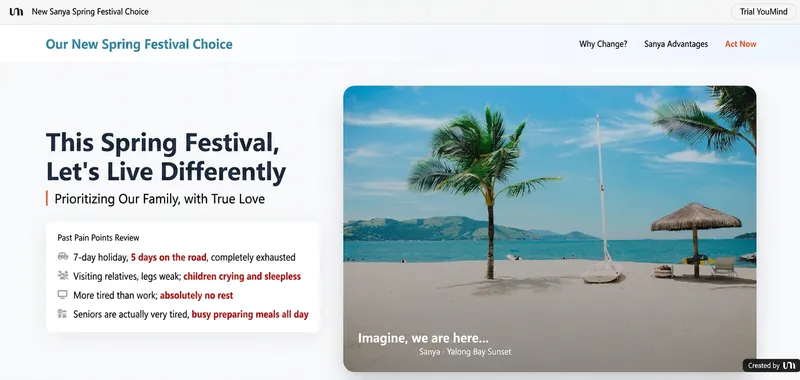 Webpage
High-Conversion AIDA Design
Skill features: AIDA (marketing logic) + Z-Pattern (visual logic). Not only does the copy drive sales, but the layout also retains visitors.

YES收割机 | Professional-Grade Logic Aesthetic Slides
"Pyramid Principle" + "Color Psychology" solves the "content logic + visual logic" of Slides; autonomously judges and generates Slides that match the theme's style colors. The cover image shows two different content cases.
Shortcut Foundry
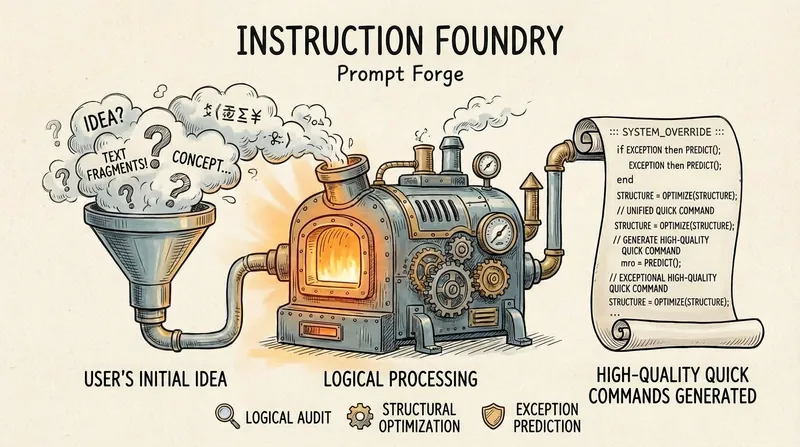
Shortcut Foundry is a meta-prompt that helps you generate shortcuts. Reusability: You no longer have to rack your brain to write a Prompt every time; just tell the meta-prompt your goal. Standardization: It forces the generated systems to have a 'dashboard' and 'step-by-step locking', ensuring the quality of long/complex tasks. Accumulation: Every time you use it to generate a system (like 'Thesis Assistant'), you can save the generated code and use it directly next time you write a thesis, turning it into your personal digital asset library.
 Research
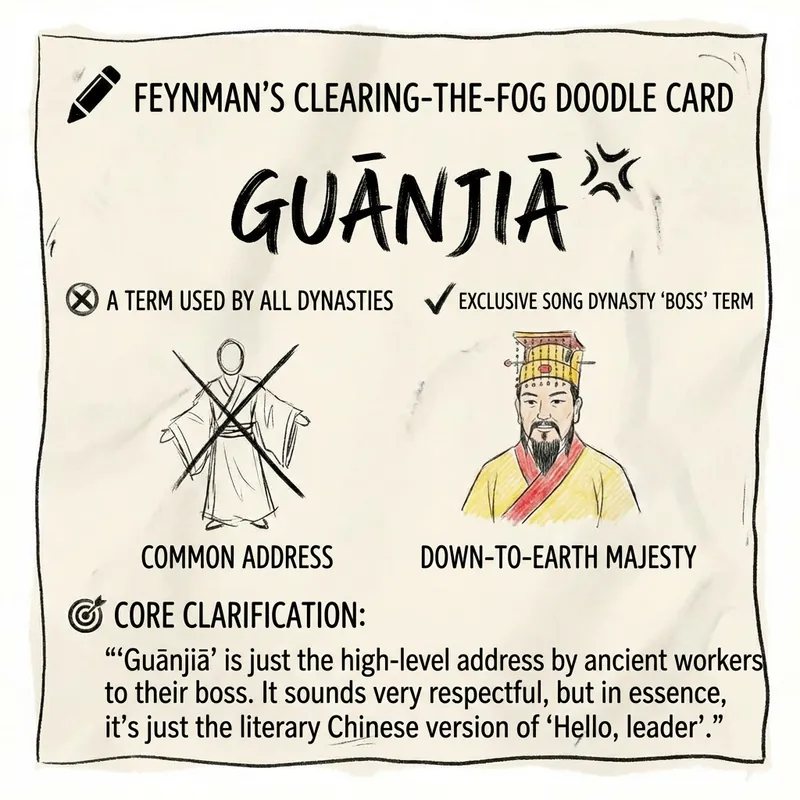
Feynman Knowledge Smasher v5.0
Cures incomprehensible jargon. Uses memes, everyday knowledge, and simple hand-drawn sketches to brutally deconstruct any fake profundity.