
Animated Video Studio
Turn topics into exportable animated videos
Animated Video Studio
Turn topics into exportable animated videos
Showcase
Description
Enter any topic and choose from 16 animation styles. It automatically handles fact-checking, scene-by-scene scripting, voiceover narration, visual assets, and an animated web page to create a 3–10 minute animated video with subtitles and music. It also includes “Export MP4” for direct downloads. Optimized for Opus 5.5.
Recommended by
Shuting@YouMind
Why we love this skill
Transforms history, science, and cultural topics into complete animated works with verified research, structured scripts, synchronized audio, subtitles, visuals, sound effects, and MP4 export.
Best for
For creators and content teams turning history, science, people, culture, or brand topics into animated content.
How to use this Skill
Provide your input
Provide a topic, with optional details such as duration, audience, language, key points, animation style, and existing assets. Any omitted options can be determined from the topic.
Run the Skill
First choose or confirm an animation style. The system organizes the research and creates a scene-by-scene script; after you confirm it, it produces the voiceover, visuals, subtitles, music, and animated web page.
Review your result
Get a finished web page with a scene-by-scene script, voiceover, subtitles, and animation controls. You can also try exporting a video file in supported desktop browsers.
Related Skills
View all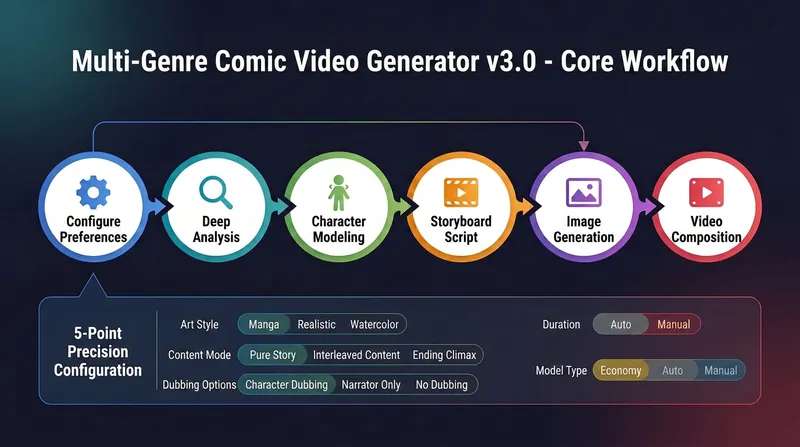
Multi-Genre Comic Video v3.0
This all-in-one multi-genre comic video generator supports three art styles: classic comic, realistic animation, and watercolor illustration. It offers three knowledge modes: pure story, knowledge interlaced, and ending elevation. It also provides three dubbing options: strict script dubbing, pure narration, and no dubbing, as well as three model selections: economical, automatic, and manual. From preference configuration, in-depth analysis, character modeling, storyboarding, static image generation, to video composition, the entire process is guided step by step.
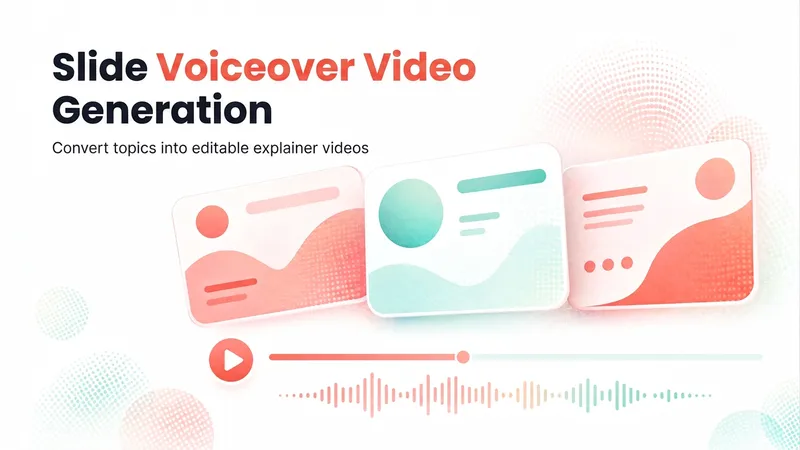
Slideshow Narration Video
Turn a presentation topic—or your existing script, materials, or Slides—into an editable 16:9 video with Chinese narration for each slide. The Skill first plans the main narrative and asks you to confirm the outline and preview, then generates the slide visuals, writes and synthesizes Chinese narration for each slide, and assembles an editable video with one slide visual and one narration segment per page. Subtitles are enabled by default. The visual style, voice, slide count, and tone adapt to the topic, audience, and platform.
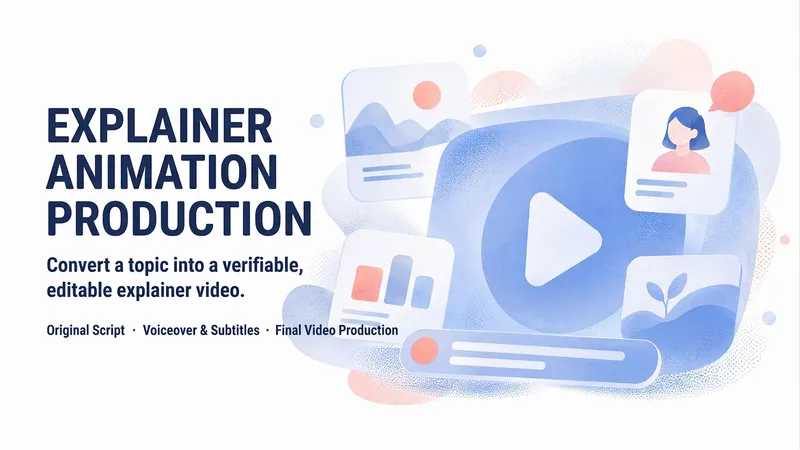
Topic Animation Director Pro
Turn a topic or source material into an original narrated animation: first clarify requirements and check capabilities, then conduct research and develop the core narrative, script and storyboard, visual style, voice-over, captions, and timeline. Validate the result with a 20–30-second test clip before rendering the final video. Clearly distinguish between the finished video, animation preview, and production package, and deliver the storyboard, captions, and source notes. Supports targeted revisions by scene.
Information
- Version
- v3
- Last updated
- Runtime credits
- Usage-based
- Models
- Auto
- Use cases
- Writing & contentImages & designVideo & audio
- What you get
- WebpageVideoScript
- Visual styles
- CinematicFlatPhotorealistic
