Photo to Journal Stickers
Turn photos into colorful journal stickers
Description
Recommended by
nene@YouMind
Why we love this skill
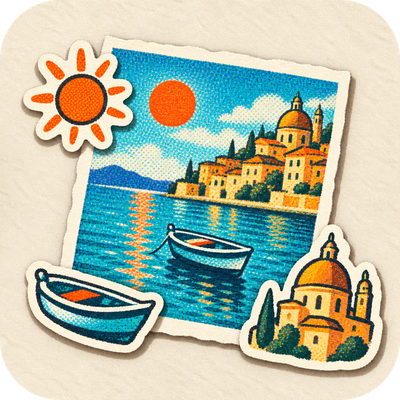
Turn one photo into a ready-to-use landscape journal sticker: preserve the full scene on the left and extract six real elements on the right in a cohesive visual style.
Upload a travel or everyday photo and turn it into a collectible journal sticker set. The Skill preserves the subject, composition, pose, and signature colors of the original photo, then extracts six representative elements to create as die-cut stickers on the right. It uses a colorful, coarse halftone style with a vintage print texture by default. You can also switch to a classic pixel style or a matte gouache paper-cut collage style. Suitable for travel memories, city scenes, portraits, pets, food, and everyday life photos.
Related Skills
View all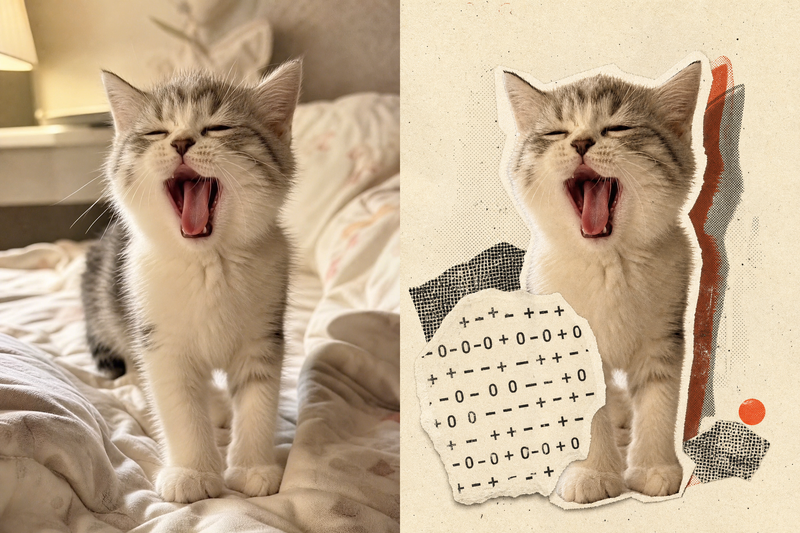
Retro Collage Art
This skill transforms your uploaded photos into striking retro archival art pieces, especially adept with portraits, still life, or landscape photography. It uses a unique 'garbled sticker' and 'print glitch' style to perform a tense visual reconstruction while strictly preserving the original subject's outline, pose, and position. The system precisely identifies the core subject in the frame, using warm white fiber-paper-textured garbled silhouettes, halftone dot-matrix backgrounds, and misregistered offset shapes to create a handcrafted collage rhythm. Visually, the skill aims for an authentic archival texture, with fine paper grain, screen-print ink, and photocopy noise. Through clever misregistration and localized fading, it infuses the image with a warm, aged archival oxidation feel while retaining about half of the original colors and key details. This approach ensures the subject remains recognizable while the interplay of black, warm white, and accent colors from the original creates a forward-looking yet nostalgic visual expression, perfect for unique art posters, personalized social media avatars, or design-forward visual assets.
 Image
ImageTurn Photos into Art Posters
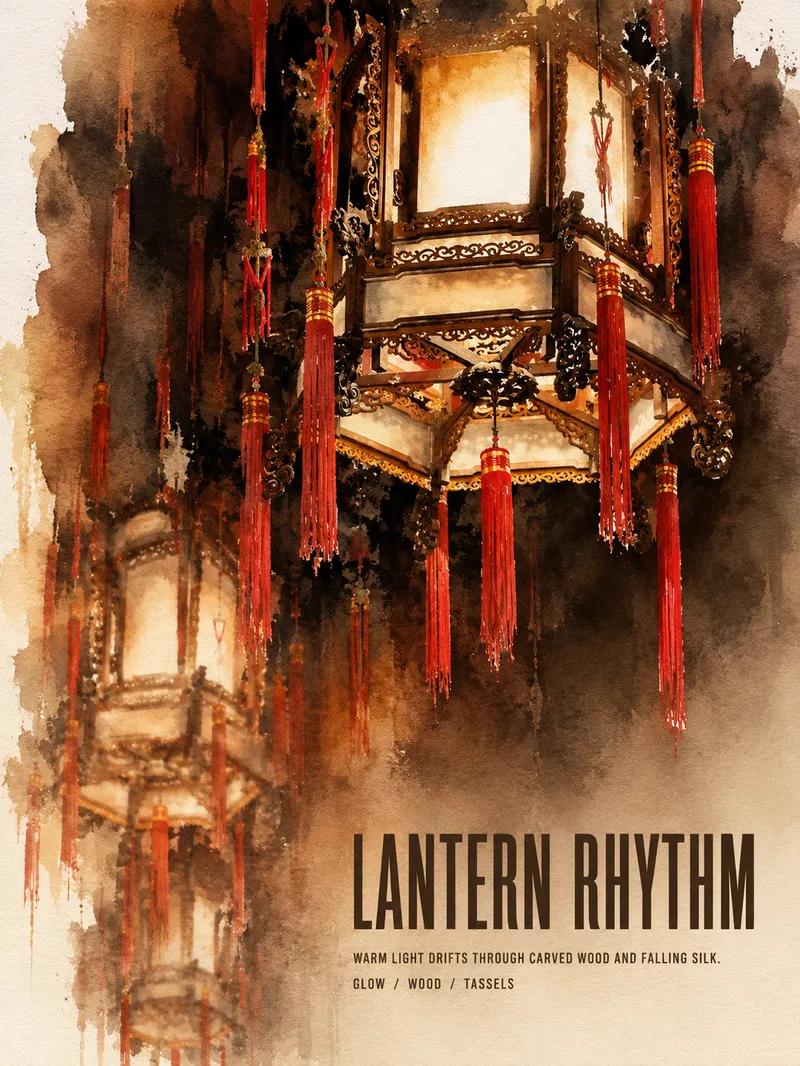
Upload a photo of a person, pet, building, travel scene, street view, vehicle, product, still life, or everyday moment. The Skill first identifies the details that matter most to preserve, then automatically selects an artistic approach—such as translucent watercolor, coarse screen printing, knife-mark rubbing, impasto, or conceptual collage—based on the composition, colors, lighting, and mood. It rearranges the subject’s scale, negative space, material field, and English headline so text and imagery weave together naturally, generating a 3:4 vertical art poster with a clear visual focal point and collectible appeal. You can also specify the artistic material, an English or Chinese title, aspect ratio, color direction, mood, intended use, or a text-free mode. If you don’t specify, the Skill will decide automatically and generate the poster directly.
 Image
ImageTravel Rubber Stamp Posters
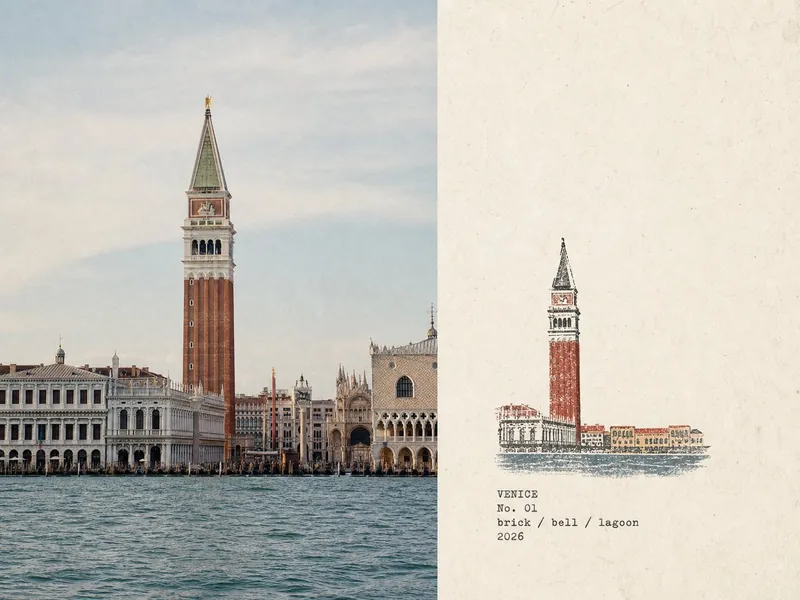
Turn each travel or field photo you upload into a standalone 4:3 landscape “Travel Field Note” poster: the left side faithfully preserves the original photo, while the right side uses minimalist print-style marks on warm off-white aged paper to outline the location’s most recognizable features with fine-line contours and flat, low-saturation color blocks. Add typewriter-style field text: the place name in uppercase / No. 0X / lowercase slash-separated keywords / year. Output one separate poster for each photo—no multi-photo collages and no redrawing of the left-side photo. Style inspired by and paying tribute to the original post by X creator @Hamburgerai (https://x.com/Hamburgerai).
Photo to Journal Stickers
Turn photos into colorful journal stickers
Description
Recommended by
nene@YouMind
Why we love this skill
Turn one photo into a ready-to-use landscape journal sticker: preserve the full scene on the left and extract six real elements on the right in a cohesive visual style.
Upload a travel or everyday photo and turn it into a collectible journal sticker set. The Skill preserves the subject, composition, pose, and signature colors of the original photo, then extracts six representative elements to create as die-cut stickers on the right. It uses a colorful, coarse halftone style with a vintage print texture by default. You can also switch to a classic pixel style or a matte gouache paper-cut collage style. Suitable for travel memories, city scenes, portraits, pets, food, and everyday life photos.
Related Skills
View allRetro Collage Art
This skill transforms your uploaded photos into striking retro archival art pieces, especially adept with portraits, still life, or landscape photography. It uses a unique 'garbled sticker' and 'print glitch' style to perform a tense visual reconstruction while strictly preserving the original subject's outline, pose, and position. The system precisely identifies the core subject in the frame, using warm white fiber-paper-textured garbled silhouettes, halftone dot-matrix backgrounds, and misregistered offset shapes to create a handcrafted collage rhythm. Visually, the skill aims for an authentic archival texture, with fine paper grain, screen-print ink, and photocopy noise. Through clever misregistration and localized fading, it infuses the image with a warm, aged archival oxidation feel while retaining about half of the original colors and key details. This approach ensures the subject remains recognizable while the interplay of black, warm white, and accent colors from the original creates a forward-looking yet nostalgic visual expression, perfect for unique art posters, personalized social media avatars, or design-forward visual assets.
ImageTurn Photos into Art Posters
Upload a photo of a person, pet, building, travel scene, street view, vehicle, product, still life, or everyday moment. The Skill first identifies the details that matter most to preserve, then automatically selects an artistic approach—such as translucent watercolor, coarse screen printing, knife-mark rubbing, impasto, or conceptual collage—based on the composition, colors, lighting, and mood. It rearranges the subject’s scale, negative space, material field, and English headline so text and imagery weave together naturally, generating a 3:4 vertical art poster with a clear visual focal point and collectible appeal. You can also specify the artistic material, an English or Chinese title, aspect ratio, color direction, mood, intended use, or a text-free mode. If you don’t specify, the Skill will decide automatically and generate the poster directly.
ImageTravel Rubber Stamp Posters
Turn each travel or field photo you upload into a standalone 4:3 landscape “Travel Field Note” poster: the left side faithfully preserves the original photo, while the right side uses minimalist print-style marks on warm off-white aged paper to outline the location’s most recognizable features with fine-line contours and flat, low-saturation color blocks. Add typewriter-style field text: the place name in uppercase / No. 0X / lowercase slash-separated keywords / year. Output one separate poster for each photo—no multi-photo collages and no redrawing of the left-side photo. Style inspired by and paying tribute to the original post by X creator @Hamburgerai (https://x.com/Hamburgerai).
Find your next favorite skill
Explore more curated AI skills for research, creation, and everyday work.