
Create 3D Teaching Webpages
Create 3D models for beautiful teaching pages

Description
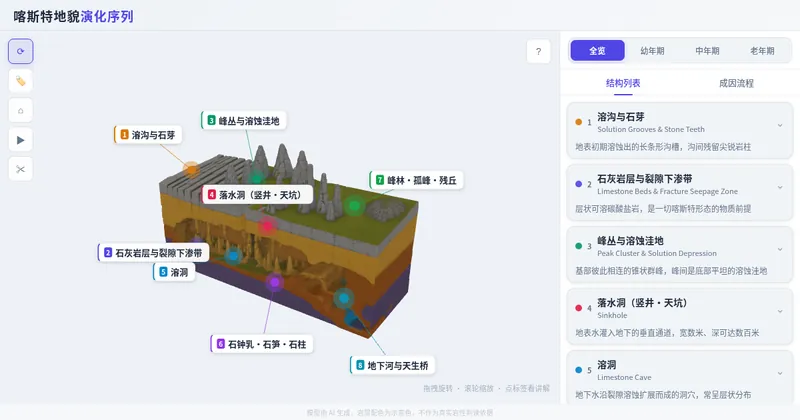
Create 3D interactive teaching webpages for teachers across subjects: first clarify the teaching need and output a structured modeling blueprint, then generate three rendering options for teacher confirmation. Use a single image for low-cost conversion to 3D (only upgrade to multi-view if unsatisfied), and finally produce a single-file interactive webpage using a unified design language. It includes an unconditional standard feature baseline—auto-rotation, click-to-select structure explanations, three-state label visibility, XYZ axis sectioning, view presets, keyboard shortcuts, and load-failure fallback—and normalizes model orientation to prevent labels from misaligning with the model.
Related Skills
View all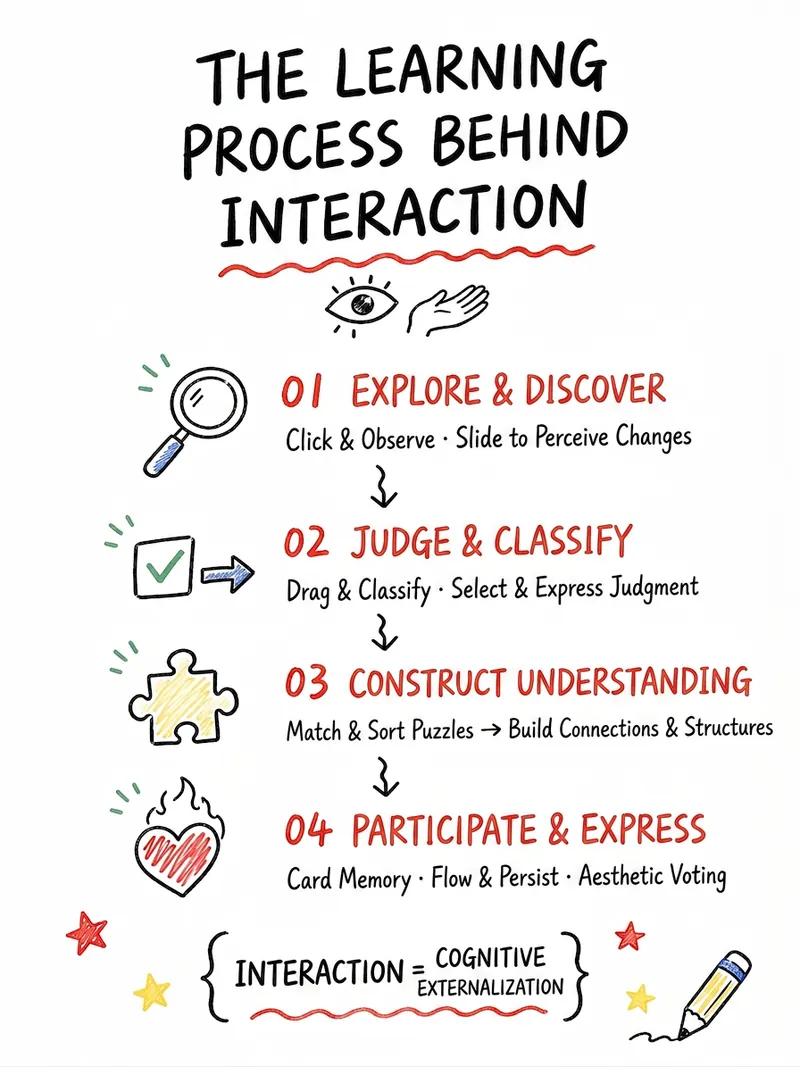
Arts Education Visual Webpages
Easily transform K-12 arts education content into lively and engaging interactive web experiences. This skill is designed specifically for arts teachers, helping you present diverse arts courses—including fine arts, music, dance, drama, film, calligraphy, and intangible cultural heritage—to students through visualization and gamification. Whether you want to design click-to-explore, drag-and-drop sorting, color experiments, aesthetic voting, or challenge tasks, this skill can intelligently generate a variety of interactive plans based on your course name, core knowledge points, and teaching objectives. It not only transforms abstract arts concepts into digital content that students can view, manipulate, and create, but also iterates and optimizes based on your feedback, ensuring the plan meets teaching needs while being aesthetically pleasing. In the end, you will receive a detailed interactive webpage content draft, including page structure, student workflow, feedback design, visual style suggestions, and classroom usage guidance. Additionally, this skill can directly generate AI-ready webpage creation prompts, HTML design drafts, and even single-file HTML code, instantly energizing your arts classroom and enhancing student engagement and learning outcomes.
Calc Concept Visualizer V2.0
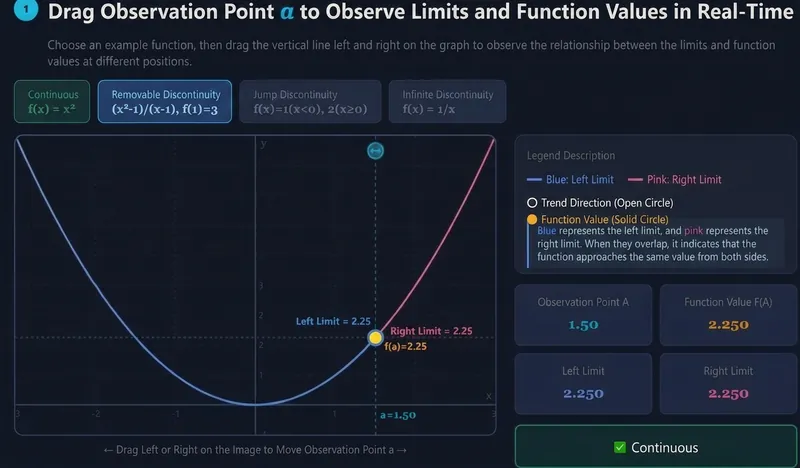
Transform abstract calculus concepts into interactive teaching web pages that you can drag around, present in class, and iterate on repeatedly. V2.0 adds the 'Concept Teaching Task Package' and 'Web Page Versioning Protection': It not only generates dynamic demonstration pages for concepts like limits, derivatives, and integrals, but also first breaks down the teaching structure, then supplements typical example problems, step-by-step explanations, common pitfalls, variant scenarios, student self-tests, and classroom discussion suggestions as needed. Subsequent modifications to the web page automatically generate new versions like v2, v3, etc., without overwriting older versions, making it easy to roll back. ✦ Core Features 🧭 Teaching Structure First — Automatically break down concept intuition, rigorous definitions, prerequisites, related concepts, typical examples, common misconceptions, and application scenarios. 🖱️ Interactive Web Page Generation — Convert concepts such as limits, derivatives, integrals, Riemann sums, and gradients into dynamic web pages that can be dragged, parameter-adjusted, and observed for changes. 📦 Concept Teaching Task Package — Optionally generate example problems, explanations, common pitfalls, variants, self-tests, and classroom questions, suitable for teacher lesson preparation and student review. 🧑🏫 Multi-Audience Adaptation — Supports different teaching scenarios such as vocational colleges, engineering, computer science, mathematics majors, graduate exam preparation, and teacher lesson preparation. 🛡️ Versioned Iteration Protection — Modifying a web page defaults to saving as a new version, not overwriting the old version, preventing loss of results due to iteration deviations. 🎨 Zero Code, Ready to Use — Describe the concept and teaching needs, and you'll get a fully usable interactive teaching web page. Example Input: “I want to explain the geometric meaning of derivatives” “Create an interactive Riemann sum web page for first-year engineering students learning definite integrals” “Explain the relationship between limits and function values, with example problems, common pitfalls, and variants”
 Webpage
One-Click Courseware to Web
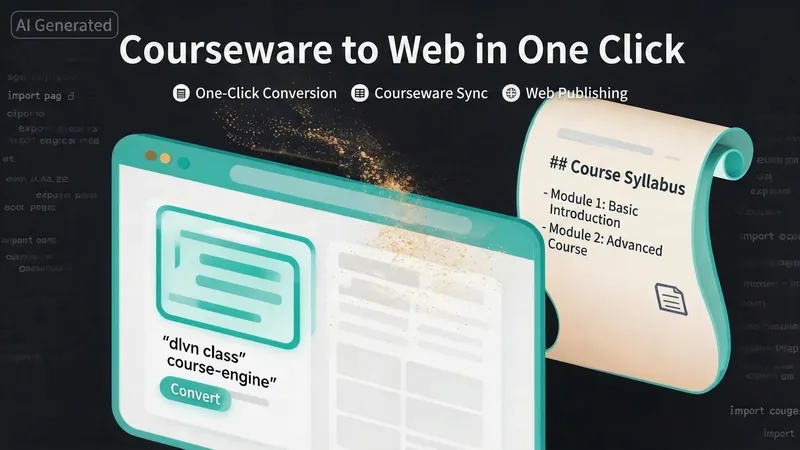
Turn your courseware into a viewable website. Whether you have a Markdown note, a PDF paper, a PPT slides, or a plain text script, or even a public account link, One-Click Courseware to Web can automatically convert it into a clear, beautifully designed online course display webpage. You don't need to write a single line of code—just provide the content. Two display styles: - Course training content → generates a scrolling long page, like flipping through a book. - Paper/report content → generates a PPT-style page-turning website, like browsing slides one by one. Responsive design adapts to mobile and desktop. What you need to do: Just one step: provide your courseware content. Supported formats: .md Markdown files, .pdf PDF documents, .pptx PPT presentations, .txt plain text. You can also paste course content directly in the conversation. Example commands: "Turn these lecture notes into a webpage" "Make this PDF paper into a PPT-style website" "Here is my courseware content, generate an online display page" What you get: A directly accessible online course display website, with the display mode automatically determined. Your content automatically selects the effect: - Course outlines, training handouts, textbooks → scrolling long pages, modules naturally connected, scroll to browse. - Academic papers, research reports → PPT-style slide flipping, each page focuses on one point. - Speeches, meeting reports → PPT-style page-by-page display, supports keyboard/click navigation. If you explicitly request "scrolling" or "PPT", your request is respected. Content extraction capability: For information-dense papers and long texts, the skill automatically performs: - Structure decomposition: splits continuous discourse into independent chapters/slides. - Information condensation: condenses three paragraphs into three key points, each within 20 characters. - Thesis-first: each page gives the conclusion first, then supporting arguments. - Framework visualization: models and classification systems are presented with charts instead of plain text. - Data highlighting: key numbers and metrics are displayed on separate pages prominently. Subsequent modifications: After the website is generated, you can request adjustments at any time: "Update the content of module three" "Change the color scheme to warm tones" "Add a course roadmap" "Change this module to a timeline layout" Modifications only affect the corresponding part; you don't need to regenerate the entire website. What it does not do: This skill currently focuses on course content display and does not include the following LMS (Learning Management System) features: - User login/registration - Learning progress tracking - File download - Online quizzes/practice If you need these features, they are separate extensions.
Create 3D Teaching Webpages
Create 3D models for beautiful teaching pages
Description
Create 3D interactive teaching webpages for teachers across subjects: first clarify the teaching need and output a structured modeling blueprint, then generate three rendering options for teacher confirmation. Use a single image for low-cost conversion to 3D (only upgrade to multi-view if unsatisfied), and finally produce a single-file interactive webpage using a unified design language. It includes an unconditional standard feature baseline—auto-rotation, click-to-select structure explanations, three-state label visibility, XYZ axis sectioning, view presets, keyboard shortcuts, and load-failure fallback—and normalizes model orientation to prevent labels from misaligning with the model.
Related Skills
View allArts Education Visual Webpages
Easily transform K-12 arts education content into lively and engaging interactive web experiences. This skill is designed specifically for arts teachers, helping you present diverse arts courses—including fine arts, music, dance, drama, film, calligraphy, and intangible cultural heritage—to students through visualization and gamification. Whether you want to design click-to-explore, drag-and-drop sorting, color experiments, aesthetic voting, or challenge tasks, this skill can intelligently generate a variety of interactive plans based on your course name, core knowledge points, and teaching objectives. It not only transforms abstract arts concepts into digital content that students can view, manipulate, and create, but also iterates and optimizes based on your feedback, ensuring the plan meets teaching needs while being aesthetically pleasing. In the end, you will receive a detailed interactive webpage content draft, including page structure, student workflow, feedback design, visual style suggestions, and classroom usage guidance. Additionally, this skill can directly generate AI-ready webpage creation prompts, HTML design drafts, and even single-file HTML code, instantly energizing your arts classroom and enhancing student engagement and learning outcomes.
Calc Concept Visualizer V2.0
Transform abstract calculus concepts into interactive teaching web pages that you can drag around, present in class, and iterate on repeatedly. V2.0 adds the 'Concept Teaching Task Package' and 'Web Page Versioning Protection': It not only generates dynamic demonstration pages for concepts like limits, derivatives, and integrals, but also first breaks down the teaching structure, then supplements typical example problems, step-by-step explanations, common pitfalls, variant scenarios, student self-tests, and classroom discussion suggestions as needed. Subsequent modifications to the web page automatically generate new versions like v2, v3, etc., without overwriting older versions, making it easy to roll back. ✦ Core Features 🧭 Teaching Structure First — Automatically break down concept intuition, rigorous definitions, prerequisites, related concepts, typical examples, common misconceptions, and application scenarios. 🖱️ Interactive Web Page Generation — Convert concepts such as limits, derivatives, integrals, Riemann sums, and gradients into dynamic web pages that can be dragged, parameter-adjusted, and observed for changes. 📦 Concept Teaching Task Package — Optionally generate example problems, explanations, common pitfalls, variants, self-tests, and classroom questions, suitable for teacher lesson preparation and student review. 🧑🏫 Multi-Audience Adaptation — Supports different teaching scenarios such as vocational colleges, engineering, computer science, mathematics majors, graduate exam preparation, and teacher lesson preparation. 🛡️ Versioned Iteration Protection — Modifying a web page defaults to saving as a new version, not overwriting the old version, preventing loss of results due to iteration deviations. 🎨 Zero Code, Ready to Use — Describe the concept and teaching needs, and you'll get a fully usable interactive teaching web page. Example Input: “I want to explain the geometric meaning of derivatives” “Create an interactive Riemann sum web page for first-year engineering students learning definite integrals” “Explain the relationship between limits and function values, with example problems, common pitfalls, and variants”
WebpageOne-Click Courseware to Web
Turn your courseware into a viewable website. Whether you have a Markdown note, a PDF paper, a PPT slides, or a plain text script, or even a public account link, One-Click Courseware to Web can automatically convert it into a clear, beautifully designed online course display webpage. You don't need to write a single line of code—just provide the content. Two display styles: - Course training content → generates a scrolling long page, like flipping through a book. - Paper/report content → generates a PPT-style page-turning website, like browsing slides one by one. Responsive design adapts to mobile and desktop. What you need to do: Just one step: provide your courseware content. Supported formats: .md Markdown files, .pdf PDF documents, .pptx PPT presentations, .txt plain text. You can also paste course content directly in the conversation. Example commands: "Turn these lecture notes into a webpage" "Make this PDF paper into a PPT-style website" "Here is my courseware content, generate an online display page" What you get: A directly accessible online course display website, with the display mode automatically determined. Your content automatically selects the effect: - Course outlines, training handouts, textbooks → scrolling long pages, modules naturally connected, scroll to browse. - Academic papers, research reports → PPT-style slide flipping, each page focuses on one point. - Speeches, meeting reports → PPT-style page-by-page display, supports keyboard/click navigation. If you explicitly request "scrolling" or "PPT", your request is respected. Content extraction capability: For information-dense papers and long texts, the skill automatically performs: - Structure decomposition: splits continuous discourse into independent chapters/slides. - Information condensation: condenses three paragraphs into three key points, each within 20 characters. - Thesis-first: each page gives the conclusion first, then supporting arguments. - Framework visualization: models and classification systems are presented with charts instead of plain text. - Data highlighting: key numbers and metrics are displayed on separate pages prominently. Subsequent modifications: After the website is generated, you can request adjustments at any time: "Update the content of module three" "Change the color scheme to warm tones" "Add a course roadmap" "Change this module to a timeline layout" Modifications only affect the corresponding part; you don't need to regenerate the entire website. What it does not do: This skill currently focuses on course content display and does not include the following LMS (Learning Management System) features: - User login/registration - Learning progress tracking - File download - Online quizzes/practice If you need these features, they are separate extensions.
Find your next favorite skill
Explore more curated AI skills for research, creation, and everyday work.