
Course Enrollment Poster Maker
Fixed-layout course posters for instructors
Description
Recommended by
淡苍
Why we love this skill
Uses web compositing to keep instructor photos unchanged and text exact. Strictly follows a professional 7-section structure, offers cyber, business, and other styles, and enables one-click customization of high-conversion course enrollment posters.
Using a fixed 7-block structure, this Skill creates long-form course enrollment posters by compositing web content. It supports user-selected styles such as cyber-tech, minimalist business, and warm vibrant, while keeping instructor photos untouched by AI and ensuring 100% accurate text.
Related Skills
View all Image
ImagePoster Generation
Easily turn your initial ideas into professional and eye-catching promotional posters, especially suitable for psychological counseling, event promotion, or other service advertising. Simply provide basic copy, and we will intelligently extract key information and refine it according to your needs, ensuring the poster text is concise and powerful, matching the professional tone of the industry. On the basis of copy optimization, you can choose your preferred visual style, such as 'Warm and Healing' or 'Rational and Professional'. We will tailor a design strategy for you, including color schemes, layout, font selection, and visual element matching, to ensure the poster is both aesthetically pleasing and effective in communication. Finally, through advanced AI image generation technology, we will present you with high-quality customized posters. These poster images are clear, complete in composition, and will reserve space for QR code placement and top logo area, making it convenient for you to add specific information later, creating promotional images with high conversion rates.
 Image
ImageExtra-long Poster Generator
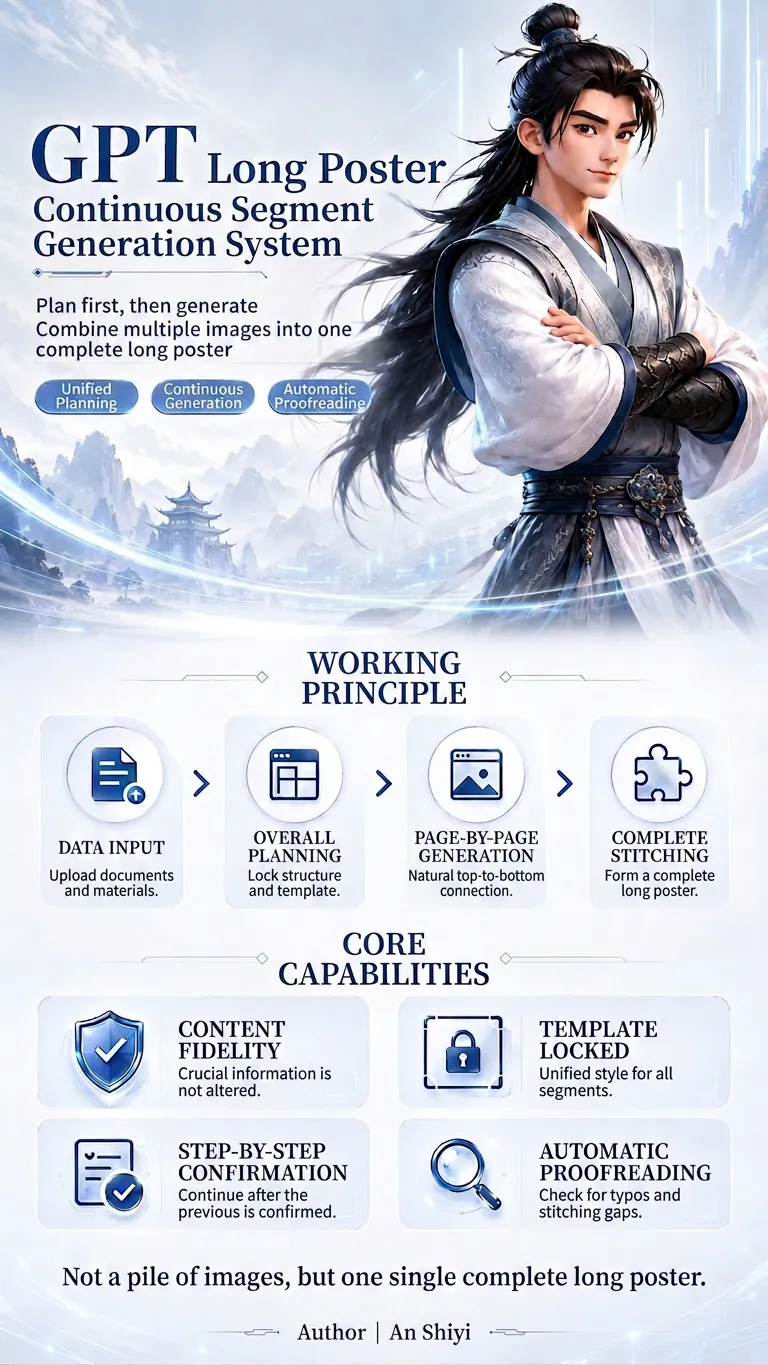
This is a GPT planning and generation system specifically designed for creating continuous extra-long posters. It can identify different tasks such as redesign, partial replacement, and template expansion; extract and protect key information like prices, names, benefits, and dates at varying levels of priority; and then unify the planning of the poster's information flow, segment count, and visual master template. When using it, simply upload your files and assets, and specify the aspect ratio, style, and purpose. The system will first output a complete plan, and after confirmation, generate each segment one by one. It supports content fidelity, master template locking, text whitelisting, segment-by-segment confirmation, automatic proofreading, and seam checking, reducing issues such as inconsistent styles, text errors, duplicated content, and disconnection between sections, ultimately producing a coherent and unified long poster.
 Webpage
One-Click Courseware to Web
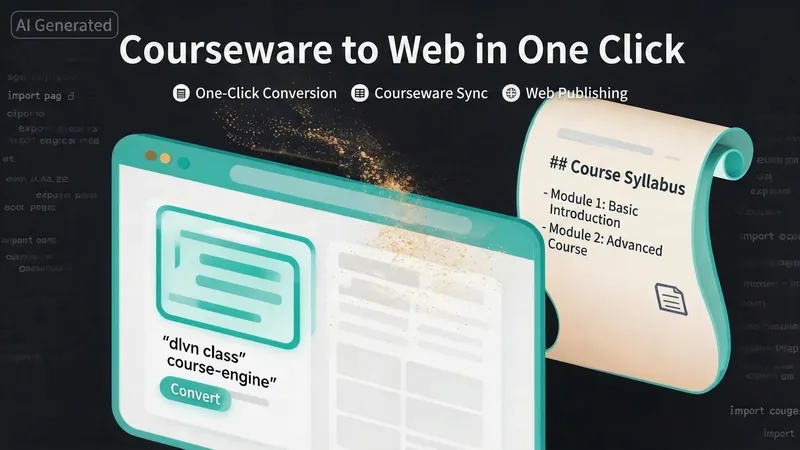
Turn your courseware into a viewable website. Whether you have a Markdown note, a PDF paper, a PPT slides, or a plain text script, or even a public account link, One-Click Courseware to Web can automatically convert it into a clear, beautifully designed online course display webpage. You don't need to write a single line of code—just provide the content. Two display styles: - Course training content → generates a scrolling long page, like flipping through a book. - Paper/report content → generates a PPT-style page-turning website, like browsing slides one by one. Responsive design adapts to mobile and desktop. What you need to do: Just one step: provide your courseware content. Supported formats: .md Markdown files, .pdf PDF documents, .pptx PPT presentations, .txt plain text. You can also paste course content directly in the conversation. Example commands: "Turn these lecture notes into a webpage" "Make this PDF paper into a PPT-style website" "Here is my courseware content, generate an online display page" What you get: A directly accessible online course display website, with the display mode automatically determined. Your content automatically selects the effect: - Course outlines, training handouts, textbooks → scrolling long pages, modules naturally connected, scroll to browse. - Academic papers, research reports → PPT-style slide flipping, each page focuses on one point. - Speeches, meeting reports → PPT-style page-by-page display, supports keyboard/click navigation. If you explicitly request "scrolling" or "PPT", your request is respected. Content extraction capability: For information-dense papers and long texts, the skill automatically performs: - Structure decomposition: splits continuous discourse into independent chapters/slides. - Information condensation: condenses three paragraphs into three key points, each within 20 characters. - Thesis-first: each page gives the conclusion first, then supporting arguments. - Framework visualization: models and classification systems are presented with charts instead of plain text. - Data highlighting: key numbers and metrics are displayed on separate pages prominently. Subsequent modifications: After the website is generated, you can request adjustments at any time: "Update the content of module three" "Change the color scheme to warm tones" "Add a course roadmap" "Change this module to a timeline layout" Modifications only affect the corresponding part; you don't need to regenerate the entire website. What it does not do: This skill currently focuses on course content display and does not include the following LMS (Learning Management System) features: - User login/registration - Learning progress tracking - File download - Online quizzes/practice If you need these features, they are separate extensions.
Course Enrollment Poster Maker
Fixed-layout course posters for instructors
Description
Recommended by
淡苍
Why we love this skill
Uses web compositing to keep instructor photos unchanged and text exact. Strictly follows a professional 7-section structure, offers cyber, business, and other styles, and enables one-click customization of high-conversion course enrollment posters.
Using a fixed 7-block structure, this Skill creates long-form course enrollment posters by compositing web content. It supports user-selected styles such as cyber-tech, minimalist business, and warm vibrant, while keeping instructor photos untouched by AI and ensuring 100% accurate text.
Related Skills
View allImagePoster Generation
Easily turn your initial ideas into professional and eye-catching promotional posters, especially suitable for psychological counseling, event promotion, or other service advertising. Simply provide basic copy, and we will intelligently extract key information and refine it according to your needs, ensuring the poster text is concise and powerful, matching the professional tone of the industry. On the basis of copy optimization, you can choose your preferred visual style, such as 'Warm and Healing' or 'Rational and Professional'. We will tailor a design strategy for you, including color schemes, layout, font selection, and visual element matching, to ensure the poster is both aesthetically pleasing and effective in communication. Finally, through advanced AI image generation technology, we will present you with high-quality customized posters. These poster images are clear, complete in composition, and will reserve space for QR code placement and top logo area, making it convenient for you to add specific information later, creating promotional images with high conversion rates.
ImageExtra-long Poster Generator
This is a GPT planning and generation system specifically designed for creating continuous extra-long posters. It can identify different tasks such as redesign, partial replacement, and template expansion; extract and protect key information like prices, names, benefits, and dates at varying levels of priority; and then unify the planning of the poster's information flow, segment count, and visual master template. When using it, simply upload your files and assets, and specify the aspect ratio, style, and purpose. The system will first output a complete plan, and after confirmation, generate each segment one by one. It supports content fidelity, master template locking, text whitelisting, segment-by-segment confirmation, automatic proofreading, and seam checking, reducing issues such as inconsistent styles, text errors, duplicated content, and disconnection between sections, ultimately producing a coherent and unified long poster.
WebpageOne-Click Courseware to Web
Turn your courseware into a viewable website. Whether you have a Markdown note, a PDF paper, a PPT slides, or a plain text script, or even a public account link, One-Click Courseware to Web can automatically convert it into a clear, beautifully designed online course display webpage. You don't need to write a single line of code—just provide the content. Two display styles: - Course training content → generates a scrolling long page, like flipping through a book. - Paper/report content → generates a PPT-style page-turning website, like browsing slides one by one. Responsive design adapts to mobile and desktop. What you need to do: Just one step: provide your courseware content. Supported formats: .md Markdown files, .pdf PDF documents, .pptx PPT presentations, .txt plain text. You can also paste course content directly in the conversation. Example commands: "Turn these lecture notes into a webpage" "Make this PDF paper into a PPT-style website" "Here is my courseware content, generate an online display page" What you get: A directly accessible online course display website, with the display mode automatically determined. Your content automatically selects the effect: - Course outlines, training handouts, textbooks → scrolling long pages, modules naturally connected, scroll to browse. - Academic papers, research reports → PPT-style slide flipping, each page focuses on one point. - Speeches, meeting reports → PPT-style page-by-page display, supports keyboard/click navigation. If you explicitly request "scrolling" or "PPT", your request is respected. Content extraction capability: For information-dense papers and long texts, the skill automatically performs: - Structure decomposition: splits continuous discourse into independent chapters/slides. - Information condensation: condenses three paragraphs into three key points, each within 20 characters. - Thesis-first: each page gives the conclusion first, then supporting arguments. - Framework visualization: models and classification systems are presented with charts instead of plain text. - Data highlighting: key numbers and metrics are displayed on separate pages prominently. Subsequent modifications: After the website is generated, you can request adjustments at any time: "Update the content of module three" "Change the color scheme to warm tones" "Add a course roadmap" "Change this module to a timeline layout" Modifications only affect the corresponding part; you don't need to regenerate the entire website. What it does not do: This skill currently focuses on course content display and does not include the following LMS (Learning Management System) features: - User login/registration - Learning progress tracking - File download - Online quizzes/practice If you need these features, they are separate extensions.
Find your next favorite skill
Explore more curated AI skills for research, creation, and everyday work.