
PPT to Report
Upload PPT for acceptance & review reports
Description
📋 **Formal presentation materials, from PPT to final draft in one step** Upload a PPT, automatically extract all content, and reorganize it into conversational presentation text using a standard five-section structure (Overview → Key Technology → Innovations → Practice → Project Summary). Page markers, time markers, and bolded innovation points are applied automatically. ✨ **Core Capabilities** - 🔍 **Smart Extraction**: Automatically reads titles, body text, tables, and notes from each slide - 📐 **Five-Section Restructuring**: Standard appraisal presentation framework for clear logic - 🗣️ **Conversational Rewriting**: Transforms PPT bullet points into coherent narrative, not verbatim copying - 🏷️ **Precise Markers**: Page markers + time markers for easy reference to the original PPT - ✍️ **Innovation Points in Bold**: Highlights key points so reviewers instantly see the highlights - 📄 **Dual Format Output**: Ready-to-use Markdown + Word document archive 👥 **Target Users** - Project leads → Presentation materials for appraisal/review meetings - Technical experts → Achievement appraisal/acceptance presentations - Anyone who needs to convert PPT into formal presentation text
Related Skills
View all
Research Report Generator
📝 Value in one sentence: Enter a topic or upload materials, and AI handles the entire process from organizing sources to drafting. 🔍 Core features: Smart source integration: Upload multiple documents and AI automatically extracts key viewpoints, critical data, and representative cases, while removing duplicates and flagging conflicts. Automatic outline generation: Based on the topic or source content, it creates a logically clear and well-structured article outline. One-click draft writing: Generates content section by section according to the outline, with every data point and case study source-tagged and traceable. Five writing styles: Supports formal reports, WeChat articles, Xiaohongshu notes, academic papers, and business briefings. Transparent citations: Every figure and viewpoint is marked with its source—no fabrication or invention. Automated content workflow: Source parsing → viewpoint extraction → outline generation → writing in five styles. 🎯 Use cases: 📊 Industry research: Enter "Humanoid Robot Industry 2026" to generate a draft analysis report with data and case studies. 📝 Content creation: Upload 3 related articles to combine into an in-depth WeChat article. 📚 Academic writing: Upload multiple paper abstracts to create a literature review draft. 📋 Competitor analysis: Upload several competitor documents to instantly generate a comparative analysis report. 🧠 Personal learning: Enter a new-domain topic to quickly generate a knowledge overview. 💼 Business decisions: Input business data and background information to produce a decision brief for the CEO. 👩💼 Who it's for: Researchers, analysts, content creators, product managers, students, and consultants—anyone who needs to quickly produce high-quality first drafts.
 Slides
White Space | Minimalist PPT
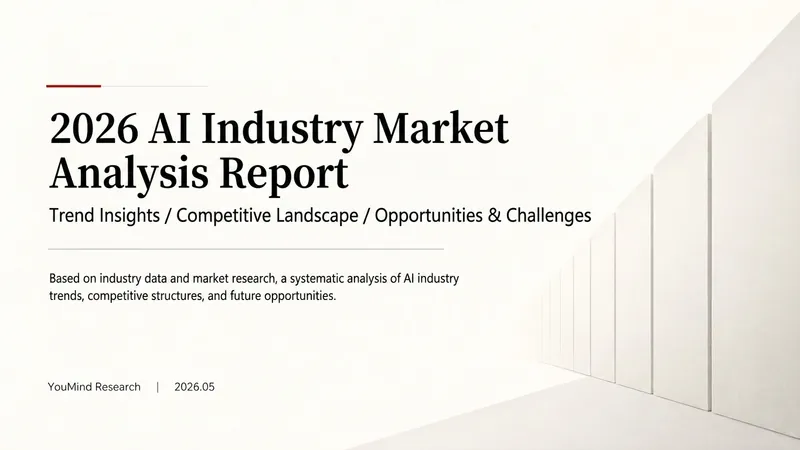
"White Space" is a Skill specifically designed to generate minimalist research report slides. Upload Word, PDF, web pages, data tables, research materials, or old PPTs, and it will convert them into an editable PPT with a cool white background, black-gray text, generous white space, thin line separators, and a touch of deep red accents. It automatically completes: · Reading and organizing raw materials · Extracting core conclusions from the report · Building a complete presentation storyline · Generating conclusion-style titles with one point per page · Redrawing native editable data charts · Unifying fonts, colors, margins, and page grids · Controlling text and chart density per page · Adding page numbers, dates, and data sources · Outputting actually editable Slides By default, it uses a 16:9 aspect ratio, with visual features including: · Cool white background · Black-gray text · Single deep red accent color · All left-aligned · Generous white space · Minimalist architectural geometry · At most two fonts throughout · Charts and shapes are fully editable Suitable for industry research, market analysis, business presentations, strategic plans, course reports, graduation defenses, and management reports. Simply upload your materials and describe the presentation scenario to generate a clean, professional, directly editable and presentable minimalist PPT.
PM Report Assistant
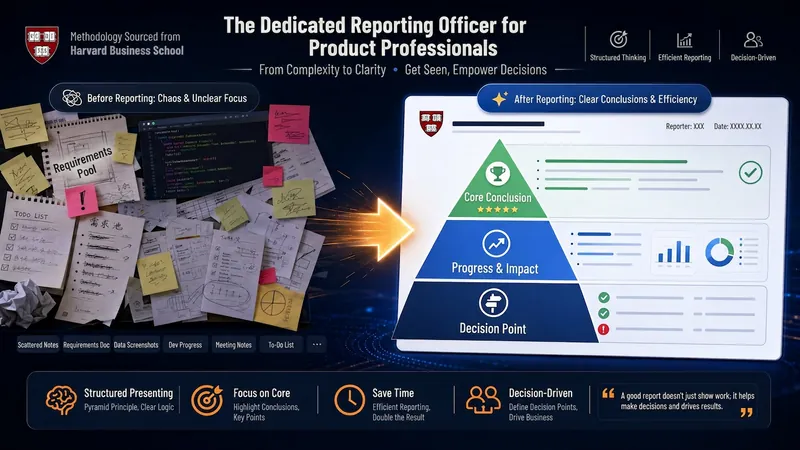
A specialized upward reporting skill for product managers: accepts scattered materials like work notes, weekly report drafts, OKR progress, or references from product context archives. Based on Harvard's six principles of Effective Writing, it translates and compresses work records into upward reports structured as 'Conclusion → Impact → Action'. Supports written reports (concise/detailed), oral reports (key outline, full script, data cards), and PPT version (framework first, then optionally generate presentations or output PPT generation instructions for other AI tools). It marks decision points and sync points, enabling bosses to grasp key points in 30 seconds.
PPT to Report
Upload PPT for acceptance & review reports
Description
📋 **Formal presentation materials, from PPT to final draft in one step** Upload a PPT, automatically extract all content, and reorganize it into conversational presentation text using a standard five-section structure (Overview → Key Technology → Innovations → Practice → Project Summary). Page markers, time markers, and bolded innovation points are applied automatically. ✨ **Core Capabilities** - 🔍 **Smart Extraction**: Automatically reads titles, body text, tables, and notes from each slide - 📐 **Five-Section Restructuring**: Standard appraisal presentation framework for clear logic - 🗣️ **Conversational Rewriting**: Transforms PPT bullet points into coherent narrative, not verbatim copying - 🏷️ **Precise Markers**: Page markers + time markers for easy reference to the original PPT - ✍️ **Innovation Points in Bold**: Highlights key points so reviewers instantly see the highlights - 📄 **Dual Format Output**: Ready-to-use Markdown + Word document archive 👥 **Target Users** - Project leads → Presentation materials for appraisal/review meetings - Technical experts → Achievement appraisal/acceptance presentations - Anyone who needs to convert PPT into formal presentation text
Related Skills
View allResearch Report Generator
📝 Value in one sentence: Enter a topic or upload materials, and AI handles the entire process from organizing sources to drafting. 🔍 Core features: Smart source integration: Upload multiple documents and AI automatically extracts key viewpoints, critical data, and representative cases, while removing duplicates and flagging conflicts. Automatic outline generation: Based on the topic or source content, it creates a logically clear and well-structured article outline. One-click draft writing: Generates content section by section according to the outline, with every data point and case study source-tagged and traceable. Five writing styles: Supports formal reports, WeChat articles, Xiaohongshu notes, academic papers, and business briefings. Transparent citations: Every figure and viewpoint is marked with its source—no fabrication or invention. Automated content workflow: Source parsing → viewpoint extraction → outline generation → writing in five styles. 🎯 Use cases: 📊 Industry research: Enter "Humanoid Robot Industry 2026" to generate a draft analysis report with data and case studies. 📝 Content creation: Upload 3 related articles to combine into an in-depth WeChat article. 📚 Academic writing: Upload multiple paper abstracts to create a literature review draft. 📋 Competitor analysis: Upload several competitor documents to instantly generate a comparative analysis report. 🧠 Personal learning: Enter a new-domain topic to quickly generate a knowledge overview. 💼 Business decisions: Input business data and background information to produce a decision brief for the CEO. 👩💼 Who it's for: Researchers, analysts, content creators, product managers, students, and consultants—anyone who needs to quickly produce high-quality first drafts.
SlidesWhite Space | Minimalist PPT
"White Space" is a Skill specifically designed to generate minimalist research report slides. Upload Word, PDF, web pages, data tables, research materials, or old PPTs, and it will convert them into an editable PPT with a cool white background, black-gray text, generous white space, thin line separators, and a touch of deep red accents. It automatically completes: · Reading and organizing raw materials · Extracting core conclusions from the report · Building a complete presentation storyline · Generating conclusion-style titles with one point per page · Redrawing native editable data charts · Unifying fonts, colors, margins, and page grids · Controlling text and chart density per page · Adding page numbers, dates, and data sources · Outputting actually editable Slides By default, it uses a 16:9 aspect ratio, with visual features including: · Cool white background · Black-gray text · Single deep red accent color · All left-aligned · Generous white space · Minimalist architectural geometry · At most two fonts throughout · Charts and shapes are fully editable Suitable for industry research, market analysis, business presentations, strategic plans, course reports, graduation defenses, and management reports. Simply upload your materials and describe the presentation scenario to generate a clean, professional, directly editable and presentable minimalist PPT.
PM Report Assistant
A specialized upward reporting skill for product managers: accepts scattered materials like work notes, weekly report drafts, OKR progress, or references from product context archives. Based on Harvard's six principles of Effective Writing, it translates and compresses work records into upward reports structured as 'Conclusion → Impact → Action'. Supports written reports (concise/detailed), oral reports (key outline, full script, data cards), and PPT version (framework first, then optionally generate presentations or output PPT generation instructions for other AI tools). It marks decision points and sync points, enabling bosses to grasp key points in 30 seconds.
Find your next favorite skill
Explore more curated AI skills for research, creation, and everyday work.