One City, One Scroll Flipbook
Description
Why we love this skill
This 'One City One Scroll' cultural travel Flipbook, from the perspective of an experienced cultural guide, transforms profound historical knowledge into vivid and engaging tours, allowing every traveler to enjoy a deep cultural exploration.
Your perfect travel companion. Enter any city or attraction, and it automatically generates an interactive flipbook humanities guide e-book. One skill, unlimited destinations. • Smart sorting: Large scenic areas are automatically split (e.g., 'Hangzhou · West Lake Volume', 'Hangzhou · Lingyin Volume'), small attractions become independent volumes. • In-depth humanities: Auto search + historical verification, not a Wikipedia copy-paste, but a guide with stories. • Optional audio narration: Pair with Cherry voice for listening on the go. Brand: Lydia's Travelogue
Related Skills
View all Image
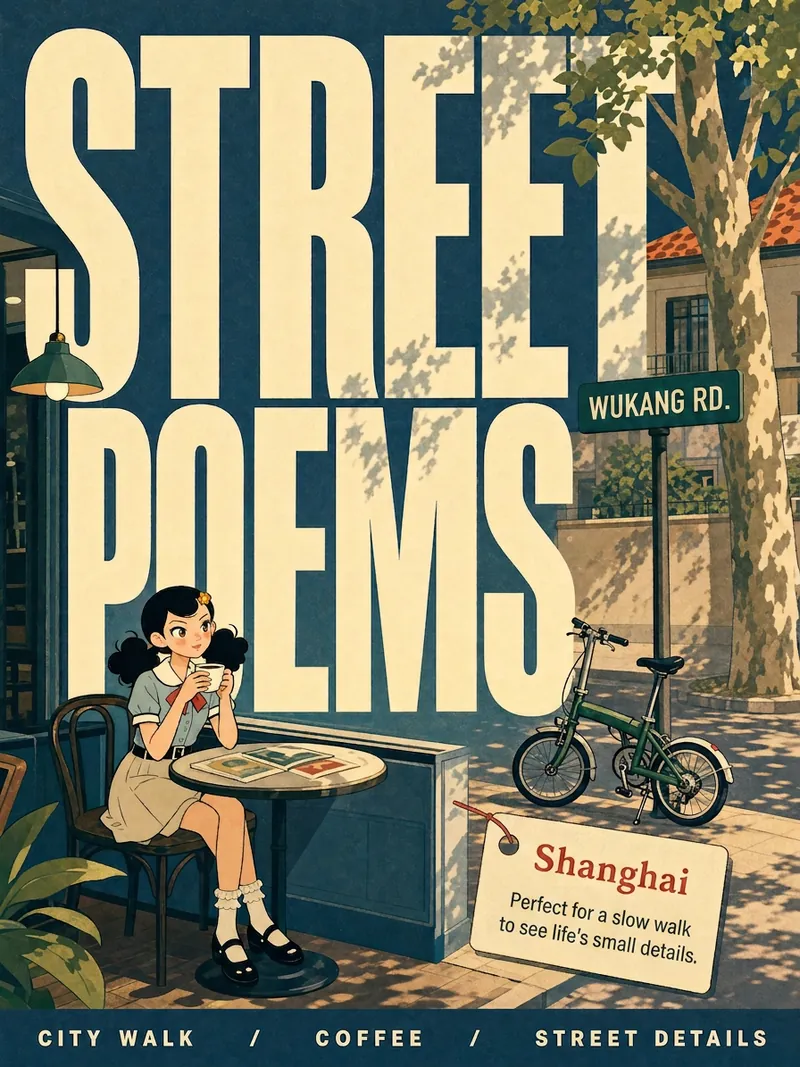
ImageCity Travel Poster
Input a city name to instantly generate a hand-drawn illustration style city travel poster—bold black handwritten city name, limited high-saturation palette, collage composition, hand-drawn wobbly lines, and screen-print texture. Each poster automatically matches the city's iconic landmarks and a unique color scheme.
 Image
ImageCity Observer Poster
Upload any character image and name a city to create a collectible City Observer poster. This is not a tourism promo—it’s a visual note on the city’s mood. The Skill preserves the character’s recognizable features, translates them into a unified flat illustration style, and places them in everyday city scenes. The three-step process (character analysis → city concept card → image generation) lets you confirm each step. A consistent visual system: vertical 3:4 format, oversized English title, blue-cyan line art, risograph print texture, and limited-color editorial layout. Create 10 cities and you’ll have a cohesive 10-poster city atlas. Minimum input: one image + a city name.
 Webpage
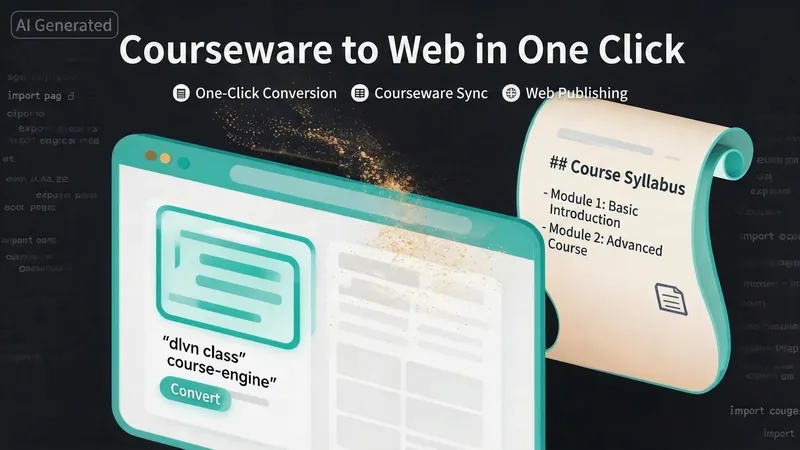
One-Click Courseware to Web
Turn your courseware into a viewable website. Whether you have a Markdown note, a PDF paper, a PPT slides, or a plain text script, or even a public account link, One-Click Courseware to Web can automatically convert it into a clear, beautifully designed online course display webpage. You don't need to write a single line of code—just provide the content. Two display styles: - Course training content → generates a scrolling long page, like flipping through a book. - Paper/report content → generates a PPT-style page-turning website, like browsing slides one by one. Responsive design adapts to mobile and desktop. What you need to do: Just one step: provide your courseware content. Supported formats: .md Markdown files, .pdf PDF documents, .pptx PPT presentations, .txt plain text. You can also paste course content directly in the conversation. Example commands: "Turn these lecture notes into a webpage" "Make this PDF paper into a PPT-style website" "Here is my courseware content, generate an online display page" What you get: A directly accessible online course display website, with the display mode automatically determined. Your content automatically selects the effect: - Course outlines, training handouts, textbooks → scrolling long pages, modules naturally connected, scroll to browse. - Academic papers, research reports → PPT-style slide flipping, each page focuses on one point. - Speeches, meeting reports → PPT-style page-by-page display, supports keyboard/click navigation. If you explicitly request "scrolling" or "PPT", your request is respected. Content extraction capability: For information-dense papers and long texts, the skill automatically performs: - Structure decomposition: splits continuous discourse into independent chapters/slides. - Information condensation: condenses three paragraphs into three key points, each within 20 characters. - Thesis-first: each page gives the conclusion first, then supporting arguments. - Framework visualization: models and classification systems are presented with charts instead of plain text. - Data highlighting: key numbers and metrics are displayed on separate pages prominently. Subsequent modifications: After the website is generated, you can request adjustments at any time: "Update the content of module three" "Change the color scheme to warm tones" "Add a course roadmap" "Change this module to a timeline layout" Modifications only affect the corresponding part; you don't need to regenerate the entire website. What it does not do: This skill currently focuses on course content display and does not include the following LMS (Learning Management System) features: - User login/registration - Learning progress tracking - File download - Online quizzes/practice If you need these features, they are separate extensions.
One City, One Scroll Flipbook
Description
Why we love this skill
This 'One City One Scroll' cultural travel Flipbook, from the perspective of an experienced cultural guide, transforms profound historical knowledge into vivid and engaging tours, allowing every traveler to enjoy a deep cultural exploration.
Your perfect travel companion. Enter any city or attraction, and it automatically generates an interactive flipbook humanities guide e-book. One skill, unlimited destinations. • Smart sorting: Large scenic areas are automatically split (e.g., 'Hangzhou · West Lake Volume', 'Hangzhou · Lingyin Volume'), small attractions become independent volumes. • In-depth humanities: Auto search + historical verification, not a Wikipedia copy-paste, but a guide with stories. • Optional audio narration: Pair with Cherry voice for listening on the go. Brand: Lydia's Travelogue
Related Skills
View allImageCity Travel Poster
Input a city name to instantly generate a hand-drawn illustration style city travel poster—bold black handwritten city name, limited high-saturation palette, collage composition, hand-drawn wobbly lines, and screen-print texture. Each poster automatically matches the city's iconic landmarks and a unique color scheme.
ImageCity Observer Poster
Upload any character image and name a city to create a collectible City Observer poster. This is not a tourism promo—it’s a visual note on the city’s mood. The Skill preserves the character’s recognizable features, translates them into a unified flat illustration style, and places them in everyday city scenes. The three-step process (character analysis → city concept card → image generation) lets you confirm each step. A consistent visual system: vertical 3:4 format, oversized English title, blue-cyan line art, risograph print texture, and limited-color editorial layout. Create 10 cities and you’ll have a cohesive 10-poster city atlas. Minimum input: one image + a city name.
WebpageOne-Click Courseware to Web
Turn your courseware into a viewable website. Whether you have a Markdown note, a PDF paper, a PPT slides, or a plain text script, or even a public account link, One-Click Courseware to Web can automatically convert it into a clear, beautifully designed online course display webpage. You don't need to write a single line of code—just provide the content. Two display styles: - Course training content → generates a scrolling long page, like flipping through a book. - Paper/report content → generates a PPT-style page-turning website, like browsing slides one by one. Responsive design adapts to mobile and desktop. What you need to do: Just one step: provide your courseware content. Supported formats: .md Markdown files, .pdf PDF documents, .pptx PPT presentations, .txt plain text. You can also paste course content directly in the conversation. Example commands: "Turn these lecture notes into a webpage" "Make this PDF paper into a PPT-style website" "Here is my courseware content, generate an online display page" What you get: A directly accessible online course display website, with the display mode automatically determined. Your content automatically selects the effect: - Course outlines, training handouts, textbooks → scrolling long pages, modules naturally connected, scroll to browse. - Academic papers, research reports → PPT-style slide flipping, each page focuses on one point. - Speeches, meeting reports → PPT-style page-by-page display, supports keyboard/click navigation. If you explicitly request "scrolling" or "PPT", your request is respected. Content extraction capability: For information-dense papers and long texts, the skill automatically performs: - Structure decomposition: splits continuous discourse into independent chapters/slides. - Information condensation: condenses three paragraphs into three key points, each within 20 characters. - Thesis-first: each page gives the conclusion first, then supporting arguments. - Framework visualization: models and classification systems are presented with charts instead of plain text. - Data highlighting: key numbers and metrics are displayed on separate pages prominently. Subsequent modifications: After the website is generated, you can request adjustments at any time: "Update the content of module three" "Change the color scheme to warm tones" "Add a course roadmap" "Change this module to a timeline layout" Modifications only affect the corresponding part; you don't need to regenerate the entire website. What it does not do: This skill currently focuses on course content display and does not include the following LMS (Learning Management System) features: - User login/registration - Learning progress tracking - File download - Online quizzes/practice If you need these features, they are separate extensions.
Find your next favorite skill
Explore more curated AI skills for research, creation, and everyday work.