
TableCraft
Paste data for Economist/WSJ-grade charts PPT
Description
Recommended by
nene@YouMind
Why we love this skill
Built-in seven top-tier media visual presets instantly transform messy data into publication-grade tables on par with The Economist or McKinsey. Supports high-precision screenshots and HTML export, making it an efficiency booster for PPT presentations and professional formatting.
Transforms raw table data into professional, beautiful publication-grade charts, eliminating the hassle of manual formatting. Whether your data is in CSV, JSON, Markdown tables, directly pasted spreadsheet cells, or any other tabulable text, this tool intelligently parses and identifies header and numeric columns to ensure accurate data presentation. You can choose from seven carefully designed styles, including The Economist, The Wall Street Journal, Financial Times, McKinsey, Instagram social style, minimalist modern, and high-end dark. Each style has its own unique character and is suitable for different scenarios. Whether for financial reports, market analysis, corporate presentations, or social media posts, you will find the most fitting visual presentation. Just provide the data, and the tool automatically generates high-quality HTML files and PPT-ready PNG images, making your tables stand out in presentations, reports, or social posts. For complex situations like wide tables, long text, or mixed number formats, it also provides smart suggestions to ensure a flawless final result. Complementary tools: For infographics beyond tables, find "Infographic Maker"; for turning key points into card sets, find "Knowledge Card Generator Workshop".
Related Skills
View all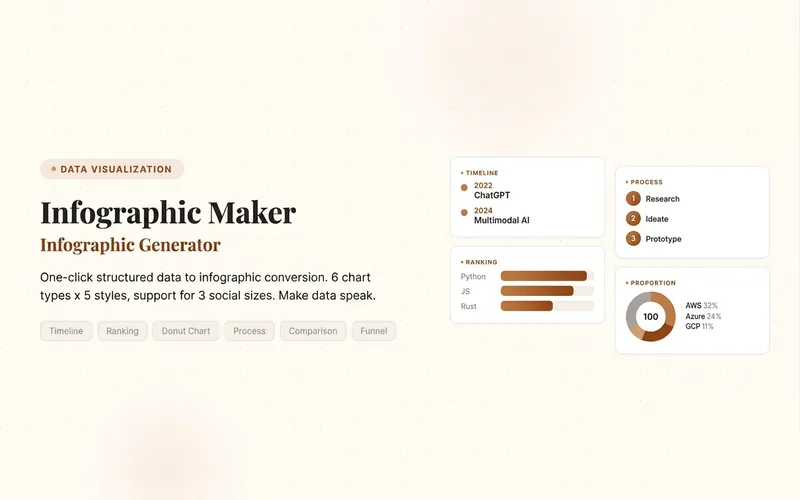 Image
ImageInfographic Maker
Easily turn any article, table, link, or casual note into a professional infographic, making your data and insights stand out. Whether it's a single poster or a multi-page carousel, this tool intelligently identifies content structure and automatically extracts key information—no manual formatting required. Choose from six chart types: timeline, flowchart, ranking, proportion, comparison, or funnel, and pair them with visual styles like Business Blue, Creative Color, Dark Tech, Elegant Warm, Minimalist Black & White, or Xiaohongshu-exclusive styles. We specially support Chinese content and brand colors to ensure visuals are both professional and aligned with your brand identity. Whether for annual reports, social media (e.g., Xiaohongshu, Instagram, X), or study notes, this tool generates high-resolution PNG images in multiple sizes, helping your information spread in the most appealing way. Say goodbye to tedious design work—create stunning infographics with one click, letting data speak and stories come alive. Companion tools: For final drafts to be published on WeChat Official Accounts, look for '公众号排版器'; for data tables needing publication-grade formatting, look for 'TableCraft'; for quote card sets, look for '知识卡片生成工坊'.
 Research
Knowledge Card Generator
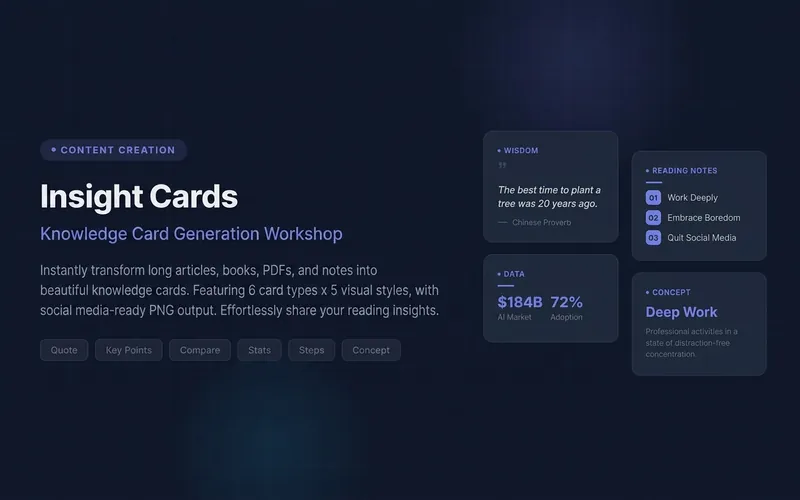
Turn your articles, notes, quotes, or any inspiration into beautiful knowledge cards to easily share your insights. Whether it's reading notes, course highlights, or daily thoughts, this tool intelligently identifies core content, automatically selects the most suitable card type, and presents it in a professional and visually appealing style. You can choose to generate a single eye-catching knowledge card or create multiple linked "card sets" with one click, perfect for publishable swipeable carousel content on social platforms like Xiaohongshu and Instagram. It automatically designs a cover for you, extracts key points for each page, and attaches the source, ensuring your sharing is both deep and shareable. We offer six card types: quotes, key points, comparisons, steps, data, and concepts, paired with five curated visual styles: academic blue, warm literature, dark tech, magazine red, and minimalist black and white, with full support for Chinese content. You can also customize your brand primary color and account signature, giving each card a personal touch, ensuring knowledge output is as high-quality as input. For companion use: For long-text infographics, check out 'Infographic Maker'; for finished drafts to publish on WeChat Official Account, check out '公众号排版器'.
Orange Spark Tech Infographic
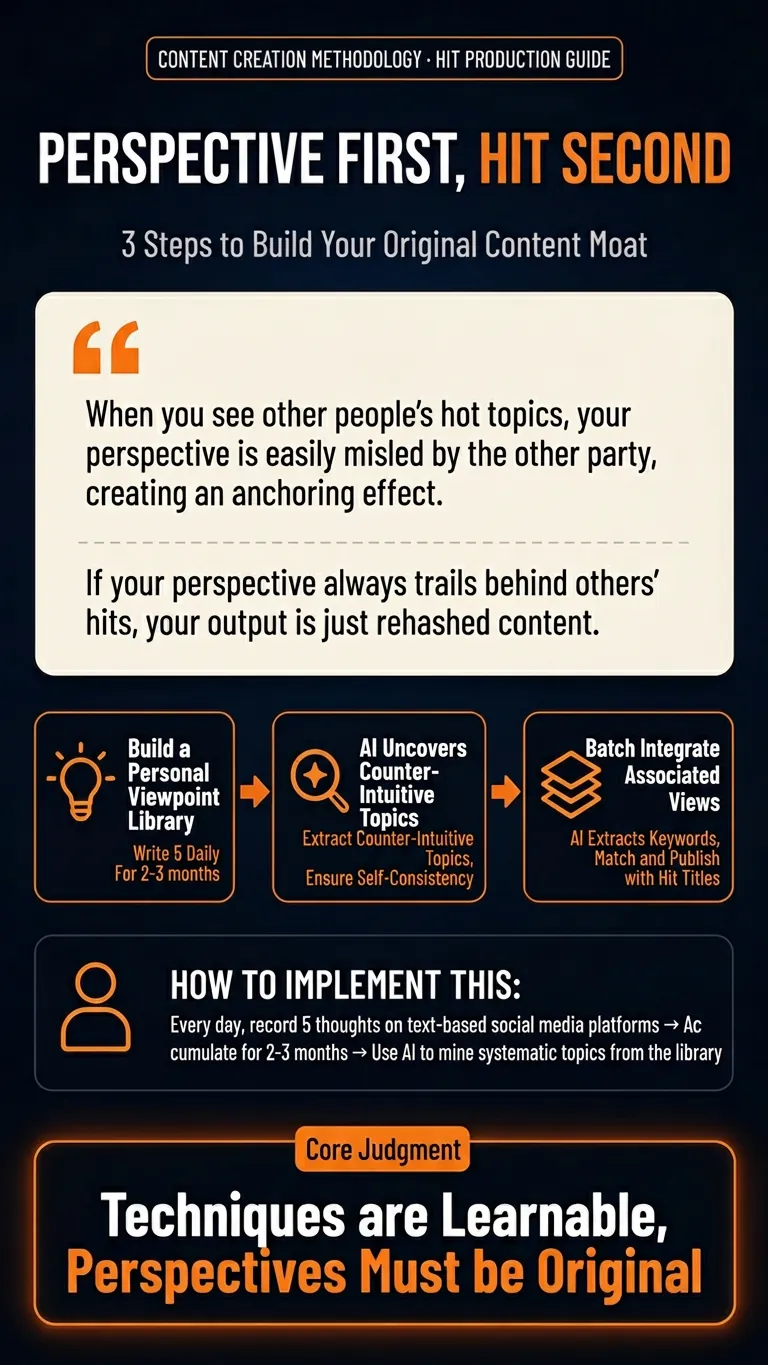
Automatically transform your articles, community discussions, course notes, or methodologies into a vertical knowledge infographic with the Orange Spark Technology brand style. This infographic features a dark tech-themed background with high-saturation orange highlights, delivering a strong AI product launch visual effect. It instantly boosts the shareability and professionalism of your knowledge content. Whether you need to summarize tool reviews, organize SOP procedures, distill key insights, or share structured study notes, this skill intelligently extracts the essence of your content and presents it with clear information hierarchy and impactful visual design. It ensures your infographic offers an excellent reading experience on mobile devices, with prominent titles, appropriate white space, and no cluttered text or visual congestion. We focus on transforming abstract knowledge into concrete visual assets. Through carefully designed rounded cards, orange borders, linear icons, and intelligent layout, your content is presented in a branded, templated format, much like a professional tech company's launch poster. Every opinion and conclusion becomes a striking focal point for sharing. Whether it's process workflows, evaluation dimensions, or point breakdowns, the most suitable graphical representation is always found.
TableCraft
Paste data for Economist/WSJ-grade charts PPT
Description
Recommended by
nene@YouMind
Why we love this skill
Built-in seven top-tier media visual presets instantly transform messy data into publication-grade tables on par with The Economist or McKinsey. Supports high-precision screenshots and HTML export, making it an efficiency booster for PPT presentations and professional formatting.
Transforms raw table data into professional, beautiful publication-grade charts, eliminating the hassle of manual formatting. Whether your data is in CSV, JSON, Markdown tables, directly pasted spreadsheet cells, or any other tabulable text, this tool intelligently parses and identifies header and numeric columns to ensure accurate data presentation. You can choose from seven carefully designed styles, including The Economist, The Wall Street Journal, Financial Times, McKinsey, Instagram social style, minimalist modern, and high-end dark. Each style has its own unique character and is suitable for different scenarios. Whether for financial reports, market analysis, corporate presentations, or social media posts, you will find the most fitting visual presentation. Just provide the data, and the tool automatically generates high-quality HTML files and PPT-ready PNG images, making your tables stand out in presentations, reports, or social posts. For complex situations like wide tables, long text, or mixed number formats, it also provides smart suggestions to ensure a flawless final result. Complementary tools: For infographics beyond tables, find "Infographic Maker"; for turning key points into card sets, find "Knowledge Card Generator Workshop".
Related Skills
View allImageInfographic Maker
Easily turn any article, table, link, or casual note into a professional infographic, making your data and insights stand out. Whether it's a single poster or a multi-page carousel, this tool intelligently identifies content structure and automatically extracts key information—no manual formatting required. Choose from six chart types: timeline, flowchart, ranking, proportion, comparison, or funnel, and pair them with visual styles like Business Blue, Creative Color, Dark Tech, Elegant Warm, Minimalist Black & White, or Xiaohongshu-exclusive styles. We specially support Chinese content and brand colors to ensure visuals are both professional and aligned with your brand identity. Whether for annual reports, social media (e.g., Xiaohongshu, Instagram, X), or study notes, this tool generates high-resolution PNG images in multiple sizes, helping your information spread in the most appealing way. Say goodbye to tedious design work—create stunning infographics with one click, letting data speak and stories come alive. Companion tools: For final drafts to be published on WeChat Official Accounts, look for '公众号排版器'; for data tables needing publication-grade formatting, look for 'TableCraft'; for quote card sets, look for '知识卡片生成工坊'.
ResearchKnowledge Card Generator
Turn your articles, notes, quotes, or any inspiration into beautiful knowledge cards to easily share your insights. Whether it's reading notes, course highlights, or daily thoughts, this tool intelligently identifies core content, automatically selects the most suitable card type, and presents it in a professional and visually appealing style. You can choose to generate a single eye-catching knowledge card or create multiple linked "card sets" with one click, perfect for publishable swipeable carousel content on social platforms like Xiaohongshu and Instagram. It automatically designs a cover for you, extracts key points for each page, and attaches the source, ensuring your sharing is both deep and shareable. We offer six card types: quotes, key points, comparisons, steps, data, and concepts, paired with five curated visual styles: academic blue, warm literature, dark tech, magazine red, and minimalist black and white, with full support for Chinese content. You can also customize your brand primary color and account signature, giving each card a personal touch, ensuring knowledge output is as high-quality as input. For companion use: For long-text infographics, check out 'Infographic Maker'; for finished drafts to publish on WeChat Official Account, check out '公众号排版器'.
Orange Spark Tech Infographic
Automatically transform your articles, community discussions, course notes, or methodologies into a vertical knowledge infographic with the Orange Spark Technology brand style. This infographic features a dark tech-themed background with high-saturation orange highlights, delivering a strong AI product launch visual effect. It instantly boosts the shareability and professionalism of your knowledge content. Whether you need to summarize tool reviews, organize SOP procedures, distill key insights, or share structured study notes, this skill intelligently extracts the essence of your content and presents it with clear information hierarchy and impactful visual design. It ensures your infographic offers an excellent reading experience on mobile devices, with prominent titles, appropriate white space, and no cluttered text or visual congestion. We focus on transforming abstract knowledge into concrete visual assets. Through carefully designed rounded cards, orange borders, linear icons, and intelligent layout, your content is presented in a branded, templated format, much like a professional tech company's launch poster. Every opinion and conclusion becomes a striking focal point for sharing. Whether it's process workflows, evaluation dimensions, or point breakdowns, the most suitable graphical representation is always found.
Find your next favorite skill
Explore more curated AI skills for research, creation, and everyday work.