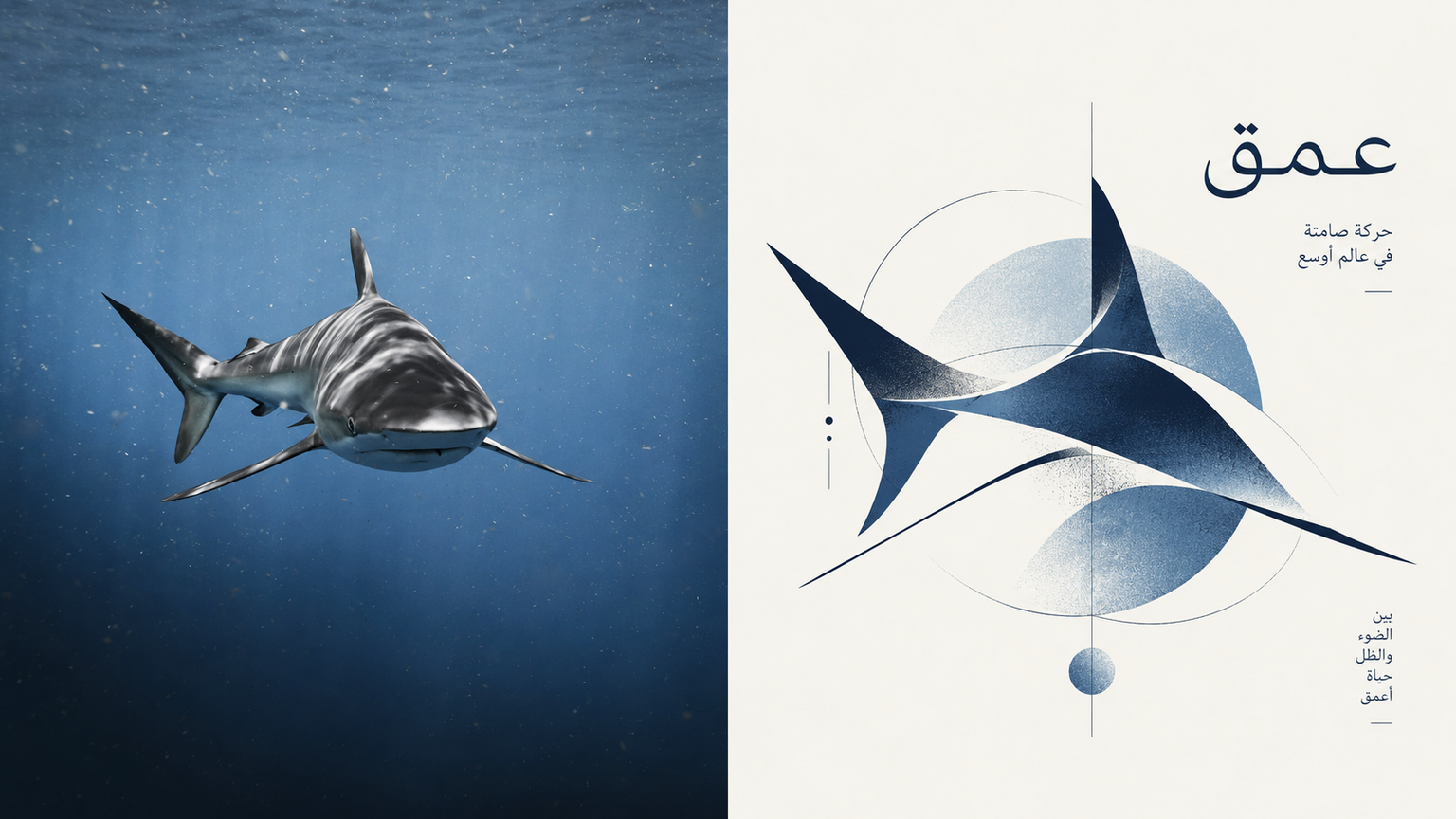
Totem | xiaoxiaodong P304
By xiaoxiaodong
Totem | xiaoxiaodong P304
By xiaoxiaodong
Showcase
Description
Turn an ordinary photo into a visual symbol for an art institution or high-end magazine. Compress the photo’s core spirit, subject features, and emotional tone into a standalone abstract logo / icon. Rather than explaining literally, it is built from a few organic forms, circles, rectangles, irregular color blocks, and a single gestural fine line. Organic and geometric forms, order and improvisation coexist, with partial occlusion, misalignment, and cuts allowed. The result may look spontaneous but remains highly controlled. Use one core symbol with precise proportions and generous negative space; set it against soft neutral tones with a single, highly recognizable accent color, such as deep blue, vermilion, forest green, warm orange, or soft pink. Avoid complete human portraits, realistic illustrations, complex scenes, bright childlike colors, technological gradients, and meaningless geometric collages.
Recommended by
Dancang
Why we love this skill
Turns photos into restrained, high-tension experimental identity totems through negative space, scarce color, geometric structure, and organic forms—avoiding literal illustration and cheap futurism.
Best for
Content creators, art projects, and editorial design work that need to turn photos into standalone visual symbols.
How to use this Skill
Provide your input
Provide one photo or image as a creative reference.
Run the Skill
Extract the subject’s key features and emotional tone into an abstract visual symbol, then develop its composition.
Review your result
Receive an artistic PNG image combining generous negative space with geometric and organic forms.
Related Skills
View all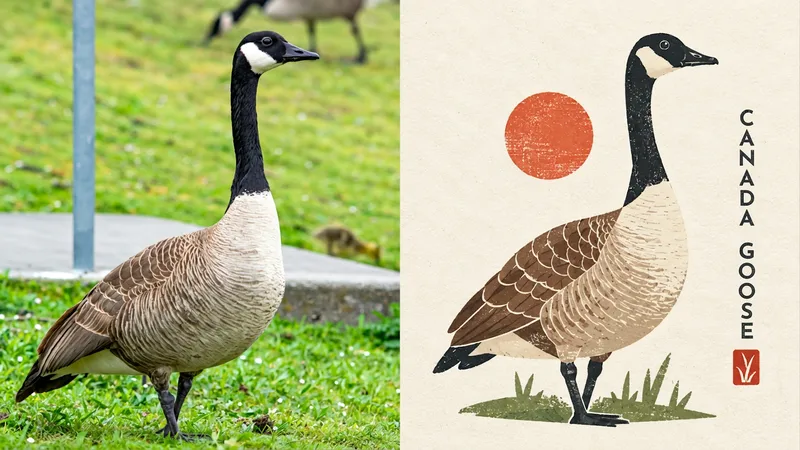
Cultural Silhouette|xiaoxiaodong P278
Turn an ordinary photo into a cultural emblem with a collectible feel. The upper half shows the original photo; the lower half compresses the subject into a memorable miniature identity system. Geometric simplification, paper-cut collage, flat color blocks, and symbolic forms create an abstract graphic reminiscent of a cultural institution mark, art badge, or design studio logo. The subject resembles a carefully designed miniature cultural seal, centered or slightly offset with clean space around it. Large areas of solid color, clear contours, and a few internal structure lines preserve a simulated print texture inspired by screen printing, Riso overprint misalignment, and uneven ink coverage. The palette uses warm ivory and beige paper as the background, with forest green, cobalt blue, soft yellow, and coral red shaping the subject. Avoid complex scenes, cartoon characters, commercial logo templates, and sleek corporate vector styling.
 Image
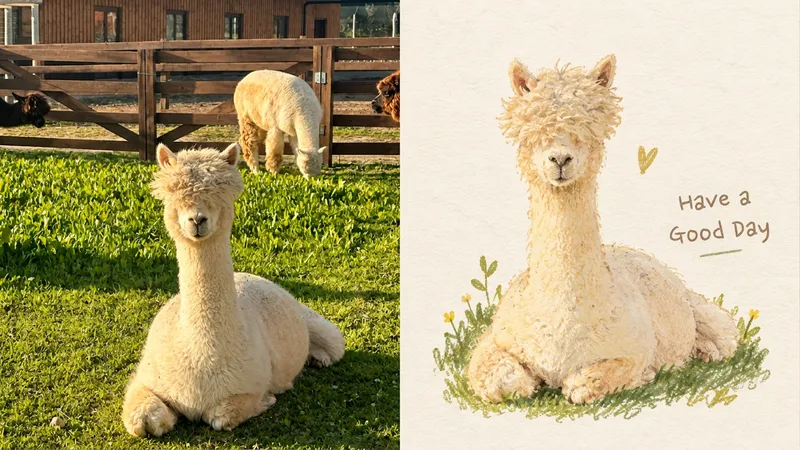
ImageSoft Totem|xiaoxiaodong P291
Ideal for turning an ordinary photo into a preserved memory symbol. The top half shows the original photo; the bottom half distills the subject into a rounded, soft, slightly imprecise organic shape, like a blend of journal doodles and marks from a vintage picture book. Pencil, crayon, and dry-paint textures remain on the paper. A single symbol floats in ample negative space, with fine, light lettering that leaves room to breathe around the symbol. The palette uses cream, warm beige, olive, honey yellow, soft brown, burgundy, and misty blue, with just a touch of vivid color for emphasis. Avoid complex scenes, vector icons, 3D, cartoon IP, and excessive refinement.
 Image
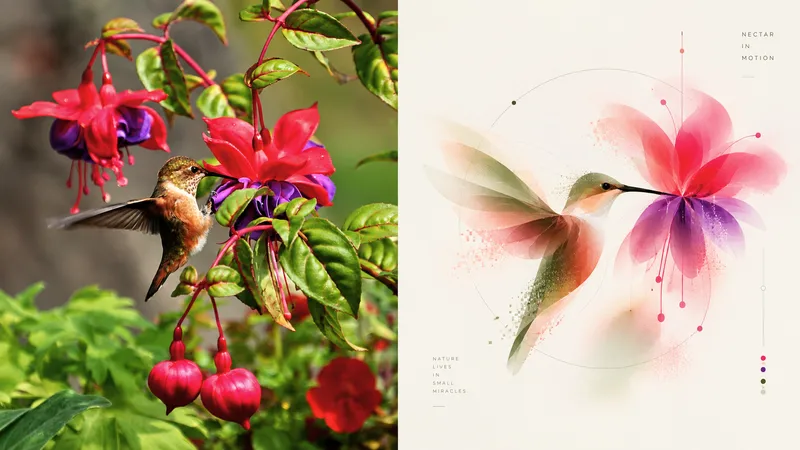
ImageSoft Blur xiaoxiaodong
Ideal for reducing an ordinary photo to a soft, distanced visual symbol. The original image appears in the upper half; below, the subject becomes an organic abstract outline made from translucent layers, soft-focus diffusion, and a few pixel fragments. The symbol is complete, centered, and modest in scale, with clean space around it and only a tiny, precise sans-serif caption beside it. The palette uses low-contrast milky white, nude pink, misty pink, gray-green, pale olive, and light blue—like colors filtered through soft light. Avoid literal object rendering, complete scenes, commercial illustration, neon, strong gradients, and cartoon styles.
Information
- Version
- v3
- Last updated
- Runtime credits
- Usage-based
- Models
- Auto
- Use cases
- Images & design
- What you get
- Image
- Visual styles
- MinimalistEditorialFlat
