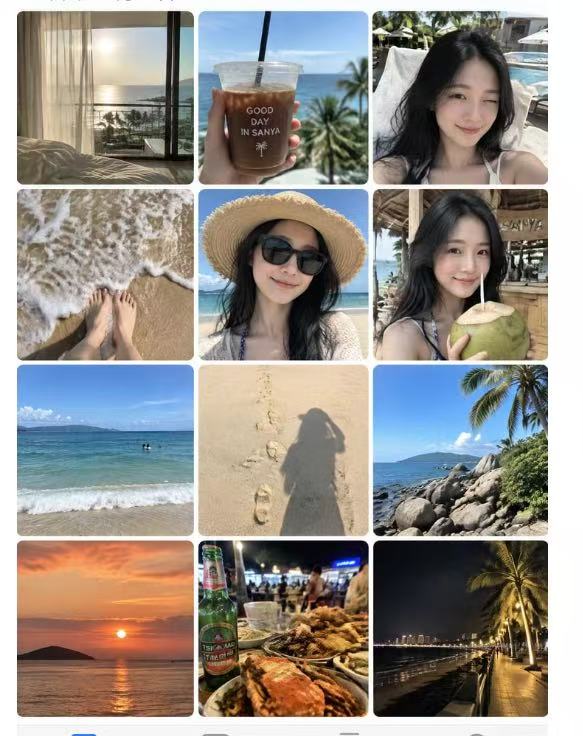
Photo to Day Album
Create a shareable day-in-the-life album
Photo to Day Album
Create a shareable day-in-the-life album
Showcase
Description
Based on the person reference photos you provide, infer their ordinary, authentic day and generate a complete “day album” screenshot that faithfully recreates the iPhone Photos app interface with thumbnails of casual snapshots. GPT Image 2.5 is used by default.
Recommended by
Dancang
Why we love this skill
Transforms one reference photo into a complete phone album screenshot, connecting authentic moments from morning to night with consistent identity and natural candid detail.
Related Skills
View all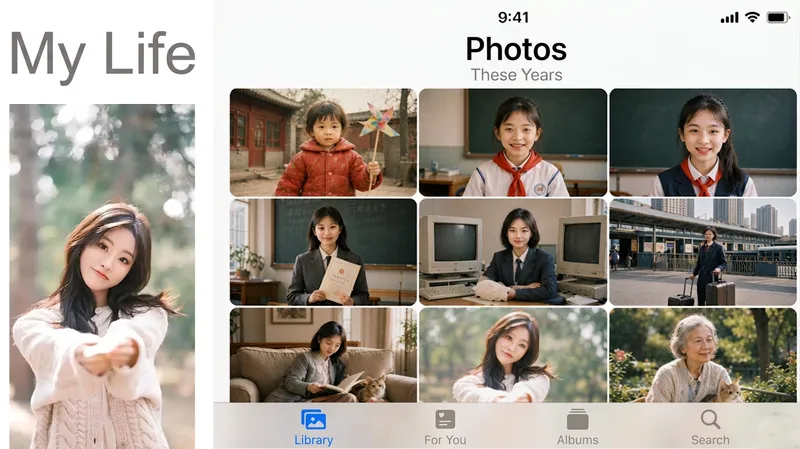 Image
ImageLife Album
My Day Album Generator: Upload a photo of a person or pet to create a nine-grid screenshot styled like the iPhone Photos app. The same face appears in several casual snapshots, forming “My Day,” “My Week,” “My Life,” or “A Pet’s Day.” Trigger it when users say things like “generate a day album,” “social media nine-grid,” “show-off album,” “my day,” “virtual life log,” “one-week diary images,” “life album,” “a pet’s day,” or “photo app screenshot.” The key counterintuitive rule: every tile must look like a casual phone snapshot—slightly blurry, tilted composition, and uneven lighting. Fully polished images look fake at a glance. Four modes are available: day, week, lifetime (the same face naturally ages), and pet. The default aspect ratio is 1:1, with custom ratios also supported.
 Image
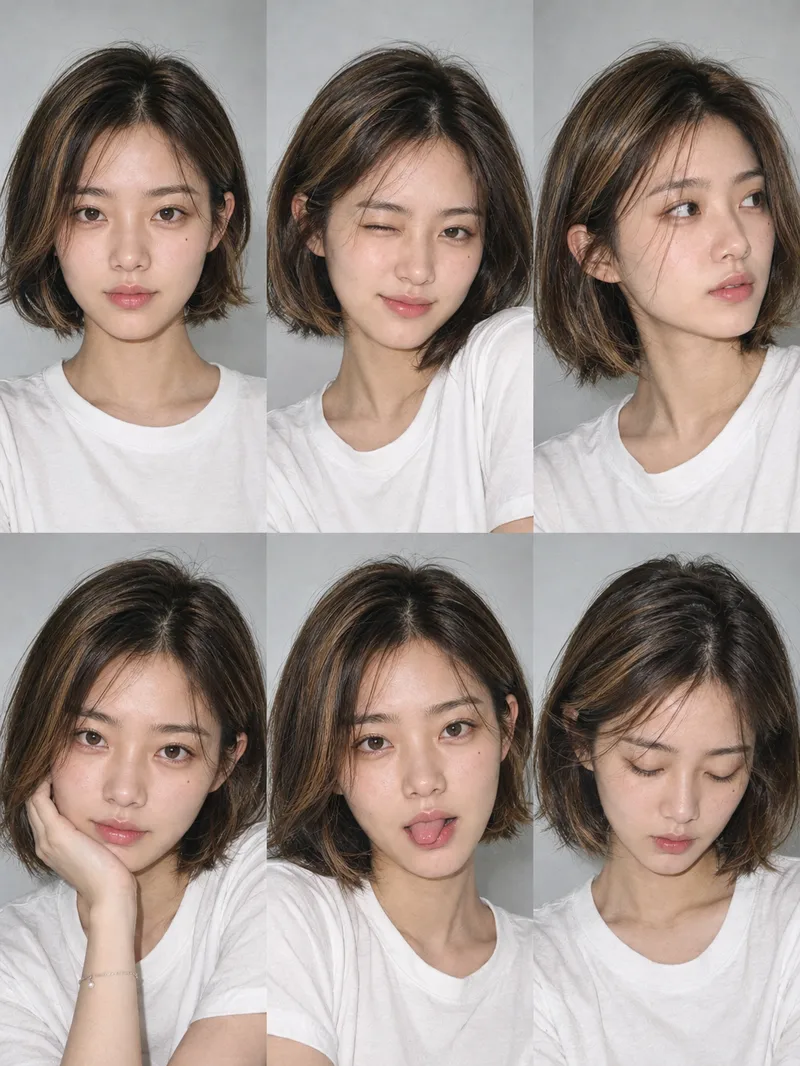
ImageOne-Click Snapshot Collage
Using the user-uploaded photo as the sole identity reference, generate a realistic multi-panel portrait collage of the same person, with a default 3×2 layout. It features a range of expressions and poses with the feel of an Instagram candid snapshot collection. By default, the best image-generation model is used to create the image directly, along with the complete prompt used for the final result.
 Image
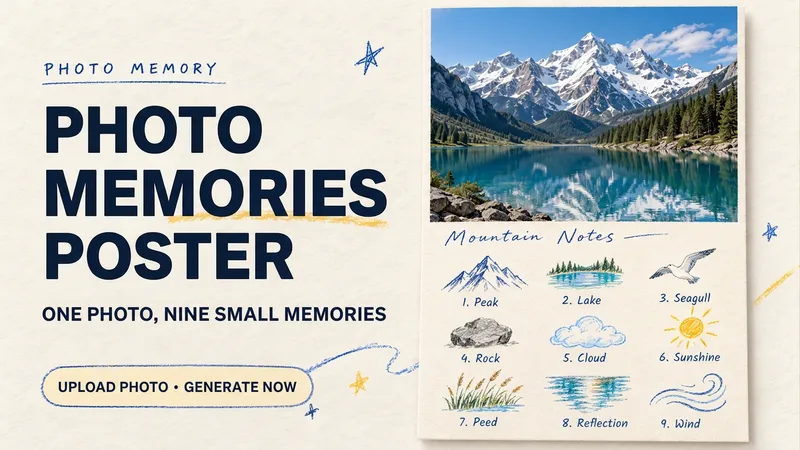
ImagePhoto Memory Poster
Some photos in your album deserve to be remembered with care. Upload an original photo of a trip, a coffee break, a pet, or an everyday moment to turn it into a textured memory poster with paper grain and drawn strokes: the top half preserves the real moment, while the bottom half illustrates the details worth remembering as nine small crayon-and-colored-pencil icons. Each photo is output separately in a 3:4 portrait layout, with no multi-photo collage. The top and bottom each take up half the page, with a loose nine-grid layout, short handwritten title, and small caption, creating the feel of a private visual diary. Colors adapt to the photo instead of using a fixed scenic template. Just upload a photo and optionally add a title. The Skill extracts memorable details, creates the image, and checks the subject, nine icons, and actual layout divisions. When an image tool with reference-image support is available, it can generate the image directly. Strict layout separation and fidelity to the original photo also depend on the editing and assembly capabilities of the runtime environment; if the requirements cannot be met, this will be explained. Suitable for travel keepsakes, pet collections, lifestyle journaling, and social sharing. The showcase images are demonstrations using locally created original AI scenes, not examples from real users; on YouMind, the Skill has been trialed with input guidance for missing photos, while complete image generation still awaits testing. Image-generation usage is subject to the current platform.
Information
- Version
- v3
- Last updated
- Runtime credits
- Usage-based
- Models
- Auto
