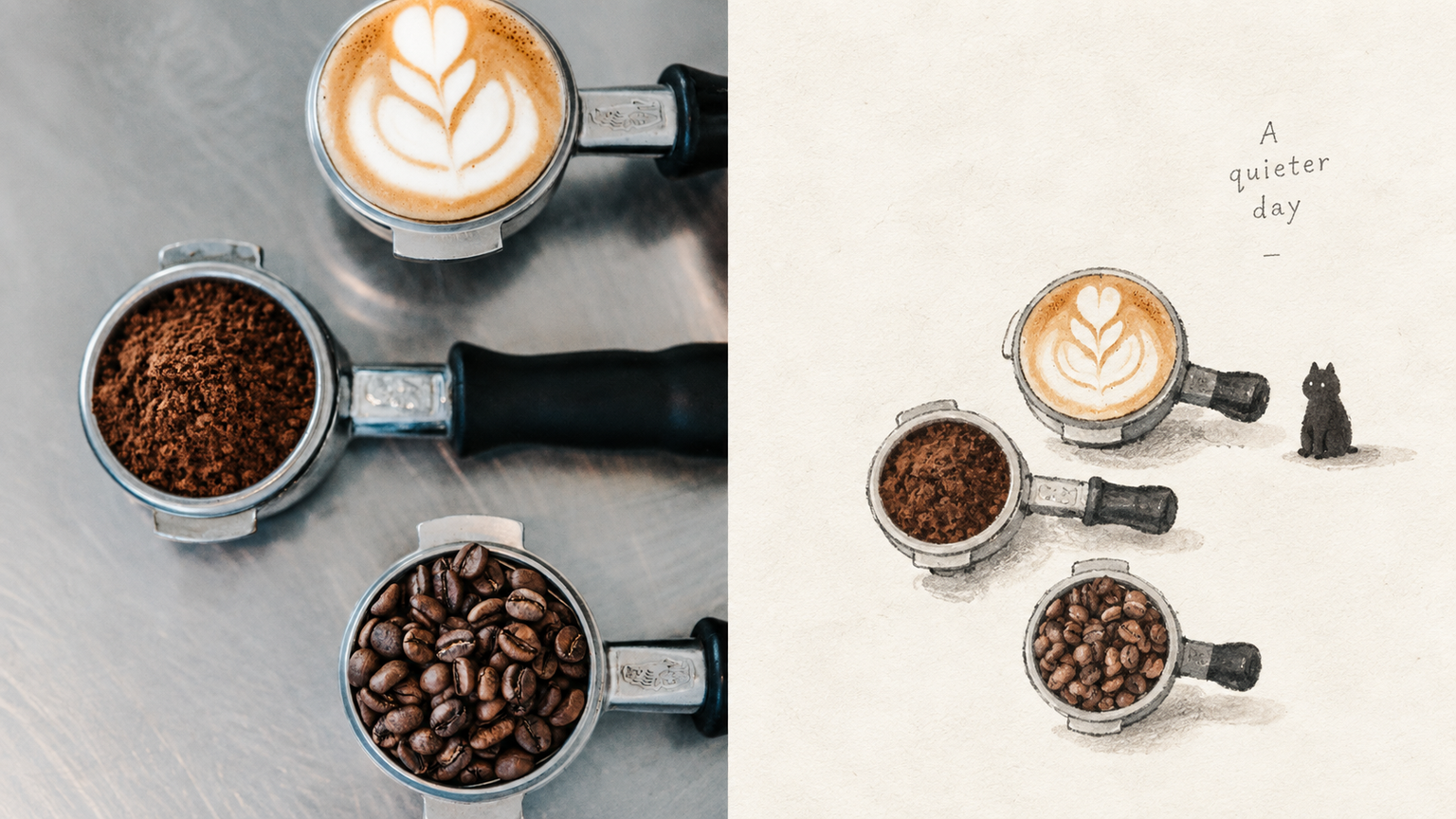
GPT2 x Gothic Miniature
By xiaoxiaodong · P238
GPT2 x Gothic Miniature
By xiaoxiaodong · P238
Showcase
Description
Ideal for turning strong or complex photos into fragile, understated picture-book metaphors for literary visuals, independent publishing, and exhibition pieces. The upper half retains a recognizable version of the original image; the lower half keeps only its most symbolic features, forming a small, isolated figure. Surround it with an enormous amount of empty space and, at most, one extremely faint cast shadow. Opaque gouache with thin watercolor, dry-brush marks, pencil, uneven blacks, and hesitant edges. The main colors are charcoal black, ivory white, and soft gray, with warm peach or pale apricot used only as tiny accents. A little dark but not frightening, a little awkward but not cutesy. Avoid smooth finishes, polished CG, commercial cartoons, complex backgrounds, and cinematic lighting.
Recommended by
Dancang
Why we love this skill
Transforms photos into tiny, restrained Gothic storybook scenes through negative space, dry-brush watercolor, pencil texture, symbolic proportions, muted grays, and a subtle touch of warmth.
Best for
Creators who want to turn strong or complex photos into fragile, understated picture-book metaphors.
How to use this Skill
Provide your input
Provide a photo or image folder.
Run the Skill
Turn the image into a small, isolated gothic picture-book visual metaphor, keeping its most symbolic features with generous negative space and restrained gouache and watercolor textures.
Review your result
Generate a finished PNG artwork suited to literary visuals, independent publishing, or exhibition pieces.
Related Skills
View all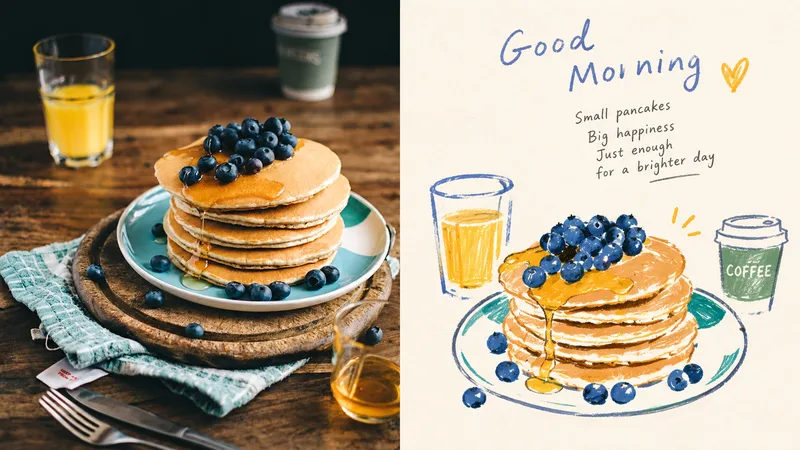 Image
ImageGPT2 x Naive Hand-Drawn
Ideal for turning everyday photos into contemporary naïve hand-drawn art for personal albums, independent stationery, and small-scale art publishing. The top half preserves the recognizable original photo; the bottom half keeps only its most soulful shapes, reinterpreted with loose, slightly wobbly colored outlines, marker, and colored pencil. Keep the subject small, surrounded by warm cream white. Draw a few of the most expressive colors from the original image. Keep them warm and matte, with select areas allowed to be slightly more vivid. Preserve paper grain, overrun lines, and pauses. Avoid smooth vectors, polished edges, complex shadows, 3D, and formal commercial titles.
 Image
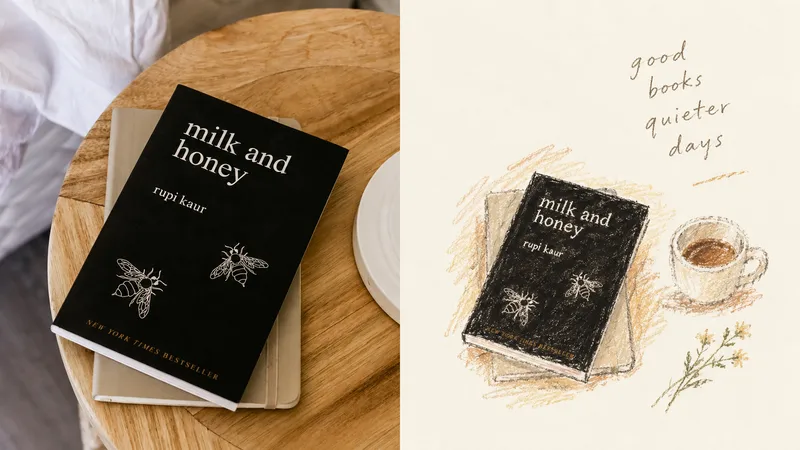
ImageGPT2 x Crayon Visual Diary
Ideal for turning photos into private visual diaries: travel journals, everyday moments, and independent publishing. The upper half preserves a recognizable original photo; the lower half keeps only one movement or relationship worth remembering. Keep the subject small—it can be off-center, close to the edge, or cropped. Let the blank space carry air and time. Use loose oil pastels and crayons, with open contours, broken edges, and the friction of paper grain and wax still visible—deliberately stopping short of finished. Draw colors from the original image’s color temperature: warm ivory, soft blue-gray, plant green, terracotta, apricot brown, and dusty pink. Quiet, intimate, and slightly clumsy, yet mature. Avoid filling the frame, smooth detailed rendering, dark brown aging effects, fluorescent colors, and overly sweet candy tones.
 Image
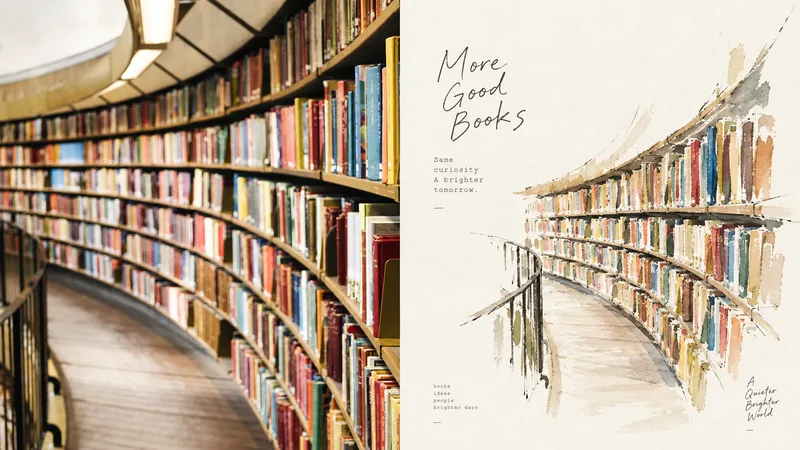
ImageGPT2 x Paused Notes
Ideal for turning everyday photos into one-page private-note illustrations: journaling, indie publishing, and exhibition vignettes. The upper half preserves the recognizable original photo; the lower half keeps only the silhouette, personality, and expression, using relaxed, broken ink lines and a small amount of light watercolor to draw the subject small. Leave plenty of white space rather than filling the page, allowing strokes to stop and edges to remain open. Take two to four colors from the original image—light, thin, and restrained, but precise. Keep text small and delicate, placing it in the corners of the white space. Avoid filling the page, smooth digital polish, a plastic feel, fluorescent colors, and commercial-style headlines.
Information
- Version
- v5
- Last updated
- Runtime credits
- Usage-based
- Models
- Auto
- Use cases
- Images & design
- What you get
- Image
- Visual styles
- Hand-drawnWatercolorBlack and white
