
One-Click Financial Charts
Interactive charts, sources, and data checks
One-Click Financial Charts
Interactive charts, sources, and data checks
Showcase
Description
Upload CSV or JSON files, or paste market data, to generate Vela-based financial chart webpages and editable source code. Complete OHLC data can produce candlestick charts, while closing prices alone produce line charts. You can add original volume data, SMA lines, light and dark themes, and chart exports. Suitable for research reports, post-market review, financial content creation, and market page prototyping. Dates, missing values, duplicate records, and price relationships are checked first, without fabricating market data. When real data is unavailable, clearly labeled demo samples are used only when you explicitly request them. Chinese is used by default. Real-time quotes, forecasts, and trading advice are not provided; webpage and export features depend on the current runtime environment. Built on the open-source Vela core with its attribution retained; not an official LuxAlgo product.
Recommended by
Dancang
Why we love this skill
Validates dates, OHLC relationships, duplicates, and missing values before charting, preserving sources and distinguishing closing-price lines from full-OHLC candlesticks.
Best for
For research analysis, post-market review, financial content creation, and market page prototyping.
How to use this Skill
Provide your input
Upload a CSV or JSON file, or paste market data with complete OHLCV fields or just dates and closing prices. You may also explicitly request demo data.
Run the Skill
Checks dates, missing values, duplicate records, and price relationships without fabricating real market data; generates interactive candlestick or line charts with sources and data checks.
Review your result
Get an interactive financial chart webpage, editable source code, and exported chart images on request. Supports theme switching, SMA lines, volume, and data tables.
Related Skills
View all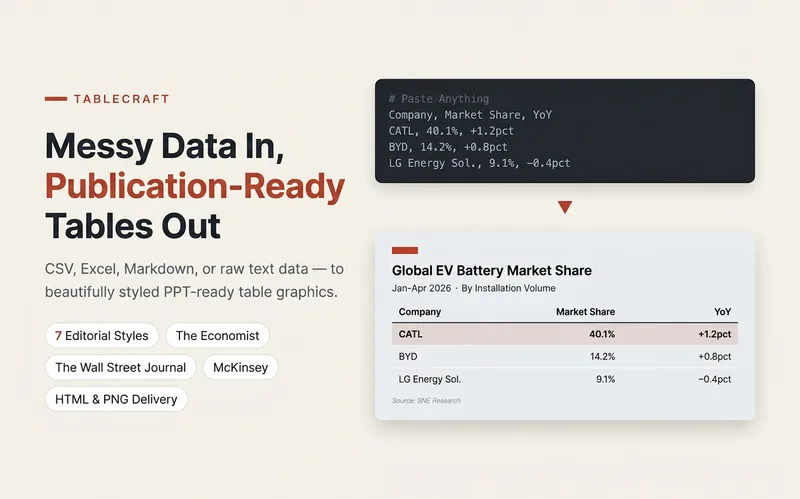 Slides
TableCraft
Turn CSV, JSON, Markdown tables, or pasted cells into clear, editable HTML tables. Ideal for comparing pricing plans, selecting tools, and preparing team weekly reports, with support for seven preset styles and brand colors. Preserve currencies, units, billing cycles, number precision, and sources; missing values stay missing—no filling with 0 or guessing prices. Calculate and verify totals only when conditions allow; flag discrepancies without changing numbers. Split wide tables into column-group pages and repeat key columns; repeat headers for long tables. Never silently remove columns or abbreviate content. A first version is created by default. When the environment supports actual rendering and export, a PNG is also provided; otherwise, complete HTML is provided with an explanation that it was not exported. Try it directly: compare three subscription tiers, organize tool-selection materials, or polish an eight-column team weekly report. For chart-based infographics, use Infographic Maker; for text carousels, use a knowledge card generator.
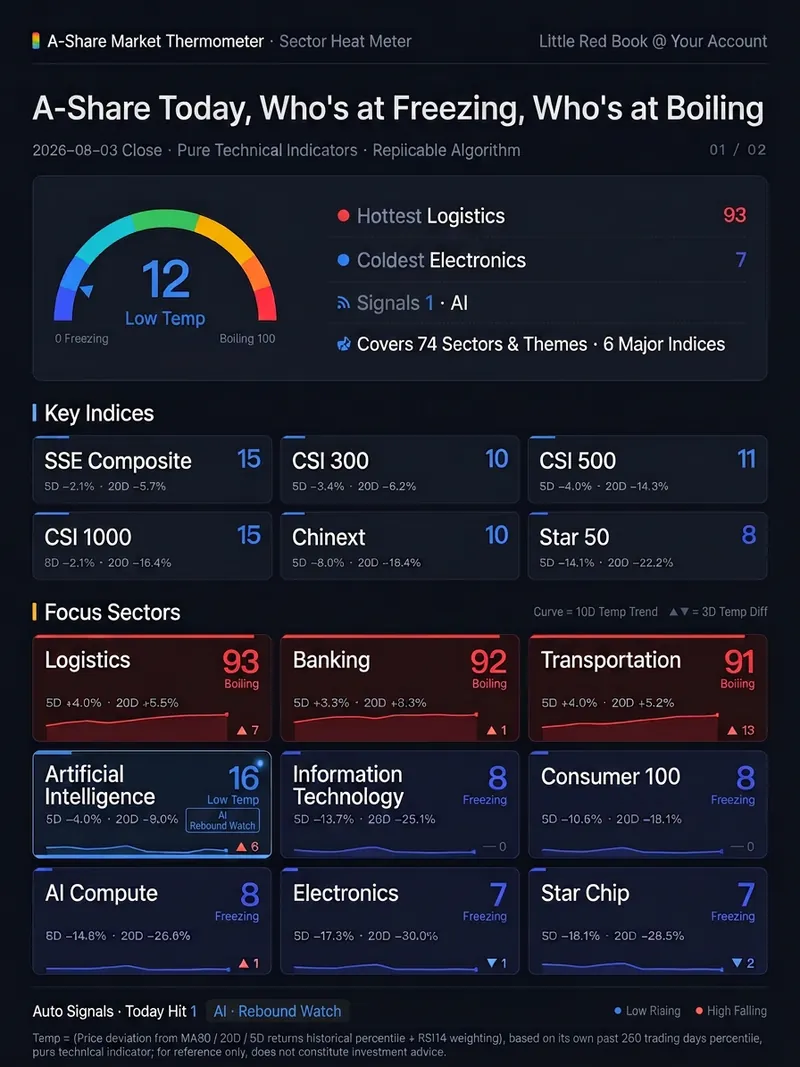
A-Share Market Thermometer
One command after the close delivers **a web page that does the calculation itself**: within 1–2 seconds of opening, it concurrently pulls 80 daily K-line data points in your own browser, scores the 6 major A-share indices plus 74 industries and themes on a 0–100 temperature scale, and renders the results as a two-page, 1080px-wide dashboard long image—ready to screenshot for Xiaohongshu or WeChat Official Account. Data goes through no intermediary and doesn't rely on an author-provided data source—your browser connects directly to the market data interface. So every time you open it, you get the latest live market data, not a static image that expires the next day. The temperature isn't “AI intuition”—it's a formula hard-coded in the page source. For the three factors—price deviation from MA60, 20-day returns, and 5-day returns—each one takes its own historical percentile over the past 250 trading days, and then RSI14 weighting is added. It uses percentiles rather than absolute gains/losses because banks may move 20% a year while theme sectors move 200%; only by converting to each one's historical position can they be compared on the same scale. Real example: on the same day, the finance & real estate and green power sectors had nearly identical 5-day and 20-day gains and sat right next to each other in the gain rankings. But their temperatures were 87 (high heat) and 50 (neutral)—because the former had risen above MA60 and hit its hottest level in a year, while the latter was just a small rebound after a deep drop. Seven qualitative levels: Ice Point / Low Temperature / Slightly Cool / Neutral / Warming / High Heat / Boiling Point. Automatic signals: temperature ≤20 and a rise of ≥5 degrees in the past 3 days = rebound watch; temperature ≥80 and a drop of ≥5 degrees in the past 3 days = pullback watch. Thresholds are hard-coded; if none are hit, it reports zero—it doesn't force a match. All 80 are publicly released CSI/CNI standard indices, with the code list hard-coded in the page. The algorithm is in the source code—you can inspect and reproduce it yourself. The same closing data always produces the same number no matter who runs it. It only measures temperature for indices and sectors, not individual stocks. It only presents hot/cold distributions and pattern signals; it does not recommend stocks, predict price movements, or constitute investment advice. Trigger words: market temperature / A-share thermometer / sector temperature / sector heat / market sentiment / sentiment indicator / is the market cold today / freezing point / boiling point / market overview / sector rotation / post-close review / temperature dashboard / market thermometer
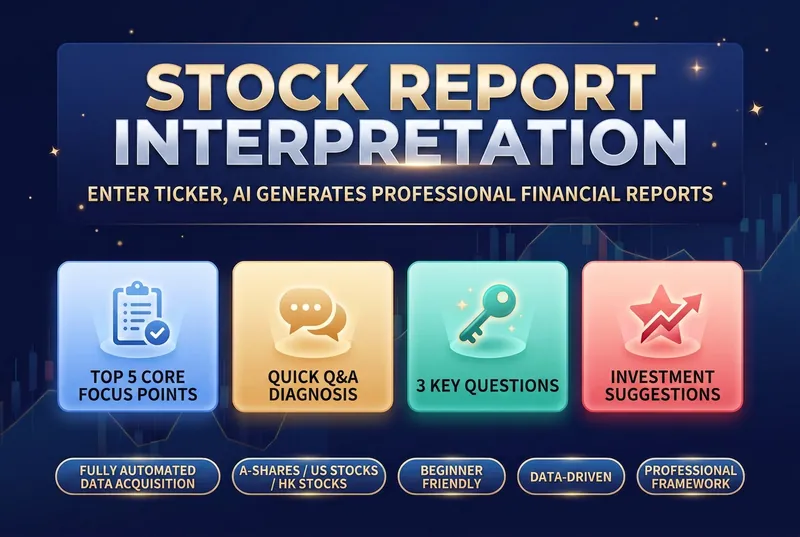
Stock Report Analyzer
Financial reports are a listed company's "physical exam report", but most investors feel lost when faced with pages of dense numbers: • 📝 Can't read the three financial statements — What do the balance sheet, income statement, and cash flow statement tell you? Which numbers matter most? • 🤔 Don't know what to look at — With dozens of pages, which key metrics should you focus on? • 📊 Lack an analysis framework — Even when you find the data, how do you judge good from bad and cross-check it? • 🏭 Industry standards differ — What counts as "good" varies completely by industry; manufacturing and internet companies can't be measured with the same yardstick. • ⏰ Time cost is too high — Manually looking up data, comparing peers, and calculating growth rates can take hours for one report. This skill was built to solve exactly these problems. It automates a professional financial analyst's framework, so you just need to enter a stock code to get a structured, logical, and beginner-friendly financial report interpretation. The tool's core value lies in its rigorous analysis framework, covering multiple dimensions from assessing growth quality to analyzing business models. It not only compares core metrics like revenue, gross margin, net margin, and cash flow, but also runs a quick Q&A on the seven key financial questions investors care about most. It clearly shows whether profits are turning into real cash, and whether receivables and inventory carry potential risks. By benchmarking against industry leaders, it helps you identify a company's true position in its industry chain. When generating the report, it also evaluates valuation levels, core strengths, and potential risks, and offers data-driven recommendations on what to watch. All analysis is presented in intuitive tables and plain, easy-to-understand language, turning complex accounting terms into concrete investment logic. Whether for daily review or deep research, it helps you quickly zero in on the core issue amid massive amounts of data, improving the efficiency and accuracy of your investment decisions.
Information
- Version
- v4
- Last updated
- Runtime credits
- Usage-based
- Models
- Auto
- Use cases
- Presentations & reportingWeb creationResearch & analysis
- What you get
- WebpageImageCode
