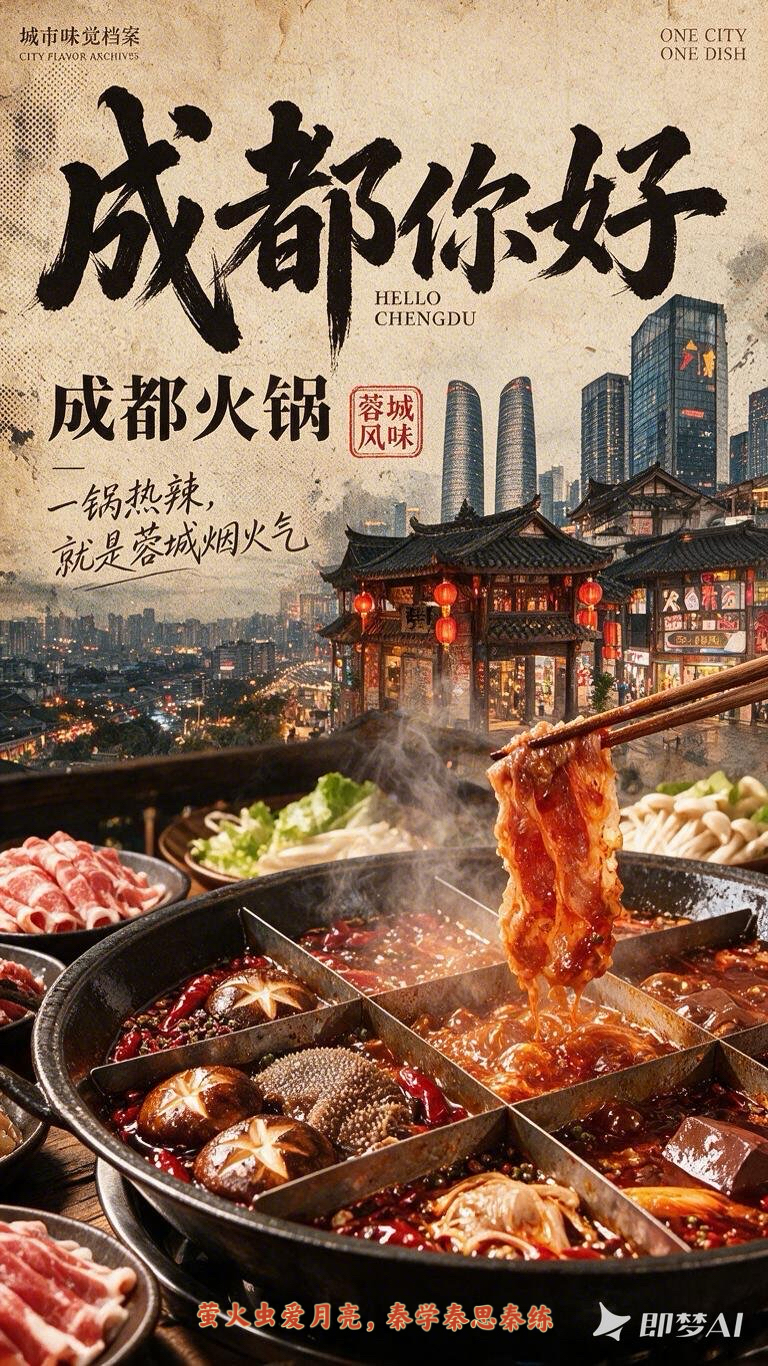
City Flavor Poster
Create a vintage city food poster
City Flavor Poster
Create a vintage city food poster
Showcase
Description
When a user enters a city or province, first search the web for local landmarks, daytime and nighttime views, tourist attractions, and representative foods. For each category, let the user select the single most recognizable option. Then recommend and confirm related poetic lines and footer credit text. Finally, combine the city landmark, local cuisine, and vintage layout to create a 9:16 portrait city flavor poster. The visual system keeps the series consistent across cities: the food takes up the largest visual area and remains vivid, glossy, and appetizing; city landmarks are layered semi-transparently into the background to tell a story; an oversized calligraphic “Hello, [City Name]” title, dish name, small English text, and red seal create recognizable visual markers. The background uses aged paper, halftone dots, and grain, while the food in the foreground stays clear and bright. You can add your name as the signature.
Recommended by
Dancang
Why we love this skill
Unifies landmarks, local food, and vintage layout into an expandable visual series. It verifies real regional elements, confirms each choice, and makes the signature dish the clear star while preserving identity and appetite appeal.
Related Skills
View all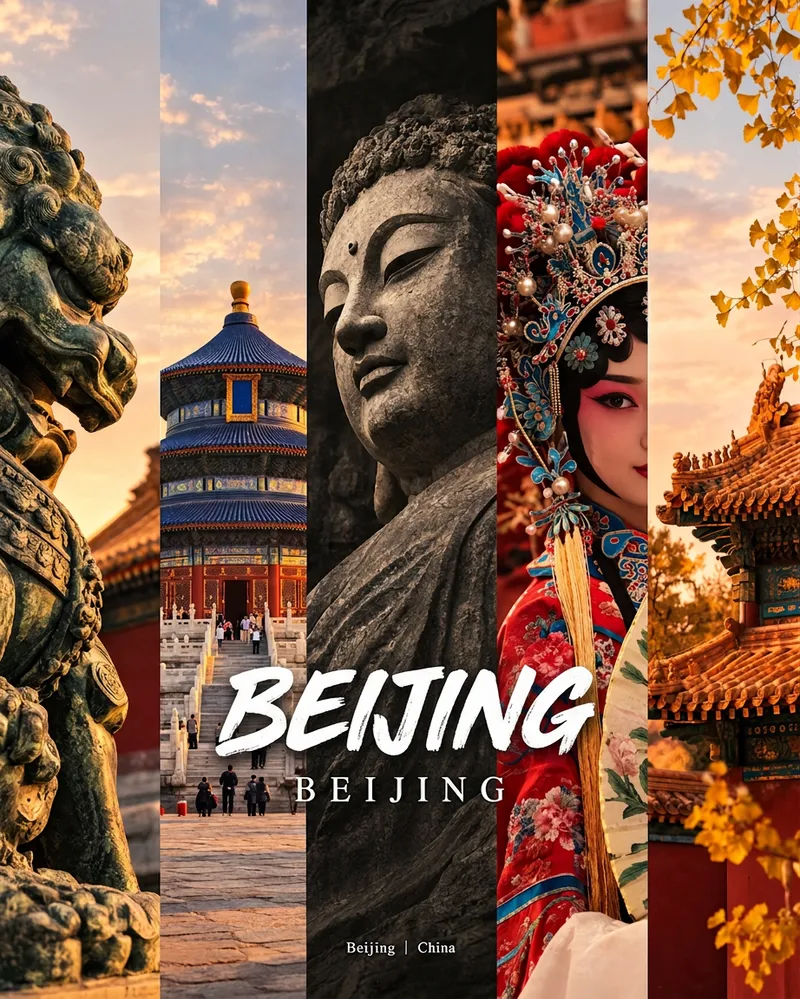 Image
ImageCity Culture Poster Maker
Enter a place name to instantly create a polished city identity poster in a five-panel vertical-strip format. The design seamlessly combines five equal-width vertical strips: close-ups of cultural artifacts and nature on the outer panels, an architectural landmark in the second panel, local customs and cultural life in the fourth, and the city’s most soulful cultural symbol in the center. The overall look uses warm golden-hour light and cinematic color grading. The center panel is darkened and desaturated to create a "warm—cool—warm" visual rhythm. A large white calligraphic place name, its English serif name, and the small text "Administrative Region | Country" are layered below the center panel. Two ways to use it: · Upload 5 photos you took yourself and enter a place name: the system automatically sorts them by content, crops them vertically, applies consistent color grading, and combines them into a poster in the same style · Enter only a place name: the system automatically selects 5 of the area’s most representative real-world elements and faithfully generates the poster Ideal for travel blogger covers, city tourism promotion, Xiaohongshu/Instagram carousel cover images, city identity cards, and album covers.
 Image
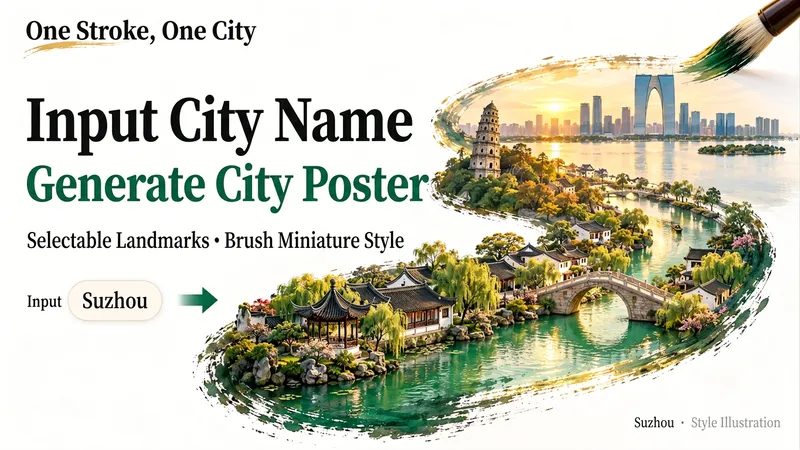
ImageMiniature City Reliefs
Fit an entire city into a single brushstroke. Enter a city name, and let its landmarks, gardens, waterways, or modern architecture unfold along the brush tip to form a detailed miniature relief artwork on a white background with generous negative space. It’s ideal for city-themed posters and travel keepsakes, or for exploring a familiar city from a new perspective. Before generating the image, I’ll organize the landmarks and visual concept for you. After you confirm which scenery to keep, generation will begin. You can specify landmarks, a classical or modern style, landscape or portrait orientation, and preferences such as no text or no visible hand. To skip a step, say “choose everything and generate directly.” If you’re only brainstorming for now, you can choose to organize the prompt without generating an image.
 Image
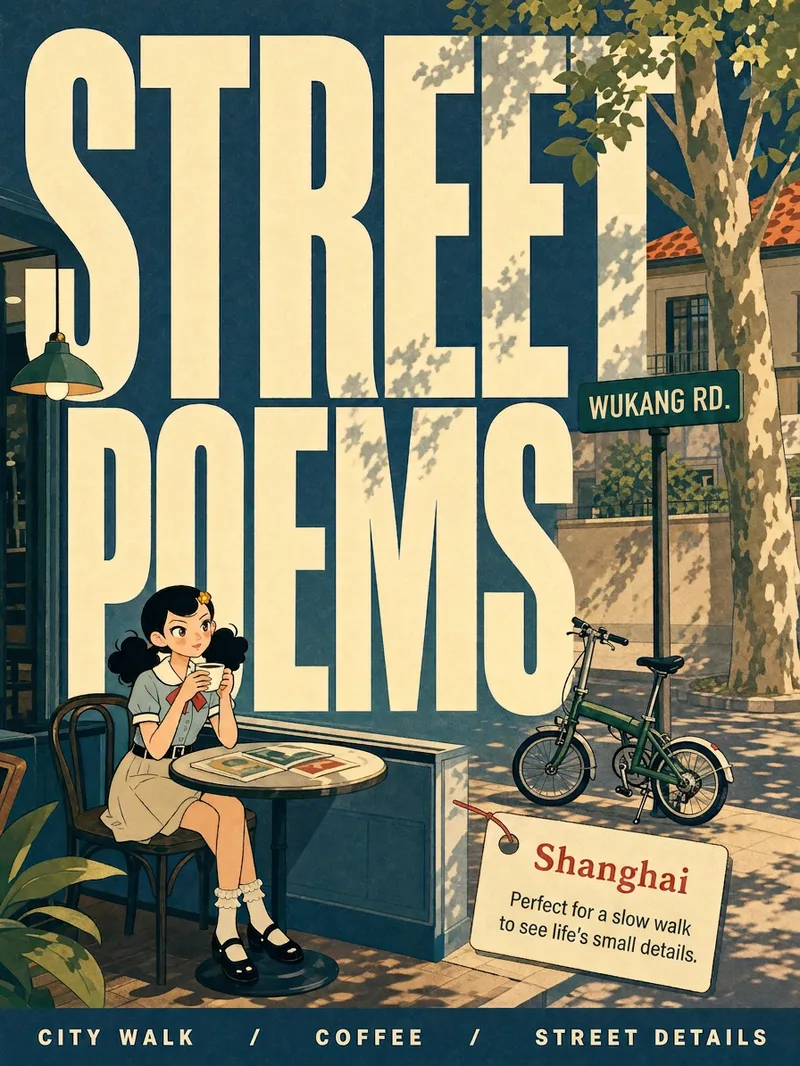
ImageCity Observer Poster
Upload any character image and name a city to create a collectible City Observer poster. This is not a tourism promo—it’s a visual note on the city’s mood. The Skill preserves the character’s recognizable features, translates them into a unified flat illustration style, and places them in everyday city scenes. The three-step process (character analysis → city concept card → image generation) lets you confirm each step. A consistent visual system: vertical 3:4 format, oversized English title, blue-cyan line art, risograph print texture, and limited-color editorial layout. Create 10 cities and you’ll have a cohesive 10-poster city atlas. Minimum input: one image + a city name.
Information
- Version
- v4
- Last updated
- Runtime credits
- Usage-based
- Models
- Auto
