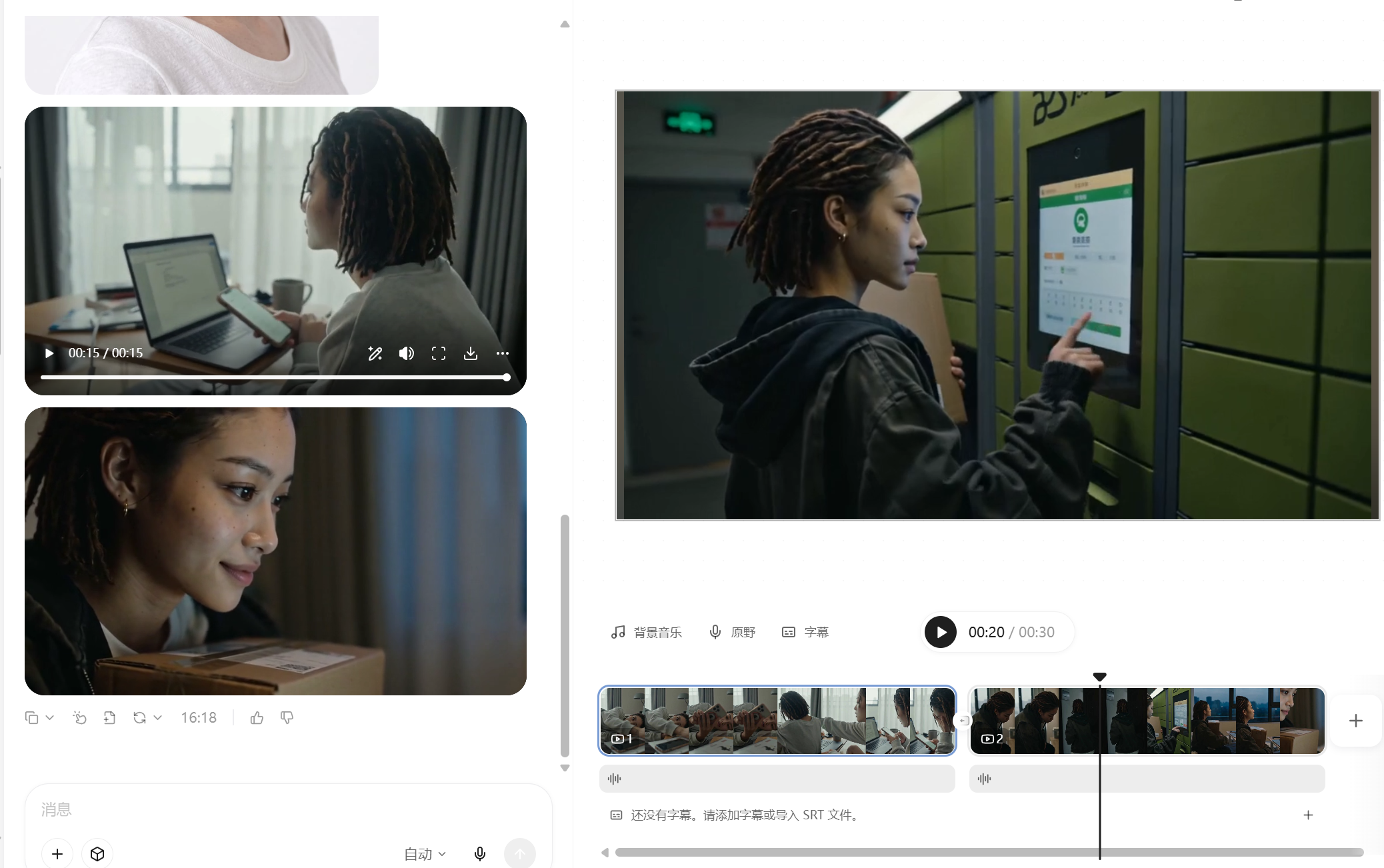
Credit-Saving AI Vlog Maker
Create coherent AI character Vlogs
Credit-Saving AI Vlog Maker
Create coherent AI character Vlogs
Showcase
Description
The monetization potential is clear—but still struggling with AI character videos? This Skill isn't a made-up template. It reverse-engineers the production patterns behind dozens of tested, high-performing Seedance videos, including retro DV diaries, sports event documentaries, action effects, exotic lifestyle journeys, and workplace burnout days. Just provide a character profile and a topic, and everything else is handled automatically: ✅ Character anchor image and a complete set of storyboard prompts in one go, keeping the character consistent throughout ✅ Covers all 19 YouMind image and video models and automatically recommends which one to use ✅ Includes an AI visual-error blacklist to tackle face swaps, extra fingers, sliding steps, and invisible teleportation ✅ Works across any genre—daily life, fitness, fantasy journeys, action, retro nostalgia, and more—with one logic that applies across the board ✅ Writes the title hook for your publishing caption at the same time No prompt engineering required—if you can type, you can use it.
Recommended by
Dancang
Why we love this skill
Locks identity across shots with anchor images and continuity prompts, addressing face drift, visual artifacts, and distorted motion while producing complete plans for generation and publishing.
Best for
Creators who want to quickly make coherent character Vlogs, short-video storyboards, and publishing copy.
How to use this Skill
Provide your input
Provide a character profile and video topic. You can also add duration, visual style, clothing, music, setting details, or an emotional direction.
Run the Skill
The Skill organizes the character profile, visual direction, continuous storyboard, and generation prompts, then adds a suitable title hook for publishing.
Review your result
Get prompts, a storyboard script, and publishing title copy for AI video creation, helping keep the character and narrative consistent.
Related Skills
View all Video
VideoAll-in-One Showcase Video
Ways to monetize: 1. Build an account and earn through product sales and brand deals (fashion creators and product recommendation accounts can use it to produce daily outfit changes and review clips. One person can maintain a steady output, then earn commissions and brand partnerships as the content grows.) 2. Take on client work for merchants (clothing stores, small brands, small-appliance sellers, and consumer electronics merchants all need product showcase videos and short ads. Upload their products, deliver finished videos, and charge per video, package, or month.) 3. Create videos for your own products (store owners can use it to make showcase videos for every new product, saving on model, photography, and editing costs and putting more budget toward advertising.) 4. Produce at scale to help teams work more efficiently (agencies and MCNs can integrate it into their production workflow so the same team can create more content across more products and accounts.) Put anything on a person for a one-shot showcase. Upload a person’s photo, then upload anything you want to feature: clothing, shoes and bags, accessories, perfume, hats, phones, earbuds, small appliances, sports equipment, food, and drinks. It automatically generates premium person-centered showcase images and turns them into a coherent, beat-synced short video with music. If no person photo is provided, it automatically designs a model. The default is 15 seconds in 9:16, while duration, aspect ratio, and style can all be customized. Who it’s for: fashion creators, e-commerce sellers and store owners, product-promotion short-video creators, brand content teams, and anyone who wants to turn their favorite products into polished showcase videos.
 Video
VideoAI Short Drama Pipeline
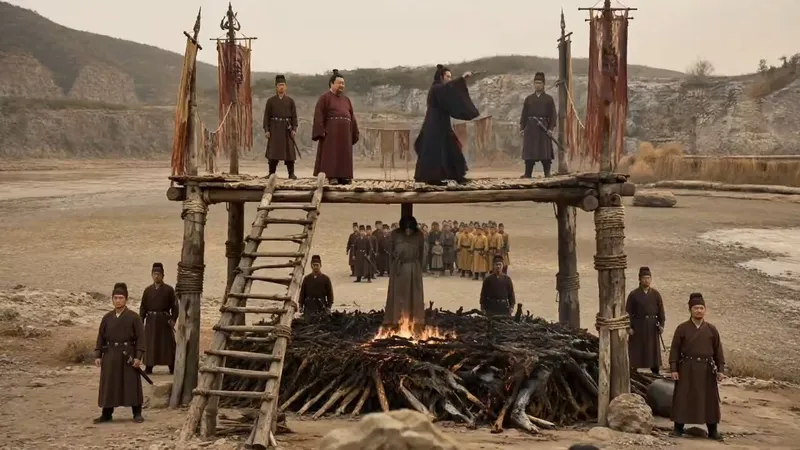
【What it does】Built around a “storyboard artist” workflow, it moves a short drama through six automated steps: 1. Project setup and requirements: Understands your script, asks only about things you cannot determine from it, and creates three sample images of the same scene in different visual styles so you can choose a direction at a glance; 2. Final script + two tables: Adds filming instructions without changing a single line of dialogue, then creates a “segment table” and a “continuity table” to lock down the details most likely to cause continuity errors; 3. Asset design: Creates a three-view sheet and a distinctive identifying feature for each character, along with settings and a dedicated voice style, to keep the cast consistent throughout the video; 4. Storyboard prompts: Specifies the camera position, duration, performance, ambient sound, and constraints for every segment. Text in the frame is rendered precisely using “first and last frames”; 5. Generation and selection: Generates candidates segment by segment, filters them against hard criteria first—does it look right, is it correct, did it break?—then selects based on performance; 6. Assembly and self-review: Combines everything into an editable video timeline and fixes flash frames, continuity errors, and fake-looking text during editing. It only interrupts you at the three points where your decision is needed: choosing the visual style, approving the assets, and reviewing the footage. 【Who it’s for】 · Independent creators and social media creators who want to complete the entire AI short-drama workflow alone; · Screenwriters and web novel authors with a script or novel who want to adapt it for the screen quickly; · Producers and directors on short-drama and micro-drama teams who want to greatly improve efficiency and reduce costs; · Advertising, e-commerce, and knowledge-commerce teams that need to produce narrative content in volume at low cost; · People who understand storytelling but have no idea how to write prompts or edit video. 【Ways to monetize】 · Platform revenue sharing: Short-drama and mid-length video incentive programs on Douyin, Kuaishou, WeChat Channels, and Bilibili; · Custom commissioned projects: Branded short dramas, product story ads, and corporate promotional videos; · Paid short dramas: Paid episode unlocks in mini programs and revenue sharing from novel promotions; · Account networks and managed operations: Launching multiple accounts at scale and producing dramas for clients; · Copyright and IP: Licensing and adapting scripts and finished videos. 【What makes it different】 It does not just “teach” you how to make short dramas—it does the work directly. You do not need to write prompts or edit the video; you keep only the director’s judgment: deciding whether the scene works. The methodology is built into every step, so it can adapt when you change the genre, visual style, or platform.
 Video
VideoGame Streamer Live Video
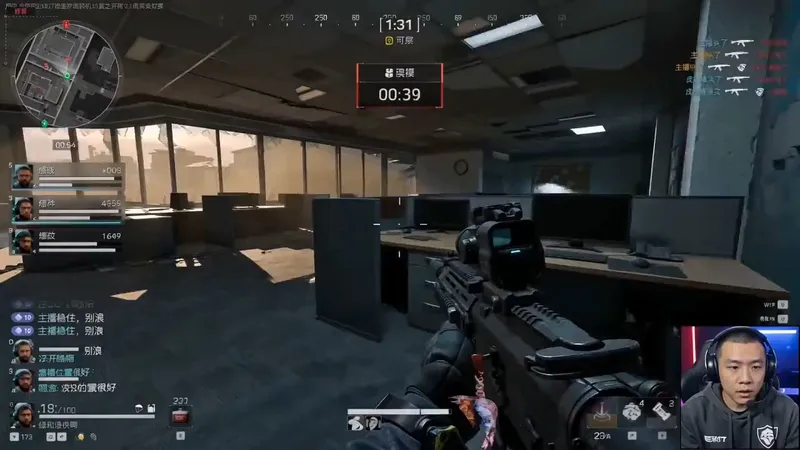
A highly monetizable skill for generating AI videos in the “game streamer livestream” format with one click. Use it when users want to create immersive livestream screen recordings featuring a fictional game streamer or gaming creator, including the streamer camera feed, livestream HUD, chat overlay, storyboards, dialogue, and voice style. Even if users do not provide every detail—such as the character appearance, game type, dialogue language, or duration—proactively fill in the gaps with default options, assemble a complete prompt, and immediately start generation. Deliver the video directly to the user, generating a character look reference image first when necessary, rather than simply handing over the prompt for the user to operate themselves. Trigger keywords include but are not limited to: “game streamer livestream,” “livestream gameplay,” “gaming creator video,” “streamer camera + gameplay,” “immersive game commentary video,” and “help me create a game streamer video.” Best for people building a consistent “virtual game streamer” persona account, growing followers through serialized content and a consistent identity, then monetizing through sponsored campaigns, affiliate commerce, or platform traffic revenue sharing.
Information
- Version
- v5
- Last updated
- Runtime credits
- Usage-based
- Models
- Auto
- Use cases
- Images & designVideo & audioMarketing & growth
- What you get
- Social postScriptPrompt
