Multi-Scene Comedy Generator
Description
Why we love this skill
This skill helps you turn your ideas into funny videos. With clever plot twists and character portrayals, your sense of humor comes alive on screen, making it easy to create laugh-inducing short videos.
Based on user-described character relationships and funny scenarios, it automatically builds complete multi-scene story videos. It supports uploading reference character images, automatically designs plot twists and punchlines, and generates high-quality comedy short videos. Suitable for creating funny scenarios in college, workplace, family, and other settings.
Related Skills
View all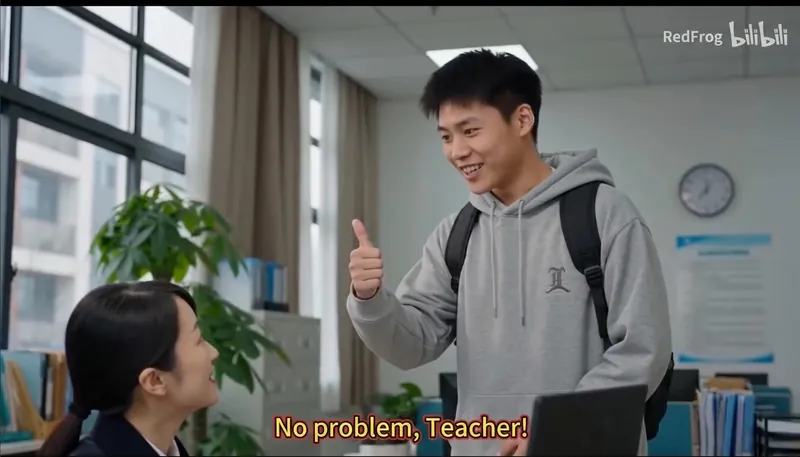 Image
ImageFaculty-Student Comedy Maker
Specializes in creating funny daily videos of professor-student interactions, showcasing classic scenarios such as 'agreeing verbally but slacking off', 'undergraduates snitching', and 'advisors chasing progress'. Supports customizing professor and student avatars and auto-generates multi-scene story videos to perfectly recreate the humorous moments of daily university research life.
 Write
WriteVideo Breakdown Script Gen
Transform any video into a structured story script. Automatically analyze video screenshots, extract details such as scenes, characters, actions, props, and generate professional storyboard descriptions, timelines, and complete story summaries. Suitable for video learning, content creation, knowledge retention, and market research.
 Video
VideoIdiom & Fable Video Maker
Quickly turn an idiom, historical anecdote, or fable into a continuous narrative storyboard script ready for video generation. Whether it’s “Waiting by a Tree Stump for a Rabbit,” “Plugging One’s Ears While Stealing a Bell,” “Sima Guang Smashes the Vat,” or an idiom you enter yourself, the Skill reconstructs the story’s setting, character relationships, key actions, and moral, then organizes them into a clear, tightly paced short-video plot. Two versions are provided by default: 15 seconds and 30 seconds. The 15-second version is ideal for quickly presenting the core plot, while the 30-second version adds environmental setup, character reactions, and climactic actions for a more complete and dramatic story. Each shot clearly specifies the emotion, framing, camera movement, and any necessary narration. Characters are given consistent visual traits to help maintain continuity across shots and work with common video generation models. All narration is written in a voiceover format—off-screen narration or spoken character dialogue—so the video model actually speaks the lines instead of rendering them as on-screen text. The default style is cartoon animation, but you can also request ink wash, paper cut, shadow puppetry, realistic, or other visual styles, or ask for only one duration. The final script is written entirely in Chinese and includes the scene atmosphere, character designs, shot descriptions, and continuity requirements. It is suitable for idiom animations, fable stories, Chinese-style short films, and traditional culture videos for children or general audiences.
Multi-Scene Comedy Generator
Description
Why we love this skill
This skill helps you turn your ideas into funny videos. With clever plot twists and character portrayals, your sense of humor comes alive on screen, making it easy to create laugh-inducing short videos.
Based on user-described character relationships and funny scenarios, it automatically builds complete multi-scene story videos. It supports uploading reference character images, automatically designs plot twists and punchlines, and generates high-quality comedy short videos. Suitable for creating funny scenarios in college, workplace, family, and other settings.
Related Skills
View allImageFaculty-Student Comedy Maker
Specializes in creating funny daily videos of professor-student interactions, showcasing classic scenarios such as 'agreeing verbally but slacking off', 'undergraduates snitching', and 'advisors chasing progress'. Supports customizing professor and student avatars and auto-generates multi-scene story videos to perfectly recreate the humorous moments of daily university research life.
WriteVideo Breakdown Script Gen
Transform any video into a structured story script. Automatically analyze video screenshots, extract details such as scenes, characters, actions, props, and generate professional storyboard descriptions, timelines, and complete story summaries. Suitable for video learning, content creation, knowledge retention, and market research.
VideoIdiom & Fable Video Maker
Quickly turn an idiom, historical anecdote, or fable into a continuous narrative storyboard script ready for video generation. Whether it’s “Waiting by a Tree Stump for a Rabbit,” “Plugging One’s Ears While Stealing a Bell,” “Sima Guang Smashes the Vat,” or an idiom you enter yourself, the Skill reconstructs the story’s setting, character relationships, key actions, and moral, then organizes them into a clear, tightly paced short-video plot. Two versions are provided by default: 15 seconds and 30 seconds. The 15-second version is ideal for quickly presenting the core plot, while the 30-second version adds environmental setup, character reactions, and climactic actions for a more complete and dramatic story. Each shot clearly specifies the emotion, framing, camera movement, and any necessary narration. Characters are given consistent visual traits to help maintain continuity across shots and work with common video generation models. All narration is written in a voiceover format—off-screen narration or spoken character dialogue—so the video model actually speaks the lines instead of rendering them as on-screen text. The default style is cartoon animation, but you can also request ink wash, paper cut, shadow puppetry, realistic, or other visual styles, or ask for only one duration. The final script is written entirely in Chinese and includes the scene atmosphere, character designs, shot descriptions, and continuity requirements. It is suitable for idiom animations, fable stories, Chinese-style short films, and traditional culture videos for children or general audiences.
Find your next favorite skill
Explore more curated AI skills for research, creation, and everyday work.