Nike Sneakers Lifestyle Campaign
A comprehensive multi-shot lifestyle ad prompt for Nike sneakers, including macro product shots, fit checks, and walking tracking shots.
Prompt
1. HOOK (0–3 SECONDS)
SHOT: Extreme Close-Up + Motion
VISUAL: Creator quickly brings Nike sneakers toward the camera with a surprised reaction.
PURPOSE: Hook viewers and create curiosity.
TEXT OVERLAY:
"Why is everyone suddenly obsessed with these Nike sneakers? 👀"
2. POV HAND REVIEW
SHOT: POV Close-Up (Macro)
VISUAL: Hand presses the Nike midsole and upper mesh.
PURPOSE: Show softness, comfort, and quality.
TEXT OVERLAY:
"The cushioning feels unreal..."
3. MIRROR SELFIE FIT CHECK
SHOT: Mirror Selfie (Full Body)
VISUAL: Creator wearing Nike sneakers with a sporty-casual outfit.
PURPOSE: Lifestyle appeal + outfit inspiration.
TEXT OVERLAY:
"Perfect for walks, workouts, and everyday outfits."
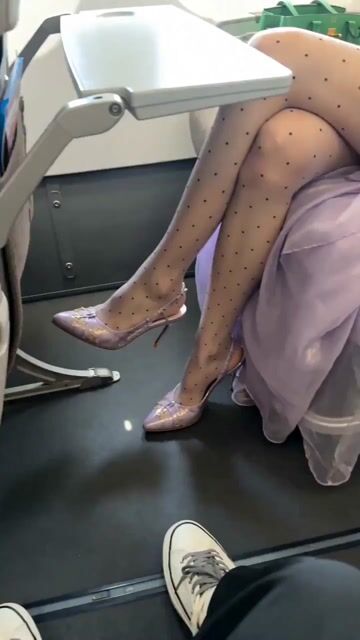
4. PRODUCT IN USE (WALKING SHOT)
SHOT: Low-Angle Tracking Shot
VISUAL: Feet walking naturally in Nike sneakers outdoors.
PURPOSE: Demonstrate comfort during movement.
TEXT OVERLAY:
"Long walks without tired feet? Yes, please."
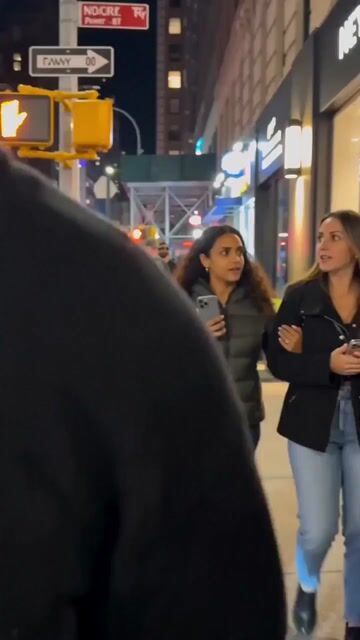
5. OVER-THE-SHOULDER SHOT
SHOT: Over-the-Shoulder POV
VISUAL: Creator looking down at their feet while walking with a coffee.
PURPOSE: Relatable, everyday lifestyle moment.
TEXT OVERLAY:
"Way lighter than I expected."
6. TALKING HEAD REVIEW
SHOT: Mid Shot
VISUAL: Creator holding Nike sneakers and speaking to camera.
PURPOSE: Build trust and credibility.
TEXT OVERLAY:
"Thought they were overhyped... until I tried them."
7. CLOSE-UP DETAIL
SHOT: Macro Product Close-Up
VISUAL: Focus on Nike Swoosh, stitching, mesh texture, and sole details.
PURPOSE: Highlight premium design and craftsmanship.
TEXT OVERLAY:
"The details are actually so clean."
8. CTA ENDING (SOFT SELL)
SHOT: Wide Shot (Natural Movement)
VISUAL: Creator walking away confidently, smiling.
PURPOSE: Soft recommendation and closing.
TEXT OVERLAY:
"Now I get why these keep showing up on my FYP. 🔥"
FINAL CTA:
"Would you wear these? 👇"
How to use this prompt
- 1
Copy the full prompt above.
- 2
Open a platform that supports Seedance 2.0, such as YouMind, and paste the prompt in.
- 3
Swap the subject, style, or details to fit your idea, then generate.
This is a free AI prompt from YouMind's prompt library. Explore thousands more video prompts, all free to copy and adapt.
Explore more video promptsMore from Seedance 2.0




All Video Categories
01
Use Cases
AI prompt search
Let AI search through tens of thousands of prompts. Filter by model, time range, keywords, and sort by engagement — views, bookmarks, reposts and more.
Built for creators. Free forever.
YouMind is the AI creative copilot trusted by millions of creators worldwide. Every prompt here is curated to help you create better, faster.

Prompts
AI Tools