
UGC Video Prompt
6-scene UGC ad scripts with voiceover and shot direction
UGC Video Prompt
6-scene UGC ad scripts with voiceover and shot direction
Showcase
Description
Generate high-converting UGC (User Generated Content) video ad scripts with scene-by-scene breakdowns. Use this skill when the user wants to create a UGC ad, video script, social media ad, or creator brief for any product or service. Produces a 6-scene structure (hook, pain, product, demo, result, CTA) with video direction prompts, voiceover lines, and pattern interrupt techniques for each scene. Optimised for short-form video (TikTok, Instagram Reels, Facebook Ads).
Best for
Marketers, creators, and businesses developing authentic short-form ads for products or services.
How to use this Skill
Provide your input
Provide a product or service description, plus any audience, platform, or campaign context you want reflected.
Run the Skill
The Skill turns your brief into a short-form UGC ad script with scene direction, spoken lines, and production guidance.
Review your result
Receive a ready-to-produce video script and creator brief designed for social advertising.
Related Skills
View all Video
VideoUGC Ad Video Prompt
Turns a product and a creator into a ready-to-paste short-form UGC video ad prompt. It engineers a strong pattern-interrupt hook for the opening seconds, builds a multi-angle shot list with punchy camera play instead of one static shot, and writes natural, human-sounding voice direction — no flat, robotic delivery. The result is a single prompt block you can drop straight into a video generator.
 Write
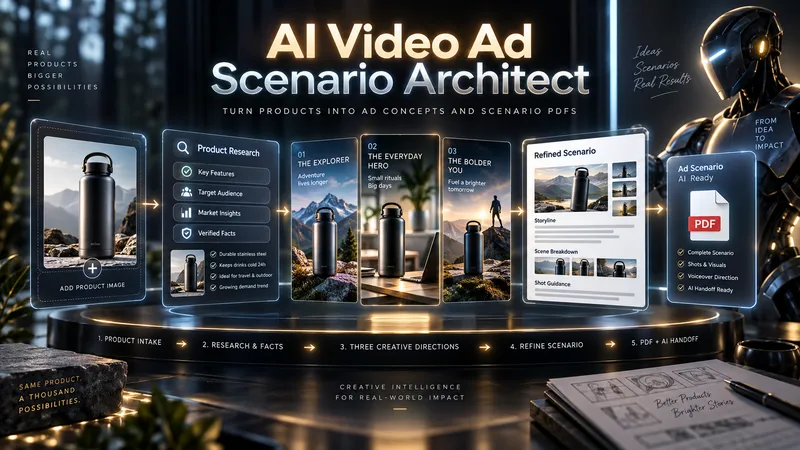
WriteAI Video Ad Scenario Architect
From one product to three bold advertising directions. Great ads begin with a powerful idea—not a generic script. AI Video Ad Scenario Architect turns your product into a research-informed creative brief, three distinct ad concepts, and a production-ready video script. DISCOVER YOUR PRODUCT'S CREATIVE DNA Upload a product photo or provide a product/model name. The Skill identifies its visual identity, audience, strengths, and storytelling potential. For existing products, it checks reliable sources and separates verified features from creative assumptions. EXPLORE 3 DISTINCT AD CONCEPTS Discover three genuinely different approaches—not minor variations of the same idea. Compare their hooks, storytelling styles, emotional appeal, visual direction, and audience fit. Pick one, combine ideas, or introduce your own. CREATE TOGETHER, YOUR WAY Use Collaborative Mode to shape the concept with AI, refine the hook, adjust tone, and build a distinctive creative direction before approving the final scenario. FROM CONCEPT TO SCENE-BY-SCENE SCRIPT Receive a structured advertising script with scene timing, camera and visual direction, dialogue or voiceover, product visibility, sound design, a memorable payoff, and an optional call to action. PROTECT PRODUCT ACCURACY Product Identity Lock records recognizable details such as shape, color, logo placement, and distinctive features. Research notes help prevent unsupported product claims. ONE PDF. A COMPLETE CREATIVE HANDOFF. Your final PDF includes the approved scenario, verified sources where available, Product Identity Lock, production context, and a Universal AI Continuation Prompt—ready to guide image, video, voice, sound, and editing workflows with compatible AI tools. Optionally continue with AI Video Ad Production Workflow for a more advanced production pipeline. This Skill delivers a planning and scripting PDF, not a finished video. Research depth depends on available information and tools.
 Video
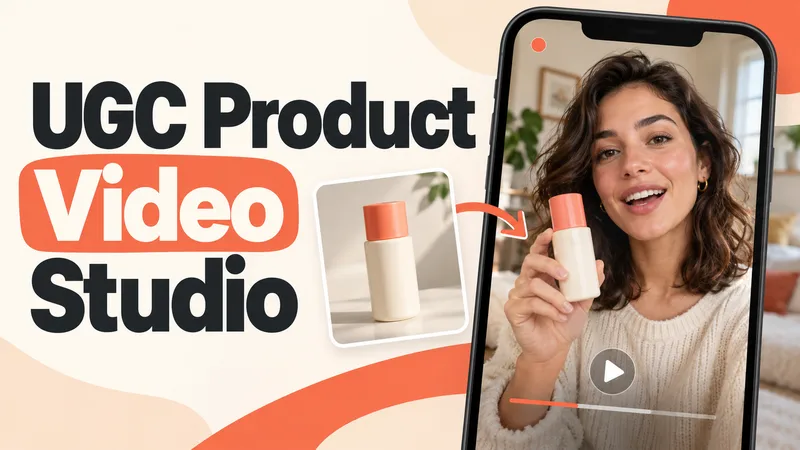
VideoUGC Product Video Studio
Turn a product photo into a complete UGC video workflow: a lifelike AI creator, a connected sequence of scenes, natural dialogue, and prompts tailored to your chosen video model. Built for product owners, marketers, and creators who want to show their product through a believable everyday story. You guide the creative decisions: • Design your character step by step. Approve the look, refine specific features, or request a different person. • Build a sequence of portrait shots, product details, demonstrations, location changes, and a product-only closing shot. • Explore image variations and approve the final scene set before the script is finalized. • Review the scenario and spoken text, then adjust the hook, tone, pacing, or closing line. Realism goes beyond skin texture. Prompts account for natural facial detail, smartphone framing, lighting, and character consistency. Images are checked for awkward grips, floating caps, nozzle direction, and other physical contradictions. Complex actions can be simplified or split into separate shots before animation. Choose your platform, video model, spoken language, and audio method: • Speech generated directly inside the video. • Separate speech text or audio for lip sync. • Off-screen narration. Prompts adapt to the selected model, with language and audio support checked for that route. After approval, generate the video in YouMind, prepare a prompt package for another platform, or stop with the production report. Receive complete image and video prompts, the approved script, reference mappings, timing, and quality-check notes. Your character. Your scenes. Your approval at every key stage.
Information
- Version
- v5
- Last updated
- Runtime credits
- Usage-based
- Models
- Auto
- Use cases
- Writing & contentVideo & audioMarketing & growth
- What you get
- ScriptBrief
