Room Story Studio
Your Room. Three Styles. A New Story.
Room Story Studio
Your Room. Three Styles. A New Story.
Showcase
Description
See what your room could become—before changing a thing. Room Story Studio turns a photograph of your space into three distinct interior design concepts. Explore different moods, materials, and furnishings, then develop the direction you love. ONE ROOM. THREE NEW POSSIBILITIES. Discover three thoughtfully styled interpretations of your room. Each offers a different visual story, with your original photo guiding the architecture, proportions, and viewpoint so the designs are easier to compare. CHOOSE HOW MUCH TO CHANGE • Small Touches — Refresh rugs, curtains, cushions, artwork, plants, and accessories while keeping your main furniture. • Redecoration — Explore new furniture, arrangements, colors, and lighting while retaining the room's architecture. • Comprehensive Concept — Reimagine finishes, flooring, wall treatments, and built-in furniture as part of a broader visual concept. KEEP WHAT MATTERS Love your sofa? Need to retain a dining table? Tell the studio which pieces should stay, and make them part of the creative brief. DESIGN BEYOND PRESETS Warm Mediterranean, dark academia, natural minimalism—or something uniquely yours. The directions respond to your room and preferences, rather than forcing every space into the same three styles. REFINE YOUR FAVORITE Choose a design and shape its details. Change the rug, soften the palette, warm the lighting, or try different curtains. Your selected image becomes the reference for further revisions. A SIMPLE, GUIDED EXPERIENCE Upload your room → choose the scope → explore three designs → select and refine. The conversation follows your language. Optional color and material boards help you explore your chosen direction further. Created for visual inspiration and decoration planning. Images are design concepts, not measured plans or construction specifications. Give your room its next chapter.
Recommended by
Dancang
Why we love this skill
An editor’s pick for turning one real room into three genuinely distinct, image-based design directions without losing its architecture, proportions, or character. It stands out by combining creative styling with disciplined spatial fidelity, then refining the exact concept you choose.
Best for
Homeowners, renters, and decorators exploring room updates before making decorating decisions.
How to use this Skill
Provide your input
Upload a photograph of your room and share your preferred transformation scope, styles, and any furniture or features to keep.
Run the Skill
Explore three design concepts based on your room, then select a favorite and request targeted visual refinements.
Review your result
Receive three distinct interior design concept images, with optional revised versions of your selected design.
Related Skills
View all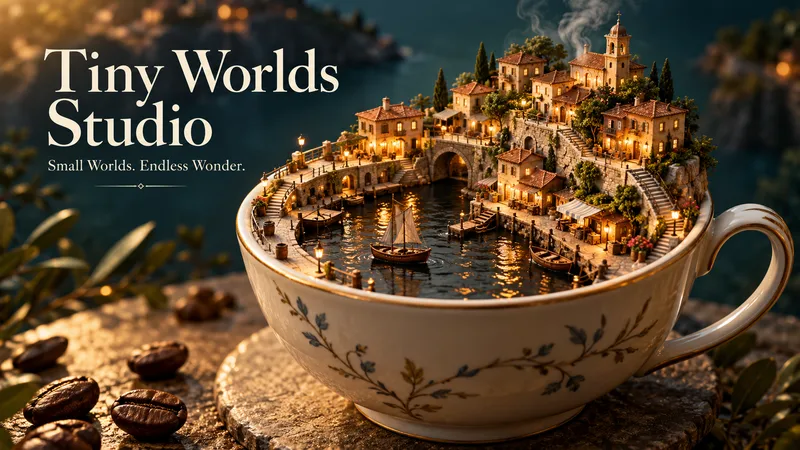 Image
ImageTiny Worlds Studio
A harbor inside a coffee cup. A bookshop beneath a leaf. An entire neighborhood unfolding between the pages of a book. Tiny Worlds Studio turns an ordinary starting point into extraordinary places to explore. ONE IDEA. THREE DIFFERENT WORLDS. Start with an object, food, word, or image and receive three separate miniature-world images. Each explores a distinct concept, composition, and atmosphere—not simply a different color or camera angle. YOUR IDEA BECOMES THE WORLD A lemon peel becomes architecture. Book pages become winding streets. Steam drifts between tiny bridges. The shape, texture, and meaning of your input inspire the world itself, with thoughtful details that reward a closer look. CREATIVE FREEDOM, BEAUTIFULLY DIRECTED Explore realistic handcrafted miniatures, stylized 3D scenes, illustrated storybook worlds, or your own visual direction. No fixed village template. No mandatory collection of tiny houses. Each concept gets a setting and visual language of its own. FIND A WORLD YOU LOVE? STEP INSIDE. Choose any result and continue exploring. Discover a street-level view, peek inside a workshop, examine a tiny garden, or capture a quiet moment of daily life. The selected image guides the expansion, helping preserve its landmarks, materials, and atmosphere. START SIMPLY Share your idea → choose a style and format → receive three worlds → optionally expand your favorite. Give detailed direction or let the studio make the creative choices. The guided conversation follows your language. Made for visual storytelling, creative inspiration, imaginative collections, and anyone who loves discovering something extraordinary in the everyday. What world is hiding inside your next idea?
 Image
ImageBefore/After Transformation Ad Studio
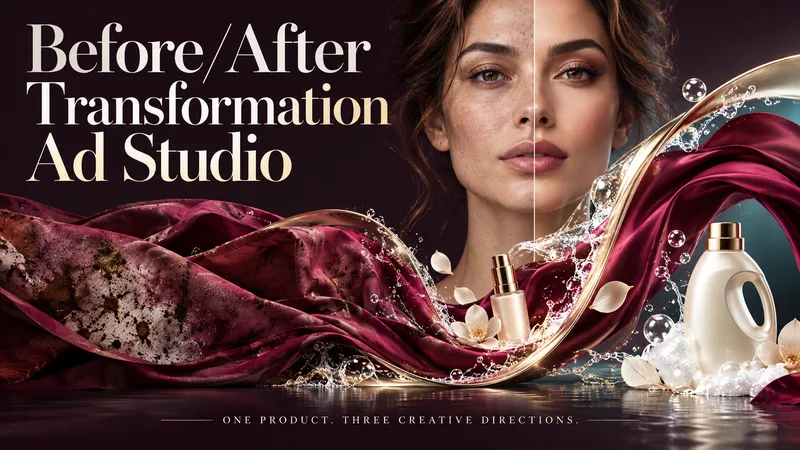
Make the transformation the hero. Turn a single product photo into bold before-and-after advertising visuals with expressive art direction, striking compositions, and a transformation that takes center stage. From cosmetics and personal care to cleaning and fitness, this skill explores your product’s uses and develops creative ways to visualize its relevant benefits. YOUR PRODUCT. YOUR CREATIVE DIRECTION. Start with a photo. The skill researches the product, then helps you choose the scene, materials, visual elements, format, and text style. Prefer a surprise? Let AI take the creative lead. THREE CONCEPTS. THREE DISTINCT VISUAL IDEAS. Explore three tailored concepts with complete image-generation prompts. Think flowing fabric reveals, sculptural environments, dramatic close-ups, glass transitions, or an unexpected world built around your product. Each concept offers a different visual story. BEFORE & AFTER, FRONT AND CENTER. Large, clearly readable transformation scenes lead the composition. Product placement, atmosphere, and typography work together to make the change stand out—even on a phone screen. YOU APPROVE. THEN IT CREATES. Review the prompts, request adjustments, and select one concept or all three. Image generation begins only after your approval, using the capabilities available in your workspace. BUILT AROUND YOUR PREFERENCES. Choose square, portrait, landscape, or custom dimensions. Add a bold headline, keep the copy minimal, or let the visuals speak. The workflow adapts to your language, while production prompts are written in English by default. Upload your product. Shape the scene. Bring the transformation into focus.
 Image
ImageA/B Product Creative Variant Studio
One product. Multiple creative possibilities. Turn your product photo into 3–5 distinctive advertising visuals with A/B Creative Variant Studio. Explore imaginative settings, elegant compositions, and expressive slogan typography—all built around your product. CREATIVE WORLDS, BUILT FOR YOUR PRODUCT Explore 13 style families, from luxury editorial and cinematic lighting to botanical scenes, surreal environments, bold graphics, and futuristic design. Each concept brings together materials, light, depth, and space for a cohesive visual story. SLOGANS THAT BECOME PART OF THE DESIGN Shape your message with striking scale, intentional line breaks, refined lettering, and scene-integrated typography. Choose a slogan-only layout, a complete ad composition, or a text-free visual. TWO WAYS TO EXPLORE • Concept Exploration: discover different combinations of style, composition, and messaging. • Controlled Variants: focus on one selected creative variable while keeping the other agreed elements consistent, where the available tools support it. A GUIDED PROCESS Upload your product → define your goal → choose visual directions → refine slogans → approve the variant plan → generate your images. You review the concepts before production begins. The workflow checks product appearance, text accuracy, readability, and composition, with targeted corrections where needed. WHAT YOU RECEIVE 3–5 separate ad images, clear concept labels, and a concise comparison of what changes across the set. Refine a favorite or use it to explore a new direction. Conversations follow your language. Advertising copy can use a different language of your choice. Image production requires available generation tools. This skill prepares creative candidates; it does not run live A/B tests or guarantee advertising performance.
Information
- Version
- v4
- Last updated
- Runtime credits
- Usage-based
- Models
- Auto
- Use cases
- Images & designLifestyle & entertainment
- What you get
- Image
