Image Remix: Recreate & Personalize
One source image. Five choices. A new creation.
Image Remix: Recreate & Personalize
One source image. Five choices. A new creation.
Showcase
Description
Create personalized visuals from striking reference images—for advertising, fashion concepts, editorial portraits, product scenes, and visual exploration. Image Remix analyzes what makes your reference work, then helps you adapt it to your subject, style, or product. Keep the composition and atmosphere you love while changing selected details through five guided choices. YOUR FIVE CREATIVE CONTROLS • Character / Subject — Preserve the source appearance, describe changes, or supply a reference. • Wardrobe — Keep the outfit, describe a new look, or use a clothing reference. • Environment — Preserve the setting or move the scene somewhere new. • Skin Realism — Choose smooth but realistic skin, natural texture, subtle freckles, or your own description. • Jewelry — Preserve, redesign, replace, remove, or provide a reference. HOW IT WORKS Upload a source image and make your selections. Add person, wardrobe, or product references where needed. The skill gathers any essential missing details, prepares a complete English generation prompt, explains the intended result in your language, and generates one image. CONTROL THE CHANGES. KEEP THE VISUAL IMPACT. Pose, framing, perspective, and atmosphere stay consistent unless you choose to change them. Lighting, shadows, reflections, and materials adapt to help the new elements feel naturally integrated. References have separate roles: a clothing reference guides the outfit, while a product reference guides the product’s design. This helps prevent unrelated faces, backgrounds, or accessories from carrying over. WHAT YOU RECEIVE • One personalized generated image. • A complete, reusable English image prompt. • A clear explanation in your language. Add optional instructions for lighting, framing, aspect ratio, or text. Refine the result through targeted revisions while keeping your accepted choices. Reference-guided recreation; pixel-perfect duplication is not guaranteed.
Recommended by
Dancang
Why we love this skill
An editor’s pick for controlled, high-fidelity image transformation. It preserves the source’s composition, pose, and visual character while giving you independent control over the subject, wardrobe, environment, skin realism, and jewelry, with a complete prompt and generated result.
Best for
Creators, marketers, and product teams adapting reference imagery into personalized visual concepts.
How to use this Skill
Provide your input
Provide a source image, choose how to handle the subject, wardrobe, environment, skin realism, and jewelry, and add any needed references or optional changes.
Run the Skill
The Skill analyzes the source and applies your selected changes while preserving the intended composition, pose, atmosphere, and visual relationships where possible.
Review your result
Receive one personalized generated image, a reusable English image prompt, and a concise explanation of the intended result.
Related Skills
View all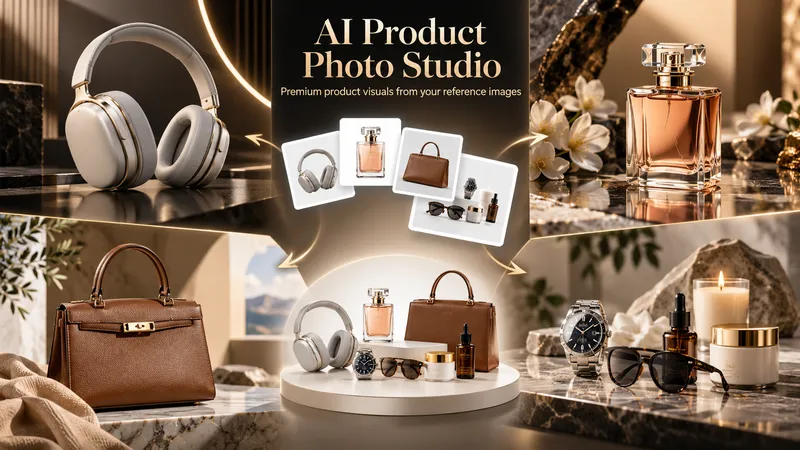 Image
ImageAI Product Photo Studio
Turn your product photos into premium, advertising-ready visual concepts with professional creative direction. Upload a product image alone or combine it with people, environments, mood references, composition examples, or your own creative idea. The skill analyzes each reference by role, protects the product’s identity, branding, labels, visible text, colors, proportions, and packaging details, then guides you through a short adaptive creative brief. Choose from photorealistic, premium studio, lifestyle, editorial, still life, minimal, luxury, surreal, UGC-style, cinematic, and other visual directions — with or without people. You receive 5 genuinely different creative concepts and 5 detailed English production prompts designed for high-end image generation. Every concept prioritizes natural product integration, realistic lighting, coherent shadows and reflections, accurate materials, believable scale and perspective, and strong commercial composition. Human scenes are directed toward natural anatomy, realistic hands, authentic interaction, and detailed skin texture without artificial plastic or waxy results. Optional image generation, variations, revisions, and quality-control workflows help you refine selected concepts into polished product visuals for social media, e-commerce, marketplaces, websites, campaigns, and brand content.
 Image
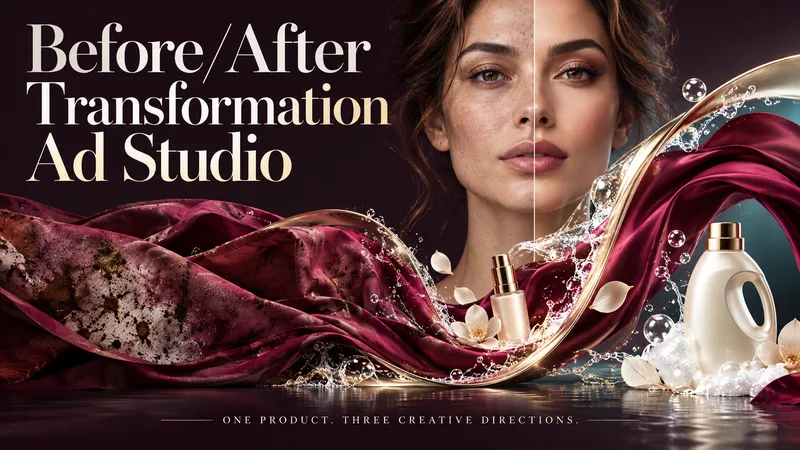
ImageBefore/After Transformation Ad Studio
Make the transformation the hero. Turn a single product photo into bold before-and-after advertising visuals with expressive art direction, striking compositions, and a transformation that takes center stage. From cosmetics and personal care to cleaning and fitness, this skill explores your product’s uses and develops creative ways to visualize its relevant benefits. YOUR PRODUCT. YOUR CREATIVE DIRECTION. Start with a photo. The skill researches the product, then helps you choose the scene, materials, visual elements, format, and text style. Prefer a surprise? Let AI take the creative lead. THREE CONCEPTS. THREE DISTINCT VISUAL IDEAS. Explore three tailored concepts with complete image-generation prompts. Think flowing fabric reveals, sculptural environments, dramatic close-ups, glass transitions, or an unexpected world built around your product. Each concept offers a different visual story. BEFORE & AFTER, FRONT AND CENTER. Large, clearly readable transformation scenes lead the composition. Product placement, atmosphere, and typography work together to make the change stand out—even on a phone screen. YOU APPROVE. THEN IT CREATES. Review the prompts, request adjustments, and select one concept or all three. Image generation begins only after your approval, using the capabilities available in your workspace. BUILT AROUND YOUR PREFERENCES. Choose square, portrait, landscape, or custom dimensions. Add a bold headline, keep the copy minimal, or let the visuals speak. The workflow adapts to your language, while production prompts are written in English by default. Upload your product. Shape the scene. Bring the transformation into focus.
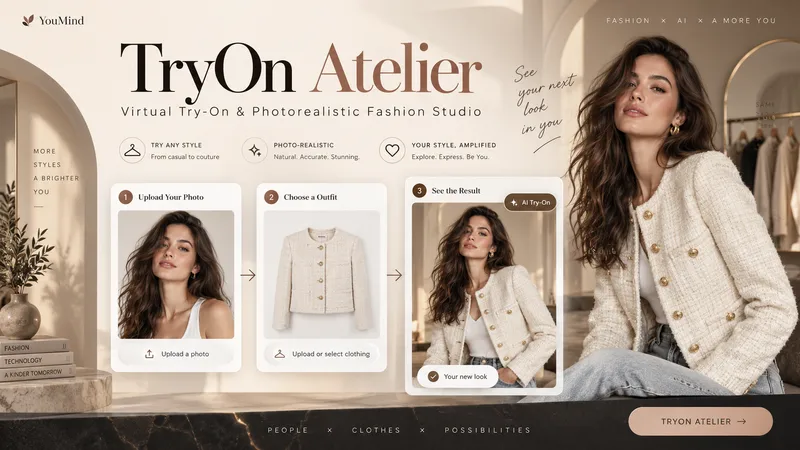
TryOn Atelier
Your Model. Your Outfit. Six Ways to Wear It. Transform a simple person photo and a clothing image into a professional virtual fashion photoshoot with TryOn Atelier — your AI-powered virtual try-on and creative fashion photography studio. No complex prompts. No photography equipment. Just upload, explore, select, and create. ✦ THE EXPERIENCE 1. Upload Two Images Provide a photo of a person and an image of the clothing you want them to wear. TryOn Atelier analyzes both references to preserve recognizable facial features, body proportions, garment colors, textures, and design details. 2. Explore 6 Distinct Poses See the same person wearing the same outfit in six numbered previews: front-facing, three-quarter angle, side profile, walking, seated, and interactive fashion poses. Unlike ordinary background-changing tools, TryOn Atelier focuses on how the outfit looks through different body positions and natural movement. 3. Choose Your Favorites Select one pose, several, or all six. Choose your preferred image aspect ratio and generate individual, high-quality fashion photographs. 4. Discover New Atmospheres Want to explore more? Take a favorite pose into different environments, lighting setups, and cinematic moods — without starting over. ✦ BUILT FOR VISUAL REALISM TryOn Atelier prioritizes natural anatomy, believable fabric draping, realistic lighting, accurate shadows, physical contact, and seamless scene integration. It aims to make every image feel like a genuine fashion photograph rather than an artificial cutout. ✦ PERFECT FOR Fashion creators, clothing boutiques, e-commerce sellers, content creators, AI influencers, and anyone exploring outfits visually. From one person and one outfit to an entire fashion photoshoot. AI-generated previews are visual concepts, not guarantees of real-world garment fit.
Information
- Version
- v6
- Last updated
- Runtime credits
- Usage-based
- Models
- Auto
- Use cases
- Images & designMarketing & growthE-commerce & sales
- What you get
- ImagePrompt
