AI Prompt Architect MAX
Turn plain language into pro Prompts
AI Prompt Architect MAX
Turn plain language into pro Prompts
Showcase
Description
Have you ever had moments like these— You ask AI to write a weekly report, and it gives you a childish play-by-play; you ask it to revise a résumé, and it serves up “teamwork, diligence, and a strong sense of responsibility”; you ask it to analyze data, and it starts with, “As an AI, I’m happy to help you…” It’s not that AI is incapable—the problem is that your instructions are too amateurish. There are already plenty of Prompt templates teaching you how to write Prompts. But even after using them, you still can’t write your own—because what you’re missing isn’t a template. It’s the ability to compile requirements. This SKILL is my Prompt compiler: a condensed version of the Prompt architecture methodology I use every day as an AI OPC—someone working on the front lines of AI implementation—to write Prompts for teams. You explain what you need in plain language, and it gives you a top-tier architecture. Input: “Help me write a monthly report” Output: a complete eight-module Prompt architecture—role, task, audience, process, constraints, format, self-check, and examples, all locked in. Copy and paste it into ChatGPT / Claude / DeepSeek / Kimi, and the first output will be ready to use. Even better, it will tell you: ✓ Which model is best for this Prompt ✓ Which variables you can change directly next time (learn once, reuse repeatedly) ✓ Which one missing piece of information could take the output to the next level How is it different from an ordinary Prompt template SKILL? Other SKILLs give you a fish—one finished Prompt. This SKILL gives you a compiler—the ability to compile any requirement into a Prompt. Install it once, and every AI use case you have will improve—writing, reporting, analysis, translation, customer service, content creation, and more. Who should install it: People who use AI every day but are never satisfied with the output People who want to learn Prompt engineering without spending thousands on a course Team leaders who want to standardize AI use but don’t know where to start Content creators, researchers, students, job seekers, and side-hustle builders How well you use AI doesn’t depend on which model you choose. It depends on whether you can compile your requirements. Install it today, and the quality of your conversations with AI will take a dramatic leap forward.
Related Skills
View all
Work Review MAX: Logs→Review
Does your weekly report look like this: “Moved Project A forward this week, participated in discussions for Meeting B, supported the team with Request C, delivered xx documents, and will continue next week.” Your manager glances at it and moves on. It’s not that you didn’t work hard. It’s that you wrote a log, not a review. When evaluators review promotion materials and managers read monthly reports, they care about just five things: ① Why was this work worth doing? (judgment) ② What benchmark shows that the result was good? (data anchoring) ③ Which parts did “you” do, and which were done by the team? (contribution boundaries) ④ What reusable insight did you take away from the work? (growth curve) ⑤ What do you commit to delivering next cycle? (commitment mindset) 99% of review drafts fail to make even one of these clear. They just list features: “Iterated on X,” “launched Y,” “supported Z”—like a robot. This Skill is a structured compiler I refined through frontline business reviews as an AI OPC. Paste in your raw work log exactly as it is—no matter how messy or scattered—and it will produce a complete review that meets senior-level promotion and performance-review standards: 📊 One-line overall assessment (help readers understand your value in 30 seconds) 🎯 Key achievements (STAR + judgment-based narrative, not a feature list) 📈 Data benchmark table (with baselines, definitions, and your share of the contribution) 🧠 Methodology and lessons learned (showing your growth curve) 📅 Next-cycle plan (commitment-letter format, with measurable goals + deadlines + resource needs) ⚠️ Risks and support needed (surfacing risks shows ownership) 📋 Missing-data checklist (everything you need to look up, all at once) Bonus: ✓ Review of 3 key improvement areas (showing which weaknesses in the raw material were addressed) ✓ Defense-risk forecast (which points evaluators may challenge in a promotion review + suggested responses) ✓ Reusable template variables (make a few edits and reuse it next time) How is it different from a typical “AI weekly report” Skill? Others: Rephrase your work log and output it again—it’s still a work log. This one performs structural surgery on it, upgrading it from a “feature-listing format” to a “judgment-based narrative.” What it will never do: ✗ It will not invent data—anything you didn’t provide is marked “needs to be added,” with no made-up numbers ✗ It will not write filler like “As an AI,” “In conclusion,” or “Thank you, leadership” ✗ It will not flatter you or ask, “Can you tell me more?” It gets straight to work Who should use it: People tired of weekly reports and hoping to log off early P6→P7 / M1→M2 / mid-level→senior professionals aiming for promotion Anyone facing a midyear or annual performance review with materials still unwritten Project leads who need to write quarterly reviews for managers, evaluators, or clients Anyone who works hard and wants their work to be truly seen Doing good work doesn’t automatically mean you know how to report it. With the same workload, people who know how to write effective reviews get promoted a year faster. Use it for your next weekly report and make your work visible.
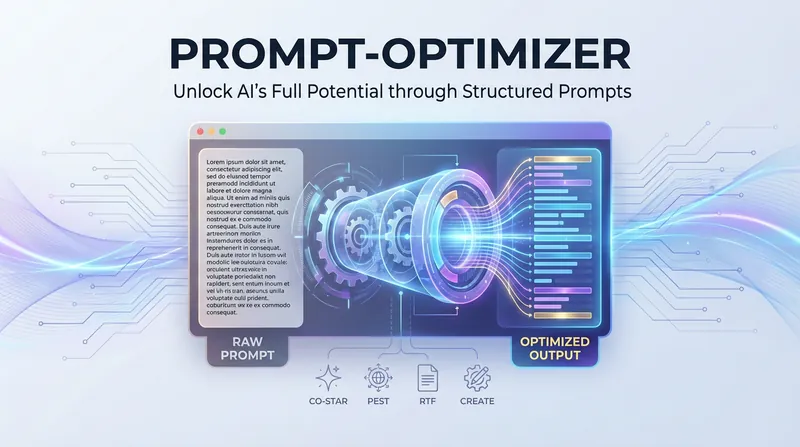
AI Prompt Optimization Expert
The AI Prompt Optimization Expert focuses on improving prompt quality through a systematic framework, helping you convey your intent precisely and making AI output more stable and predictable. Whether you need to refine existing prompts, build complex task descriptions from scratch, or find professional templates for specific scenarios, this skill provides comprehensive support. It can not only restructure vague requests into structured prompts, but also identify and fix common logical flaws through a diagnostic process. The skill includes a variety of proven optimization frameworks and can flexibly switch strategies based on the nature of the task. For example, for formal documents and professional content, it strengthens the background and audience dimensions; while for code generation or data processing tasks, it focuses more on role definition and specific constraints. In this way, it ensures every prompt has a clear goal, a defined style, and a well-structured output format. In addition, it covers specialized templates for a wide range of high-frequency scenarios, from copywriting and data analysis to technical documentation. You can directly use these proven structures and quickly fill in key details such as core selling points, data descriptions, or reader background. During optimization, the skill also checks against a quality checklist and uses multiple iterations and side-by-side comparisons to help you master essential prompt engineering techniques, significantly reducing communication costs and boosting productivity.
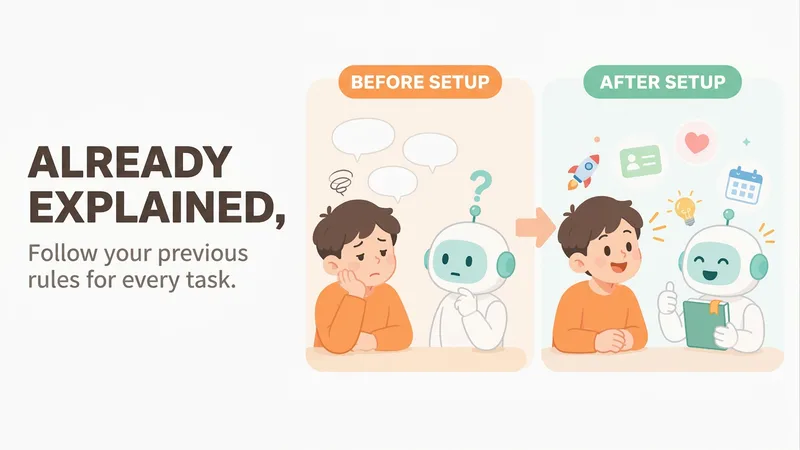
Mero — AI Memory Manager
【What problem does it solve?】 Do you have to explain the same things every time you ask AI to do something? “Keep the answer short.” “Don’t use that kind of canned phrasing.” “Write in my voice.” “Give me the conclusion first.” “I work in product—don’t explain the basics.” You may have said these dozens of times, but start a new conversation and AI forgets everything. 【What changes after setup】 You only need to say these things once. After that, AI follows your usual rules first: · Writing articles: It automatically uses your voice, and avoids words and formatting you’ve said you don’t want · Writing weekly reports or proposals: It knows what you do and what you’re currently working on, so you don’t need to explain the background first · Asking questions: Answers come in the length and style you want 【What you’ll get】 1. A project called “My Memory Bank,” organized into “Who you are / How to work with you / What you’re working on / Your preferences,” which you can open, edit, or delete at any time 2. A “memory notebook” stored in the project you’re using, which AI reads before every conversation 3. A prepared “Who I am” profile that you can paste into your YouMind personal settings so it applies to all projects; you can also send it directly to Doubao, ChatGPT, or other AI tools 4. Automatic weekly organization: duplicates are removed, outdated items are archived, and contradictions are brought to your attention 【How to use it】 You don’t need to learn any special steps—just mention things naturally in everyday chats: “Remember, do it this way from now on.” “Forget that.” “Change it to this.” “What do you remember about me?” It also automatically records new details you mention in passing, such as changing jobs, starting a new project, or having a deadline next week. 【Who it’s for】 People who often use AI to write or get things done and are tired of repeating the same instructions. No technical knowledge is required. 【How to get started】 The first time, tell it one or two things you often repeat to AI, such as “Use simpler language and give more examples,” or simply say “set me up.” 【Privacy】 Personal matters such as health, emotions, and finances are not remembered by default. Web clippings and other people’s articles are not treated as information about you. You can ask at any time what it remembered and why.
Information
- Version
- v3
- Last updated
- Runtime credits
- Usage-based
- Models
- Claude Opus 4.6
