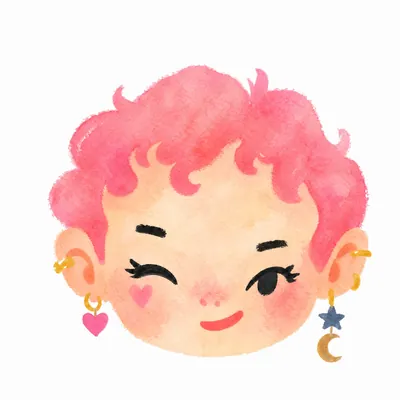
Naive Doodle Avatar
Create fashion-chibi avatars from photos or text
Naive Doodle Avatar
Create fashion-chibi avatars from photos or text
Showcase
Description
Turn a portrait, appearance description, or creative character idea into a distinctive naive doodle fashion-chibi avatar with a childlike yet cool editorial feel. The style emphasizes bold graphic hair shapes, rough marker or dry-brush edges, restrained watercolor-like color, and a clean white or warm-white background. Real photos guide recognizable cues such as hairstyle silhouette, face shape, expression, and attached accessories while remaining clearly transformed into an illustrated avatar rather than a realistic likeness. You can also start with a set of fresh fictional avatars when you want random inspiration instead of a photo-based transformation. The result stays flat, expressive, and fashion-forward, avoiding photographic skin, 3D rendering, heavy shading, detailed anatomy, distracting backgrounds, text, and watermarks.
Recommended by
Shuting@YouMind
Why we love this skill
Turns photos or descriptions into recognizable fashion-chibi avatars with deliberately naive brushwork, graphic silhouettes, and playful asymmetry. Its identity-aware styling and consistent 12-avatar grid make it equally strong for personal portraits or cohesive fictional sets.
Related Skills
View all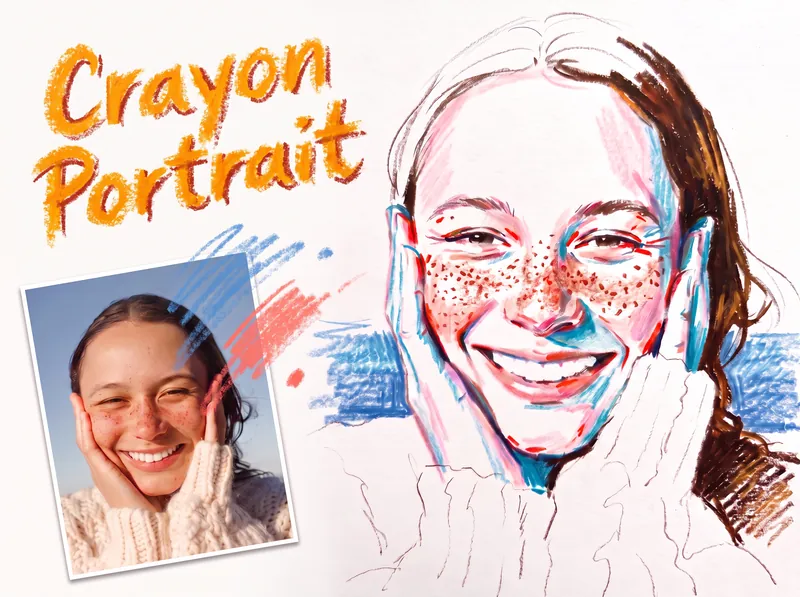 Image
ImageCrayon Portrait
Turn a portrait photo into a faithful colored crayon or oil pastel sketch that preserves the person’s identity, expression, pose, proportions, hairstyle, clothing, composition, and recognizable details. Freckles, dimples, glasses, earrings, loose strands, teeth, and fabric texture remain part of the likeness rather than being smoothed away or exaggerated. The finished image has the spontaneous character of a quick on-location drawing on white sketch paper, with visible grain, dry rubbing, broken strokes, and airy areas of untouched paper. Facial color stays restrained, using layered pink, coral, and brick-red accents along structural turns while keeping most of the face white; cool blue or peacock-green marks add transparent shadow notes, and yellow is excluded. Hair is rendered in warm brown tones with a deliberate balance between open, light areas and denser textured sections, while clothing and exposed shoulders remain mostly white with only a few expressive lines. A simple, single-hue background softly supports the figure from the sides near the shoulders without filling the page or competing with the portrait. Its uneven, open-edged crayon marks meet the silhouette cleanly and preserve broad white space around the head and lower composition. The result is a distinctive handmade portrait sketch rather than a photorealistic rendering, polished digital painting, or caricature.
 Image
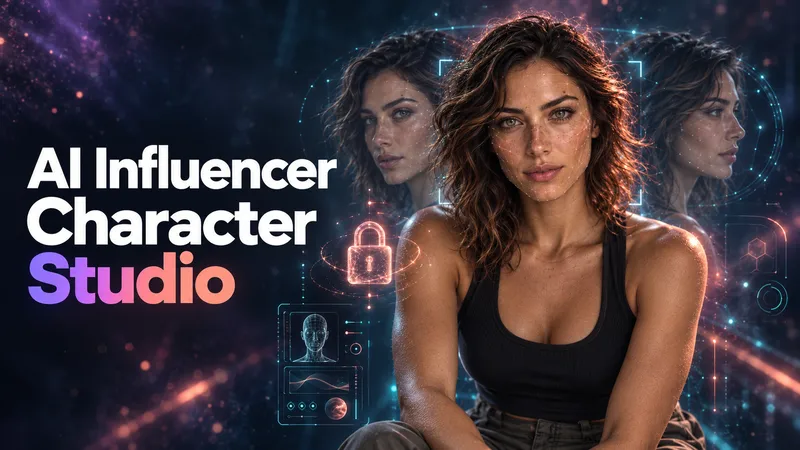
ImageAI Influencer Character Studio
Don't just generate a face. Build a character people can recognize. AI Influencer Character Studio turns an idea or style reference into an original adult AI influencer with a defined look, personality, lifestyle, and reusable reference package. Choose photorealistic, anime, 3D, comic, or illustrated styles. DEFINE THE IDENTITY Build a Character Bible: your character's facial features, hair, eyes, body proportions, distinctive marks, and signature accessories, plus reusable identity and negative prompts. BUILD THE REFERENCE SET Approve your master portrait first, then create a 10-part set covering facial angles, profile, hair, full-body views, expressions, and a lifestyle scene. Images are checked against the approved identity, with visible inconsistencies flagged for review and targeted repair. GIVE YOUR CHARACTER A LIFE Develop a niche, personality, voice, backstory, wardrobe direction, daily life, target audience, and content pillars. Create a character with a world, not just a look. CONTINUE WITHOUT STARTING OVER Receive a portable HANDOFF.md containing your character profile, image inventory, prompt log, decisions, and next-session roadmap. Bring it back to resume later or carry the documented identity into another tool. Start with a clear vision, an inspiration image, or no idea at all. Guided questions and suggested defaults help you shape the character step by step. Works in your language, with English image prompts and explanations in your language. If image generation is unavailable, you receive a copy-ready prompt package instead. For original adult characters only, not real-person replicas. Video production and social media management are not included.
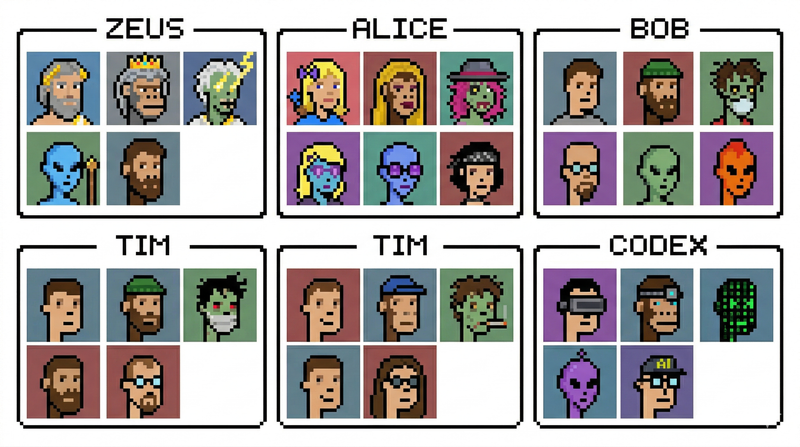
create-avatar
create-avatar generates a single 16:9 avatar contact sheet with exactly six named sections arranged in a 3×2 layout. Each section has a thin black border, a centered name tab, and a 3×2 grid of six portraits inside, for 36 portraits total. The skill is designed for quickly creating polished character boards, team avatar sheets, fictional profile collections, collectible-card layouts, or creative identity explorations. The user controls three main inputs: exactly six names, the visual style, and any special characters to include. The default style is photorealistic studio portraiture with a clean retro collectible-card aesthetic, but the style can be changed to pixel art, anime, cyberpunk, clay render, 3D toy, oil painting, noir photography, or other visual directions. The layout is intentionally fixed so the output remains consistent and reusable. Names always appear in order from left to right across the top row, then left to right across the bottom row. Each portrait uses a distinct solid-color background and the full sheet emphasizes character variety: different ages, ethnicities, skin tones, hairstyles, hats, glasses, facial expressions, tattoos, jewelry, and imaginative characters such as aliens, zombies, AI/robots, pandas, or monkeys. Use this skill when you want a clean, organized, highly visual avatar grid rather than a single portrait or a loose collage.
Information
- Version
- v21
- Last updated
- Runtime credits
- Usage-based
- Models
- Auto
